1. Pengenalan
This manual provides essential instructions for the installation, operation, maintenance, and troubleshooting of your new Generic Siragon NB-7000 laptop keyboard. Please read this manual carefully before proceeding with installation to ensure proper function and to prevent damage to your device.
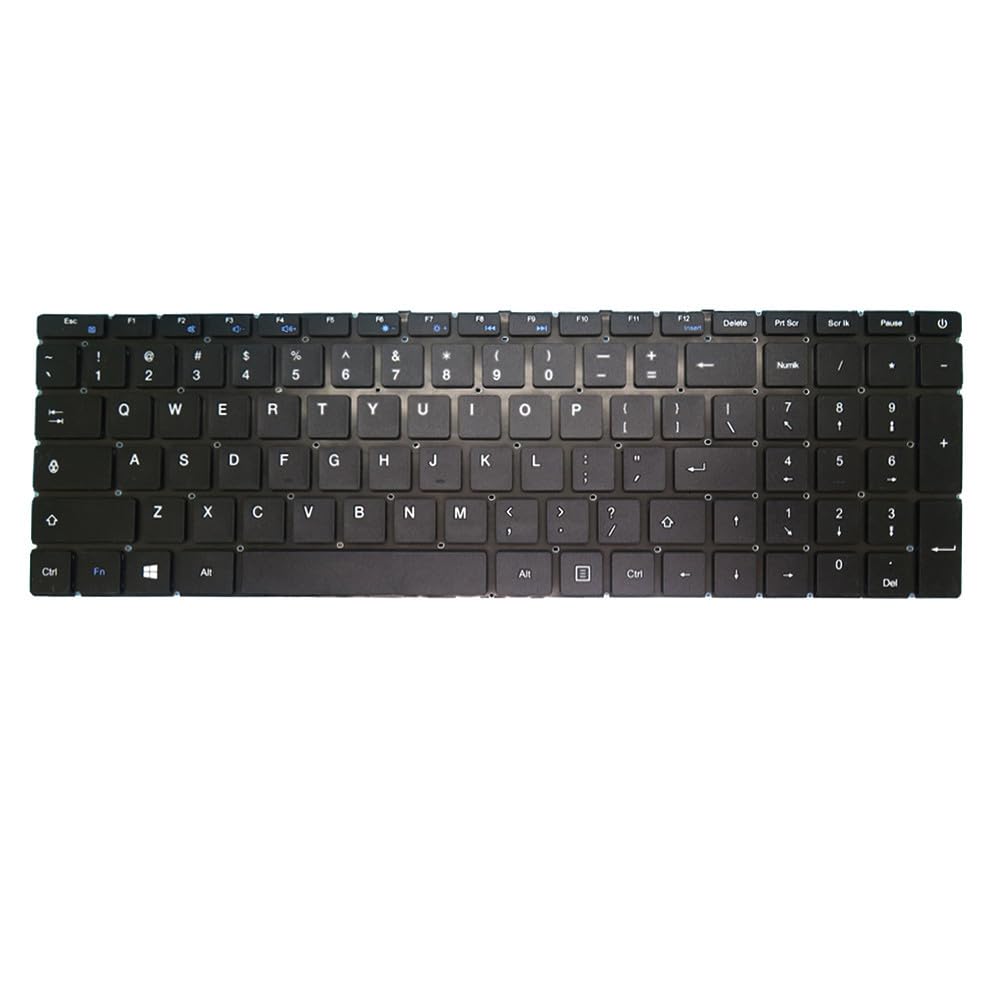
Image 1: Generic Siragon NB-7000 Laptop Keyboard. This image displays the top-down view of the black laptop keyboard, showing the key layout and overall design.
2. Persediaan dan Pemasangan
Installing a laptop keyboard requires careful handling. If you are not comfortable performing this procedure, it is recommended to seek assistance from a qualified technician.
2.1 Langkah Keselamatan
- Always power off your laptop and disconnect it from the power adapter before beginning installation.
- Remove the laptop battery to prevent accidental power-on.
- Use appropriate tools to avoid damaging the laptop casing atau komponen dalaman.
- Work in a clean, well-lit environment.
- Discharge static electricity by touching a grounded metal object before handling internal components.
2.2 Langkah Pemasangan (Panduan Umum)
- Sediakan Laptop: Ensure the laptop is powered off, unplugged, and the battery is removed.
- Remove Old Keyboard: Carefully locate and remove any screws securing the old keyboard. These are often found on the bottom of the laptop or under a trim piece above the keyboard. Gently pry up the keyboard, being mindful of the ribbon cable.
- Disconnect Ribbon Cable: Unlock the ZIF (Zero Insertion Force) connector holding the keyboard ribbon cable to the motherboard. Gently pull the ribbon cable out.
- Pasang Papan Kekunci Baharu: Insert the ribbon cable of the new Generic Siragon NB-7000 keyboard into the ZIF connector, ensuring it is fully seated. Lock the connector.
- Secure New Keyboard: Carefully place the new keyboard into its housing. Ensure it sits flush and secure it with any screws that were removed earlier.
- Pasang semula Komputer Riba: Reinstall the laptop battery and reconnect the power adapter.
- Kefungsian Ujian: Power on the laptop and test all keys to ensure they are functioning correctly.
Note: Specific laptop models may have variations in keyboard removal and installation procedures. Refer to your laptop's service manual for detailed, model-specific instructions if available.
3. Arahan Operasi
The Generic Siragon NB-7000 keyboard functions as a standard US layout laptop keyboard. All keys operate according to their labeled functions.
- Menaip: Press individual keys to input characters.
- Kekunci Fungsi (Fn): Many laptops utilize an "Fn" key (usually located near the left Ctrl key) in combination with the F1-F12 keys to access special functions such as screen brightness, volume control, Wi-Fi toggle, and external display options. Refer to your laptop's user manual for specific Fn key combinations.
- Numeric Keypad (if present): If your keyboard includes a numeric keypad, ensure "Num Lock" is activated to use the number keys.
4. Penyelenggaraan
Proper maintenance can extend the lifespan of your keyboard and ensure optimal performance.
- Pembersihan:
- Power off the laptop before cleaning.
- Gunakan kain lembut yang tidak berbulu dampened with water or a mild cleaning solution (e.g., isopropyl alcohol) to wipe the keycaps. Avoid excessive moisture.
- Gunakan udara termampat untuk mengeluarkan habuk dan serpihan dari antara kekunci.
- Elakkan Tumpahan: Keep liquids away from the keyboard to prevent damage. In case of a spill, immediately power off the laptop, disconnect power, remove the battery, and allow it to dry completely before attempting to power it on again.
- Penggunaan Lembut: Avoid excessive force when typing to prevent premature wear on the keys.
5. Penyelesaian masalah
If you encounter issues with your keyboard, try the following troubleshooting steps:
- Kunci Tidak Menjawab:
- Ensure the keyboard ribbon cable is securely connected to the motherboard.
- Mulakan semula komputer riba anda.
- Periksa sebarang halangan fizikal di bawah kekunci.
- Verify that the correct keyboard drivers are installed (usually handled automatically by the operating system).
- Aksara Salah Muncul:
- Check your operating system's keyboard language settings to ensure it is set to "US" or the appropriate layout.
- Ensure "Num Lock" or "Caps Lock" are not accidentally engaged if they are causing unexpected input.
- Keyboard Not Detected:
- Power off the laptop, disconnect the battery, and re-seat the keyboard ribbon cable.
- Semak Pengurus Peranti (Windows) atau Maklumat Sistem (macOS) untuk melihat sama ada papan kekunci dikenali.
If problems persist after attempting these steps, consider contacting a professional technician or the seller for further assistance.
6. Spesifikasi
| Jenama | Generik |
| Model | Siragon NB-7000 |
| Susun atur | Amerika Syarikat (AS) |
| warna | Hitam |
| Bingkai | Tanpa Bingkai |
| Ketinggian Item | 10 sentimeter |
| Lebar Item | 10 sentimeter |
| Dimensi Produk | 10 x 10 x 10 cm |
| Berat Barang | 300 g |
| ASIN | B0FT85T24G |
| Rujukan Pengeluar | KBNB-7000-US |
7. Waranti dan Sokongan
For information regarding warranty coverage, returns, or technical support, please refer to the specific terms provided by your retailer or the manufacturer at the time of purchase. Keep your purchase receipt as proof of purchase.


