pengenalan
The Kuulaa Qi2 MagSafe Power Bank is a 10000mAh portable charger designed for iPhone 12-17 series, offering 15W wireless and 20W USB-C fast charging. It features a smart TFT display and a foldable stand for convenient use. This manual provides instructions for safe and efficient operation of your power bank.
Ciri-ciri Utama:
- Qi2 Certified 15W MagSafe Fast Charging for precise alignment and reliable performance.
- 10000mAh Compact Power for Travel, providing up to 1.3 full charges for an iPhone 16 Pro.
- 20W USB-C Fast Charging Option for wired output to various devices.
- Smart TFT Display showing real-time battery level, charging speed, and power status.
- Foldable Stand for hands-free viewsemasa pengecasan.
- Optimized for iPhone 17, 16, 15, 14, 13, and 12 series with strong magnetic alignment.
Kandungan Pakej
Sila semak kandungan pakej semasa membuka kotak:
- Kuulaa Qi2 MagSafe Power Bank (KL-YD92)
- Kabel Pengecasan USB-C ke USB-C
- Manual Pengguna

Rajah 1: Kandungan Pakej
Produk Selesaiview
Familiarize yourself with the components of your Kuulaa Qi2 MagSafe Power Bank.

Figure 2: Smart TFT Display Details
- MagSafe Charging Surface: For wireless charging compatible devices.
- Smart TFT Display: Menunjukkan percen bateritage, input/output wattage, and foreign object detection.
- Butang Kuasa: Activates the display and controls power.
- Port USB-C: For charging the power bank and wired charging other devices.
- Penyangga boleh lipat: Pendirian bersepadu untuk bebas tangan viewing.
Persediaan
1. Mengecaj Bank Kuasa
Before first use, fully charge your Kuulaa Qi2 MagSafe Power Bank.
- Sambungkan kabel USB-C ke USB-C yang disediakan ke port USB-C bank kuasa.
- Connect the other end of the cable to a compatible USB-C wall adapter (not included). For optimal charging speed, use a 20W or higher power adapter.
- The Smart TFT Display will show the charging status and battery percentage. The power bank is fully charged when the display shows 100%.

Figure 3: Charging the Power Bank
Arahan Operasi
1. Wireless Charging (MagSafe Compatible)
This power bank supports 15W Qi2 wireless charging for compatible devices, primarily iPhone 12 series and newer.
- Ensure your device is MagSafe compatible. For optimal magnetic attachment and charging, use an iPhone 12 series or newer, or a MagSafe-compatible case.
- Align your iPhone with the magnetic charging surface of the power bank. The magnets will snap into place, ensuring correct alignment.
- The Smart TFT Display will indicate wireless charging is active and show the charging speed.

Figure 4: Wireless Charging an iPhone

Figure 5: Secure Magnetic Attachment

Figure 6: Wireless Charging Speed Example
2. Pengecasan Berwayar (USB-C)
The USB-C port supports 20W fast charging for a wide range of devices, including other smartphones, tablets, and earbuds.
- Sambungkan peranti anda ke port USB-C bank kuasa menggunakan kabel USB-C yang serasi.
- The Smart TFT Display will show wired charging is active and display the output wattage.

Figure 7: Wired Charging via USB-C
Nota: The power bank can charge multiple devices simultaneously (one wirelessly, one via USB-C), but total output will be shared.
3. Menggunakan Penyangga Boleh Lipat
The integrated foldable stand allows for hands-free viewing of your device while charging.
- Gently pull out the metal stand from the back of the power bank.
- Laraskan pendirian mengikut kehendak anda viewsudut ing.
- Place your magnetically attached iPhone (or other device) on the stand.
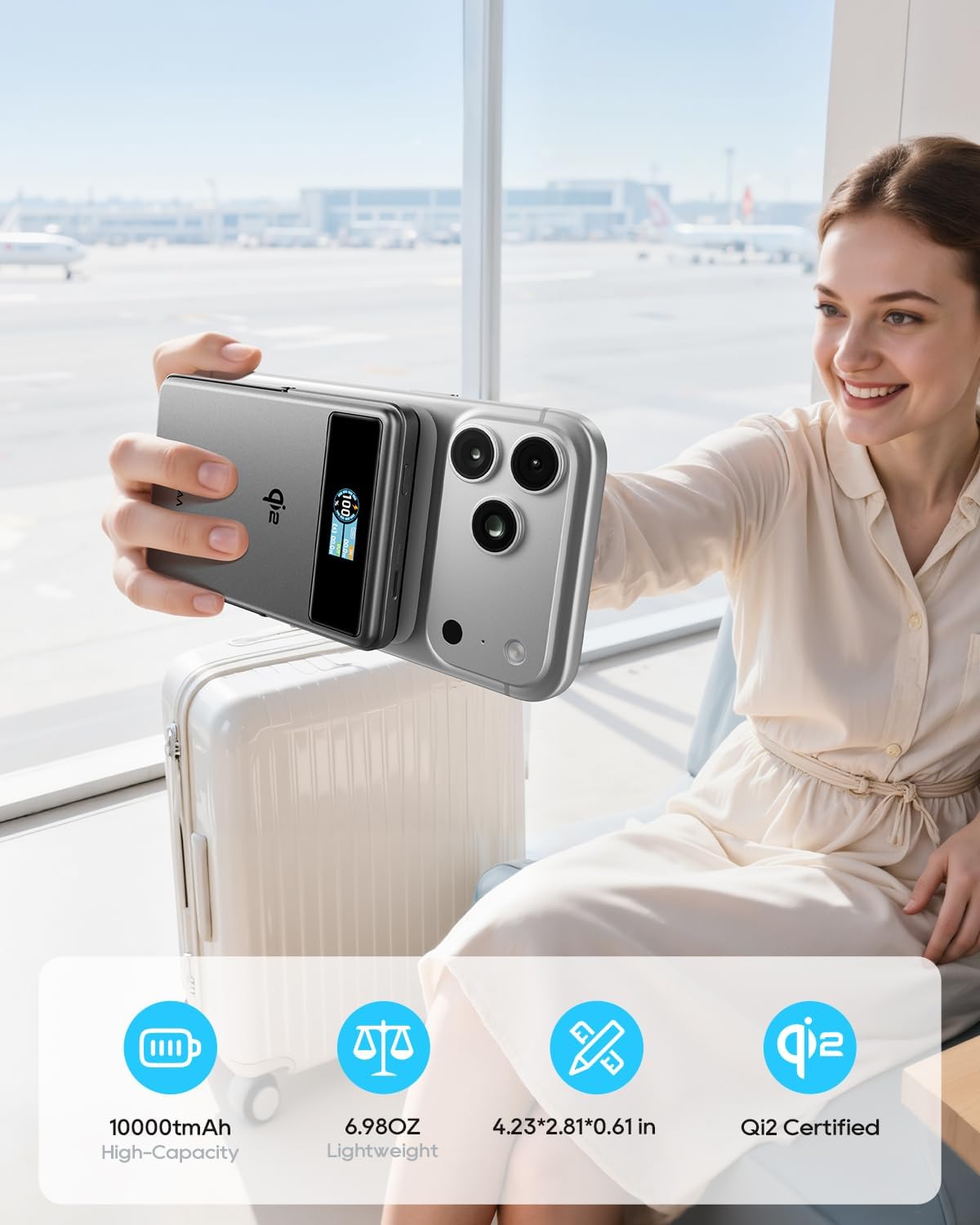
Figure 8: Using the Foldable Stand

Figure 9: Travel Convenience with Foldable Stand
4. Airplane Mode (Disable Wireless Charging)
To comply with airline regulations or if you only wish to use the stand function, you can disable wireless charging.
- Klik dua kali butang kuasa.
- Wait for approximately 2 seconds. The wireless charging function will be disabled. The power bank can then be used solely as a magnetic phone stand.

Figure 10: Airplane Friendly Mode
Penyelenggaraan
- Jauhkan power bank daripada air, api dan suhu tinggi.
- Elakkan daripada menjatuhkan atau meletakkan peranti kepada kesan yang kuat.
- Clean the device with a dry, soft cloth. Do not use corrosive cleaners.
- Simpan bank kuasa di tempat yang sejuk dan kering apabila tidak digunakan.
- For optimal battery life, fully charge the power bank at least once every three months.
Menyelesaikan masalah
| Masalah | Kemungkinan Punca | Penyelesaian |
|---|---|---|
| Power bank tidak dicas. | Cable or adapter issue; power bank fully discharged. | Ensure the USB-C cable and wall adapter are functioning correctly. Try a different cable or adapter. Allow sufficient time for a fully discharged power bank to initiate charging. |
| Peranti tidak mengecas secara wayarles. | Misalignment; non-MagSafe device/case; foreign object; wireless charging disabled. | Realign the device on the charging surface. Ensure your device or case is MagSafe compatible. Remove any metal objects between the power bank and device. Double-check if wireless charging is accidentally disabled (refer to "Airplane Mode" section). |
| Pengecasan perlahan. | Low power adapter; multiple devices charging; high device usage. | Use a 20W or higher USB-C wall adapter for charging the power bank. Avoid charging multiple devices simultaneously for faster individual charging. Reduce device usage during charging. |
| Smart TFT Display not showing information. | Display timeout; power bank off. | Press the power button once to reactivate the display. The display has a timeout feature to conserve power. |
| Power bank gets warm during charging. | Operasi biasa. | Adalah perkara biasa bagi power bank untuk menjadi sedikit panas semasa mengecas atau menyahcas. Jika ia menjadi terlalu panas, hentikan penggunaan dan hubungi sokongan. |
Spesifikasi
| Ciri | Perincian |
|---|---|
| Nombor Model | KL-YD92 |
| Kapasiti Bateri | 10000mAh (38.5Wj) |
| Output Pengecasan Tanpa Wayar | 15W (Diperakui Qi2) |
| Output USB-C | 20W Max (5V/3A, 9V/2.22A, 12V/1.67A) |
| Input USB-C | 18W Max (5V/3A, 9V/2A, 12V/1.5A) |
| Dimensi Produk | 4.2 x 2.8 x 0.6 inci |
| Berat Barang | 7 auns |
| Ciri Khas | Digital Display, Fast Charging, Lightweight, Pocket Size, Wireless Charging, Foldable Stand |
| Pengeluar | Shenzhen Kula Technology Co.,Ltd |
Waranti dan Sokongan
Kuulaa products come with a standard manufacturer's warranty. For detailed warranty information, product support, or technical assistance, please refer to the official Kuulaa webtapak atau hubungi perkhidmatan pelanggan mereka secara langsung.
Sila simpan bukti pembelian anda untuk tuntutan waranti.
Video Produk Rasmi
Video 1: Kuulaa Qi2 MagSafe Power Bank 15W 10000mAh & Foldable Stand. This video provides a quick overview of the power bank's features, including its magnetic attachment and foldable stand.