
1. Pengenalan
Thank you for choosing the Rowenta Force Pro 500 Steam Generator Iron. This manual provides essential information for the safe and efficient use of your appliance. Please read all instructions carefully before first use and keep them for future reference.
2. Arahan Keselamatan Penting
- Sentiasa pastikan voltage yang ditunjukkan pada perkakas sepadan dengan vol utama andatage.
- Jangan biarkan seterika tanpa pengawasan semasa ia dihidupkan atau disambungkan ke sesalur kuasa.
- Jauhkan perkakas daripada kanak-kanak dan orang yang kurang keupayaan fizikal, deria atau mental.
- Jangan sekali-kali merendam perkakas, kord kuasa atau palam ke dalam air atau sebarang cecair lain.
- Do not operate the appliance if it has been dropped, if there are visible signs of damage, or if it is leaking.
- Always place the iron on a stable, flat, and heat-resistant surface.
- Cabut plag perkakas daripada soket utama sebelum mengisi tangki air, membersihkan atau melakukan sebarang penyelenggaraan.
- Tapak tapak dan wap adalah sangat panas dan boleh menyebabkan melecur. Kendalikan dengan berhati-hati.
3. Komponen Produk
Familiarize yourself with the main parts of your Rowenta Force Pro 500 steam generator iron:
- Unit Besi: The handheld part with the soleplate.
- Pangkalan Penjana Stim: Houses the water tank and control panel.
- Tangki Air: Tangki boleh tanggal untuk mengisi air.
- Panel Kawalan: Buttons for power, Eco mode, Max mode, and Anti-calc.
- Hos Stim: Menyambungkan unit seterika ke tapak penjana stim.
- Pengumpul Kalkulator: Removable part for collecting limescale.
- Sistem Mengunci: Secures the iron unit to the base for transport and storage.
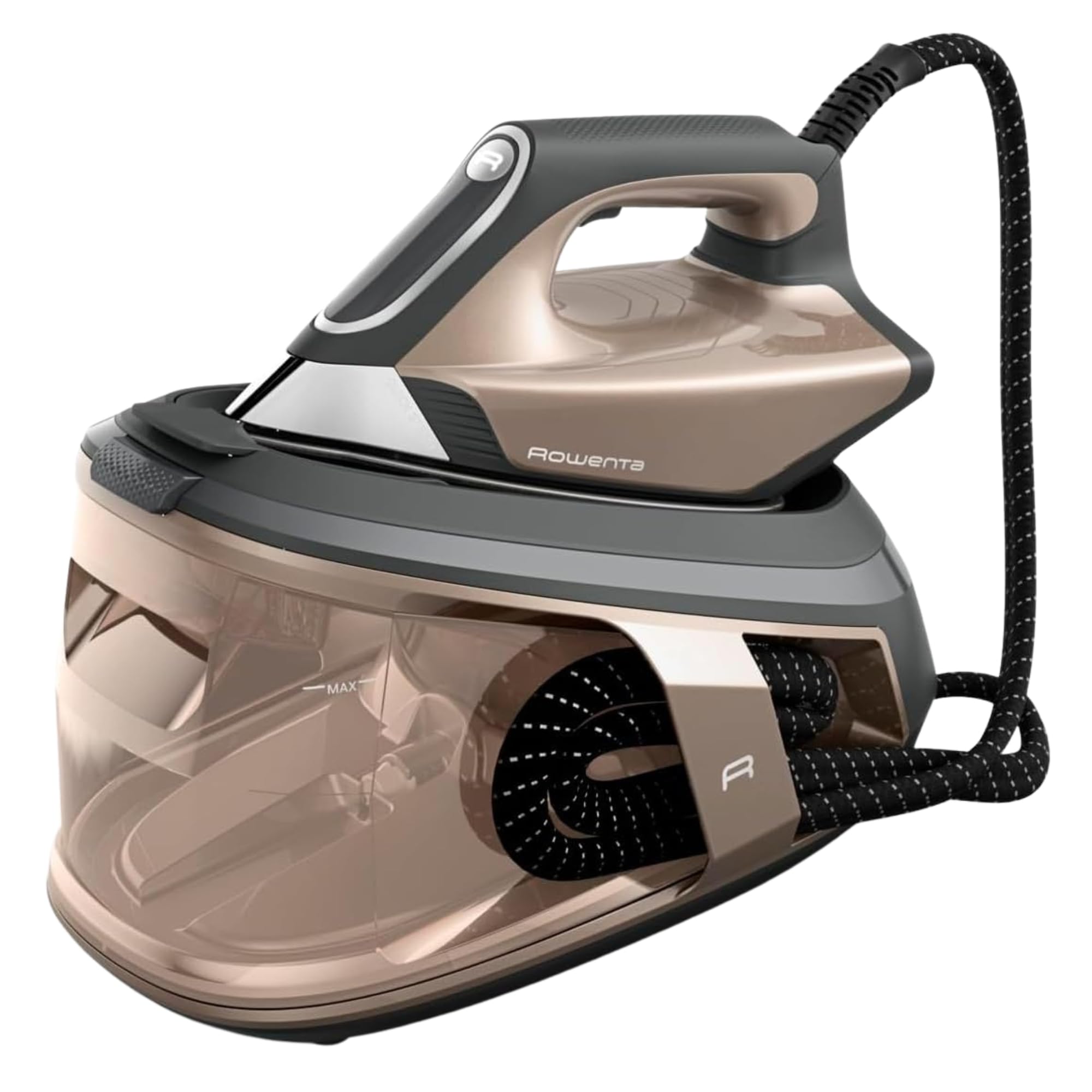
Gambar 1: Lebihview of the Rowenta Force Pro 500 Steam Generator Iron.

Figure 2: Illustration of the removable water tank.
4. Persediaan dan Penggunaan Pertama
- Membongkar: Keluarkan semua bahan pembungkus dengan berhati-hati dan pastikan semua komponen ada.
- Kedudukan: Place the steam generator base on a stable, flat, and heat-resistant surface.
- Mengisi Tangki Air:
- Keluarkan tangki air dari dasar.
- Fill the tank with tap water up to the 'MAX' level indicator. Do not use distilled or demineralized water exclusively, as it can affect steam performance.
- Reinsert the water tank firmly into the base until it clicks into place.
- Menyambung kepada Kuasa: Palamkan kord kuasa ke salur keluar elektrik yang dibumikan.
- Penyediaan Penggunaan Pertama: Before ironing garments, allow the iron to heat up completely. Press the steam trigger a few times to prime the system and release any initial impurities.
5. Arahan Operasi
5.1 Menghidupkan dan Memanaskan
Press the power button on the control panel. The indicator light will flash while the appliance heats up. Once the light becomes steady, the iron is ready for use.
5.2 Memilih Mod Menyeterika
The Rowenta Force Pro 500 features two primary ironing modes:
- Mod ECO: For energy-efficient ironing of most fabrics. This mode saves up to 50% energy while still providing effective steam.
- Mod MAX: For stubborn creases and thicker fabrics, providing maximum steam output (550 g/minute steam boost).
Select your desired mode directly from the control panel. The iron automatically adjusts the temperature, eliminating the need for manual temperature settings.

Figure 3: Eco mode for energy saving.

Figure 4: Control panel showing Eco and Max mode selection.
5.3 Steam Generation (Quicksteam Technology)
The Quicksteam technology provides instant steam on demand. Press the steam trigger located under the iron handle to activate continuous steam. For a powerful steam boost, press the trigger firmly.

Figure 5: Iron in use, demonstrating powerful steam output.

Figure 6: Visual representation of instant steam on demand.
5.4 Optimal Steam Distribution
The soleplate features 400 active micro-holes designed for maximum and even steam distribution, ensuring efficient wrinkle removal.

Figure 7: Close-up of the soleplate demonstrating steam distribution.
5.5 Mengukus Menegak
The powerful steam output allows for vertical steaming of hanging garments, curtains, and delicate fabrics. Hold the iron a few centimeters away from the fabric and press the steam trigger.
5.6 Penyimpanan dan Pengangkutan
After use, allow the iron to cool down completely. Secure the iron unit to the base using the locking system. The integrated cable management system allows for easy storage of the power cord and steam hose.
6. Penyelenggaraan dan Pembersihan
6.1 Menyahkerak (Pengumpul Kalk)
The integrated Calc Collector ensures long-lasting steam performance by capturing limescale. Regularly clean the Calc Collector:
- Pastikan perkakas dicabut plag dan sejuk sepenuhnya.
- Locate the Calc Collector on the steam generator base.
- Twist and pull out the collector.
- Rinse the collector under running water to remove any limescale deposits.
- Reinsert the clean Calc Collector firmly until it locks into place.
Figure 8: Location of the Calc Collector on the control panel.
6.2 Membersihkan Tapak Tapak
To maintain optimal glide and performance, clean the soleplate regularly:
- Pastikan seterika dicabut dan sejuk.
- Lap plat tapak dengan iklanamp cloth. For stubborn marks, use a specialized soleplate cleaning stick (available separately) according to its instructions.
- Do not use abrasive cleaners or metallic scouring pads, as these can damage the soleplate.

Gambar 9: Cthample of cleaning the iron's soleplate.
6.3 Mengosongkan Tangki Air
It is recommended to empty the water tank after each use to prevent limescale buildup and ensure hygiene.
7. Penyelesaian masalah
| Masalah | Kemungkinan Punca | Penyelesaian |
|---|---|---|
| Tiada wap dihasilkan. | Water tank is empty. Appliance is not heated up. Steam trigger not pressed. | Fill the water tank. Wait for the indicator light to become steady. Press the steam trigger. |
| Water droplets or brown stains appear on fabric. | Limescale buildup. Iron not hot enough. | Clean the Calc Collector. Allow the iron to heat up completely before use. |
| Besi tidak memanaskan. | Tidak dipalamkan. Butang kuasa tidak ditekan. | Check power connection. Press the power button. |
| Reduced steam output. | Limescale buildup. Water tank low. | Clean the Calc Collector. Refill the water tank. |
Jika masalah berterusan selepas mencuba penyelesaian ini, sila hubungi sokongan pelanggan.
8. Spesifikasi Teknikal
- model: VR9033F0
- Tekanan: 7.5 Bar
- Peningkatan Stim: Sehingga 550 g/minit
- Output Stim Berterusan: Approx. 120-140 g/minute
- Kuasa (Wattage): 2800 Watt
- Kapasiti Tangki Air: Approx. 1.5-1.8 Liters
- Bahan Tapak: Keluli Tahan Karat
- Dimensi Produk (L x W x H): 38.5 x 29 x 34 cm
- Berat produk: 3.4 kg
- Voltage: 220V
- Ciri Khas: Quicksteam Technology, Eco Mode, Max Mode, Calc Collector.

Rajah 10: Dimensi produk.
9. Waranti dan Sokongan Pelanggan
Rowenta is committed to product quality and durability. This product is designed for long-term use, with a focus on reparability.
- Kebolehbaikan: Rowenta offers 15 years of reparability at a fair price, supported by a network of 6200 repair centers worldwide. This commitment aims to extend the product's lifespan and reduce waste.
- Perkhidmatan Pelanggan: For any questions, technical assistance, or warranty claims, please refer to the official Rowenta weblaman web atau hubungi pusat khidmat pelanggan tempatan anda.
- Sumber Dalam Talian: Lawati pegawai Kedai Jenama Rowenta untuk maklumat dan sokongan produk tambahan.