
1. Pengenalan
Thank you for choosing the jeeber 5" 1080p Baby Monitor ES619. This device is designed to provide a secure and reliable way to monitor your baby, featuring a high-definition IPS screen, invisible night vision, two-way audio, and smart VOX mode. This manual will guide you through the setup, operation, and maintenance of your new baby monitor.

Imej 1.1: Selesaiview of the jeeber Baby Monitor ES619 and its key features including 5-inch IPS screen, VOX mode, 1080P HD clarity, FHSS encrypted transmission, instant connection, support for 4 cameras, two-way audio, 3x zoom, digital pan, HDR night vision up to 8 meters, temperature monitoring, feeding reminder, and lullabies.
2. Maklumat Keselamatan
- Keep the camera unit and power cords out of reach of children (at least 1 meter away from the crib).
- Do not place the camera or monitor in direct sunlight or near heat sources.
- Use only the provided power adapters. Using unauthorized adapters may damage the device and void the warranty.
- Produk ini bukan pengganti untuk pengawasan orang dewasa yang bertanggungjawab.
- Ensure proper ventilation for both units.
- The monitor is not water-resistant. Avoid exposure to water or high humidity.
3. Kandungan Pakej
Sila semak pakej untuk item berikut:
- 1 x Unit Kamera
- 1 x Unit Monitor
- 2 x Penyesuai Kuasa
- 1 x Kabel Pengecasan
- 1 x Manual Arahan

Image 3.1: All items included in the product package.
4. Produk Lebihview
4.1 Unit Pemantau
The monitor unit features a 5-inch HD IPS screen for clear viewing. It includes control buttons for navigation, zoom, two-way talk, and menu access. The monitor is portable and powered by a built-in 3050 mAh battery.

Imej 4.1: Depan view of the Monitor Unit.
4.2 Camera Unit
The camera unit captures 1080p video and is equipped with 10 invisible infrared LEDs for clear night vision. It includes a microphone and speaker for two-way communication and a temperature sensor. The camera is powered by an electrical cable.

Imej 4.2: Depan view of the Camera Unit.
5. Persediaan
5.1 Persediaan Awal
- Cas Monitor: Connect the monitor unit to a power outlet using one of the provided power adapters and charging cable. Allow it to charge fully before first use.
- Kuasakan Kamera: Connect the camera unit to a power outlet using the other power adapter.
- Hidupkan kuasa: Turn on both the camera and monitor units. The camera and monitor are pre-paired at the factory and should connect automatically within seconds.
- penempatan: Position the camera unit in a location that provides a clear view of your baby, ensuring it is at least 1 meter away from the crib. The monitor can be placed conveniently nearby.

Image 5.1: The monitor and camera automatically pair upon activation, simplifying setup.
5.2 Pilihan Pemasangan
The camera unit offers flexible mounting options including wall mount, crib mount, or tabletop placement. The integrated anti-slip base design ensures stability.

Image 5.2: Flexible mounting for optimal viewsudut-sudut.
6. Arahan Operasi
6.1 Viewing Your Baby
The 5-inch HD IPS screen provides a clear, real-color view of your baby. Use the navigation buttons on the monitor to digitally pan and tilt the view or zoom in up to 3 times for a closer look.

Image 6.1: The 5" 1080P IPS screen provides clear, real-color viewdari mana-mana sudut.
6.2 Penglihatan Malam
The camera is equipped with 10 invisible infrared LEDs, providing clear night vision without disturbing your baby's sleep. The monitor automatically switches to night vision in low-light conditions.

Image 6.2: Upgraded 10 infrared LED bulbs provide clearer, perfectly balanced night vision.
6.3 Komunikasi Dua Hala
Press and hold the microphone button on the monitor to speak to your baby. The advanced noise cancellation ensures clear audio transmission.

Image 6.3: Engage in two-way communication with advanced noise cancellation.
6.4 VOX Mode (Voice-Activated)
In VOX mode, the monitor screen automatically turns off to conserve battery when no sound is detected. It instantly activates when your baby cries or makes noise, alerting you. This mode extends battery life significantly.

Image 6.4: Smart VOX Mode for extended battery life.
6.5 Pemantauan Suhu
The monitor displays the real-time room temperature from the camera unit, helping you ensure a comfortable environment for your baby.
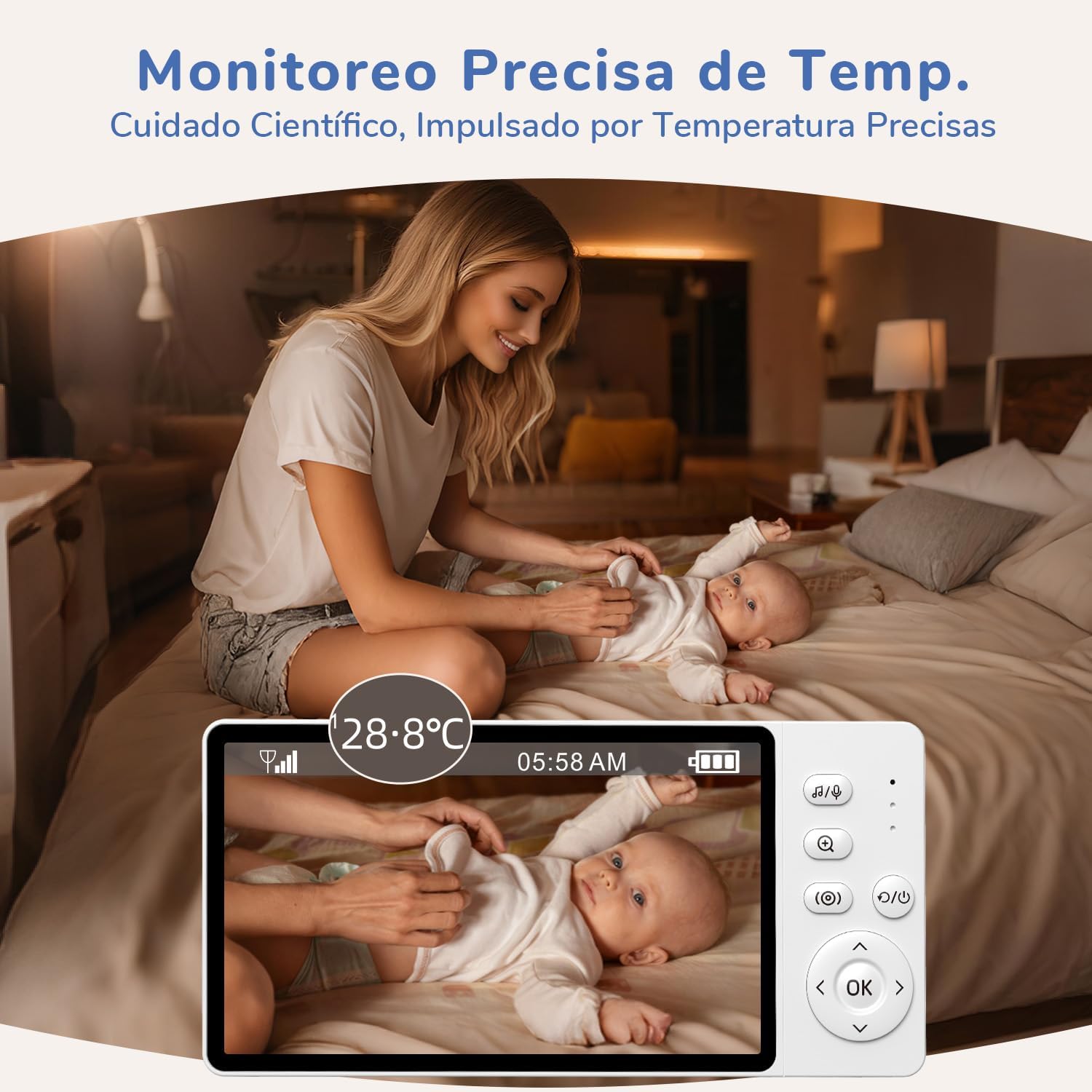
Image 6.5: Precise temperature monitoring for scientific care.
6.6 Lagu pengantar tidur
The monitor includes 8 calming lullabies that can be played remotely to soothe your baby to sleep.
6.7 Peringatan Makanan
Set up intelligent feeding reminders to help you keep track of your baby's feeding schedule.
6.8 Multi-Camera System
The system supports up to four cameras, allowing you to monitor multiple rooms or children from a single monitor unit. You can easily switch between camera views pada skrin.

Image 6.6: Multi-room monitoring with up to 4 cameras.
6.9 Secure and Stable Connection
The monitor uses FHSS (Frequency Hopping Spread Spectrum) technology for a secure, private, and interference-resistant connection. It operates without Wi-Fi, ensuring 100% local video transmission and protecting your family's digital security.

Image 6.7: No Wi-Fi required, privacy protected by FHSS technology.
The monitor offers a stable signal with a long range of up to 300 meters, even through walls, providing continuous monitoring throughout your home.

Image 6.8: Stable signal with a long range of 300m.
7. Penyelenggaraan
- Pembersihan: Use a soft, dry cloth to clean the camera and monitor units. Do not use abrasive cleaners or solvents.
- Storan: If storing the device for an extended period, ensure both units are fully charged, then power them off. Store in a cool, dry place.
- Penjagaan Bateri: To prolong battery life, avoid fully discharging the monitor's battery frequently. Charge it regularly.
8. Penyelesaian masalah
8.1 No Image/Sound on Monitor
- Ensure both the camera and monitor units are powered on and properly connected to their power adapters.
- Check if the monitor's battery is charged.
- Verify that the camera and monitor are within range of each other.
- If the monitor is in VOX mode, it might be in standby. Make a sound near the camera to activate it.
8.2 Kualiti Imej Lemah
- Pastikan lensa kamera bersih.
- Check for obstructions between the camera and monitor that might interfere with the signal.
- Laraskan kedudukan kamera untuk pencahayaan yang lebih baik.
8.3 Gangguan
- Move the camera or monitor away from other electronic devices that might cause interference (e.g., microwaves, Wi-Fi routers).
9. Spesifikasi
| Ciri | Spesifikasi |
|---|---|
| Nama Model | VB619-Parent |
| Saiz Skrin | IPS 5 inci |
| Resolusi Tangkapan Video | 1080p |
| Teknologi Ketersambungan | Tanpa Wayar (FHSS) |
| Ciri Khas | Two-way audio, Cry detection, HD resolution, Night vision, VOX mode |
| Penggunaan Dalaman/Luar | Dalaman, Luaran |
| Power Source (Camera) | Elektrik dengan kabel |
| Power Source (Monitor) | Dikuasakan bateri |
| Kapasiti Bateri | 3050 mAh |
| Jenis Pemasangan | Wall mount, Crib mount, Tabletop |
| Zum Optik | 3x |
| Julat Penglihatan Malam | 5 meters (Invisible IR) |
| Bilangan LED IR | 10 |
| Jenis Bahan | Plastik ABS kalis api |
| Dimensi | 15 x 7 x 11 cm |
| Berat badan | 640 Gram |
| Penilaian Perlindungan Antarabangsa | IP65 |
10. Waranti dan Sokongan
jeeber is committed to providing high-quality products and excellent customer service. Your baby monitor comes with the following:
- Waranti 24 Bulan: Enjoy peace of mind with a 24-month warranty covering manufacturing defects.
- Pulangan Percuma 90 Hari: If you are not satisfied, you can return the product for free within 90 days of purchase.
- 2-Year After-Sales Service: Dedicated support for two years after your purchase.
- Respons 24 Jam: Our customer support team aims to respond to all inquiries within 24 hours.
For any questions, technical support, or warranty claims, please contact us:
e-mel: help@jeebervip.com

Image 10.1: Warranty and customer support details.