
pengenalan
Thank you for choosing the TMEZON C680 Indoor Window Security Camera. This manual provides essential information for setting up, operating, and maintaining your camera. Please read it thoroughly before use and retain it for future reference.
Maklumat Keselamatan
- Gunakan hanya penyesuai kuasa yang disediakan.
- Do not expose the camera to extreme temperatures or humidity.
- Kamera ini direka untuk kegunaan dalaman sahaja.
- Jauhkan daripada kanak-kanak.
Kandungan Pakej
Sahkan bahawa semua barang ada di dalam bungkusan anda. Jika terdapat barang yang hilang atau rosak, sila hubungi khidmat pelanggan.
- TMEZON C680 Indoor Window Security Camera
- Penyesuai Kuasa
- Kabel Kuasa USB
- Kit Pemasangan (skru, sauh)
- Manual Pengguna
Produk Selesaiview
Familiarize yourself with the components of your TMEZON C680 camera.
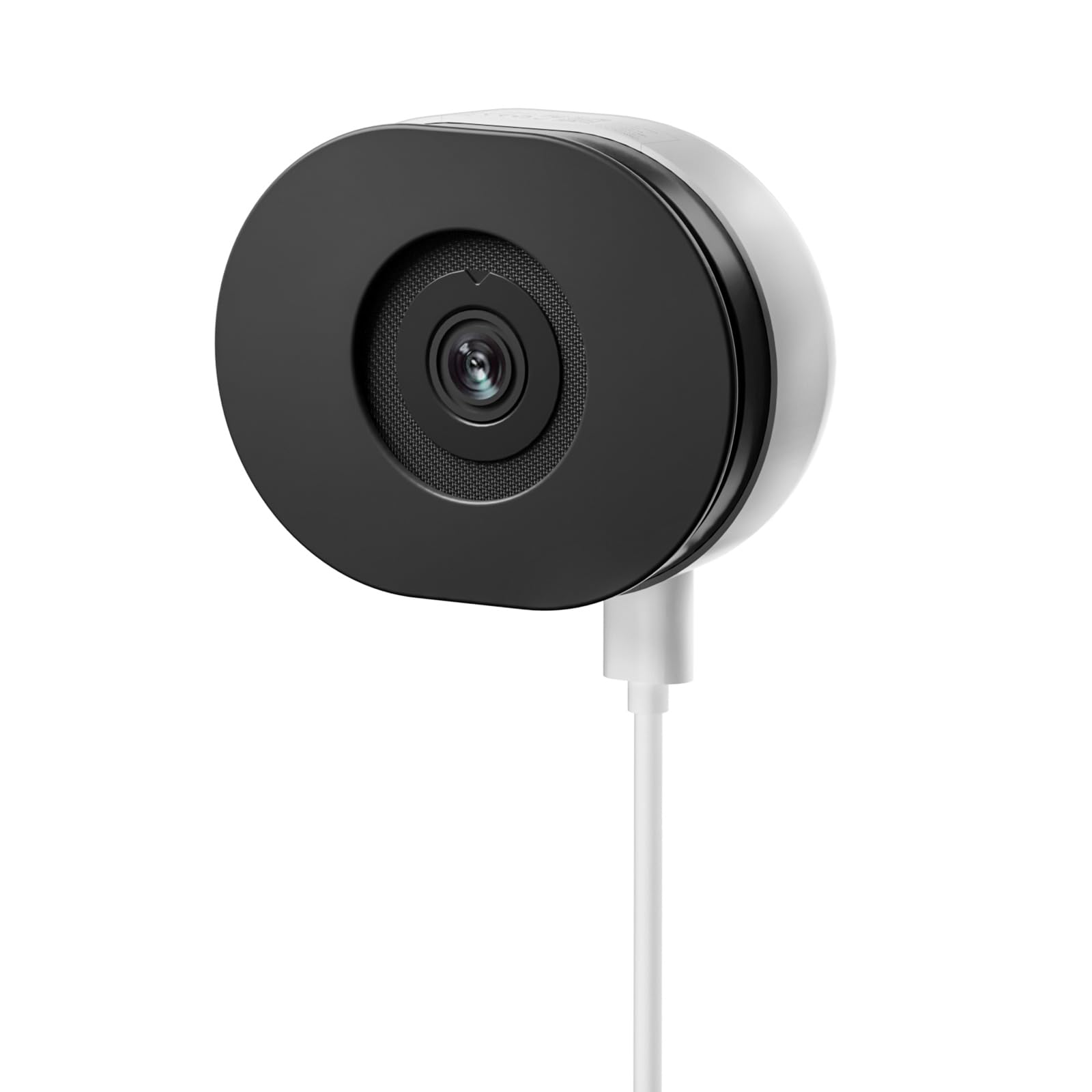
Image: The TMEZON C680 Indoor Window Security Camera. This image displays the camera's compact, circular form factor, highlighting the main lens and overall design.
Komponen Kamera
- Kanta Kamera: Captures 4MP 2.5K video.
- Lampu Penunjuk Status: Indicates camera status (e.g., solid blue for connected, flashing red for disconnected).
- mikrofon: For audio input and two-way audio communication.
- Penceramah: For audio output and two-way audio communication.
- Pelabuhan Kuasa: Menyambung kepada penyesuai kuasa.
- Butang Tetapkan Semula: Press and hold for 5 seconds to reset the camera to factory settings.
- Slot Kad MicroSD: For local storage (card not included).
Persediaan
Langkah 1: Muat turun Apl
Cari untuk the "TMEZON Smart" app (or similar, as specified in your product documentation) in your mobile device's app store (App Store for iOS, Google Play Store for Android). Download and install the app.
Langkah 2: Hidupkan Kamera
Connect the USB power cable to the camera's power port and plug the power adapter into a wall outlet. The camera's status indicator light will turn on. Wait for it to flash red, indicating it's ready for pairing.
Langkah 3: Tambah Peranti dalam Apl
- Open the TMEZON Smart app and create an account or log in.
- Tap the "+" icon (or "Add Device") to add a new camera.
- Select "Security Camera" or "Smart Camera" from the device list.
- Follow the on-screen instructions to connect the camera to your 2.4GHz Wi-Fi network. Ensure your phone is connected to the same 2.4GHz Wi-Fi network.
- The app will display a QR code. Position your camera to scan this QR code from your phone screen. You will hear a confirmation sound from the camera once scanned successfully.
- Once connected, the status indicator light will turn solid blue.
Step 4: Window Mounting
The TMEZON C680 is designed for easy window mounting.
- Choose a clean, flat window surface for optimal viewing.
- Use the provided mounting kit to secure the camera to the window frame or a nearby wall, ensuring the lens faces outwards.
- Adjust the camera angle to cover your desired surveillance area.
Arahan Operasi
Langsung View
Open the TMEZON Smart app and select your camera from the device list to access the live video feed.
Rakaman dan Main Semula
The camera supports 24/7 continuous recording to a local MicroSD card (not included).
- Masukkan Kad MicroSD: Power off the camera, insert a MicroSD card (up to 128GB, Class 10 or higher recommended) into the slot, then power on.
- View Rakaman: Dalam siaran langsung aplikasi view, tap the "Playback" or "History" icon to access recorded footage.
Audio Dua Hala
Dalam siaran langsung view interface, tap the microphone icon to speak through the camera's speaker. Tap the speaker icon to listen to audio from the camera's microphone.
Penglihatan Malam Warna
The camera automatically switches to color night vision in low-light conditions, providing clear, vivid footage up to 32 feet. No manual adjustment is typically required.
Pengesanan Pergerakan dan Makluman
The camera features motion-only alert type.
- In the app, navigate to the camera settings.
- Find "Motion Detection" or "Alert Settings."
- Enable motion detection and customize sensitivity levels and alert schedules as needed.
- You will receive push notifications on your mobile device when motion is detected.
Penyelenggaraan
Pembersihan
Lap kanta dan badan kamera dengan lembut menggunakan kain lembut dan kering. Jangan gunakan pembersih cecair atau bahan kasar.
Kemas kini Perisian Tegar
Periodically check the TMEZON Smart app for available firmware updates to ensure optimal performance and security. Follow the in-app instructions for updating.
Penyimpanan
When not in use for extended periods, store the camera in a cool, dry place, away from direct sunlight.
Menyelesaikan masalah
| Masalah | Penyelesaian |
|---|---|
| Kamera tidak dihidupkan. | Ensure the power adapter is securely connected to both the camera and a working power outlet. Try a different outlet. |
| Tidak dapat menyambung ke Wi-Fi. |
|
| No recording to MicroSD card. |
|
| Kualiti video yang teruk. |
|
Spesifikasi
- model: C680
- Resolusi: 4MP (2.5K)
- Penglihatan Malam: Color Night Vision, up to 32 feet
- Ketersambungan: Wi-Fi 2.4GHz
- Storan: Kad MikroSD (sehingga 128GB, tidak termasuk)
- Audio: Audio Dua Hala (Mikrofon & Pembesar Suara Terbina Dalam)
- Kuasa: Corded Electric, 5W
- Penggunaan Dalaman/Luar: Dalaman Sahaja
- Viewsudut: 120 Darjah
- Dimensi: Kira-kira 3.5 x 3.5 x 3.5 inci
- Bahan: plastik
- Jenis Makluman: Gerak Sahaja
Waranti dan Sokongan
TMEZON products are designed for reliability and performance. For warranty information, technical support, or customer service inquiries, please refer to the contact information provided on the product packaging or visit the official TMEZON webtapak.
You can also visit the TMEZON store on Amazon for additional product information and support: TMEZON Amazon Store.