
1. Pengenalan
This manual provides essential information for setting up, operating, and maintaining your DOOGEE Anywise W1 Smart Watch. Please read this manual thoroughly to ensure proper use and to fully utilize all features of your device.
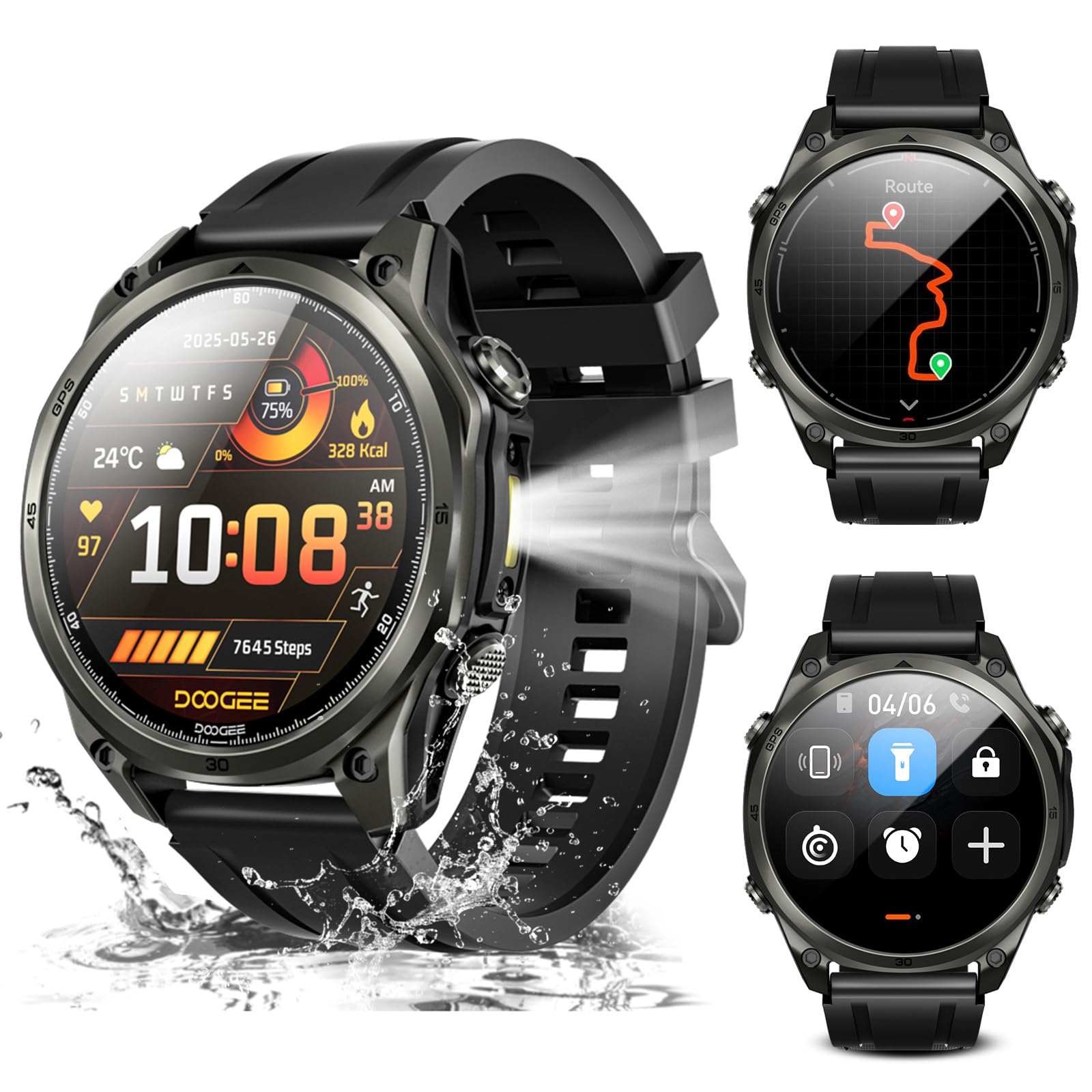
Imej: Selesaiview of the DOOGEE Anywise W1 Smart Watch and its main features.
2. Kandungan Pakej
Sahkan bahawa semua item terdapat dalam pakej produk anda:
- 1 X Anywise W1 Smartwatch
- 1 X Kabel Pengecasan Magnet
- 2 X Watch Straps (1*Silicone Strap + 1*Braided Strap)
- 1 X Panduan Pengguna
- Manual Latihan 1 X
- 1 X Service Card
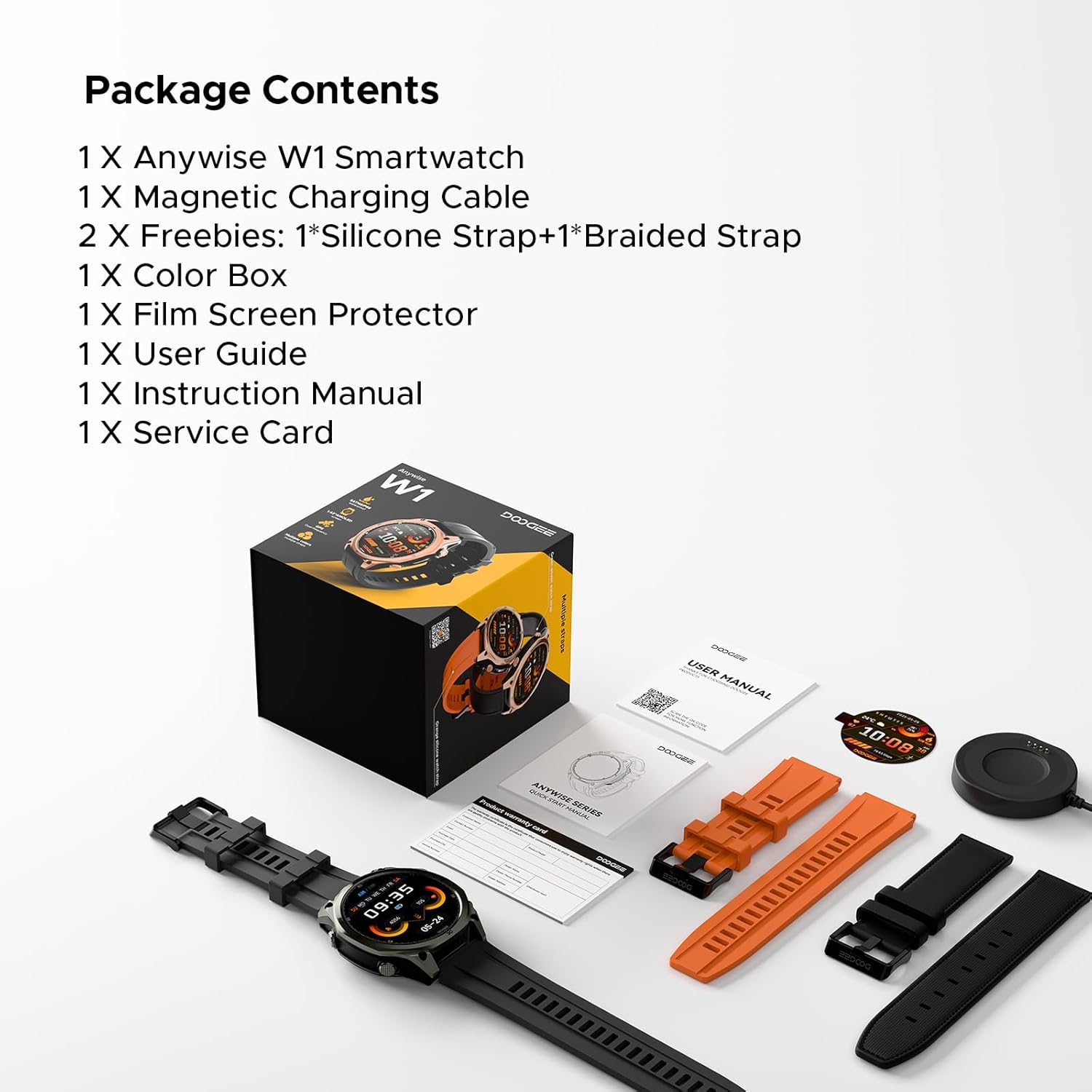
Image: The DOOGEE Anywise W1 Smart Watch and its accessories as found in the box.
3. Persediaan
3.1 Pengecasan Awal
Before first use, fully charge your DOOGEE Anywise W1 Smart Watch. Connect the magnetic charging cable to the charging pins on the back of the watch and plug the USB-A end into a compatible power source. The watch display will indicate charging status.
Video: Demonstrates connecting the magnetic charging cable to the watch and a USB power source.
3.2 Pemasangan Apl dan Berpasangan
- Download the official DOOGEE Fit application from your smartphone's app store (compatible with Android and iPhone).
- Open the app and create an account or sign in.
- Follow the on-screen prompts to set up your personal profile (gender, height, weight, age, daily goals).
- Enable Bluetooth on your smartphone and allow the DOOGEE Fit app to access Bluetooth.
- In the app, select 'Add Device' and choose 'DOOGEE Anywise W1' from the list of available devices.
- Sahkan permintaan berpasangan pada telefon pintar dan jam tangan anda.
Video: Shows the process of setting up the DOOGEE Fit application on a smartphone and pairing it with the watch.
3.3 Pemilihan Bahasa
After initial charging and pairing, you may need to select your preferred language on the watch. Tap the screen to navigate through language options and select 'English'.
4. Arahan Operasi
4.1 Paparan dan Navigasi
The DOOGEE Anywise W1 features a 1.43-inch AMOLED high-definition touch screen, providing clear visibility in various conditions. Navigate the watch interface by swiping left, right, up, or down, and tapping to select options.

Image: The watch display showing a notification, highlighting its clarity.
4.2 Kefungsian GPS
The watch includes built-in Dual-Band GPS (L1+L5) with six-satellite support (GPS, GLONASS, Beidou, Galileo, QZSS, AGPS) for fast and accurate location tracking during outdoor activities.

Image: The watch displaying GPS navigation during a run.
4.3 Tahan Air
The DOOGEE Anywise W1 has a 5ATM waterproof rating, making it suitable for swimming, showering, and use in various harsh environments.

Image: The watch being used in water, showcasing its water resistance.
4.4 Hayat Bateri
Equipped with a 550mAh high-capacity battery, the watch offers up to 12 days of daily use and 40 hours of continuous GPS positioning.

Image: Visual representation of the watch's extended battery life.
4.5 Mod Sukan
The watch supports over 170 sports modes. Connect to the app to download more. It monitors critical data like workout heart rate, distance, speed, and calories in real-time.

Imej: Cthamples of different sports modes available on the watch.
4.6 Pemantauan Kesihatan
The watch provides comprehensive health monitoring, including real-time heart rate, sleep tracking, stress levels, and blood oxygen saturation. Access these metrics through the DOOGEE Fit app.
4.7 Communication & AI Features
- Panggilan Bluetooth: Make and answer calls directly from the watch. Up to 100 contacts can be imported via the app.
- Pembantu Suara AI: Utilize AI functions for dialing, Q&A, and real-time translation (voice input to text display and voice announcements).
- Pemberitahuan: The watch alerts you to incoming messages and calls. Note: The watch cannot reply to messages.
4.8 Ciri Tambahan
- Lampu suluh LED: A 60 LM LED flashlight with 4 brightness levels.
- Kompas: Integrated compass function for outdoor navigation.
- Daily Tools: Music control, weather updates, stopwatch, alarm, camera control, SOS mode, and voice recording.
4.9 Menukar Muka Jam Tangan
Customize your watch's appearance by changing watch faces through the DOOGEE Fit app. Navigate to the watch face section in the app to browse and apply different styles.
4.10 Menukar Tali Jam Tangan
The watch comes with two interchangeable straps (silicone and braided). To change a strap, locate the small pin on the underside of the strap connection point, slide it to release, and then attach the new strap by aligning the pins and releasing them into the watch lugs.
5. Penyelenggaraan
To ensure the longevity and optimal performance of your DOOGEE Anywise W1 Smart Watch, follow these maintenance guidelines:
- Pembersihan: Bersihkan jam tangan dan tali secara berkala dengan kain lembutamp kain. Elakkan bahan kimia yang keras atau bahan yang melelas.
- Pengeringan: After exposure to water, ensure the watch is completely dry before charging or using buttons.
- Storan: Simpan jam tangan di tempat yang sejuk dan kering apabila tidak digunakan.
- Elakkan Keadaan Melampau: While rugged, prolonged exposure to extreme temperatures or direct sunlight can affect battery life and component integrity.
6. Penyelesaian masalah
If you encounter issues with your DOOGEE Anywise W1 Smart Watch, refer to the following common solutions:
- Tonton tidak dihidupkan: Pastikan jam tangan dicas sepenuhnya. Sambungkannya ke pengecas selama sekurang-kurangnya 30 minit.
- Tidak dapat dipasangkan dengan telefon pintar: Check that Bluetooth is enabled on your phone and the watch. Ensure the watch is within range of your phone. Restart both devices and try pairing again.
- Data kesihatan tidak tepat: Pastikan jam tangan dipakai dengan kemas di pergelangan tangan anda, tidak terlalu ketat atau terlalu longgar. Bersihkan sensor di bahagian belakang jam tangan.
- GPS tidak bersambung: Pastikan anda berada di kawasan luar yang terbuka dengan jernih view of the sky. Allow a few minutes for the watch to acquire a signal.
- Pemberitahuan tidak muncul: Check the notification settings in the DOOGEE Fit app and your smartphone's system settings to ensure permissions are granted.
For further assistance, consult the DOOGEE Fit app's help section or contact customer support.
7. Spesifikasi
| Ciri | Spesifikasi |
|---|---|
| Kapasiti Penyimpanan Memori | 35 GB |
| Standard Komunikasi Tanpa Wayar | Bluetooth |
| Saiz Skrin | 1.43 Inci |
| Jenama | DOOGEE |
| warna | Hitam |
| Jenis Bahan Band | Silicone, Braided |
| Aplikasi yang Disokong | Fitness Tracker, Sleep Monitor, Heart Rate Monitor, Pedometer, Blood Pressure Monitor, Multisport Tracker, Reminders, Calendar |
| Metrik Diukur | Heart Rate Monitor, Sleep Duration, Stress Monitor, Blood Oxygen Monitor |
| Maximum Display Brightness | 800 Nit |
| Communication Feature | Bluetooth |
8. Waranti dan Sokongan
For warranty information and customer support, please refer to the Service Card included in your package or visit the official DOOGEE website. You can also find additional resources and FAQs within the DOOGEE Fit application.