
1. Pengenalan
Welcome to the OnePlus 15 user manual. This guide provides essential information for setting up, operating, maintaining, and troubleshooting your new smartphone. The OnePlus 15 is designed for high performance and extended battery life, featuring a Snapdragon 8 Elite Gen 5 processor, a 7300mAh battery, and a triple 50 MP camera system. Please read this manual thoroughly to ensure optimal use of your device.
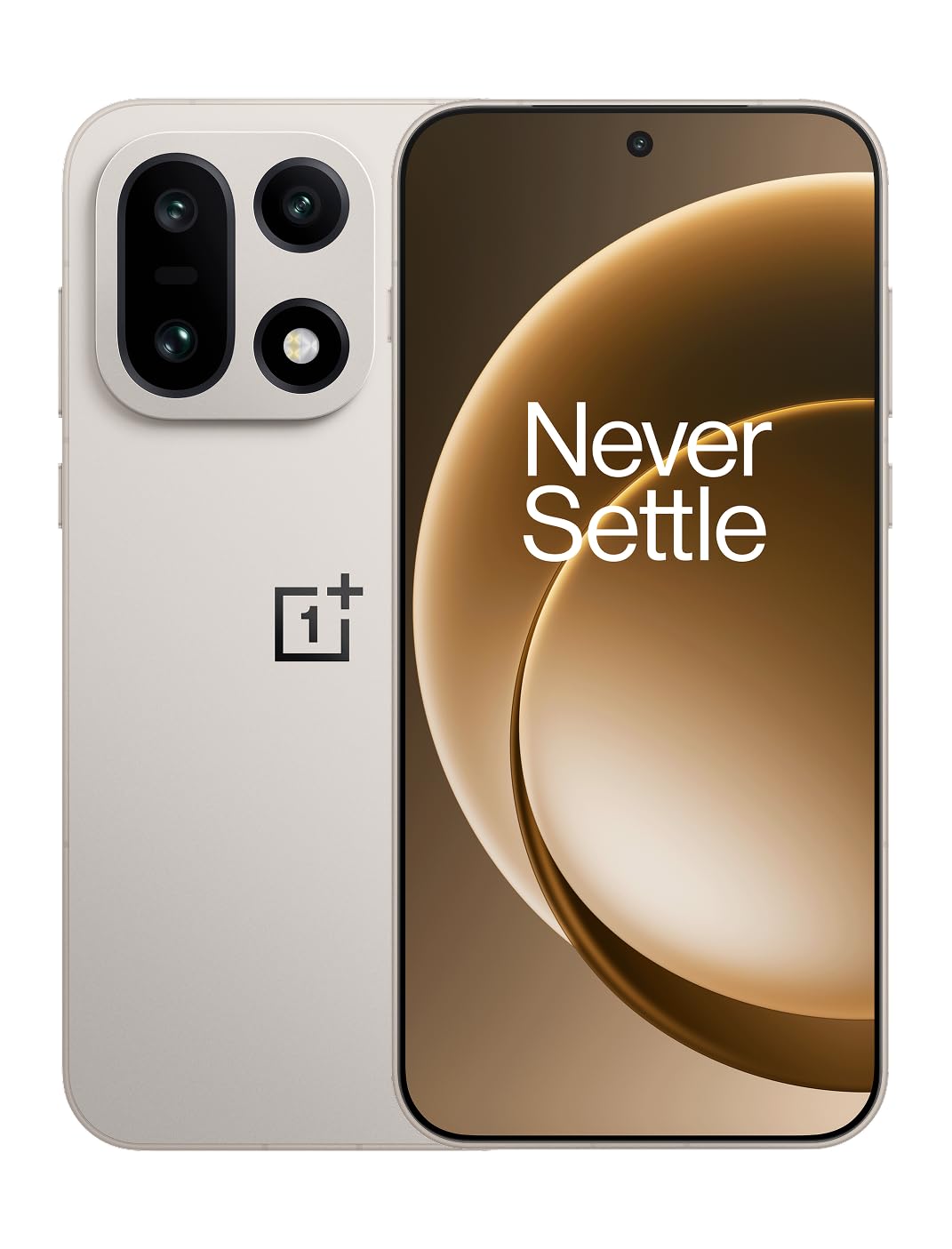
Rajah 1: Depan view of the OnePlus 15 smartphone.
2. Apa yang ada di dalam Kotak
Sahkan bahawa semua item terdapat dalam pembungkusan produk anda:
- OnePlus 15 Smartphone (x1)
- Pengecas (x1)
- USB Data Cable (x1)
- Alat Pengeluar SIM (x1)
- Panduan Ringkas (x1)
- Safety Guide (x1)

Figure 2: Included items in the OnePlus 15 package.
3. Persediaan
3.1. Pemasangan Kad SIM
The OnePlus 15 supports Dual-SIM functionality. To install your SIM card(s):
- Cari dulang kad SIM di sisi peranti.
- Masukkan alat ejektor SIM ke dalam lubang kecil di sebelah dulang dan tekan dengan kuat sehingga dulang terkeluar.
- Letakkan kad Nano-SIM anda ke dalam dulang dengan kenalan emas menghadap ke bawah. Pastikan ia diletakkan dengan betul.
- Masukkan semula dulang kad SIM ke dalam telefon dengan berhati-hati.

Rajah 3: Sisi view of the OnePlus 15, highlighting the SIM card tray.
3.2. Hidupkan dan Persediaan Awal
Untuk menghidupkan peranti anda buat kali pertama:
- Press and hold the Power button (located on the right side) until the OnePlus logo appears.
- Ikut arahan pada skrin untuk menyelesaikan persediaan awal, termasuk pemilihan bahasa, sambungan Wi-Fi, log masuk akaun Google dan tetapan keselamatan.
3.3. Mengecas Bateri
The OnePlus 15 is equipped with a 7300mAh battery. To charge your device:
- Pengecasan Berwayar: Connect the provided USB Data Cable to the Type-C port on the bottom of the phone and the other end to the charger. Plug the charger into a power outlet.
- Pengecasan Tanpa Wayar: Place the phone on a compatible wireless charging pad. Ensure the phone is centered on the pad for efficient charging.
A full charge provides approximately 68.7 hours of talk time.

Figure 4: Illustration of the 7300mAh battery capacity.
4. Mengendalikan Peranti Anda
4.1. Paparan
The OnePlus 15 features a 6.78-inch AMOLED display with a 2772x1272 resolution and a 165 Hz refresh rate. This provides smooth visuals and vibrant colors. Adjust display settings such as brightness, color mode, and refresh rate in the device settings menu.
4.2. Prestasi
Powered by the Snapdragon 8 Elite Gen 5 processor and 16GB of RAM, the OnePlus 15 delivers fast and efficient performance for multitasking, gaming, and demanding applications. The Tri-Chip System, combining the Snapdragon 8 Elite Gen 5 with a dedicated Wi-Fi chip and CPU scheduler, optimizes for speed, connectivity, and power efficiency.
Video 1: Selesaiview of the OnePlus 15's performance capabilities and user experience.
4.3. Sistem Kamera
The device is equipped with a Triple 50 MP camera system, offering wide, ultra-wide, and telephoto lenses for versatile photography. The DetailMax Engine enhances photo quality in various lighting conditions, including day, night, and motion shots. Both front and rear cameras are available for capturing images and videos.

Rajah 5: Belakang view of the OnePlus 15, showcasing the triple camera system.

Figure 6: DetailMax Engine for stunning photos.
4.4. Ketersambungan
The OnePlus 15 supports a range of connectivity options:
- wayarles: Wi-Fi, Bluetooth, NFC, Infrared.
- Berwayar: USB Jenis-C.
- Navigasi: Dual-band GPS (L1+L5) and Galileo (E1+E5a).
- SIM: Dual SIM support for managing multiple networks.
4.5. Sistem Operasi
The device runs on Android 16 with OxygenOS 16, providing a fast and smooth user experience. Regular software updates will be provided to enhance features and security.
5. Penyelenggaraan
5.1. Ketahanan dan Perlindungan
The OnePlus 15 is built with IP66/IP68/IP69 and IP19K ratings, offering resistance against dust and water. While designed to be durable, avoid exposing the device to extreme conditions or prolonged submersion in water.

Figure 7: OnePlus 15 demonstrating water resistance.
5.2. Membersihkan Peranti Anda
Use a soft, lint-free cloth to clean the screen and body of your phone. Avoid using abrasive materials or harsh chemicals, which can damage the display or finish.
5.3. Kemas Kini Perisian
Periodically check for software updates in the device settings. Keeping your software up-to-date ensures you have the latest features, security patches, and performance improvements.
6. Penyelesaian masalah
This section addresses common issues you might encounter with your OnePlus 15.
6.1. Peranti Tidak Dihidupkan
- Pastikan bateri telah dicas. Sambungkan telefon ke pengecas dan tunggu beberapa minit sebelum cuba menghidupkannya semula.
- Tekan dan tahan butang Kuasa selama sekurang-kurangnya 10-15 saat untuk memaksa mulakan semula.
6.2. Ketersambungan Rangkaian yang Lemah
- Periksa sama ada kad SIM anda telah dimasukkan dengan betul.
- Verify that airplane mode is not enabled.
- Mulakan semula peranti.
- If issues persist, contact your network provider.
6.3. Apl Ranap atau Membeku
- Tutup dan buka semula apl.
- Clear the app's cache and data in device settings.
- Pastikan apl dikemas kini kepada versi terkininya.
- If the issue is widespread, consider restarting the phone.
6.4. Bateri Cepat Kehabisan
- Kurangkan kecerahan skrin dan tempoh tamat masa skrin.
- Lumpuhkan ciri yang tidak digunakan seperti Wi-Fi, Bluetooth atau GPS apabila tidak diperlukan.
- Identify and close power-intensive applications running in the background.
- Check for recent software updates, as they often include battery optimizations.
7. Spesifikasi
Detailed technical specifications for the OnePlus 15 (Model: CPH2749).
| Ciri | Perincian |
|---|---|
| Nama Model | OnePlus 15 |
| Nombor Model Item | CPH2749 |
| Dimensi Produk | 6.36 x 3.02 x 0.32 inci |
| Berat Barang | 1.28 paun |
| Sistem Operasi | Android 16 |
| Model CPU | Snapdragon 8 Elite Gen 5 |
| Kelajuan CPU | 4.61 GHz |
| Saiz Terpasang Memori RAM | 16 GB |
| Kapasiti Penyimpanan Memori | 512 GB |
| Saiz Paparan Skrin Berdiri | 6.78 Inci |
| Resolusi | 2772*1272 |
| Kadar Segar Semula | 165 Hz |
| Kapasiti Bateri | 7300 Miliamp Jam (7300mAh) |
| Masa Bual Telefon | 68.7 Jam |
| Teknologi Ketersambungan | Infrared, NFC, USB, Wi-Fi, Bluetooth |
| GPS | Dual band: GPS(L1+L5) Galileo(E1+E5a) |
| Ciri Khas | Dual SIM, Wireless Charging |
| Bicu Audio | Type-C headphones: supported Type-C digital headphones & Type-C analog headphones |
| Ciri Kamera Lain | Front, Rear (Triple 50 MP Camera System) |
| Penarafan IP | IP66/IP68/IP69 and IP19K rated |
| warna | Sand Storm |
8. Maklumat Waranti
Your OnePlus 15 device is covered by a limited manufacturer's warranty. Please refer to the included Safety Guide or visit the official OnePlus website for detailed warranty terms and conditions, including coverage duration and service procedures. Keep your proof of purchase for warranty claims.
9. Sokongan
For further assistance, technical support, or to access additional resources, please visit the official OnePlus support website or contact customer service. You can find contact details and FAQs on the OnePlus webtapak.
Sumber Dalam Talian: www.oneplus.com/support