
pengenalan
Thank you for choosing the ApisQueen U92 Pro Underwater Thruster Set. This manual provides essential information for the safe and efficient use of your new thruster system. Please read it thoroughly before installation and operation.
The U92 Pro set features a high-performance 24V brushless motor with an integrated Electronic Speed Controller (ESC) and remote control (RC). Designed for durability and reliability, it is suitable for various watercraft including kayaks, fishing boats, and inflatable boats.
Kandungan Pakej
Sahkan bahawa semua komponen yang disenaraikan di bawah disertakan dalam pakej anda:
- 2 x Thrusters
- 2 x Electronic Speed Controllers (ESC)
- 1 x Remote Control (RC)
- 1 x Penerima
- 1 x Kotak Penyimpanan
- 2 x Mounting Bases
- 2 x Penyambung
- 1 x Pek Skru

Imej: Selesaiview of the ApisQueen U92 Pro Underwater Thruster Set components.
Persediaan dan Pemasangan
The U92 Pro set is designed for straightforward installation. Follow these steps to prepare your thruster system for use.
1. Mounting the Thrusters
Attach the thrusters to your watercraft using the provided mounting bases and screws. Ensure the thrusters are securely fastened and positioned to provide optimal propulsion without obstruction.

Image: Two U92 Pro thrusters mounted on the stern of an inflatable boat.
2. Sambungan Elektrik
Connect the thrusters to the control box. The system is ready for use as soon as it is connected to a power source. Ensure correct polarity:
- Connect the positive (+) terminal of the thruster system to the positive (+) terminal of your 12V or 24V power source (battery).
- Connect the negative (-) terminal of the thruster system to the negative (-) terminal of your power source.

Image: The ApisQueen U92 Pro control box showing cable connections for thrusters and power, with dimensions. Cable length from thruster to waterproof box is 1.5m.
The thrusters feature a built-in Electronic Speed Controller (ESC) for efficient power management.
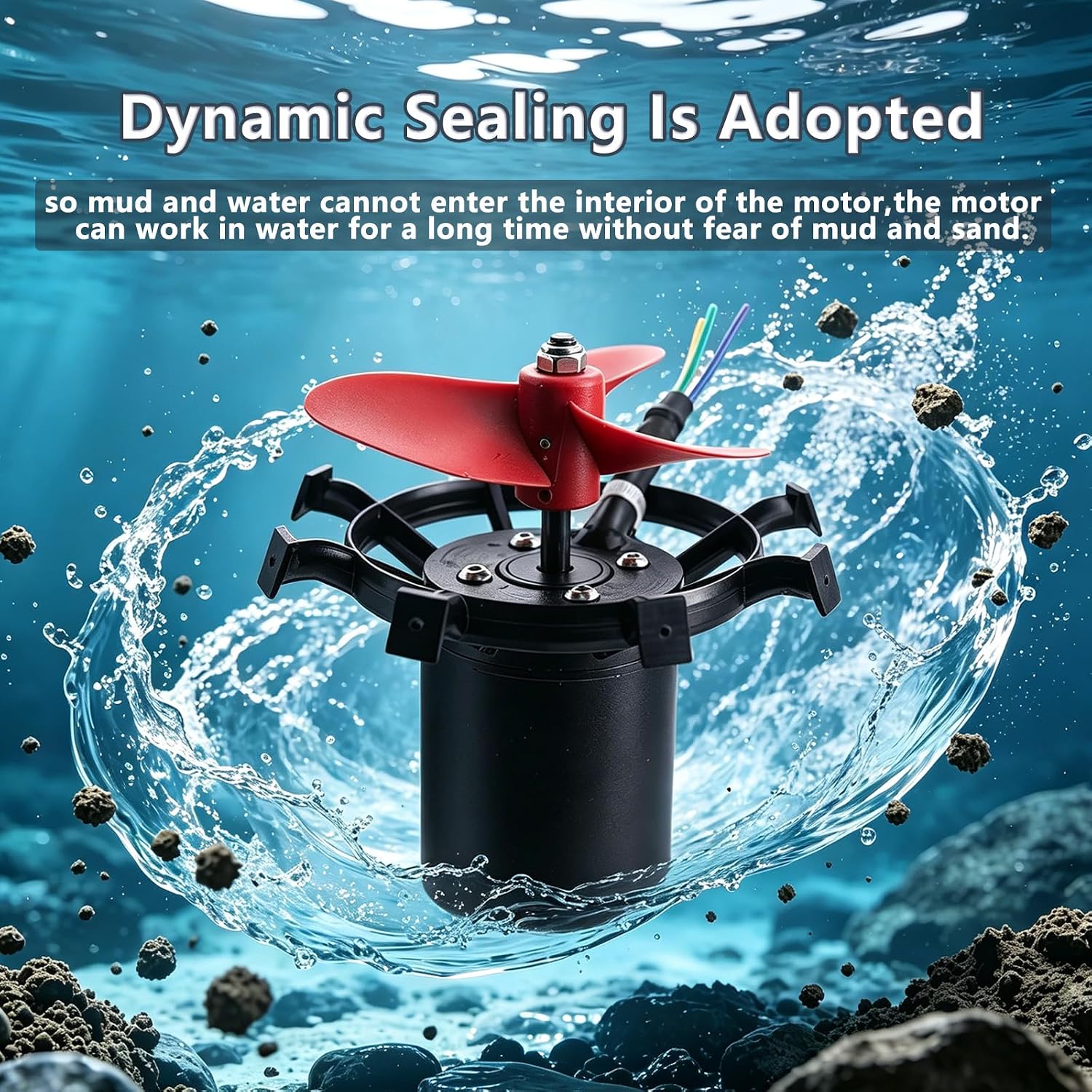
Image: Detail of the U92 Pro thruster highlighting the built-in ESC.
Operasi
The ApisQueen U92 Pro thruster set provides powerful propulsion for various water activities. Familiarize yourself with the remote control functions before operating the thrusters.
1. Menghidupkan
Once connected to a compatible power source (12V or 24V battery), the system is ready. Ensure the remote control is paired with the receiver.
2. Fungsi Alat Kawalan Jauh
Use the remote control to manage the thrusters' speed and direction. The remote control parameters are detailed in the Specifications section.

Image: The remote control unit for the ApisQueen U92 Pro thruster set.
3. Propulsion Performance
- 12-16V Battery: Total thrust reaches approximately 15.9 lbs.
- 24V Battery (fully charged to 29.4V): Total thrust reaches approximately 44.1 lbs.
With two U92 Pro thrusters, a 441 lbs boat can achieve speeds of 8-13 km/h.
Image: The U92 Pro thrusters in action, demonstrating their propulsion capability.
4. Operational Demonstration Video
Video: Demonstration of the ApisQueen U92 Pro Thruster Set in operation, showcasing control and movement.
Penyelenggaraan
Proper maintenance ensures the longevity and optimal performance of your ApisQueen U92 Pro thruster set.
1. Pembersihan
- After each use, especially in saltwater, rinse the thrusters and all exposed components with fresh water to prevent salt buildup and corrosion.
- Inspect the propellers for any debris (fishing lines, weeds, etc.) and carefully remove them.
2. Ciri Ketahanan
The U92 Pro thrusters are designed with durability in mind:
- Dynamic Sealing Design: Prevents mud and water from entering the motor's interior, allowing for long-term operation in various water conditions without fear of mud and sand ingress.
- Waterproof and Corrosion-Resistant: Engineered for both freshwater and saltwater environments.

Image: The U92 Pro thruster illustrating its dynamic sealing design, which prevents water and mud ingress.

Image: Close-up of the waterproof motor design of the ApisQueen U92 Pro.
Menyelesaikan masalah
This section addresses common issues you might encounter with your U92 Pro thruster set.
Built-in Protection Features
The U92 Pro thruster system incorporates four protection features to ensure safe operation and prevent damage:
- Perlindungan Gerai: Prevents motor damage if the propeller is obstructed.
- Perlindungan Terlalu Panas: Shuts down the motor if it reaches an unsafe operating temperature.
- Vol. Rendahtage Perlindungan: Protects the battery from over-discharge by reducing power or shutting down.
- Overvoltage Perlindungan: Safeguards the system from damage due to excessive input voltage.

Image: The U92 Pro thruster with visual indicators for its four protection features.
Isu dan Penyelesaian Biasa
| Masalah | Kemungkinan Punca | Penyelesaian |
|---|---|---|
| Pendorong tidak beroperasi | No power, incorrect wiring, remote not paired, low battery. | Check battery connection and charge. Verify wiring polarity. Ensure remote control is paired with the receiver. |
| Reduced thrust | Propeller obstructed, low battery voltage, motor terlalu panas. | Inspect and clear propellers. Charge battery. Allow motor to cool down if overheat protection is active. |
| Operasi sekejap-sekejap | Loose connections, remote signal interference. | Check all electrical connections. Ensure clear line of sight for remote control. |
Spesifikasi
Detailed technical specifications for the ApisQueen U92 Pro Underwater Thruster Set.
General Thruster Specifications
| Ciri | Perincian |
|---|---|
| Jenama | ApisQueen |
| Nombor Model | U92-24V-PRO-SET |
| Jenis Enjin | Electric Brushless Motor |
| Voltage Keserasian | 12V atau 24V |
| Thrust (12-16V) | 15.9 paun (jumlah) |
| Thrust (24V) | 44.1 paun (jumlah) |
| bahan | plastik |
| Tahan Air | Fully waterproof, corrosion-resistant (freshwater & saltwater) |
| Dimensi (D x W x H) | 7"D x 4.9"W x 5.6"H (Individual Thruster) |
| UPC | 743352651604 |
Thruster Dimensions

Image: Detailed technical drawing showing the dimensions of the U92 Pro thruster in millimeters.
Parameter Kawalan Jauh

Image: Table detailing the specifications and parameters of the remote control unit.
| Parameter | Perincian |
|---|---|
| Suitable Type | Model Boat/Drag Net Boat/Fishing Boat |
| Bilangan Saluran | 6 |
| Berat badan | 80g |
| Distance (Ground) | 300M |
| Distance (Air) | 800M |
| Menghantar Kuasa | ≈90MA |
| Mod Modulasi | GFSK |
| Kaedah Spread Spectrum | FHSS |
| Responding Speed | PWM: ≤20ms |
| Julat Kekerapan | 2.4GHz ISM |
| Terima Sensitiviti | -96 dBm |
| Receiver Power Supply Range | DC 4V-9V |
| Transmitter Power Supply Range | DC 4V-9V |
Note: Remote control distance is based on actual usage; different receiver antenna models and hull characteristics will change the effective range. Marking distance is for reference only.
Maklumat Waranti
According to the product specifications, manufacturer warranty information is currently tidak tersedia. Please refer to your point of purchase or contact ApisQueen directly for any warranty-related inquiries.
Sokongan Pelanggan
For further assistance, technical support, or inquiries regarding your ApisQueen U92 Pro Underwater Thruster Set, please contact ApisQueen customer service through their official channels or the retailer from whom you purchased the product.
You can often find contact information on the product packaging or by visiting the ApisQueen brand store online.