
1. Pengenalan
This manual provides comprehensive instructions for the operation and maintenance of your Phinistec F18 Retro MP3 Player. The F18 combines a classic cassette tape aesthetic with modern digital audio capabilities, offering a unique user experience.

Image: The Phinistec F18 MP3 Player displaying its retro tape-style user interface.
2. Kandungan Pakej
Sahkan bahawa semua item yang disenaraikan di bawah disertakan dalam pakej anda:
- Phinistec F18 MP3 Player (1 unit)
- Kabel Data USB (1 unit)
- Wired Earphones (1 pair)
- Manual Arahan (1 unit)

Image: The Phinistec F18 MP3 Player shown alongside its included accessories, such as the USB cable and wired earphones.
3. Produk Lebihview
The Phinistec F18 features a 2.4-inch touchscreen, classic button controls, and an Alps scroll wheel for precise volume adjustment. Its design mimics a retro cassette tape, with a dynamic UI that rotates like a tape reel during music playback.
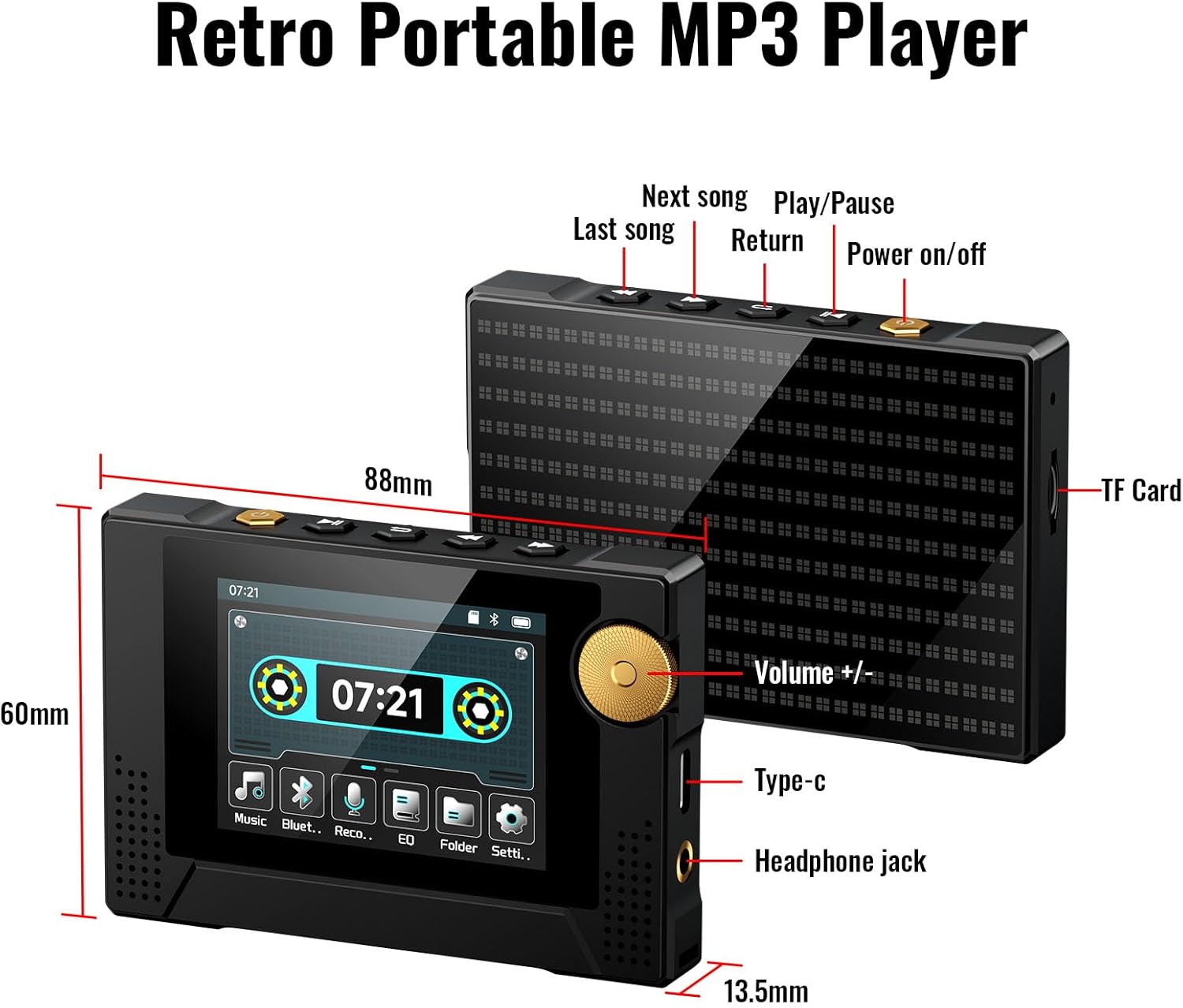
Image: Detailed diagram of the Phinistec F18 MP3 Player, highlighting the power button, volume scroll wheel, navigation buttons, Type-C port, headphone jack, and TF (SD) card slot, along with its dimensions.
Ciri-ciri Utama:
- paparan: Skrin sentuh 2.4 inci
- Kawalan: Touchscreen, physical buttons, and Alps scroll wheel for volume.
- Ketersambungan: Bluetooth 5.3, AUX 3.5mm
- Storan: 64GB internal, expandable up to 256GB via TF (SD) card.
- Audio: Built-in HD speaker, supports APE, FLAC, MP3, OGG, AAC, ACELP, WMA, WAV.
- Bateri: 800mAh, up to 40 hours continuous music playback.
- Fungsi Tambahan: FM Radio (with recording), Voice Recorder.
4. Persediaan
4.1 Mengecas Peranti
Before first use, fully charge your Phinistec F18 MP3 Player. Connect the provided USB Type-C cable to the player's charging port and the other end to a compatible USB power adapter (not included) or a computer's USB port. The battery indicator on the screen will show charging status.
4.2 Memasukkan Kad MicroSD (Pilihan)
The device has 64GB of internal storage. To expand storage, insert a MicroSD card (up to 256GB, FAT32 format recommended) into the TF card slot located on the side of the player. Gently push the card until it clicks into place.
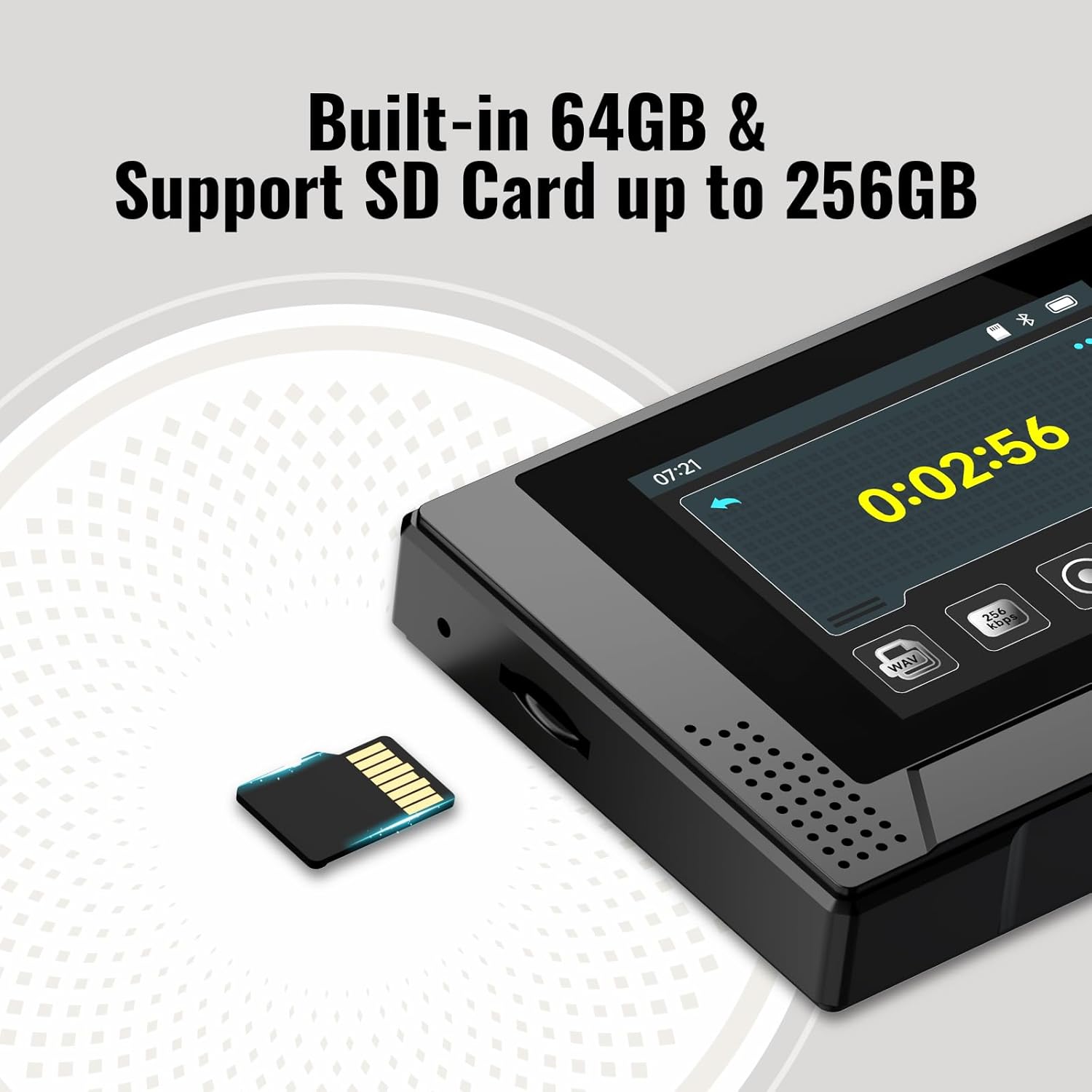
Image: The Phinistec F18 MP3 Player highlighting its 64GB internal storage and the slot for an expandable MicroSD card.
4.3 Memindahkan Muzik Files
Connect the MP3 player to your computer using the USB Type-C cable. The player will appear as a removable disk drive. Drag and drop your audio files (APE, FLAC, MP3, OGG, AAC, ACELP, WMA, WAV) into the appropriate folders on the device or MicroSD card.
5. Arahan Operasi
5.1 Hidupkan/Mati Kuasa
- Hidupkan kuasa: Press and hold the Power button (located on the top edge) for approximately 3 seconds until the screen illuminates.
- Matikan: Press and hold the Power button for approximately 3 seconds. A power-off confirmation prompt will appear; select 'Yes' to shut down.
5.2 Navigasi
The F18 supports both touchscreen and physical button navigation:
- Skrin sentuh: Swipe and tap on the 2.4-inch display to navigate menus and select options.
- Butang Fizikal: Use the buttons on the top edge for functions such as Play/Pause, Next Song, Previous Song, and Return. The scroll wheel on the right side adjusts volume.
5.3 Main balik Muzik
- From the main menu, tap the "Music" icon.
- Browse your music by "All Songs", "Artist", "Album", or "Style".
- Tap on a song to begin playback.
- During playback, the screen displays a retro tape UI. Use the physical buttons or touchscreen controls for Play/Pause, Next/Previous track, and volume adjustment via the scroll wheel.
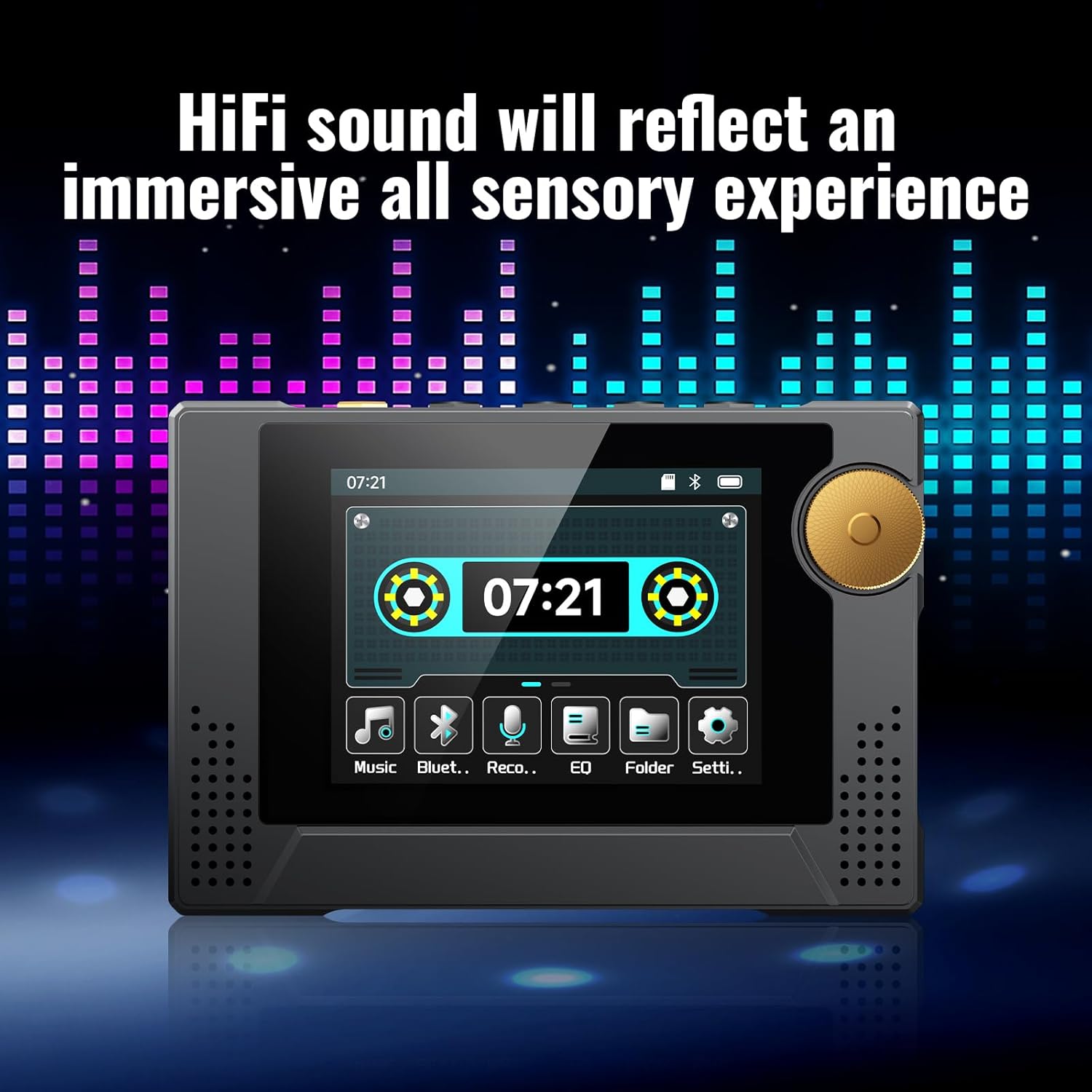
Image: The Phinistec F18 MP3 Player showing its music playback interface with a dynamic retro tape graphic and visual equalizer bars.
5.4 Sambungan Bluetooth
The F18 features Bluetooth 5.3 for wireless audio output to Bluetooth headphones or speakers. Nota: The device cannot connect to phones or tablets via Bluetooth.
- Dari menu utama, ketik ikon "Bluetooth".
- Ensure Bluetooth is enabled on your headphones or speaker and they are in pairing mode.
- On the F18, select "Search Device" to find available Bluetooth devices.
- Pilih peranti yang anda inginkan daripada senarai untuk dipasangkan.

Image: The Phinistec F18 MP3 Player illustrating its Bluetooth 5.3 and AUX 3.5mm connectivity options for headphones, external speakers, and car audio systems.
5.5 Radio FM
The F18 includes a built-in FM radio function.
- Access the "FM Radio" option from the main menu.
- Use the "Auto Search" feature to find available stations.
- You can save your favorite radio stations for quick access.
- The device also supports radio recording.
5.6 Perakam Suara
The F18 can record audio using its built-in microphone.
- Tap the "Record" icon from the main menu.
- Press the record button on the screen to start recording.
- Press the stop button to end the recording. You will be prompted to save the file.
- Dirakam files can be accessed and played back from the "Record" section.
5.7 Penyama (EQ)
Laraskan pro bunyifile to your preference using the Equalizer settings.
- Tap the "EQ" icon from the main menu.
- Choose from preset equalizer modes (e.g., Rock, Funk, Hip Hop, Jazz, Classical, Electronic) or customize your own.
Video: An official product video demonstrating the Phinistec F18 MP3 Player's dynamic retro UI and various functions, including music playback, Bluetooth, recording, and equalizer settings.
Video: Tayangan video produk rasmicasing the Phinistec F18 Retro MP3 Player's features and user interface navigation.
6. Penyelenggaraan
6.1 Pembersihan
Lap peranti dengan kain lembut dan kering. Elakkan menggunakan pembersih cecair atau bahan kasar yang boleh merosakkan skrin atauasing.
6.2 Penjagaan Bateri
To prolong battery life, avoid fully discharging the device frequently. Charge the player regularly, even if not in use for extended periods. Store in a cool, dry place.
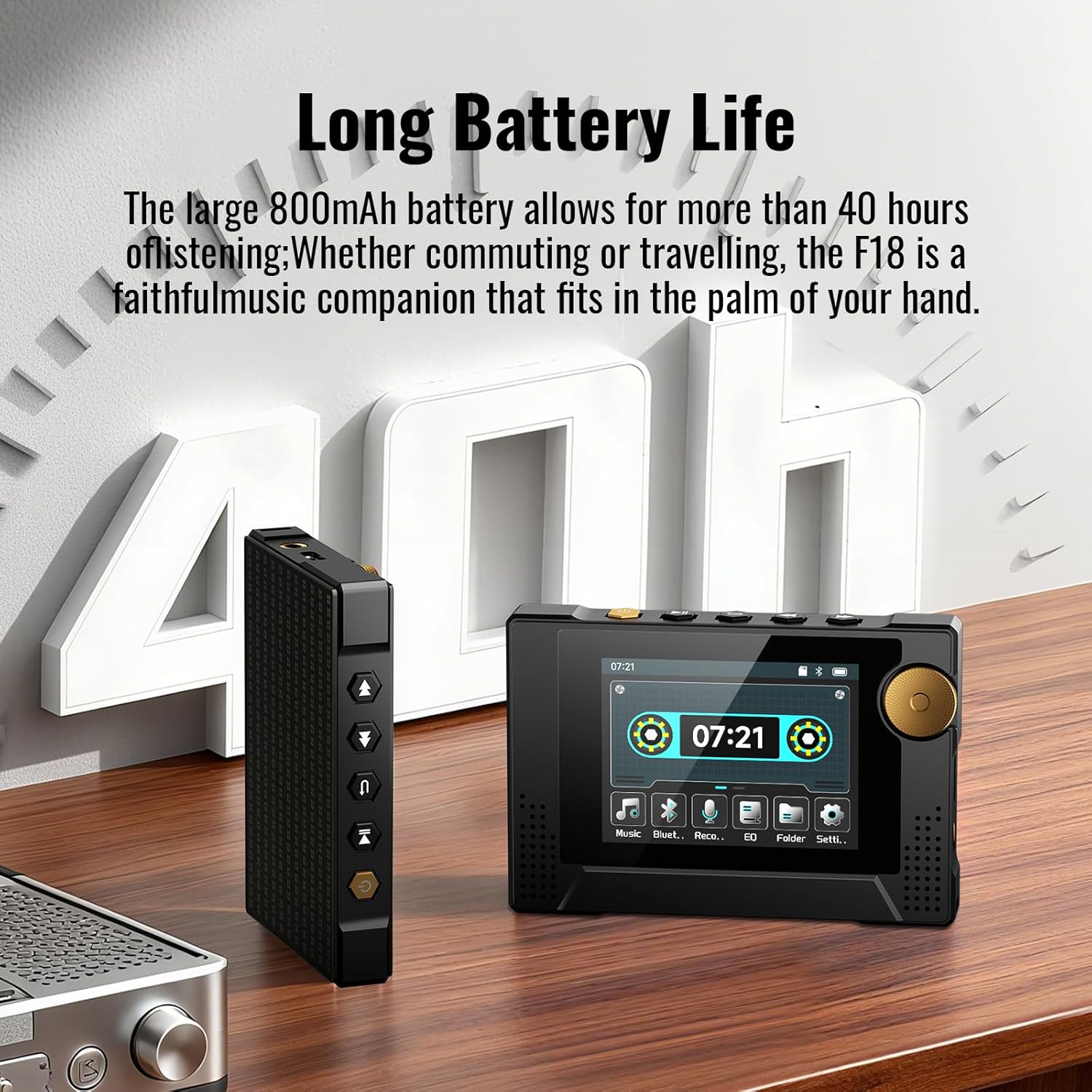
Image: The Phinistec F18 MP3 Player highlighting its long battery life, capable of up to 40 hours of continuous playback.
6.3 Penyimpanan
When not in use, store the MP3 player in a protective case or a safe environment to prevent scratches or damage.
7. Penyelesaian masalah
- Peranti tidak dihidupkan: Pastikan bateri dicas. Sambungkan ke sumber kuasa dan cuba lagi.
- Tiada bunyi: Check the volume level. Ensure headphones are properly connected or Bluetooth is paired correctly.
- Cannot connect via Bluetooth to phone/tablet: The Phinistec F18 is designed to connect to Bluetooth headphones or speakers only, not mobile devices.
- Muzik filetidak dikenali: pastikan files are in supported formats (APE, FLAC, MP3, OGG, AAC, ACELP, WMA, WAV) and correctly transferred to the device or MicroSD card.
- MicroSD card not detected: Ensure the card is properly inserted and formatted to FAT32.
8. Spesifikasi
| Nama Model | F18 |
| Jenama | Phinistec |
| Storan Dalaman | 64 GB |
| Storan Boleh Dikembangkan | Up to 256GB (MicroSD/TF card, FAT32) |
| Saiz Skrin | 2.4 Inci |
| Ketersambungan | Bluetooth 5.3, AUX (3.5mm) |
| Format Audio yang Disokong | APE, FLAC, MP3, OGG, AAC, ACELP, WMA, WAV |
| Hayat Bateri | Up to 40 hours (continuous music playback) |
| Dimensi | 4.57 x 3.07 x 1.46 inci |
| Berat Barang | 7.4 auns |
| Ciri Khas | Built-In Speaker, FM Radio, Voice Recorder |
9. Waranti dan Sokongan
For warranty information and technical support, please refer to the official Phinistec webtapak atau hubungi perkhidmatan pelanggan mereka secara langsung. Simpan resit pembelian anda sebagai bukti pembelian untuk tuntutan waranti.
Untuk bantuan lanjut, lawati Phinistec Store on Amazon.