
1. Pengenalan
Thank you for choosing the zhizhi Smart Watch S53. This manual provides essential information for setting up, operating, and maintaining your device. Please read it carefully to ensure proper use and to maximize the features of your smartwatch.
2. Kandungan Pakej
- zhizhi Smart Watch S53
- Kabel Pengecasan
- Manual Pengguna
3. Peranti Lebihview
Familiarize yourself with the main components of your zhizhi Smart Watch S53.
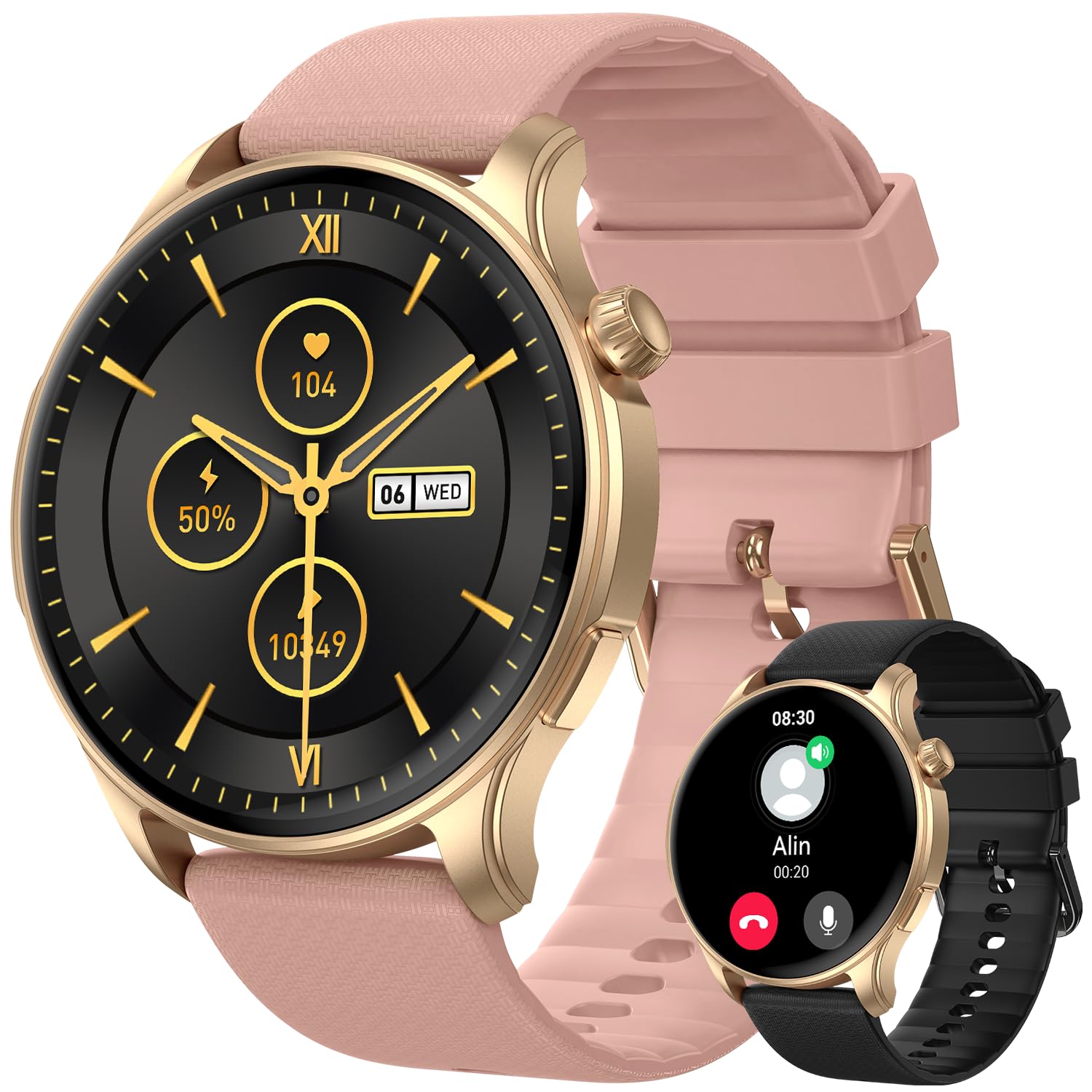
Imej 1: Depan view of the zhizhi Smart Watch S53, showing the 1.43-inch AMOLED display and watch strap.
- 1.43-inch AMOLED HD Touchscreen: Paparan utama untuk interaksi dan maklumat.
- Butang Sampingan: For power on/off, screen wake, and menu navigation (specific functions may vary).
- Sensors (underside): Heart rate, SpO2, and other health monitoring sensors.
- Charging Contacts (underside): For connecting the magnetic charging cable.
4. Persediaan
4.1 Pengecasan Awal
Before first use, fully charge your smartwatch. Connect the magnetic charging cable to the charging contacts on the back of the watch and plug the USB end into a standard USB power adapter (not included). The watch will display a charging indicator. A full charge typically takes approximately 2 hours.
4.2 Pemasangan Aplikasi
To unlock the full functionality of your zhizhi Smart Watch S53, download and install the companion application on your smartphone. Cari untuk the official 'zhizhi Smart' app (or similar, refer to packaging for exact name) in the Apple App Store (for iOS devices) or Google Play Store (for Android devices).
4.3 Pairing with Smartphone
- Pastikan Bluetooth telefon pintar anda didayakan.
- Buka aplikasi pendamping yang telah dipasang pada telefon pintar anda.
- Ikut arahan dalam apl untuk menambah peranti baharu. Apl akan mencari jam tangan pintar yang tersedia.
- Select 'zhizhi S53' from the list of found devices.
- Sahkan permintaan pasangan pada telefon pintar dan jam tangan pintar anda, jika digesa.
- Once paired, the watch will synchronize time, date, and other settings with your phone.
4.4 Tetapan Awal
After pairing, complete your personal profile within the app (e.g., age, height, weight) to ensure accurate health and fitness tracking data.
5. Arahan Operasi
5.1 Navigasi Asas
- Leret ke atas/bawah: Tatal melalui menu atau pemberitahuan.
- Leret Kiri/Kanan: Akses widget pantas atau muka jam tangan yang berbeza.
- Ketik: Pilih item atau sahkan tindakan.
- Butang Sisi: Press to return to the home screen, or long-press for power options.
5.2 Mod Sukan
The S53 supports over 110 sports modes and features built-in GPS for accurate outdoor activity tracking. To start a workout:
- Navigate to the 'Workout' or 'Sports' menu on your watch.
- Select your desired activity (e.g., Running, Cycling, Walking).
- For outdoor activities, wait for the GPS signal to lock (indicated by an icon).
- Tap 'Start' to begin tracking.
- During the activity, you can view real-time data such as duration, distance, heart rate, and calories burned.
- To pause or end the workout, swipe right or press the side button, then select the appropriate option.
5.3 Pemantauan Kesihatan
Jam tangan ini sentiasa memantau pelbagai metrik kesihatan:
- Kadar Jantung: Access the Heart Rate app on the watch to view your current heart rate and historical data.
- Oksigen Darah (SpO2): Use the SpO2 app to take on-demand measurements. Ensure the watch is snug on your wrist.
- Penjejakan Tidur: Wear the watch to bed for automatic sleep stage analysis (deep sleep, light sleep, wake periods). View laporan terperinci dalam aplikasi pendamping.
- Penjejak Langkah: Your daily steps, distance, and calories burned are automatically recorded.
5.4 Bluetooth Calls & Smart Notifications
With Bluetooth 5.3, the S53 allows you to manage calls and notifications directly from your wrist.
- Membuat/Menjawab Panggilan: Once paired, you can answer incoming calls or dial numbers from the watch's call interface.
- Pemberitahuan: Receive real-time alerts for messages, emails, and social media apps (e.g., Facebook, WhatsApp, Instagram). Configure which app notifications appear on your watch via the companion app settings.
5.5 Ciri-ciri Lain
The zhizhi S53 includes additional utilities:
- Ramalan cuaca: View keadaan dan ramalan cuaca semasa.
- Kawalan Muzik: Kawal main balik muzik pada telefon pintar anda (main, jeda, langkau trek).
- Kawalan Kamera: Gunakan jam tangan anda sebagai pengatup jauh untuk kamera telefon anda.
- Jam loceng: Tetapkan penggera terus pada jam tangan atau melalui aplikasi.
- Jam randik & Pemasa: Basic timing functions.
- Peringatan Sedentari: Dapatkan makluman untuk bergerak jika anda tidak aktif terlalu lama.
6. Penyelenggaraan
6.1 Pembersihan
Regularly clean your watch and strap to prevent skin irritation and maintain device performance.
- Wipe the screen and body with a soft, lint-free cloth. If necessary, slightly dampen kain dengan air.
- For the strap, use mild soap and water, then rinse thoroughly and dry completely before wearing.
- Elakkan menggunakan bahan kimia yang keras, pembersih yang melelas, atau pelarut.
6.2 Rintangan Air (IP68)
The zhizhi S53 has an IP68 water resistance rating, meaning it is resistant to dust and can withstand immersion in water up to 1.5 meters for 30 minutes. It supports various swimming styles.
Nota Penting: IP68 rating does not make the watch suitable for diving, sauna, hot showers, or exposure to high-velocity water. Avoid contact with hot water, steam, and corrosive liquids. Water resistance is not a permanent condition and may decrease over time.
6.3 Penjagaan Bateri
- Gunakan hanya kabel pengecasan yang disediakan.
- Elakkan suhu yang melampau semasa pengecasan dan penyimpanan.
- Untuk jangka hayat bateri yang optimum, elakkan daripada kerap mencas sepenuhnya bateri.
6.4 Kemas Kini Perisian
Periodically check for firmware updates through the companion app. Updates can provide new features, performance improvements, and bug fixes. Follow the in-app instructions for updating your watch.
7. Penyelesaian masalah
If you encounter issues with your zhizhi Smart Watch S53, refer to the following common solutions:
- Tonton tidak dihidupkan: Pastikan jam tangan dicas sepenuhnya. Sambungkannya ke pengecas selama sekurang-kurangnya 10 minit.
- Tidak boleh berpasangan dengan telefon: Make sure Bluetooth is enabled on your phone, the watch is charged, and the companion app is open. Try restarting both the watch and your phone.
- Data kesihatan tidak tepat: Pastikan jam tangan dipakai dengan kemas pada pergelangan tangan anda, tidak terlalu ketat atau terlalu longgar. Bersihkan kawasan sensor.
- Pemberitahuan tidak muncul: Check app notification settings on your phone and within the companion app. Ensure the watch is connected via Bluetooth.
- Hayat bateri pendek: Reduce screen brightness, disable unnecessary features, and ensure no apps are running excessively in the background.
7.1 Tetapan Semula Kilang
If problems persist, a factory reset may resolve the issue. This will erase all data on the watch and restore it to its original settings. Navigate to 'Settings' on your watch, then look for 'System' or 'Reset' options. Confirm the reset when prompted.
8. Spesifikasi
| Nombor Model | S53 |
| Jenis Paparan | 1.43-inch AMOLED HD Touchscreen |
| Kapasiti Bateri | 400mAh Litium Ion |
| Masa Mengecas | lebih kurang 2 jam |
| Typical Usage Time | 5-7 hari |
| Masa Tunggu Sedia | Sehingga 50 hari |
| Ketersambungan | Bluetooth 5.3, Built-in GPS (GPS, Beidou, Galileo, GLONASS, NAVIC, QZSS) |
| Keserasian Sistem Pengendalian | Android 5.0 dan ke atas, iOS 9.0 dan ke atas |
| Tahan Air | IP68 |
| bahan | Zinc alloy with vacuum-plated finish |
| Berat Barang | 3.53 auns (lebih kurang 100g) |
| Dimensi Pakej | 11.38 x 3.5 x 0.59 inci |
9. Waranti dan Sokongan
9.1 Maklumat Waranti
Your zhizhi Smart Watch S53 is covered by a manufacturer's warranty against defects in materials and workmanship. The specific terms and duration of the warranty may vary by region. Please refer to the warranty card included in your package or contact customer support for detailed information.
9.2 Sokongan Pelanggan
For technical assistance, warranty claims, or any questions regarding your zhizhi Smart Watch S53, please contact our customer support team. Contact details can typically be found on our official webtapak atau pada pembungkusan produk.