
pengenalan
The ShanWan Wireless Controller is a versatile gaming peripheral designed for use across multiple platforms, including PC, iPhone, Android, Nintendo Switch, and Steam. It offers tri-mode connectivity (Bluetooth, 2.4G wireless, and USB-C wired) to ensure a seamless gaming experience. This manual provides detailed instructions for setup, operation, maintenance, and troubleshooting to help you maximize your controller's performance.
Note: This controller is not compatible with Xbox or PlayStation 4/5 consoles.
Kandungan Pakej
- ShanWan Wireless Controller
- Kabel Pengecas USB-C
- Dongle Tanpa Wayar 2.4G
- Manual Pengguna (dokumen ini)
Pengawal Lebihview
Imej: Depan view of the ShanWan Wireless Controller, showcasing its ergonomic design, dual joysticks, D-pad, and face buttons (A, B, X, Y).
Imej: belakang view of the ShanWan Wireless Controller, highlighting the mode switch for different platforms (X, D, S).
Ciri-ciri Utama:
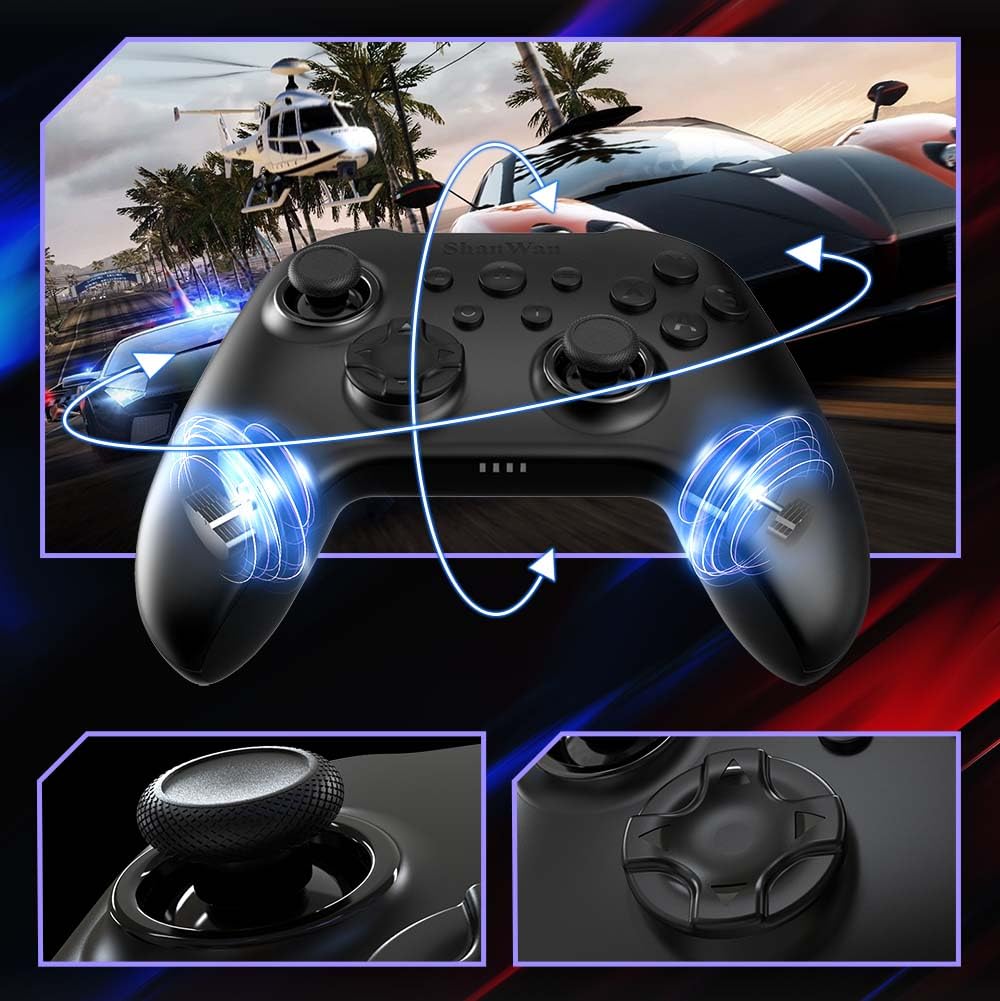
- Kayu Joy Kesan Dewan: Designed for precision with no dead zones and anti-drift capabilities.
- Durable Gel Buttons: Conductive gel buttons tested for 1 million clicks for long-lasting performance.
- Giroskop 6-Paksi: Provides precise motion sensing for immersive gameplay.
- Motor Getaran Dwi: Delivers strong and subtle haptic feedback for an enhanced gaming experience.
- Fungsi Turbo: Allows for rapid, repeated button presses.
Persediaan
1. Mengecas Pengawal
Before initial use, fully charge the controller using the provided USB-C cable. Connect the USB-C end to the controller and the USB-A end to a power source (e.g., computer USB port, USB wall adapter). The charging indicator lights will show charging status and turn off when fully charged.
2. Menyambung ke Peranti
The ShanWan Wireless Controller supports three connection modes: Bluetooth, 2.4G Wireless, and USB-C Wired. Ensure the mode switch on the back of the controller is set to the appropriate platform before attempting to connect.

Imej: Visual representation of the controller's tri-mode connectivity, illustrating Bluetooth, 2.4G wireless, and USB-C wired options.
Mode Switch Settings:
- 'S' Mode: Untuk Nintendo Switch.
- 'X' Mode: For PC (X-input), Android.
- 'D' Mode: For PC (D-input), iOS.
Sambungan Bluetooth:
- Set the mode switch on the back of the controller to the desired platform ('S', 'X', or 'D').
- Press and hold the pairing button (usually a small button on the top or back) until the indicator lights flash rapidly.
- On your device (PC, iPhone, Android, Switch), go to Bluetooth settings and search for new devices.
- Select "ShanWan Controller" or a similar name from the list to pair.
- Once paired, the indicator lights on the controller will become solid.
2.4G Wireless Connection (for PC/Switch):
- Set the mode switch on the back of the controller to 'X' (for PC) or 'S' (for Switch).
- Insert the 2.4G wireless dongle into a USB port on your PC or Switch dock.
- Press the Home button on the controller to power it on. It should automatically connect to the dongle.
- The indicator lights will become solid once connected.
Sambungan Berwayar USB-C:
- Connect the USB-C cable to the controller and the other end to your PC or Switch dock.
- The controller will automatically be recognized as a wired device.
- No specific mode switch setting is required for wired connection, but setting it to the correct platform mode ('X' for PC, 'S' for Switch) is recommended for optimal compatibility.
Arahan Operasi
Hidupkan/Mati Kuasa:
- Hidupkan kuasa: Press the Home button once.
- Matikan: Press and hold the Home button for 3-5 seconds, or the controller will automatically power off after a period of inactivity.
Kawalan Gerak:
The built-in 6-axis gyroscope provides motion control capabilities, particularly useful for games on Nintendo Switch or other compatible platforms. Ensure the game supports motion controls for this feature to function.
Maklum Balas Getaran:
The dual vibration motors provide haptic feedback during gameplay. The intensity of the vibration can often be adjusted through game settings or the Gamepad Space app.
Fungsi Turbo:
To activate the Turbo function for a specific button:
- Press and hold the button you wish to set to Turbo.
- While holding the button, press the Turbo button (refer to controller layout for location).
- The button will now repeatedly register presses as long as it is held down.
To deactivate Turbo for a button, repeat the process.
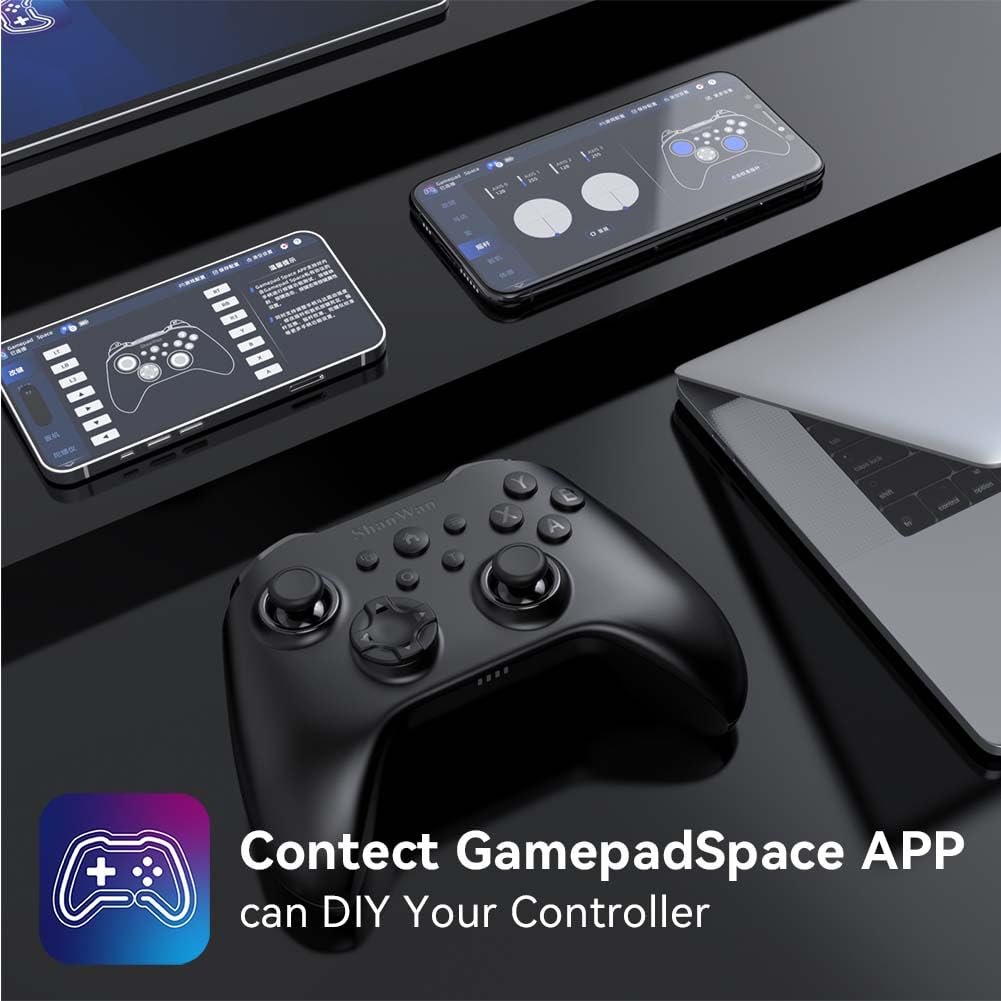
Software Customization (Gamepad Space App):
Enhance your gaming experience by customizing controller settings using the Gamepad Space mobile application.

Imej: A ShanWan controller alongside smartphones displaying the Gamepad Space app, illustrating options for calibration and on-the-fly adjustments.
- Download the "Gamepad Space" app from your mobile device's app store.
- Connect your controller to your mobile device via Bluetooth.
- Dalam apl, anda boleh:
- Tingkatkan perisian tegar.
- Laraskan zon mati kayu dan picu.
- Sesuaikan keamatan getaran.
- Test buttons.
Penyelenggaraan
- Pembersihan: Gunakan kain lembut dan kering untuk membersihkan pengawal. Elakkan menggunakan bahan kimia yang keras atau bahan yang melelas.
- Storan: Simpan pengawal di tempat yang sejuk dan kering jauh dari cahaya matahari langsung dan suhu yang melampau.
- Penjagaan Bateri: Untuk memanjangkan hayat bateri, elakkan daripada kerap mencas sepenuhnya pengawal. Caskannya secara berkala, walaupun tidak digunakan secara berterusan.
Menyelesaikan masalah
Pengawal Tidak Bersambung:
- Pastikan pengawal dicas.
- Verify the mode switch on the back of the controller is set correctly for your platform (S, X, or D).
- Untuk Bluetooth, pastikan Bluetooth peranti anda dihidupkan dan pengawal berada dalam mod berpasangan.
- For 2.4G wireless, ensure the dongle is properly inserted and the controller is in the correct mode.
- Cuba mulakan semula kedua-dua pengawal dan peranti anda.
Input Lag atau Disconnection:
- Ensure there are no strong electromagnetic interferences nearby.
- Move closer to your device for a stronger wireless signal.
- Ensure the controller's battery is not low.
- Consider using a wired USB-C connection for the most stable experience.
Joystick Drift or Unresponsive Buttons:
- Calibrate the joysticks and test buttons using the Gamepad Space app.
- Ensure the controller's firmware is up to date via the Gamepad Space app.
- Clean around the buttons and joysticks to remove any debris.
Spesifikasi
| Model | B0FS13DT2B |
| Teknologi Ketersambungan | Bluetooth, Wayarles 2.4G, Berwayar USB-C |
| Peranti Serasi | Android, iOS, Nintendo Switch, Nintendo Switch 2, PC |
| Jenis Pengawal | Pad permainan |
| Kuantiti Butang | 12 |
| Ciri Khas | Hall Effect Joysticks, 6-Axis Gyroscope, Dual Vibration, Turbo Function, Software Customization |
| Sumber Kuasa | Dikuasakan Bateri |
| Berat Barang | 300 Gram |
| Dimensi Item (D x W x H) | 2.5" x 4" x 6" |
Waranti dan Sokongan
ShanWan products are designed for reliability and performance. For specific warranty information, please refer to the documentation included with your purchase or visit the official ShanWan support website. If you encounter any issues not covered in this manual, please contact ShanWan customer support for assistance.
Sokongan dalam talian: Visit the ShanWan Store on Amazon