
1. Pengenalan
The Monster S380 Bluetooth Speaker delivers powerful 40W stereo sound with deep bass and clear highs. Featuring advanced Bluetooth 6.0 for stable connections, it offers up to 20 hours of playtime on a single charge. Its IPX6 waterproof rating makes it suitable for various environments, from poolside to outdoor adventures. The speaker supports TWS (True Wireless Stereo) pairing for an immersive stereo experience, and includes versatile connectivity options such as AUX and TF card input. A built-in microphone allows for convenient hands-free calling.
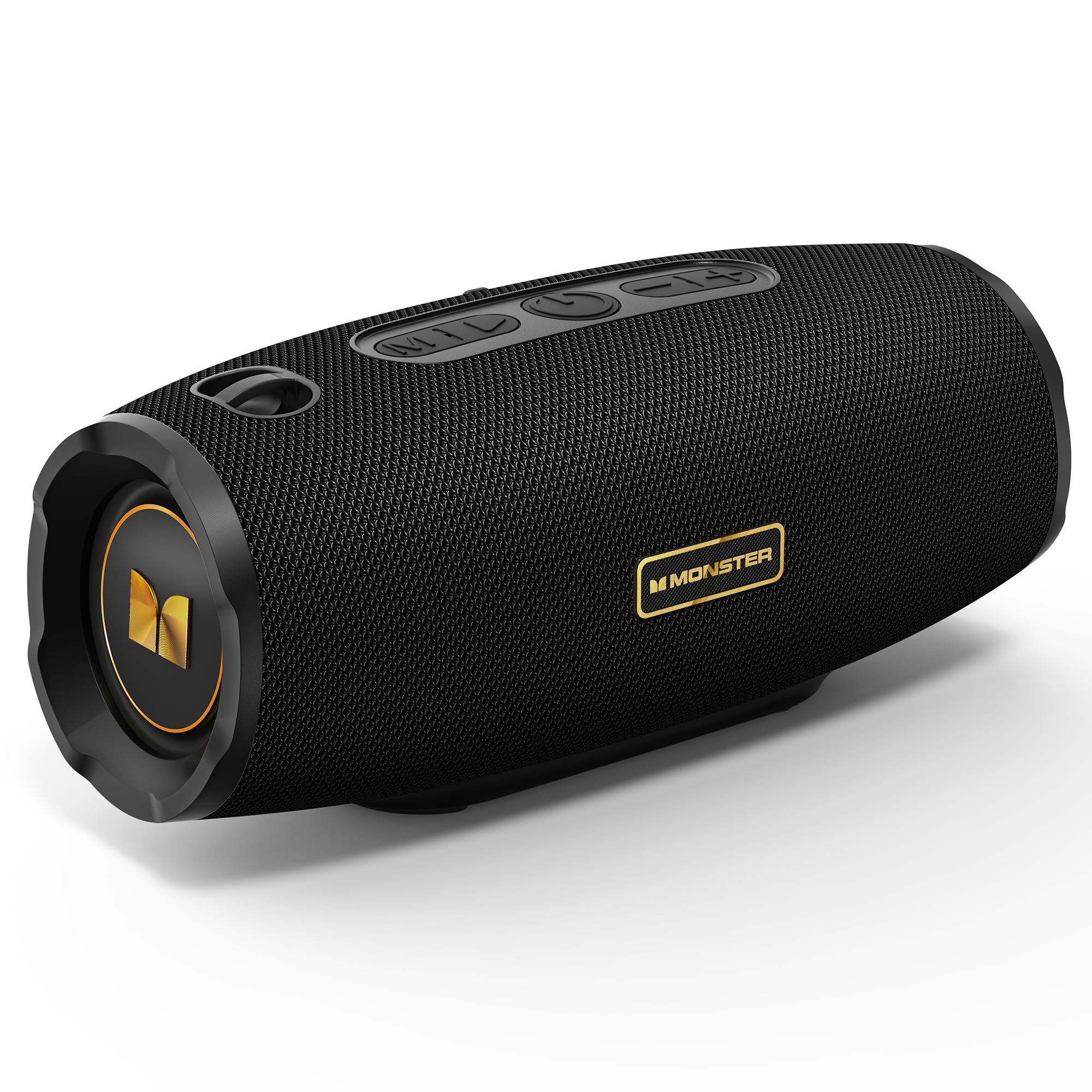
Figure 1: Monster S380 Bluetooth Speaker
2. Apa yang ada di dalam Kotak
Sila semak kandungan pakej semasa membuka kotak untuk memastikan semua item ada:
- Monster S380 Speaker x 1
- Kabel Pengecas USB-C x 1
- Kabel AUX-in x 1
- Panduan Mula Pantas x 1
- Portable Rope x 1

Rajah 2: Kandungan Pakej
3. Produk Lebihview
3.1. Butang dan Kawalan

Figure 3: Speaker Buttons Overview
- Butang Mod: Switches between Bluetooth, AUX, and TF Card modes.
- Butang Main/Jeda: Plays or pauses audio. Answers/ends phone calls.
- Butang Kuasa: Menghidupkan atau mematikan pembesar suara.
- Kelantangan Turun / Butang Lagu Sebelumnya: Decreases volume (short press) or skips to the previous song (long press).
- Kelantangan Naik / Butang Lagu Seterusnya: Increases volume (short press) or skips to the next song (long press).
3.2. Port Input

Figure 4: Speaker Input Ports
- Port USB: Untuk main balik pemacu USB.
- Slot Kad TF: Untuk main balik kad TF (microSD).
- Port AUX-masuk: Untuk sambungan audio berwayar melalui kabel AUX 3.5mm.
- Port Pengecasan: USB-C port for charging the speaker.
4. Persediaan
4.1. Mengisi Speaker
Before first use, fully charge the speaker. Connect the provided USB-C charging cable to the speaker's charging port and the other end to a compatible USB power adapter (e.g., phone charger, computer USB port). The charging indicator light will show the charging status and turn off once fully charged.
4.2. Hidupkan/Mati Kuasa
Untuk menghidupkan pembesar suara, tekan dan tahan Butang Kuasa for approximately 2-3 seconds until you hear an audible prompt or see the indicator light illuminate. To power off, press and hold the Butang Kuasa sekali lagi selama 2-3 saat.
5. Arahan Operasi
5.1. Berpasangan Bluetooth

Rajah 5: Bluetooth 6.0 Kesambungan
- Turn on the Monster S380 speaker. It will automatically enter Bluetooth pairing mode, indicated by a flashing LED light.
- Pada peranti mudah alih anda (telefon pintar, tablet, dll.), dayakan Bluetooth dan cari peranti yang tersedia.
- Pilih "Raksasa S380" daripada senarai peranti.
- Once connected, the speaker will emit a confirmation sound, and the LED light will become solid.
5.2. Penggandingan TWS (Stereo Tanpa Wayar Sejati)

Figure 6: TWS Connection Setup
To achieve a true wireless stereo experience with two Monster S380 speakers:
- Ensure both Monster S380 speakers are powered on and are not connected to any Bluetooth device.
- Pada salah satu pembesar suara (ini akan menjadi pembesar suara utama anda), tekan dan tahan Butang Main/Jeda for 3 seconds. The speaker will indicate it is searching for another speaker.
- The two speakers will automatically connect to each other. A confirmation sound will be heard once TWS pairing is successful.
- Now, connect your mobile device via Bluetooth to the primary speaker (the one you initiated TWS pairing on) as described in section 5.1.
5.3. Mod AUX
Insert the 3.5mm AUX cable into the speaker's AUX-in port and connect the other end to your audio device. The speaker will automatically switch to AUX mode. Use your connected device to control playback and volume, or the speaker's volume buttons.
5.4. Mod Kad TF
Masukkan kad TF (microSD) dengan audio files into the TF card slot. The speaker will automatically switch to TF card mode and begin playback. Use the speaker's control buttons to manage playback and volume.
5.5. Panggilan Bebas Tangan
When your speaker is connected to your smartphone via Bluetooth, you can use it for hands-free calls:
- Jawab Panggilan: Tekan ke Butang Main/Jeda sekali.
- Tamatkan Panggilan: Tekan ke Butang Main/Jeda sekali semasa panggilan.
- Tolak Panggilan: Tekan dan tahan butang Butang Main/Jeda selama 2 saat.
5.6. Kawalan Kelantangan dan Trek
Use the dedicated buttons on the speaker for audio control:
- Tingkatkan Kelantangan: Tekan pendek Butang Kelantangan (+).
- Kurangkan Kelantangan: Tekan pendek Butang Turun Kelantangan (-)..
- Lagu Seterusnya: Tekan lama Butang Kelantangan (+).
- Lagu Sebelumnya: Tekan lama Butang Turun Kelantangan (-)..
6. Penyelenggaraan
6.1. Pembersihan
Lap pembesar suara dengan lembut, damp cloth. Do not use harsh chemicals, abrasive cleaners, or solvents, as these may damage the surface or internal components.
6.2. Rintangan Air (IPX6)

Rajah 7: Ciri Kalis Air IPX6
The Monster S380 speaker is rated IPX6 waterproof, meaning it can withstand powerful water jets. It is resistant to splashes, rain, and spills. Jangan tenggelamkan pembesar suara di dalam air. Always ensure the rubber flap covering the input ports is securely closed to maintain its water resistance.
6.3. Penyimpanan
Store the speaker in a cool, dry place away from direct sunlight, extreme temperatures, and excessive humidity. If storing for an extended period, charge the battery periodically to maintain its lifespan.
7. Penyelesaian masalah
| Masalah | Kemungkinan Punca | Penyelesaian |
|---|---|---|
| Speaker tidak dihidupkan | Bateri lemah; Butang kuasa tidak ditekan dengan betul | Cas pembesar suara sepenuhnya. Tekan dan tahan butang Kuasa selama 2-3 saat. |
| Tiada bunyi | Volume too low; Incorrect mode; Not paired/connected | Increase volume on speaker and device. Press Mode button to select correct input. Re-pair Bluetooth or check AUX/TF card connection. |
| Penggandingan Bluetooth gagal | Speaker not in pairing mode; Device too far; Interference; Already connected to another device | Ensure speaker LED is flashing. Move device closer. Turn off other Bluetooth devices. Forget "Monster S380" on your device and try again. |
| Gandingan TWS gagal | Speakers already connected to other devices; Incorrect pairing steps | Ensure both speakers are disconnected from all devices. Repeat TWS pairing steps carefully (Section 5.2). |
| Kualiti bunyi yang lemah | Weak Bluetooth signal; Low-quality audio source | Move device closer to the speaker. Use high-quality audio files/streaming services. |
8. Spesifikasi
- Jenama: raksasa
- Nombor Model: MS62153 (S380)
- Ketersambungan: Bluetooth 6.0, AUX, TF Card, USB
- Output Audio: 40W Stereo Sound (up to 80W with TWS pairing)
- Hayat Bateri: Sehingga 20 jam
- Tahan Air: IPX6
- Dimensi Produk: 8.5 x 21 x 8.8 cm
- Berat produk: 880 g
- Kaedah Kawalan: Sentuh (butang)
- Jenis Pemacu Audio: Pemandu Dinamik
9. Waranti dan Sokongan
The Monster S380 Bluetooth Speaker comes with a standard manufacturer's warranty. For detailed warranty information, technical support, or service inquiries, please refer to the Quick Start Guide included in your product package or visit the official Monster webtapak untuk sumber sokongan yang paling terkini.