
1. Pengenalan dan Lebihview
Welcome to the Gydom Smart Watch user manual. This document provides essential information for setting up, operating, and maintaining your new smartwatch. The Gydom Smart Watch is designed to enhance your daily life with features such as Alexa Built-in, comprehensive health monitoring, and a wide array of sports modes.
This smartwatch is compatible with both iOS 9.0+ and Android 6.0+ devices, offering seamless integration with your smartphone for calls, notifications, and data synchronization.
2. Apa yang ada di dalam Kotak
- Gydom Smart Watch (1 unit)
- Kabel Pengecas (1 unit)
- Manual Pengguna (Dokumen ini)
3. Persediaan
3.1 Initial Charge and Activation
Before first use, please fully charge your Gydom Smart Watch. The watch requires charging to activate. Connect the provided charging cable to the magnetic charging points on the back of the watch and plug the USB end into a compatible power source.
3.2 Pemasangan Apl dan Berpasangan
- Muat turun Sangat Fit app from your smartphone's app store (compatible with iOS 9.0+ and Android 6.0+).
- Open the VeryFit app and follow the on-screen instructions to create an account and set up your profile.
- Dayakan Bluetooth pada telefon pintar anda.
- In the VeryFit app, search for your Gydom Smart Watch and pair it via Bluetooth.
- Sebaik sahaja dipasangkan, jam tangan akan menyegerakkan masa dan data dengan telefon anda.
Nota: Ensure your smartphone is within Bluetooth range for continuous data synchronization and notification delivery.
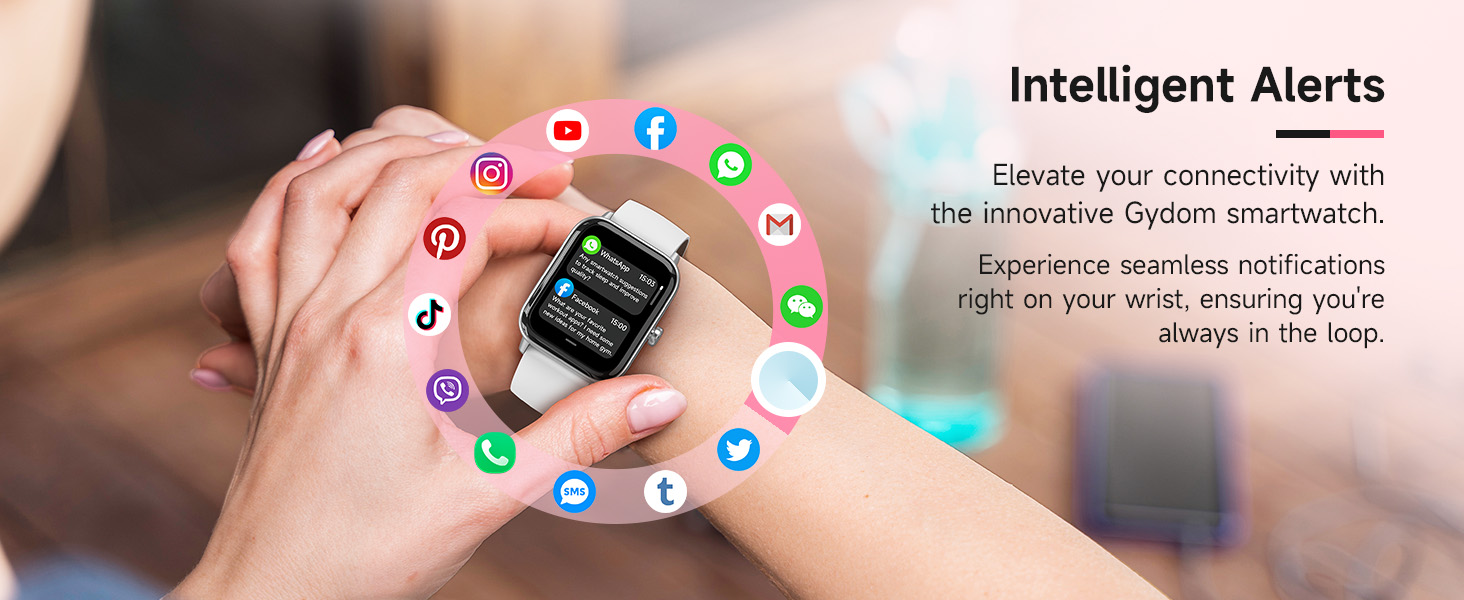
Image: Gydom Smart Watch highlighting key features like Alexa, IP68 waterproofing, and fitness tracking.
4. Arahan Operasi
4.1 Navigasi Asas
- Skrin Bangun: Press the side button or raise your wrist (if 'Wake Gesture' is enabled in settings).
- Leret ke atas/bawah: Tatal melalui menu dan pemberitahuan.
- Leret Kiri/Kanan: Akses fungsi pantas atau skrin data yang berbeza.
- Ketik: Pilih item atau buka apl.
- Butang Sisi: Press to return to the home screen or access the app list.
4.2 Calls & Notifications
The Gydom Smart Watch allows you to make, answer, or reject calls directly from your wrist when connected via Bluetooth to your smartphone. You will also receive notifications from various apps like Facebook, Instagram, WhatsApp, and more.
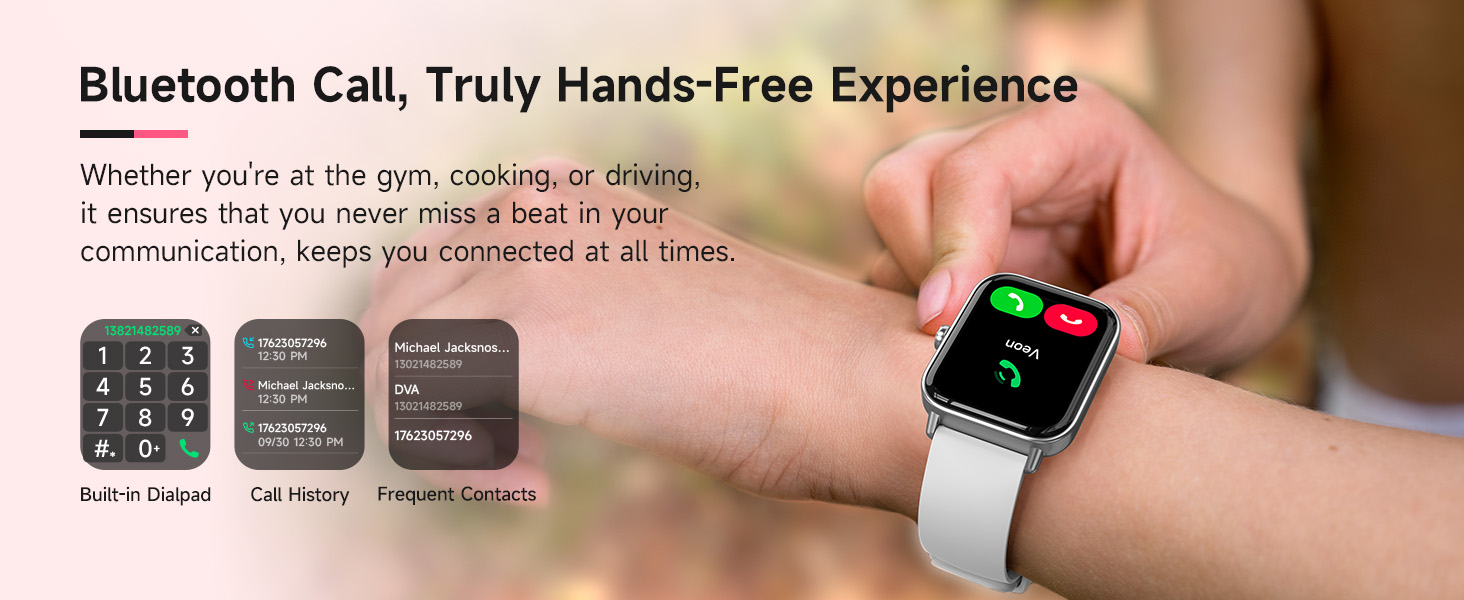
Image: Smart Watch screen showing incoming call and various app notifications.
4.3 Alexa Terbina Dalam
Utilize the integrated Alexa voice assistant for hands-free commands. You can set alarms, check the weather, control music playback, and more by simply speaking to your watch.
Video: A demonstration of the Gydom Smart Watch's functions, including Alexa voice commands and various app interactions.
4.4 Pemantauan Kesihatan
The Gydom Smart Watch continuously monitors key health metrics:
- Kadar Jantung: 24/7 monitoring to track your heart rate trends.
- Oksigen Darah (SpO2): Measures blood oxygen levels for health insights.
- Penjejakan Tidur: Automatically records sleep patterns and provides detailed quality analysis.
- Pemantauan Tekanan: Membantu anda memahami dan menguruskan tahap tekanan anda.
- Penjejakan Kitaran: For women, it helps keep a precise record of menstrual cycles with timely reminders.
- Latihan pernafasan: Guided breathing exercises to help you relax.
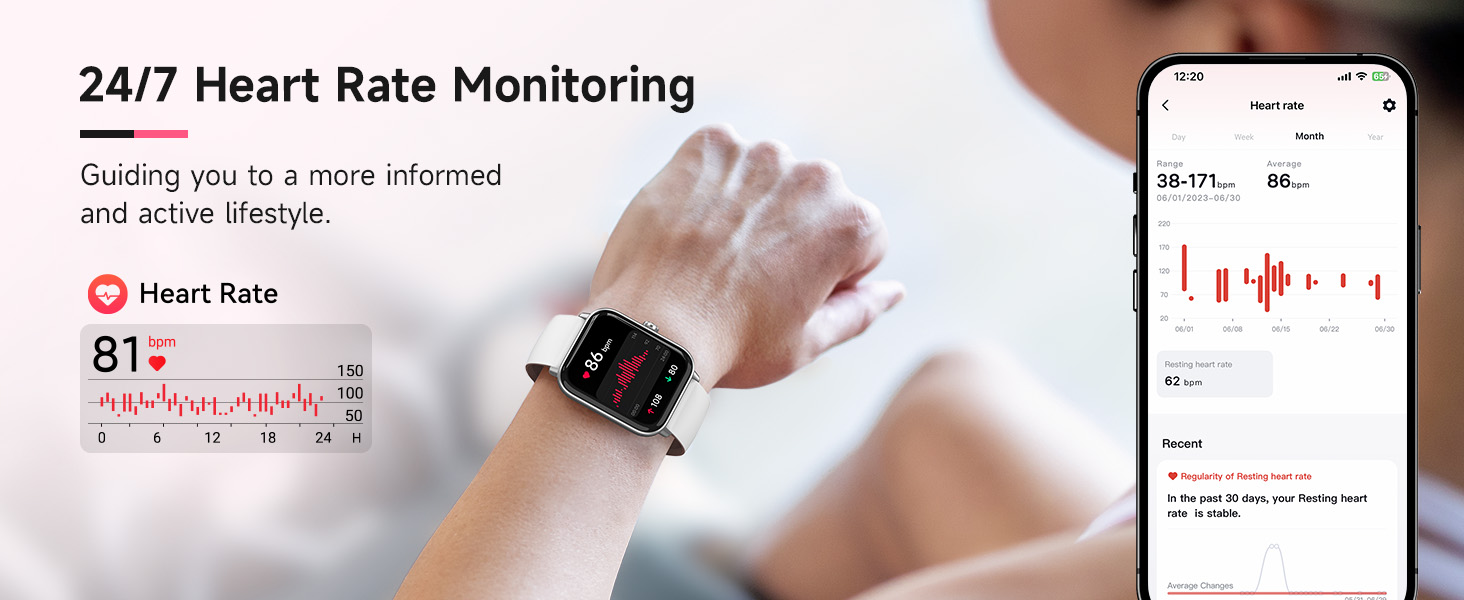
Image: Visual representation of the smartwatch monitoring heart rate, blood oxygen (SpO2), and stress levels.
4.5 Mod Sukan & Penjejakan Aktiviti
With over 100 sports modes, the watch tracks steps, distance, and calories burned for various activities including walking, running, rugby, baseball, basketball, and mountain climbing.
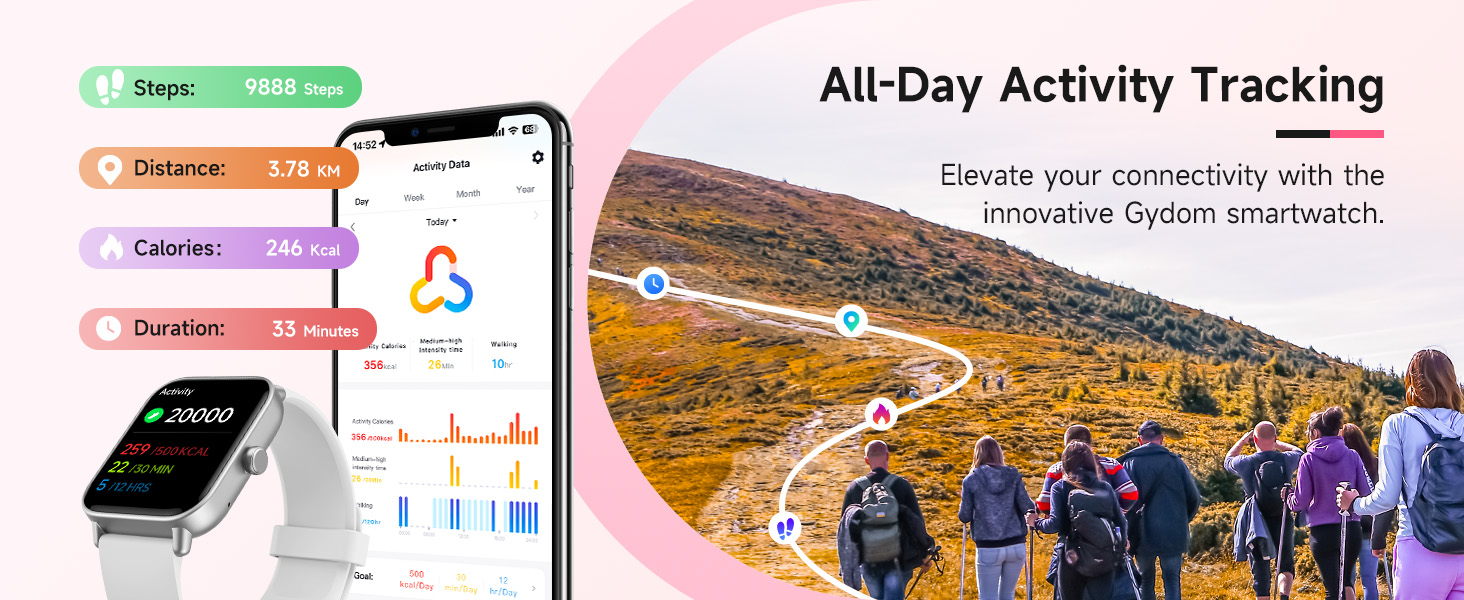
Image: Smart Watch interface displaying a selection of over 100 professional sport modes.
4.6 Tahan Air
The Gydom Smart Watch features an IP68 waterproof rating, allowing you to wear it while washing hands, in the rain, or during water sports like swimming. It is water resistant up to 1.5 meters.
4.7 Hayat Bateri
Equipped with a 300mAh battery, the watch fully charges in approximately 2 hours, providing up to 7 days of typical daily use and 30 days of standby time.
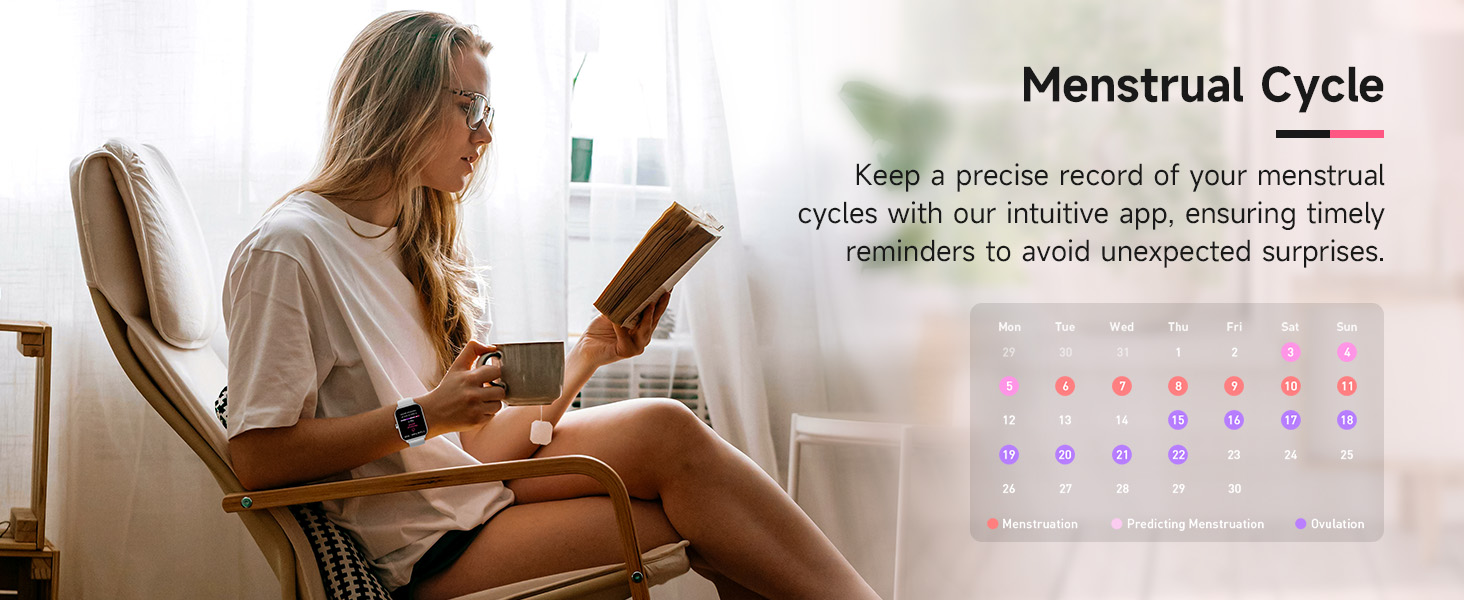
Image: Smart Watch connected to its charging cable, showing battery percentage and typical usage duration.
4.8 Penyesuaian
The 1.8" HD touch screen offers a clear visual experience. Personalize your watch with over 100 free watch faces available through the VeryFit app, or use your own photos as a custom watch face.

Image: Smart Watch showing different customizable watch faces, including options to use personal photos.
4.9 Fungsi Lain
The Gydom Smart Watch includes many other useful functions:
- Ramalan Cuaca
- Jam Penggera
- Kawalan Kamera Jauh
- Kawalan Muzik
- Cari Telefon Anda
- Kalkulator
- Kalendar
- Permainan
- Lampu suluh
- Peringatan Sedentari

Image: Smart Watch screen showcasing multiple functions such as AI voice, weather, camera control, music playback, breathing training, and games.
5. Penyelenggaraan
- Pembersihan: Regularly wipe the watch screen and band with a soft, damp kain. Elakkan bahan kimia yang keras.
- mengecas: Use only the provided charging cable. Ensure the charging points are clean and dry before charging.
- Storan: Simpan jam tangan di tempat yang sejuk dan kering apabila tidak digunakan.
- Pendedahan Air: While IP68 waterproof, avoid prolonged submersion in hot water or exposure to high-pressure water jets.
6. Penyelesaian masalah
- Tonton tidak dihidupkan: Ensure the watch is fully charged. It requires an initial charge to activate.
- Tidak boleh berpasangan dengan telefon: Pastikan Bluetooth didayakan pada telefon anda dan jam tangan berada dalam julat. Mulakan semula kedua-dua peranti dan cuba pasangkan semula.
- Pemberitahuan tidak diterima: Check app settings in VeryFit to ensure notifications are enabled for desired apps. Verify Bluetooth connection.
- Data kesihatan tidak tepat: Pastikan jam tangan dipakai dengan kemas pada pergelangan tangan anda, tidak terlalu ketat atau terlalu longgar. Bersihkan penderia di belakang jam tangan.
- Hayat bateri pendek: Reduce screen brightness, disable unnecessary features like continuous heart rate monitoring if not needed, and ensure proper charging.
7. Spesifikasi
| Ciri | Perincian |
|---|---|
| Nombor Model | B0FRFFR131 |
| Saiz Skrin | 1.8 Inci |
| Sistem Operasi | Android & iOS (Compatible with iOS 9.0+ and Android 6.0+) |
| Ketersambungan | Bluetooth |
| Kapasiti Bateri | 300 Miliamp jam |
| Masa Pengecasan Bateri | 2 Jam |
| Penggunaan Biasa Hayat Bateri | 7 Hari |
| Tahap Ketahanan Air | IP68 Waterproof (up to 1.5 meters) |
| Metrik Diukur | Heart Rate, Sleep Duration, Blood Oxygen, Stress |
| Ciri Khas | Alexa Built-in, Voice Call, 101+ Sports Modes, Remote Camera, Music Control, Find My Phone, Weather Forecast, Alarm Clock, Sedentary Reminder |
8. Waranti dan Sokongan
The Gydom Smart Watch comes with a Jaminan 3 Tahun dan a Waranti 365 hari. For any technical support or warranty claims, please refer to the contact information provided with your purchase or visit the official Gydom support webtapak.
Video: A seller's review highlighting the Gydom Smart Watch as a highly recommended fitness tracker with various features.