
1. Pengenalan
Thank you for choosing the MECHEN M33 Hi-Res MP3 Player. This device is designed to provide a high-fidelity audio experience with support for various lossless formats, Bluetooth 5.3 connectivity, and a user-friendly touchscreen interface. This manual will guide you through the setup, operation, and maintenance of your new MP3 player.
2. Kandungan Pakej
Sila sahkan bahawa semua item yang disenaraikan di bawah disertakan dalam pakej anda:
- MECHEN M33 Hi-Res MP3 Player
- Kabel Data USB-C
- Sarung Kulit Pelindung
- 128GB External Memory Card (pre-installed or separate)
- Manual Pengguna (dokumen ini)
3. Produk Lebihview
The MECHEN M33 features a compact design with a durable zinc alloy body and a 2.8-inch HD touchscreen for intuitive navigation. It supports high-resolution audio formats and offers versatile connectivity options.
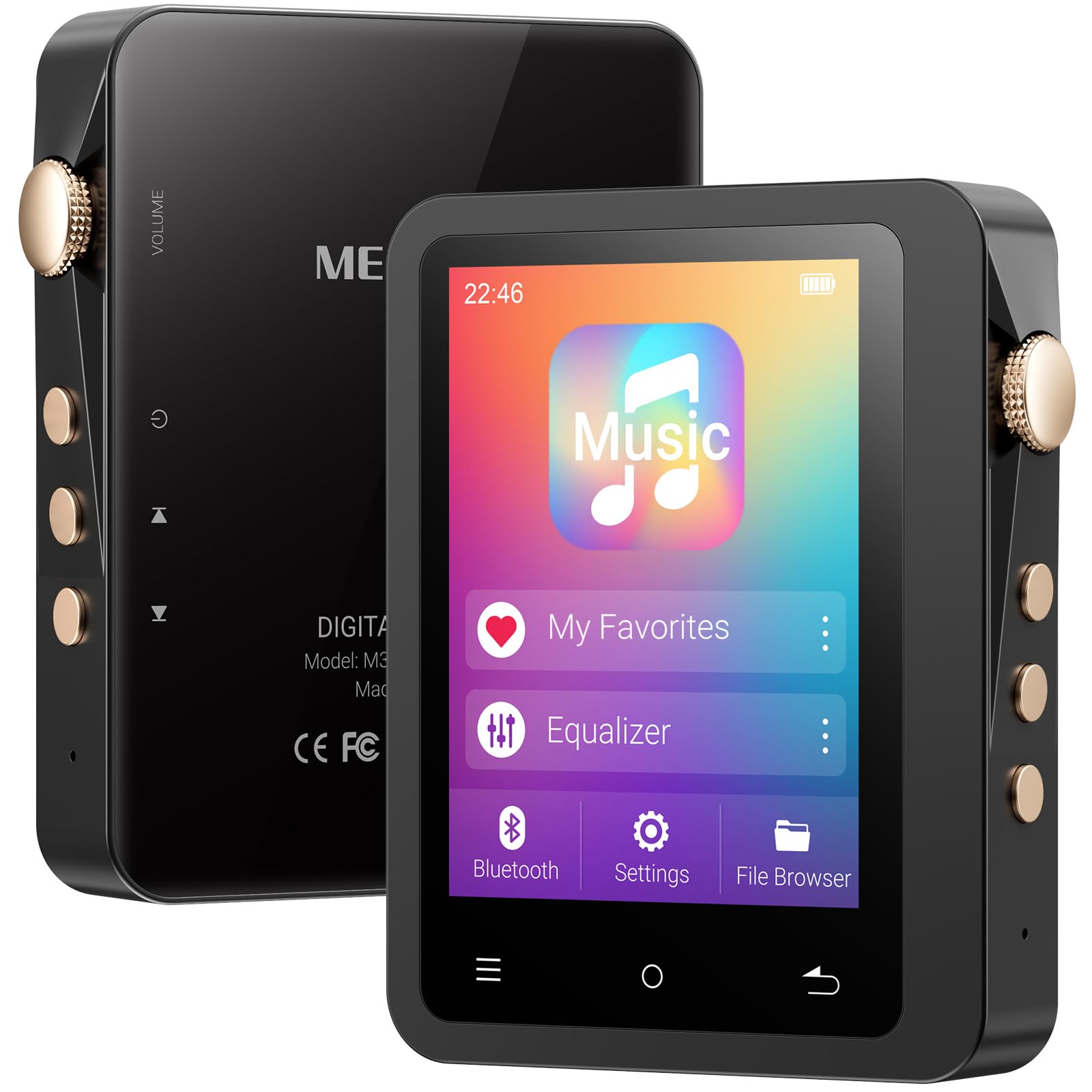
Image: The MECHEN M33 Hi-Res MP3 Player, showcasing its 2.8-inch touchscreen and compact form factor, often accompanied by its protective leather case.
Ciri-ciri Utama:
- Kualiti Bunyi Hi-Fi: Built-in DAC decoding chip supports DSD (DSF/DFF), FLAC, APE, ALAC, MP3, AAC, and other formats.
- Bluetooth 5.3: Stable wireless connection for headphones and speakers.
- Hayat Bateri yang Panjang: 2000mAh battery provides up to 60 hours of continuous playback.
- Storan Boleh Dikembangkan: Standard 128GB external memory card, expandable up to 512GB (TF card not included for expansion).
- Skrin Sentuh HD 2.8 inci: Simple UI design for easy navigation and song categorization.
- Binaan Tahan Lama: Solid zinc alloy shell, scratch-resistant and wear-resistant.
4. Persediaan
4.1 Mengecas Peranti
Before first use, fully charge the MP3 player. Connect the provided USB-C data cable to the player's USB-C port and the other end to a USB power adapter (not included) or a computer's USB port. The charging indicator will show the charging status. A full charge typically takes a few hours.
4.2 Hidupkan/Mati Kuasa
- Untuk Menghidupkan: Tekan dan tahan butang Kuasa (biasanya terletak di sisi) selama beberapa saat sehingga skrin menyala.
- Untuk Mematikan: Press and hold the Power button for a few seconds. A power-off prompt will appear on the screen. Select 'Power Off' to shut down the device.
4.3 Inserting/Removing MicroSD Card
The device comes with a 128GB external memory card. If you wish to use a different card or expand storage further (up to 512GB), follow these steps:
- Untuk memasukkan: Locate the MicroSD card slot on the device. Gently push the MicroSD card into the slot until it clicks into place. Ensure the card is oriented correctly.
- Untuk Alih Keluar: Gently push the MicroSD card inward until it springs out slightly. Then, pull it out of the slot. Always ensure the device is powered off before removing the card to prevent data loss.
5. Operasi Asas
5.1 Menavigasi Antara Muka
The MECHEN M33 features a 2.8-inch touchscreen. Swipe left, right, up, or down to navigate through menus and options. Tap on icons to select them. The user interface is designed for simplicity and ease of use.
5.2 Main balik Muzik
- From the main menu, tap on 'Music' or 'Player'.
- Layari pustaka muzik anda mengikut artis, album, genre atau folder.
- Tap on a song to begin playback.
- During playback, you can control volume, skip tracks, pause/play, and access playback settings from the screen.
5.3 Berpasangan Bluetooth
To connect your MECHEN M33 to Bluetooth headphones or speakers:
- Pastikan peranti audio Bluetooth anda berada dalam mod berpasangan.
- On the MP3 player, go to 'Settings' and then 'Bluetooth'.
- Turn Bluetooth 'On'. The player will scan for available devices.
- Select your desired device from the list to pair. Once paired, audio will be routed wirelessly.
6. Ciri Lanjutan
6.1 Hi-Fi Audio Playback
The MECHEN M33 supports various high-resolution lossless audio formats including DSD (DSF/DFF), FLAC, APE, and ALAC, in addition to common formats like MP3 and AAC. For the best audio experience, use high-quality headphones and lossless audio files.
6.2 Penyamaan
The device includes an equalizer function to customize your audio output. Access the equalizer settings during music playback or through the 'Settings' menu to adjust sound profiles according to your preference.
6.3 Kefungsian OTG
The MECHEN M33 supports OTG (On-The-Go) functionality, allowing it to act as a host to connect other USB devices, such as USB flash drives, for direct file transfer or playback. A compatible OTG adapter (not included) may be required.
7. File Pengurusan
Untuk memindahkan muzik files to your MECHEN M33:
- Connect the MP3 player to your computer using the provided USB-C data cable.
- Pemain akan muncul sebagai pemacu cakera boleh tanggal pada komputer anda.
- Seret dan lepaskan audio anda files into the appropriate folders on the player's internal storage or the MicroSD card.
- sekali filedipindahkan, keluarkan peranti daripada komputer anda dengan selamat sebelum memutuskan sambungan kabel USB.
8. Penyelenggaraan
8.1 Membersihkan Peranti
Wipe the device with a soft, dry, lint-free cloth. Do not use abrasive cleaners, alcohol, or solvents, as these may damage the surface or internal components.
8.2 Penjagaan Bateri
- Avoid exposing the device to extreme temperatures (hot or cold) as this can reduce battery life.
- For optimal battery longevity, avoid completely draining the battery frequently.
- Jika menyimpan peranti untuk tempoh yang lama, caskannya kepada kira-kira 50% sebelum penyimpanan.
9. Penyelesaian masalah
- Peranti tidak dihidupkan: Pastikan bateri dicas. Sambungkan ke sumber kuasa dan cuba lagi.
- Tiada bunyi: Check volume levels. Ensure headphones are properly connected or Bluetooth is paired correctly. Verify audio file keserasian format.
- Isu sambungan Bluetooth: Ensure both devices are in pairing mode and within range. Try unpairing and re-pairing the device.
- Filetidak dikenali: Pastikan audio files are in a supported format. Check if the MicroSD card is properly inserted and formatted.
- Peranti dibekukan: Tekan dan tahan butang Kuasa selama lebih kurang 10-15 saat untuk memaksa mula semula.
10. Spesifikasi
| Ciri | Spesifikasi |
|---|---|
| Jenama | MECHEN |
| Nama Model | M33 |
| Ciri Khas | Equalizer, Touch Screen |
| Teknologi Ketersambungan | Aux, Bluetooth 5.3, USB-C |
| Kapasiti Penyimpanan Memori | 128 GB (external card included), expandable up to 512 GB |
| warna | DE-Black01 |
| Saiz Skrin | 2.8 Inci |
| Peranti Serasi | Headphones, Speakers, Cars (via Aux/Bluetooth) |
| Komponen yang Disertakan | 1*MP3 Player, Data Cable, Protective Case, 128GB Memory Card |
| Teknologi Paparan | LCD |
| Berat Barang | 167 Gram |
| Pengeluar | MECHEN |
| Nombor Model | M33 |
11. Waranti dan Sokongan
This product includes a 30-day unconditional return policy and a 1-year exchange service. For any questions, technical support, or warranty claims, please contact MECHEN customer support. We aim to reply to all inquiries within 24 hours.