
1. Pengenalan
Terima kasih kerana membeliasing the Dyurwa ZY02 Portable Bluetooth Speaker. This manual provides essential information for setting up, operating, and maintaining your speaker. Please read it thoroughly before use to ensure optimal performance and longevity of your device.
2. Maklumat Keselamatan
- Jangan dedahkan pembesar suara kepada suhu yang melampau atau cahaya matahari langsung untuk tempoh yang lama.
- Elakkan daripada menjatuhkan atau menundukkan pembesar suara kepada impak yang kuat.
- Jauhkan pembesar suara daripada peranti perubatan, kerana ia mungkin mengganggu operasinya.
- Do not attempt to disassemble, repair, or modify the speaker yourself. Contact qualified service personnel if needed.
- Pastikan penutup port pengecasan ditutup rapat apabila menggunakan pembesar suara berhampiran air untuk mengekalkan penarafan kalis air IPX7nya.
3. Kandungan Pakej
- 1 x Dyurwa ZY02 Portable Bluetooth Speaker
- 1 x Kabel Pengecas Jenis-C
- 1 x Quick Start Guide (this document)
4. Produk Lebihview
Kawalan dan Pelabuhan
Familiarize yourself with the buttons and ports on your Dyurwa ZY02 speaker:

Figure 1: Top-mounted control buttons and side profile of the Dyurwa ZY02 speaker.
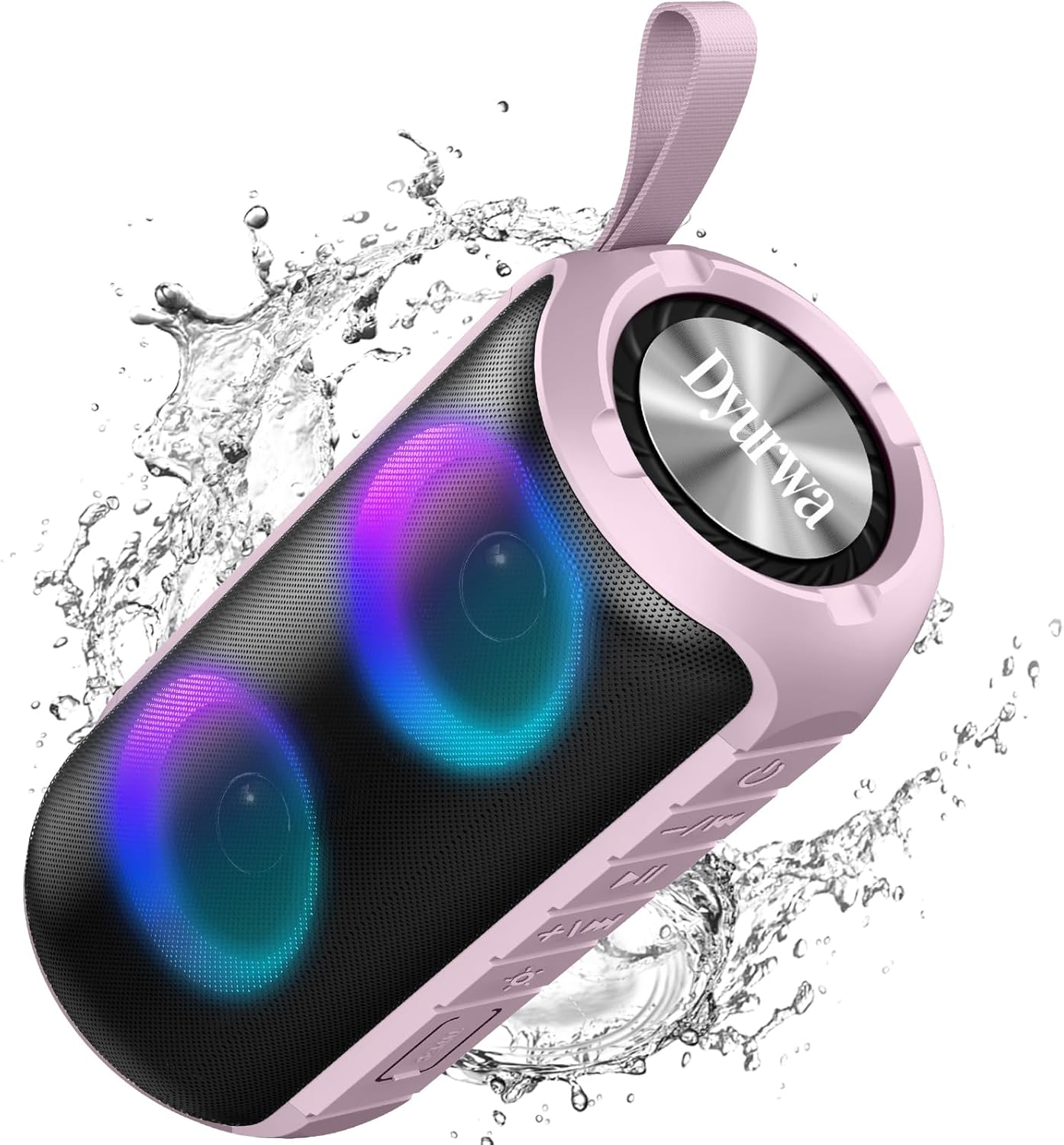
Figure 2: The sealed port area on the Dyurwa ZY02 speaker, revealing the Type-C charging port and a memory card slot.
Video 1: Selesai ringkasview of the Dyurwa ZY02 speaker's physical features, including its buttons, ports, and dynamic LED lighting effects.
5. Persediaan
5.1 Mengecas Speaker
Before first use, fully charge your speaker. Use the provided Type-C charging cable to connect the speaker to a compatible USB power source. The charging time is approximately 2-3 hours.

Figure 3: The Dyurwa ZY02 speaker highlighting its 12-hour battery life, with a note that continuous playtime varies by volume and light settings.
5.2 Berpasangan Bluetooth
- Power on the speaker by pressing and holding the power button. The LED indicator will flash, indicating it's in pairing mode.
- Pada peranti anda (telefon pintar, tablet, komputer), dayakan Bluetooth dan cari peranti yang tersedia.
- Select "ZY02" from the list of devices.
- Once connected, the speaker will emit an audible confirmation, and the LED indicator will remain solid.

Figure 4: The Dyurwa ZY02 speaker connected to a laptop, illustrating its Bluetooth 5.3 multi-device compatibility.
5.3 Penggandingan Stereo Tanpa Wayar Sebenar (TWS)
To pair two ZY02 speakers for a stereo sound experience:
- Ensure both speakers are powered off and not connected to any device.
- Menghidupkan kedua-dua pembesar suara.
- On one speaker (this will be the primary speaker), double-press the power button. It will search for the secondary speaker.
- Once connected, both speakers will emit a confirmation tone, and their LED indicators will synchronize.
- Sambungkan peranti anda kepada pembesar suara utama melalui Bluetooth seperti yang diterangkan dalam bahagian 5.2.
6. Arahan Operasi
6.1 Fungsi Asas
- Hidupkan/Mati Kuasa: Tekan dan tahan butang kuasa selama 3 saat.
- Main/Jeda: Tekan sebentar butang Main/Jeda.
- Kelantangan: Tekan sebentar butang '+'.
- Perlahankan suara: Tekan sebentar butang '-'.
- Lagu Seterusnya: Tekan lama butang '+'.
- Trek Sebelumnya: Tekan lama butang '-'.
6.2 Mod Pencahayaan RGB
The speaker features dynamic RGB lights that can be customized:

Figure 5: The Dyurwa ZY02 speaker displaying its dynamic RGB lighting, with an icon indicating the button to browse different vibrant modes.
- Tukar Mod Cahaya: Short press the light button (often indicated by a sun or lightbulb icon) to cycle through available RGB lighting effects.
- Matikan Lampu: Continue pressing the light button until the lights turn off.
- The lights can also pulse with the rhythm of the music.
Video 2: Demonstration of the Dyurwa ZY02 speaker's RGB lighting features, showing how the lights change and react to sound.
6.3 Panggilan Bebas Tangan
With its built-in microphone, the speaker supports hands-free calling when connected to your smartphone:

Figure 6: The Dyurwa ZY02 speaker facilitating a hands-free call in an office environment, showcasing its built-in microphone functionality.
- Jawab/Tamatkan Panggilan: Tekan sebentar butang Main/Jeda.
- Tolak Panggilan: Tekan lama butang Main/Jeda.
7. Penyelenggaraan
7.1 Reka Bentuk Kalis Air (IPX7)
The Dyurwa ZY02 speaker features an IPX7 waterproof rating, meaning it can be submerged in up to 1 meter of water for 30 minutes. This makes it suitable for use in showers, by the pool, or at the beach.

Figure 7: The Dyurwa ZY02 speaker demonstrating its IPX7 waterproof capability by being partially submerged in water.

Figure 8: The Dyurwa ZY02 speaker on a beach, showcasing its durable and IPX7 waterproof design, suitable for outdoor use.
- Always ensure the charging port cover is tightly sealed before exposing the speaker to water.
- Selepas terdedah kepada air, lap pembesar suara hingga kering dengan kain lembut.
- Do not charge the speaker if the charging port is wet.
7.2 Pembersihan
Gunakan yang lembut, damp cloth to clean the exterior of the speaker. Do not use harsh chemicals or abrasive cleaners.
8. Penyelesaian masalah
| Masalah | Kemungkinan Punca | Penyelesaian |
|---|---|---|
| Speaker tidak dihidupkan | Bateri lemah | Cas pembesar suara sepenuhnya. |
| Tidak boleh berpasangan dengan peranti | Bluetooth not enabled on device; speaker not in pairing mode; too far from device | Ensure Bluetooth is on, speaker is in pairing mode, and within 10 meters. Restart both devices. |
| Tiada suara atau kelantangan rendah | Volume too low on speaker or device; incorrect audio source | Increase volume on both speaker and device. Check device's audio output settings. |
| Gandingan TWS gagal | Speakers not reset or too far apart | Ensure both speakers are disconnected from other devices. Place them close together and retry TWS pairing. |
9. Spesifikasi
| Ciri | Perincian |
|---|---|
| Jenama | Dyurwa |
| Nombor Model | ZY02 |
| Teknologi Ketersambungan | Bluetooth, AUX |
| Teknologi Tanpa Wayar | Bluetooth 5.3 |
| Mod Keluaran Audio | Stereo |
| Kuasa Output Maksimum Pembesar Suara | 180 Watt |
| Kapasiti Bateri | 1800mAh |
| Purata Hayat Bateri | 12 Hours (varies by volume/light settings) |
| Masa Pengecasan Bateri | 2-3 Jam |
| Penilaian Kalis Air | IPX7 |
| Julat Sambungan | >10J |
| Dimensi Item (D x W x H) | 2.54"D x 5"W x 4"H |
| Berat badan | 216g |
| Media Terbina Dalam | Kabel Kuasa |
| Bilangan Saluran Audio | 2.0 |
| Jenis Pemacu Audio | Pemandu Dinamik |
10. Waranti dan Sokongan
The Dyurwa ZY02 Portable Bluetooth Speaker comes with a limited warranty. For specific warranty details and support inquiries, please refer to the warranty card included in your package or contact Dyurwa customer service.
For technical support or further assistance, please visit the official Dyurwa webtapak atau hubungi pasukan perkhidmatan pelanggan mereka.