
1. Pengenalan
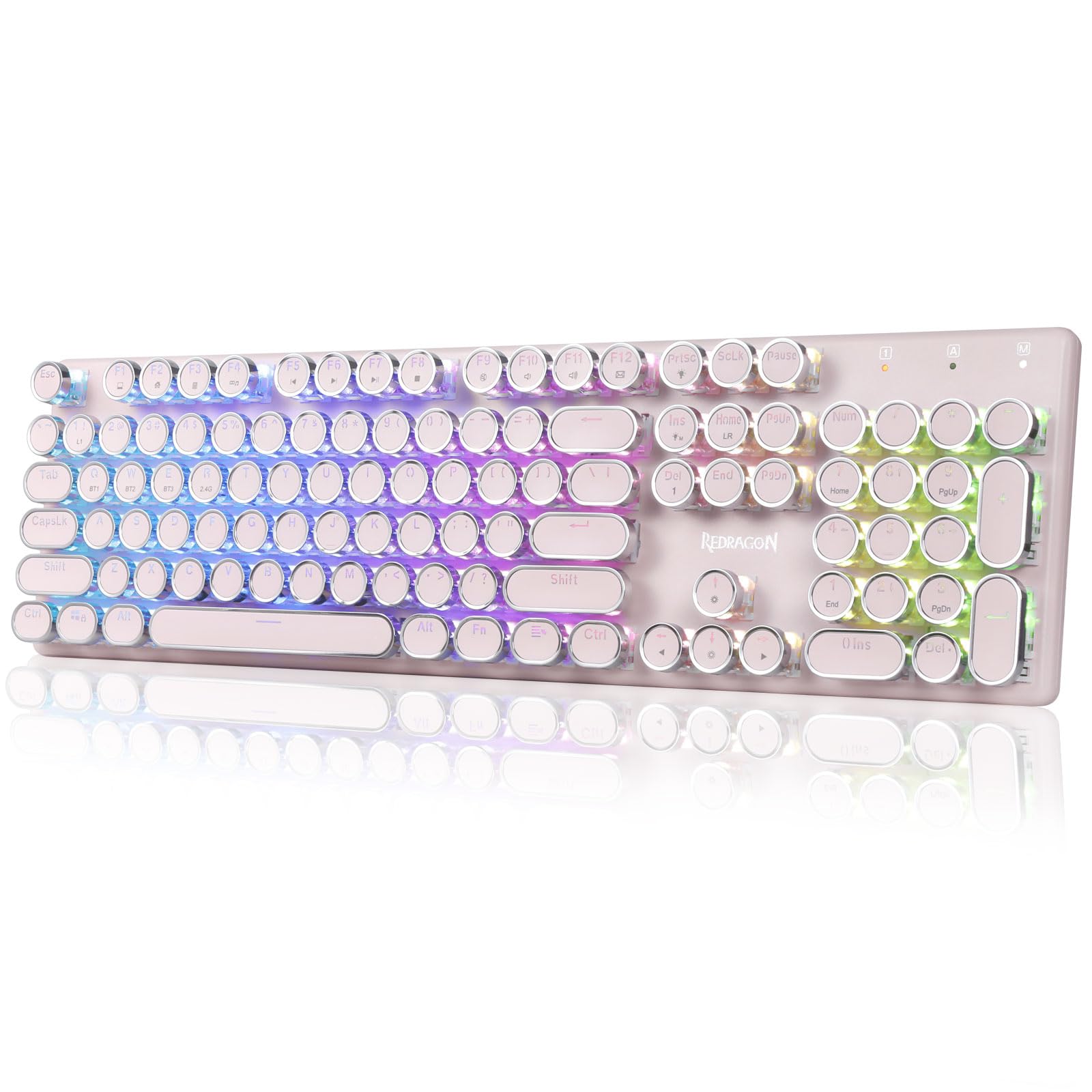
The Redragon K710 is a versatile mechanical gaming keyboard designed for a superior typing and gaming experience. It features a retro typewriter style with round keycaps and offers multiple connectivity options, vibrant RGB backlighting, and durable construction. This manual provides detailed instructions for setup, operation, maintenance, and troubleshooting.

2. Persediaan
2.1 Kandungan Pakej
Sebelum anda mula, pastikan semua item terdapat dalam pakej:
- Papan Kekunci Permainan Mekanikal Tanpa Wayar Redragon K710
- Kabel USB-C
- Dongle Tanpa Wayar 2.4Ghz
- Penarik Keycap (jika disertakan)
- Manual Pengguna
2.2 Pengecasan Awal
For optimal performance, fully charge the keyboard before first use. Connect the provided USB-C cable to the keyboard's port and to a USB power source (e.g., computer, wall adapter). The LED indicator will show charging status.
2.3 Mod Kesambungan
The Redragon K710 supports three connection modes: 2.4Ghz Wireless, Bluetooth 3.0/5.0, and USB-C Wired.


2.3.1 2.4Ghz Wireless Mode
- Locate the 2.4Ghz wireless dongle, usually stored in a compartment on the back of the keyboard.
- Palamkan dongle ke dalam port USB yang tersedia pada komputer anda.
- Switch the mode selector on the back of the keyboard to "2.4G".
- Tekan dan tahan FN + R on the keyboard to enter 2.4G pairing mode. The indicator light will flash.
- Papan kekunci sepatutnya bersambung secara automatik.
2.3.2 Mod Bluetooth
- Switch the mode selector on the back of the keyboard to "BT".
- Tekan dan tahan FN+Q, FN + W, atau FN + E for 3 seconds to select a Bluetooth channel (BT1, BT2, or BT3). The indicator light for the selected channel will flash rapidly, indicating pairing mode.
- On your device (PC, laptop, tablet, phone), open Bluetooth settings and search for new devices.
- Pilih "Redragon K710" daripada senarai peranti yang tersedia untuk dipasangkan.
- Sebaik sahaja disambungkan, lampu penunjuk akan berhenti berkelip.
2.3.3 Mod Berwayar USB-C
- Connect the provided USB-C cable to the keyboard and to a USB port on your computer.
- Papan kekunci secara automatik akan bertukar kepada mod berwayar dan mula mengecas.
3. Arahan Operasi
3.1 Kawalan Pencahayaan Latar RGB
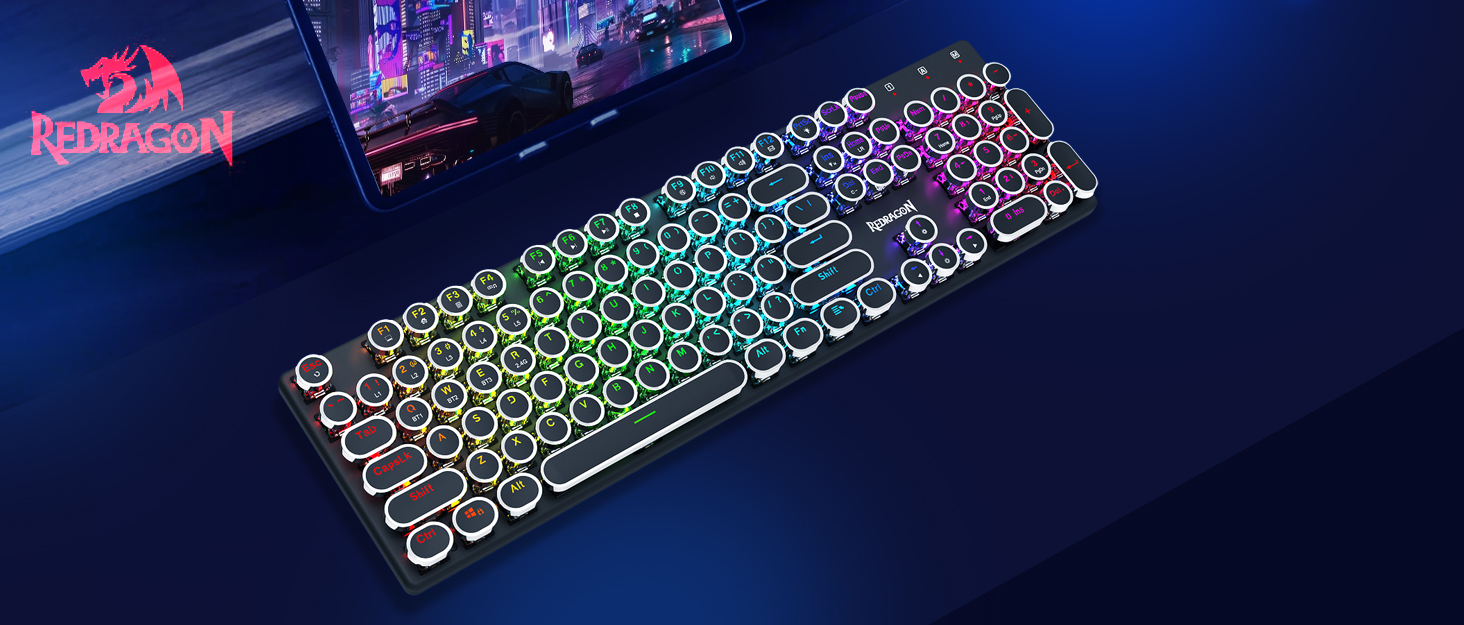
The K710 keyboard features 16.8 million RGB backlighting with various modes and customization options.

- FN + INS: Switch between 16 different RGB lighting modes and effects.
- FN + ↑ / ↓: Adjust backlight brightness (5 levels).
- FN + DEL: Cycle through 7 solid colors (Red, Green, Blue, Yellow, Purple, Cyan, White).
- FN + PrtSc: Toggle backlight on/off.
3.2 Custom Backlighting
You can customize individual key backlighting:
- Tekan FN + 1 to enter game mode.
- Tekan Rumah FN + to enter custom recording state.
- Press desired keys continuously to set their color.
- Tekan Rumah FN + again to save the custom lighting.
3.3 Pintasan Multimedia
Access various functions using FN key combinations:

- FN + F1: Komputer Saya
- FN + F2: Laman utama
- FN + F3: Kalkulator
- FN + F4: Pemain
- FN + F5: Trek Sebelumnya
- FN + F6: Trek Seterusnya
- FN + F7: Main/Jeda
- FN + F8: Berhenti
- FN + F9: Bisu
- FN + F10: Volume -
- FN + F11: Jilid +
- FN + F12Mel
- FN + MENANG: Lock/Unlock Windows Key
- FN + ESC (Tahan 5s): Pulihkan tetapan kilang
3.4 Pengurusan Bateri
The keyboard is equipped with a durable 4000mAh battery.

- Hayat Bateri: Up to 70 hours with RGB lights on, and over 300 hours with lights off.
- Mengecas: A fast charge can provide enough power for a full day's use.
- Semak Tahap Bateri: Tekan FN + Enter to check the current battery level via the LED indicators.

3.5 Auto Power Saving
To conserve battery, the keyboard's backlight will automatically turn off after 3 minutes of inactivity in wireless mode. Press any key to wake up the keyboard.
3.6 Sokongan Perisian
The Redragon K710 is compatible with dedicated software for advanced customization, including macro recording, key remapping, and detailed lighting effects.

To download the driver software, visit the official Redragon webtapak: redragonzone.com/software.html. Navigate to "KEYBOARDS", search for model "K710", and download the appropriate software.
4. Penyelenggaraan
4.1 Pembersihan
- Putuskan sambungan papan kekunci daripada semua sumber kuasa sebelum membersihkannya.
- Gunakan kain lembut dan kering untuk mengelap permukaan papan kekunci.
- Untuk habuk dan serpihan di antara penutup kekunci, gunakan udara termampat.
- The included keycap puller can be used to carefully remove keycaps for deeper cleaning of the switches.
4.2 Penyimpanan
Store the keyboard in a cool, dry place away from direct sunlight and extreme temperatures. Avoid placing heavy objects on the keyboard.
5. Penyelesaian masalah
- Papan kekunci tidak bertindak balas: Ensure the keyboard is charged. Check the connection mode (wired, 2.4G, Bluetooth) and ensure it matches your device. Try reconnecting the USB cable or re-pairing the wireless connection.
- Kunci tidak mendaftar atau menaip dua kali: Clean under the keycaps. If using wireless, ensure the dongle is securely plugged in or Bluetooth connection is stable. Try updating the keyboard firmware via the Redragon software.
- Lampu RGB tidak berfungsi: Check if the backlight is turned off (FN + PrtSc). Adjust brightness (FN + ↑/↓). If issues persist, perform a factory reset (FN + ESC for 5 seconds).
- Isu sambungan Bluetooth: Ensure your device's Bluetooth is enabled. Remove the keyboard from your device's paired list and re-pair it. Try a different Bluetooth channel (FN + Q/W/E).
- Software download link not working: Ensure you are visiting the official Redragon webtapak (redragonzone.com/software.html) and searching for the correct model (K710).
6. Spesifikasi
| Ciri | Perincian |
|---|---|
| Jenama | Redragon |
| Nombor Model | K710P-RGB |
| Ketersambungan | 2.4Ghz Wireless, Bluetooth 3.0/5.0, USB-C Wired |
| Jenis Papan Kekunci | mekanikal |
| Jenis Suis | Blue Switch (Clicky, Tactile) |
| Kekunci Kekunci | Round, Electroplated, Double Shot |
| Pencahayaan latar | RGB (16.8 Million Colors, 16+ Modes) |
| Anti-Ghosting | 104-Key Anti-Ghosting |
| Kapasiti Bateri | 4000 mAh |
| bahan | Metal (Panel), Plastic |
| Berat Barang | 950 Gram |
| Peranti Serasi | Konsol Permainan, Komputer Riba, PC, Tablet |


7. Waranti dan Sokongan
For warranty information, technical support, or further assistance, please visit the official Redragon website or contact their customer service. The latest drivers and software can be found at redragonzone.com/software.html.