
1. Pengenalan
Terima kasih kerana membeliasing the DSP KC3049 Bread Maker. This appliance is designed to bring the joy of freshly baked bread to your home with minimal effort. Featuring a powerful 600W motor, a quiet operation, and 19 versatile programs, you can easily bake various types of bread, cakes, and even make jam or yogurt. Please read this manual carefully before first use to ensure safe and optimal operation of your bread maker.
2. Arahan Keselamatan Penting
Sentiasa ikuti langkah berjaga-jaga keselamatan asas apabila menggunakan peralatan elektrik untuk mengurangkan risiko kebakaran, renjatan elektrik dan/atau kecederaan kepada orang, termasuk yang berikut:
- Baca semua arahan.
- Jangan sentuh permukaan panas. Gunakan pemegang atau tombol.
- Untuk melindungi daripada renjatan elektrik, jangan rendam kord, palam atau perkakas dalam air atau cecair lain.
- Pengawasan rapi diperlukan apabila sebarang perkakas digunakan oleh atau berhampiran kanak-kanak.
- Cabut plag dari soket apabila tidak digunakan dan sebelum membersihkan. Biarkan sejuk sebelum memakai atau menanggalkan bahagian.
- Jangan kendalikan sebarang perkakas dengan kord atau palam yang rosak atau selepas perkakas tidak berfungsi atau rosak dalam apa jua cara.
- Penggunaan lampiran aksesori yang tidak disyorkan oleh pengilang perkakas boleh menyebabkan kecederaan.
- Jangan gunakan di luar rumah.
- Jangan biarkan kord tergantung di tepi meja atau kaunter atau menyentuh permukaan panas.
- Jangan letakkan pada atau berhampiran gas panas atau penunu elektrik, atau dalam ketuhar yang dipanaskan.
- Berhati-hati yang melampau mesti digunakan apabila menggerakkan perkakas yang mengandungi minyak panas atau cecair panas lain.
- Untuk memutuskan sambungan, matikan mana-mana kawalan kepada "mati", kemudian tanggalkan palam dari alur keluar dinding.
- Jangan gunakan perkakas untuk kegunaan selain daripada yang dimaksudkan.
3. Produk Lebihview
The DSP KC3049 Bread Maker is designed for ease of use and versatility. It features a sleek design with a stainless steel lid and an intuitive LCD display.
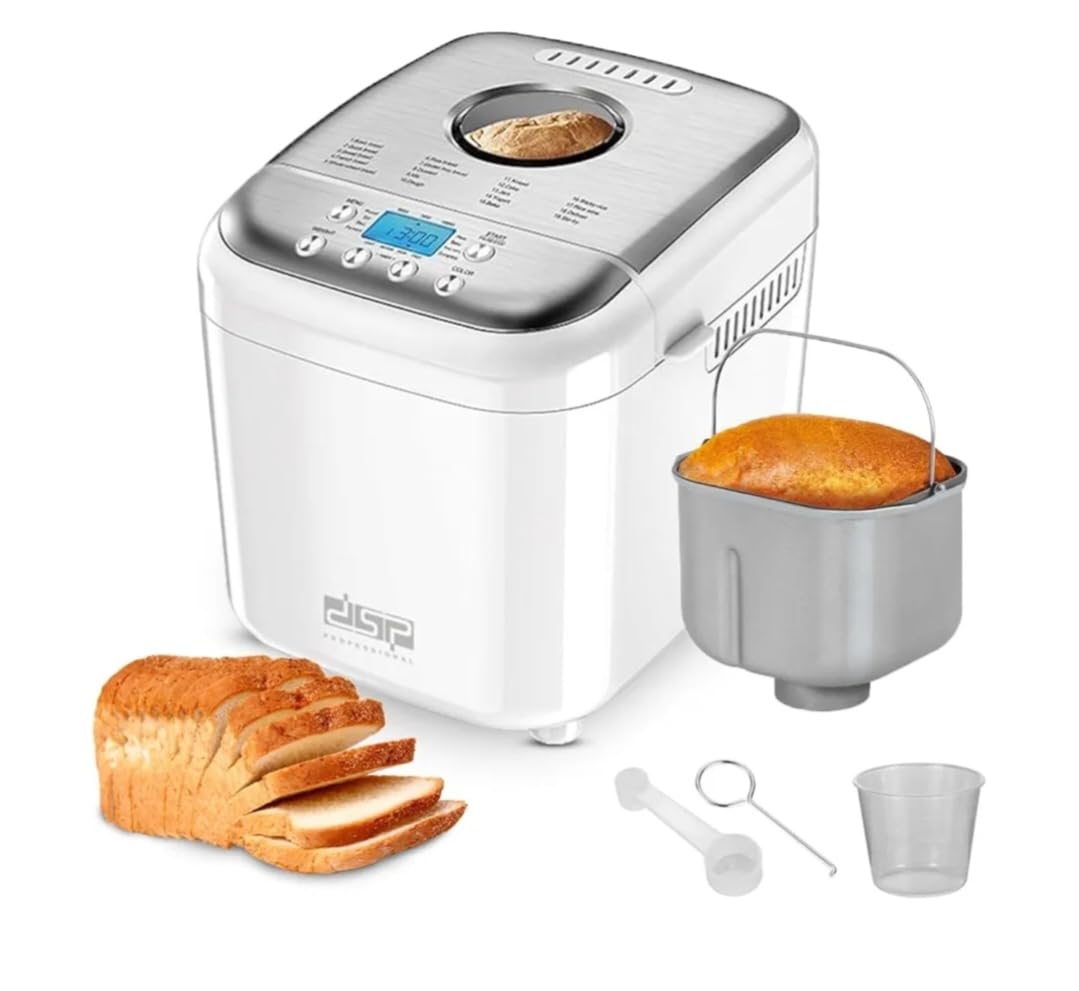
Image: The DSP KC3049 Bread Maker shown in a kitchen setting, ready to bake. Sliced bread, jam, and milk are visible, highlighting its use.
Ciri-ciri Utama:
- 600W Power with Low-Noise Motor
- 19 Automatic Programs for various recipes
- Digital LCD Display for easy program selection and monitoring
- Adjustable Loaf Sizes: 500g, 750g, 1000g
- 3 Crust Color Settings: Light, Medium, Dark
- 15-Hour Delay Timer for fresh bread anytime
- 1-Hour Automatic Keep Warm Function
- Non-stick Aluminum Baking Pan
4. Persediaan
4.1 Membongkar
Carefully remove your bread maker and all accessories from the box. Check for any damage. Keep the packaging materials for future storage or transport if needed.
4.2 First Use & Cleaning
- Sebelum penggunaan pertama, lap bahagian luar pembuat roti denganamp kain.
- Wash the baking pan, kneading paddle, and measuring cup/spoon in warm, soapy water. Rinse thoroughly and dry all parts completely.
- Insert the kneading paddle onto the shaft inside the baking pan.
- Place the baking pan into the bread maker and turn it clockwise until it locks into place.
- For the first bake, it is recommended to run the 'Bake' program (Program 15) for about 10 minutes without any ingredients to burn off any manufacturing residues. Ensure good ventilation during this process.
4.3 Penempatan
Place the bread maker on a stable, flat, heat-resistant surface, away from direct sunlight and heat sources. Ensure there is adequate ventilation around the appliance.
5. Arahan Operasi
Operating your DSP KC3049 Bread Maker is straightforward. Follow these steps for a perfect loaf every time.
5.1 Menambah Bahan
- Ensure the kneading paddle is securely attached to the shaft in the baking pan.
- Add liquid ingredients first (water, milk, eggs, oil), followed by dry ingredients (flour, sugar, salt).
- Make a small indentation in the center of the dry ingredients (not touching the liquid) and add the yeast.
- Do not allow yeast to come into direct contact with salt or sugar before mixing.
- Place the baking pan into the bread maker and close the lid.
5.2 Pemilihan Program
The bread maker offers 19 automatic programs. Use the 'Menu' button on the control panel to cycle through the programs displayed on the LCD screen.

Image: A visual representation of the 19 available programs on the bread maker's LCD screen, including Basic, Quick, Sweet, French, Whole-white, Rice, Gluten-free, Dessert, Mix, Dough, Knead, Cake, Jam, Yogurt, Bake, Sticky-rice, Rice-wine, Defrost, and Stir-fry.
Program Tersedia:
- Roti Asas
- Roti Pantas
- Roti Manis
- Roti Perancis
- Whole-White Bread
- Roti Beras
- Roti Tanpa Gluten
- Pencuci mulut
- Campurkan
- doh
- Uli
- kek
- jem
- Yogurt
- bakar
- Sticky-Rice
- Rice-Wine
- Pencairan
- Tumis
5.3 Saiz Roti dan Warna Kerak
After selecting your program, you can adjust the loaf size and crust color. Use the 'Loaf Size' button to choose between 500g, 750g, or 1000g. Use the 'Crust Color' button to select Light, Medium, or Dark.

Image: Illustrates the three available bread sizes (500g, 700g, 1000g) and three crust color options (Light, Medium, Dark) for customization.
5.4 Fungsi Pemasa Kelewatan
The 15-hour delay timer allows you to set the bread maker to start at a later time, ensuring fresh bread when you want it. Press the 'Delay' button to adjust the delay time in 10-minute increments. The displayed time includes the baking cycle duration.
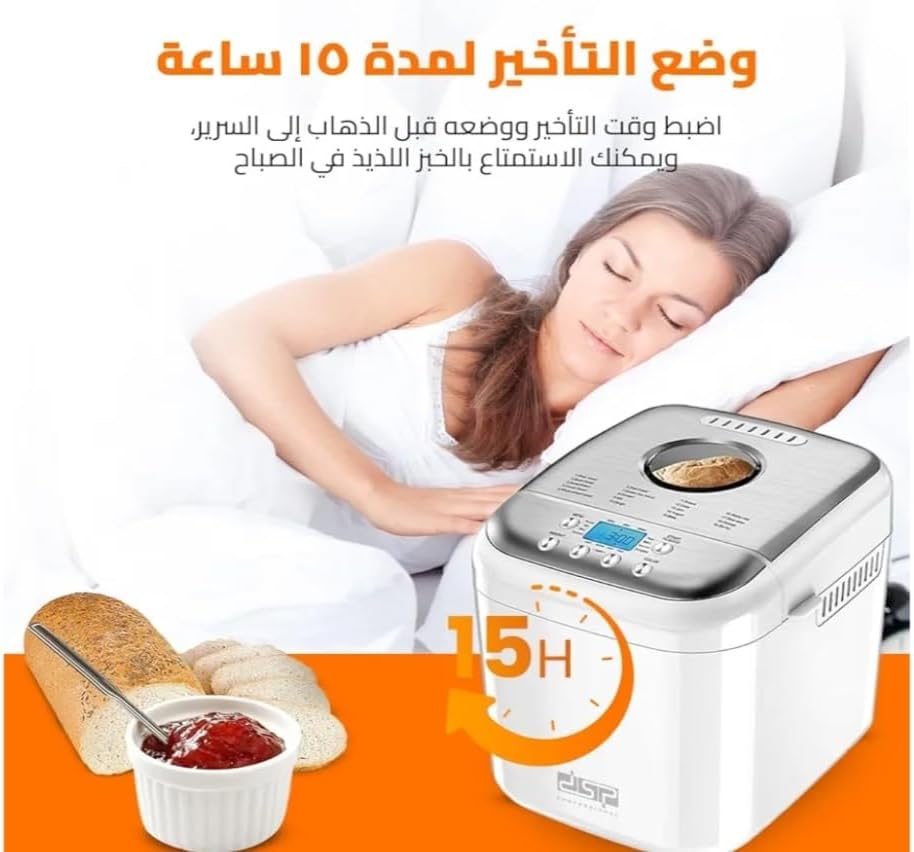
Image: Depicts the 15-hour delay timer feature, allowing users to set the bread maker to start baking later, for example, to wake up to fresh bread.
5.5 Mula / Berhenti
Press the 'Start/Stop' button to begin the selected program. The LCD display will show the remaining time. To stop a program, press and hold the 'Start/Stop' button for a few seconds.
5.6 Fungsi Kekalkan Panas
After the baking cycle is complete, the bread maker will automatically switch to a 1-hour 'Keep Warm' function to maintain the bread's temperature. This ensures your bread stays fresh and warm until you're ready to serve it.

Image: Highlights key features such as the 1-hour keep warm function, 10-15 minute memory function (in case of power outage), delay timer, and 360-degree heating rotation for even baking.
6. Penyelenggaraan dan Pembersihan
Penyelenggaraan yang betul memastikan ketahanan dan prestasi optimum pembuat roti anda.
6.1 Membersihkan Loyang Pembakar dan Pengayuh Uli
- After use, unplug the bread maker and allow it to cool completely.
- Remove the baking pan from the appliance.
- Fill the pan with warm, soapy water and let it soak for 10-15 minutes to loosen any stuck-on dough or residue.
- Carefully remove the kneading paddle. If it's difficult to remove, soak it longer.
- Wash the baking pan and kneading paddle by hand using a soft sponge. Do not use abrasive cleaners or metal scouring pads, as this can damage the non-stick coating.
- Bilas dengan teliti dan keringkan sepenuhnya sebelum disimpan atau digunakan seterusnya.

Image: The bread maker with its lid open, revealing the removable non-stick aluminum baking pan, which is easy to clean.
6.2 Membersihkan Bahagian Luar
Lap bahagian luar pembuat roti dengan lembut, damp kain. Jangan gunakan bahan kimia yang keras atau pembersih yang kasar. Jangan sekali-kali merendam unit utama di dalam air atau sebarang cecair lain.
6.3 Penyimpanan
Ensure all parts are clean and dry before storing the bread maker. Store it in a cool, dry place, away from direct sunlight.
7. Penyelesaian masalah
If you encounter any issues with your bread maker, refer to the following common problems and solutions:
| Masalah | Kemungkinan Punca | Penyelesaian |
|---|---|---|
| Roti tidak naik | Expired yeast, too much salt, too little liquid, incorrect program. | Check yeast expiration date. Reduce salt. Adjust liquid amount. Select appropriate program. |
| Roti terlalu pekat | Too much flour, too little liquid, old yeast. | Measure ingredients accurately. Ensure fresh yeast. |
| Bread collapses in the middle | Too much liquid, too much yeast, high humidity. | Reduce liquid slightly. Use correct yeast amount. |
| Uli dayung tersangkut dalam roti | Kejadian biasa. | Carefully remove the paddle after taking the bread out. A non-stick tool can help. |
| Perkakas tidak dihidupkan | Tidak dipasang, kuasa outage, saluran keluar yang rosak. | Check power connection. Test outlet with another appliance. |
8. Spesifikasi
| Ciri | Spesifikasi |
|---|---|
| Jenama | DSP |
| Nombor Model | KC3049 |
| kuasa | 600 Watt |
| Kapasiti | 500g / 750g / 1000g |
| Bilangan Program | 19 |
| bahan | Aluminum (non-stick pan), Stainless Steel (lid) |
| warna | putih |
| Arahan Penjagaan | Hand wash only (baking pan and paddle) |
9. Waranti dan Sokongan
For warranty information or technical support, please refer to the warranty card included with your product or contact the retailer where you purchased the DSP KC3049 Bread Maker. Keep your proof of purchase for any warranty claims.