
Produk Selesaiview
The pTron Studio Pro are wireless over-ear headphones designed for extended listening and clear communication. They feature an ergonomic design with soft earpads and an adjustable headband for comfortable wear. Key features include long battery life, advanced audio drivers, and versatile connectivity options.
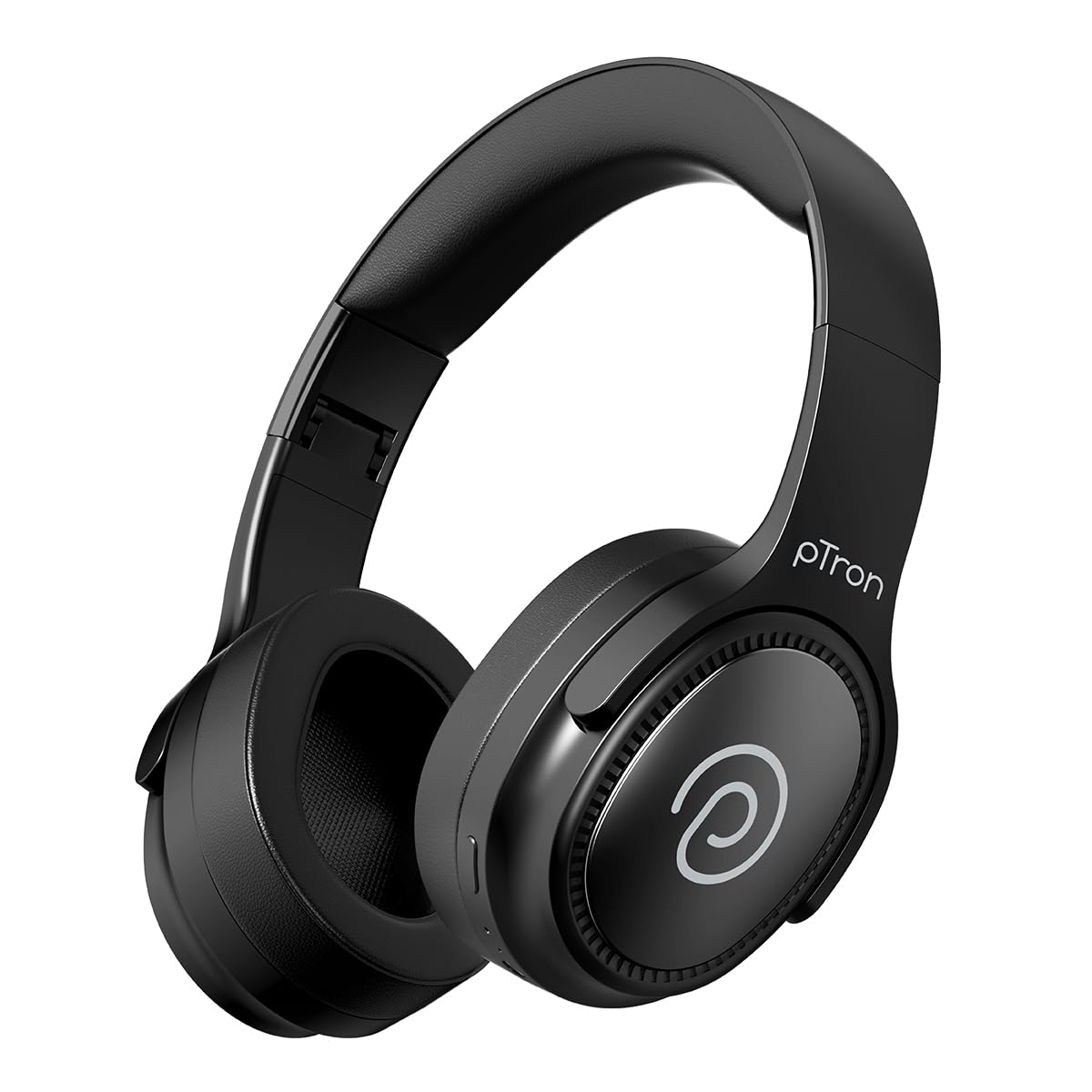
Image: pTron Studio Pro Wireless Over-Ear Headphones in Jet Black, showcasing reka bentuk yang anggun.
Ciri-ciri Utama
- Masa Main Dilanjutkan: Up to 65 hours of music playback on a single full charge.
- Pengecasan Cepat: 2.5 hours for a full charge via Type-C. A 10-minute charge provides approximately 4 hours of playtime.
- Audio Berkualiti Tinggi: Equipped with 40mm Neody Drivers for pristine stereo sound.
- Kosongkan Panggilan: Built-in HD Microphone with TruTalk AI-ENC (Environmental Noise Cancellation) for crystal-clear calls.
- Kesambungan Lanjutan: Fast Bluetooth v5.4 for instant pairing and stable connection.
- Gandingan Peranti Dwi: Seamlessly connect and switch between two devices simultaneously.
- Mod Serbaguna: Dedicated Low-Latency Gaming Mode and Music Mode.
- Tahan Air: IPX4 rating, making them resistant to water splashes and sweat.
- Comfort & Portability: Ergonomic, lightweight, and foldable design with soft earpads and an adjustable headband for a perfect fit and easy storage.
- Kawalan Mudah: Multi-functional buttons for managing music, calls, and activating voice assistant.

Image: Infographic detailing the main features of the pTron Studio Pro headphones, including battery life, drivers, and connectivity.
Apa yang ada dalam Kotak
Upon unboxing your pTron Studio Pro headphones, you will find the following items:
- pTron Studio Pro Wireless Over-Ear Headphones
- Kabel Pengecasan (Jenis-C)
- Manual Pengguna
Video: An official product video demonstrating the unboxing and key features of the pTron Studio Pro headphones.
Susun Atur dan Kawalan Produk
Familiarize yourself with the physical components and control buttons of your pTron Studio Pro headphones.

Imej: Terperinci view of the multi-function control buttons located on the ear cup, including power, volume, and track controls.
Control Button Functions:
| Butang/Tindakan | Fungsi |
|---|---|
| Butang Kuasa (Tekan Lama) | Hidupkan/Mati Kuasa, Masukkan Mod Berpasangan |
| Play/Pause Button (Single Press) | Main/Jeda Muzik, Jawab/Tamatkan Panggilan |
| Play/Pause Button (Long Press) | Tolak Panggilan, Aktifkan Pembantu Suara |
| Volume Up (+) (Single Press) | Tingkatkan Kelantangan |
| Volume Down (-) (Single Press) | Kurangkan Kelantangan |
| Volume Up (+) (Long Press) | Trek Seterusnya |
| Volume Down (-) (Long Press) | Trek Sebelumnya |
| Mode Button (Single Press) | Switch between Game Mode and Music Mode |
Persediaan
1. Mengecas Fon Kepala
- Sambungkan kabel pengecas Jenis-C yang disediakan ke port pengecasan pada fon kepala.
- Connect the other end of the cable to a USB power source (DC5V-1A max.).
- Penunjuk LED akan menunjukkan status pengecasan. Pengecasan penuh mengambil masa kira-kira 2.5 jam.
- Cas selama 10 minit boleh memberikan masa bermain sehingga 4 jam.

Image: The pTron Studio Pro headphones highlighting the Type-C charging port and emphasizing the 65-hour playtime.
2. Berpasangan Bluetooth
- Pastikan fon kepala dicas sepenuhnya.
- Press and hold the Power button until the LED indicator flashes red and blue alternately, indicating pairing mode.
- Pada peranti anda (telefon pintar, tablet, komputer riba), dayakan Bluetooth dan cari peranti yang tersedia.
- Select "pTron Studio Pro" from the list of devices.
- Once connected, the LED indicator will turn solid blue or stop flashing.
3. Penggandingan Peranti Dwi
- Pasangkan fon kepala dengan peranti pertama seperti yang diterangkan di atas.
- Lumpuhkan Bluetooth pada peranti pertama. Fon kepala akan memasuki semula mod berpasangan.
- Pasangkan fon kepala dengan peranti kedua.
- Dayakan semula Bluetooth pada peranti pertama. Fon kepala harus bersambung secara automatik ke kedua-dua peranti.
- Anda kini boleh menukar main balik audio antara dua peranti yang disambungkan.

Image: The headphones connected to both a laptop and a smartphone, demonstrating the dual device pairing feature.
4. Wired Connection (3.5mm Aux-in)
- Insert one end of a 3.5mm audio cable (not included) into the Aux-in port on the headphones.
- Sambungkan hujung kabel yang satu lagi ke bicu 3.5mm sumber audio anda.
- Fon kepala akan bertukar secara automatik kepada mod berwayar.

Image: The headphones connected to a smartphone using a 3.5mm Aux-in cable, illustrating wired music playback.
Arahan Operasi
Hidupkan/Mati Kuasa
- Hidupkan kuasa: Tekan dan tahan butang Kuasa selama lebih kurang 3 saat sehingga penunjuk LED menyala.
- Matikan: Tekan dan tahan butang Kuasa selama lebih kurang 5 saat sehingga penunjuk LED dimatikan.
Kawalan Muzik
- Main/Jeda: Tekan butang Main/Jeda sekali sahaja.
- Lagu Seterusnya: Tekan lama butang Naikkan Kelantangan (+).
- Trek Sebelumnya: Tekan lama butang Kelantangan Turun (-).
- Kelantangan: Single press the Volume Up (+) button.
- Perlahankan suara: Single press the Volume Down (-) button.
Kawalan Panggilan
- Jawab/Tamatkan Panggilan: Tekan butang Main/Jeda sekali sahaja.
- Tolak Panggilan: Tekan lama butang Main/Jeda.
Pembantu Suara
- Aktifkan Pembantu Suara: Long press the Play/Pause button (after rejecting a call, if applicable, or when not on a call).
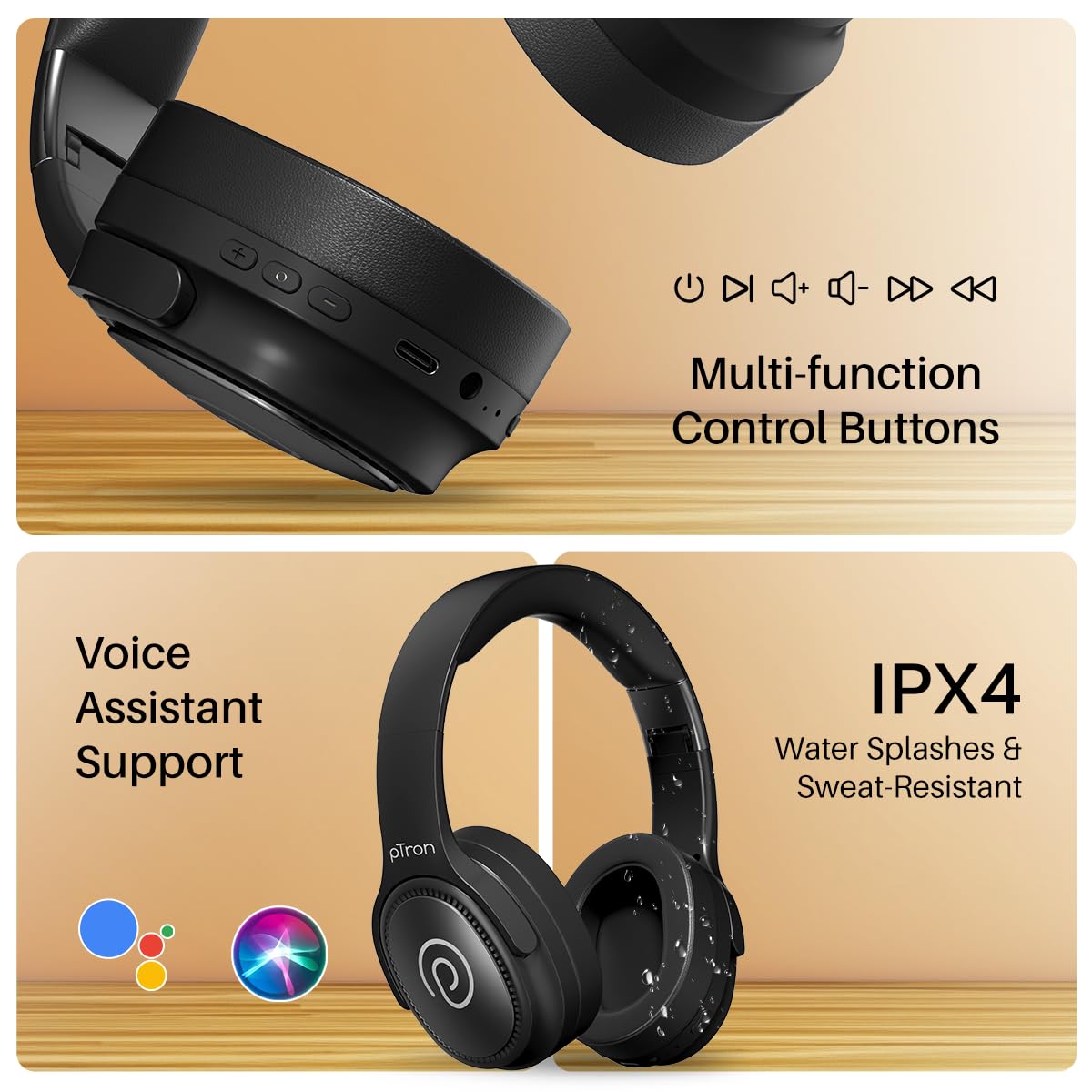
Image: The headphones illustrating support for voice assistants like Google Assistant and Siri, along with their IPX4 water-resistant rating.
Game & Music Modes
- Tukar Mod: Single press the Mode button to toggle between Low-Latency Gaming Mode and standard Music Mode.
Penyelenggaraan
To ensure the longevity and optimal performance of your pTron Studio Pro headphones, follow these maintenance guidelines:
- Pembersihan: Gunakan kain lembut dan kering untuk membersihkan fon kepala. Jangan gunakan pembersih atau pelarut yang melelas.
- Storan: Apabila tidak digunakan, simpan fon kepala di tempat yang sejuk dan kering. Reka bentuk boleh lipat membolehkan storan padat.
- Pendedahan Air: While rated IPX4 for water splashes and sweat resistance, avoid submerging the headphones in water or exposing them to heavy rain. Dry them thoroughly if they get wet.
- mengecas: Use only the provided Type-C cable and a compatible power adapter (DC5V-1A max.) for charging.
- Elakkan Suhu Melampau: Jangan dedahkan fon kepala kepada suhu yang sangat tinggi atau rendah.
Menyelesaikan masalah
If you encounter any issues with your pTron Studio Pro headphones, refer to the following common troubleshooting steps:
| Masalah | Penyelesaian |
|---|---|
| Fon kepala tidak dihidupkan. | Pastikan fon kepala dicas sepenuhnya. Sambungkan kepada sumber kuasa dan periksa penunjuk pengecasan. |
| Tidak boleh berpasangan dengan peranti. | Make sure Bluetooth is enabled on your device and the headphones are in pairing mode (LED flashing red/blue). Move closer to the device. Forget previous pairings on your device and try again. |
| Tiada bunyi atau kelantangan rendah. | Check the volume levels on both the headphones and your connected device. Ensure the headphones are correctly paired. If using Aux-in, ensure the cable is fully inserted. |
| Kualiti panggilan kurang baik. | Ensure the microphone is not obstructed. Move to an area with less environmental noise. Check your device's network signal. |
| Headphones disconnect frequently. | Ensure there are no obstacles between the headphones and your device. Keep within the Bluetooth range (10 meters). Avoid strong electromagnetic interference. |
Spesifikasi
| Ciri | Perincian |
|---|---|
| Jenama | pTron |
| Nama Model | Studio |
| Penempatan Telinga | Atas Telinga |
| Versi Bluetooth | 5.4 |
| Julat Bluetooth | 10 Meter |
| Saiz Pemacu Audio | 40 Milimeter |
| Impedans | 32 ohm |
| Purata Hayat Bateri | 65 Jam |
| Masa Pengecasan Bateri | 2.5 Jam |
| Port Pengecasan | Jenis-C |
| Tahap Ketahanan Air | IPX4 (Tahan Air) |
| Mikrofon | Built-in HD Mic with AI-ENC |
| Bicu Fon Kepala | Jack 3.5 mm |
| Jenis Kawalan | Call Control, Push Button |
| Ciri-ciri Produk | Fast Charging, Foldable, Microphone Included, Noise Isolation, Surround Sound |
| Berat Barang | 200 Gram |
| bahan | Akrilonitril Butadiena Stirena (ABS) |
| Peranti Serasi | Telefon bimbit, Desktop, Komputer riba, Tablet |
Waranti dan Sokongan
Your pTron Studio Pro headphones come with a manufacturer's warranty and dedicated customer support.
- Waranti: 6 Months Manufacturer Warranty from the Date of Purchase on Manufacturing Defects Only.
- Hubungan Pengilang: Building A1, Red Box Creative Park, No. 3 Huancheng South Road, Bantian Street, Longgang District, Shenzhen City, China 518116.
- Customer Care Contact Details: 40-67138888 / Support@ptron.in
- Hubungan Pengimport: PALRED ELECTRONICS PVT. LTD., SY.NO. 56, 1ST FLOOR, GUNDLAPOCHAMPKAMPUNG ALLY, TAMAN TEKNOLOGI MTP, TSIIC-IALA NACHARAM, HYDERABAD - 500076, TELANGANA, INDIA.