
1. Pengenalan
Thank you for choosing the MERCUSYS MC510 2K 3MP Outdoor WiFi Camera. This manual provides detailed instructions for the installation, operation, and maintenance of your security camera. Please read this manual carefully before use to ensure proper functionality and safety. The MC510 offers 2K 3MP resolution, 360-degree panoramic view, color night vision, two-way audio, smart motion detection, and IP65 weather resistance for reliable outdoor surveillance.

Image: MERCUSYS MC510 2K Pan/Tilt Wi-Fi Camera mounted on a wall, highlighting its 2K resolution and IP65 weather resistance.
2. Maklumat Keselamatan
- Ensure the power adapter is suitable for your local power supply.
- Jangan dedahkan kamera kepada suhu, kelembapan atau persekitaran yang menghakis yang melampau.
- Elakkan meletakkan kamera berhampiran medan elektromagnet yang kuat.
- Jauhkan kamera dan aksesorinya daripada capaian kanak-kanak.
- Hanya gunakan aksesori yang ditentukan oleh pengilang.
- Putuskan sambungan kuasa sebelum membersihkan atau melakukan penyelenggaraan.
- The camera is IP65 rated for outdoor use, but avoid submerging it in water.
3. Kandungan Pakej
Sahkan bahawa semua item terdapat dalam pakej anda:
- MC510 Camera × 1
- Penyesuai Kuasa × 1
- Mounting Sticker × 1
- Pendakap Pemasangan × 1
- Mounting Screws × 4 + Bracket Screws × 2
- Memasang Sauh × 4
- Waterproof Gasket × 1
- Panduan Mula Pantas
4. Produk Lebihview
The MERCUSYS MC510 is a versatile outdoor security camera designed to provide comprehensive surveillance with advanced features.
Ciri-ciri Utama:
- 2K QHD with 360° View: Provides clear 2K 3MP video and full 360° horizontal coverage to see every corner and detail.
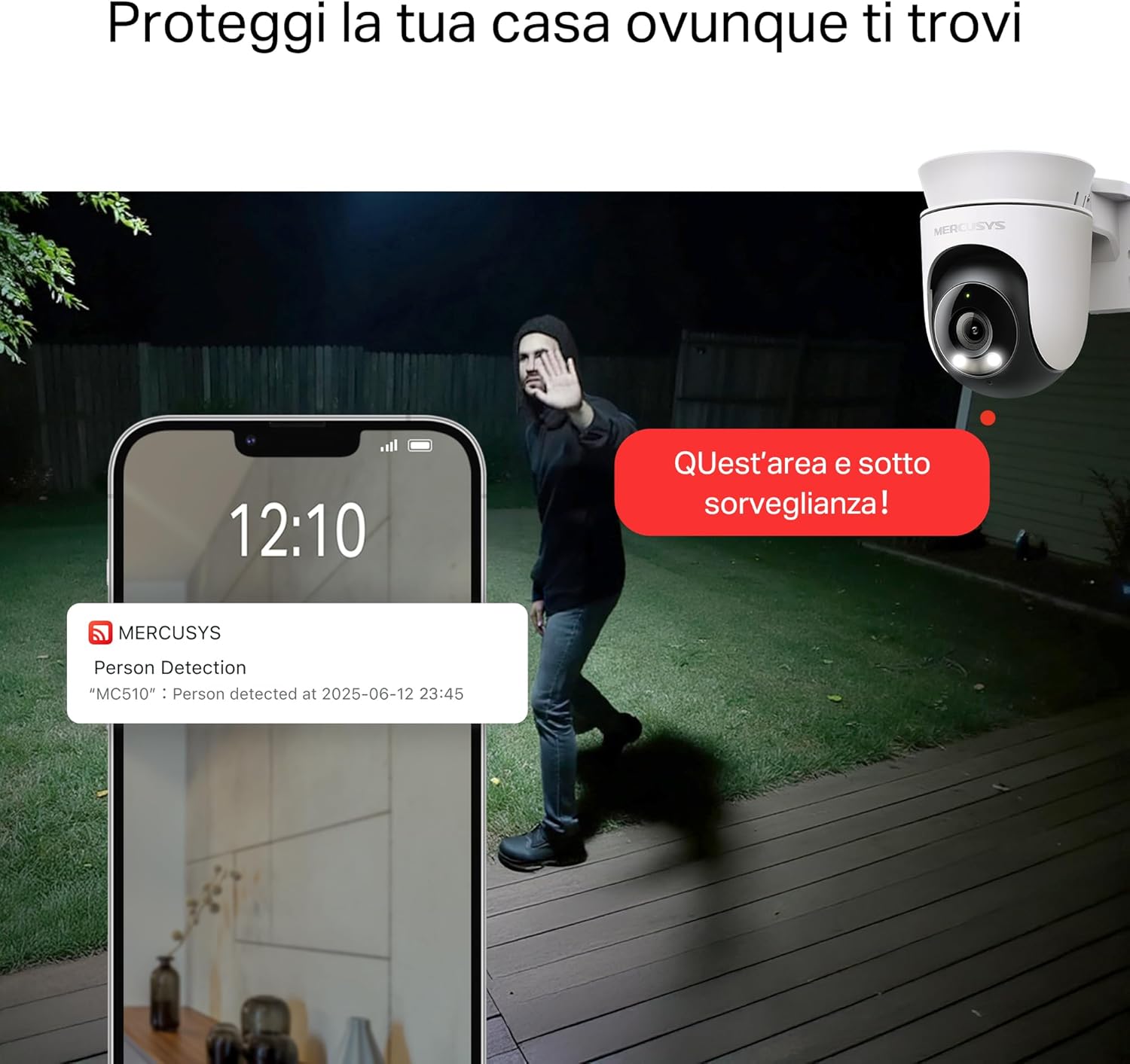
- Smart Motion Detection and Person Tracking: Automatically detects and tracks motion or people, ensuring key activities remain in focus.
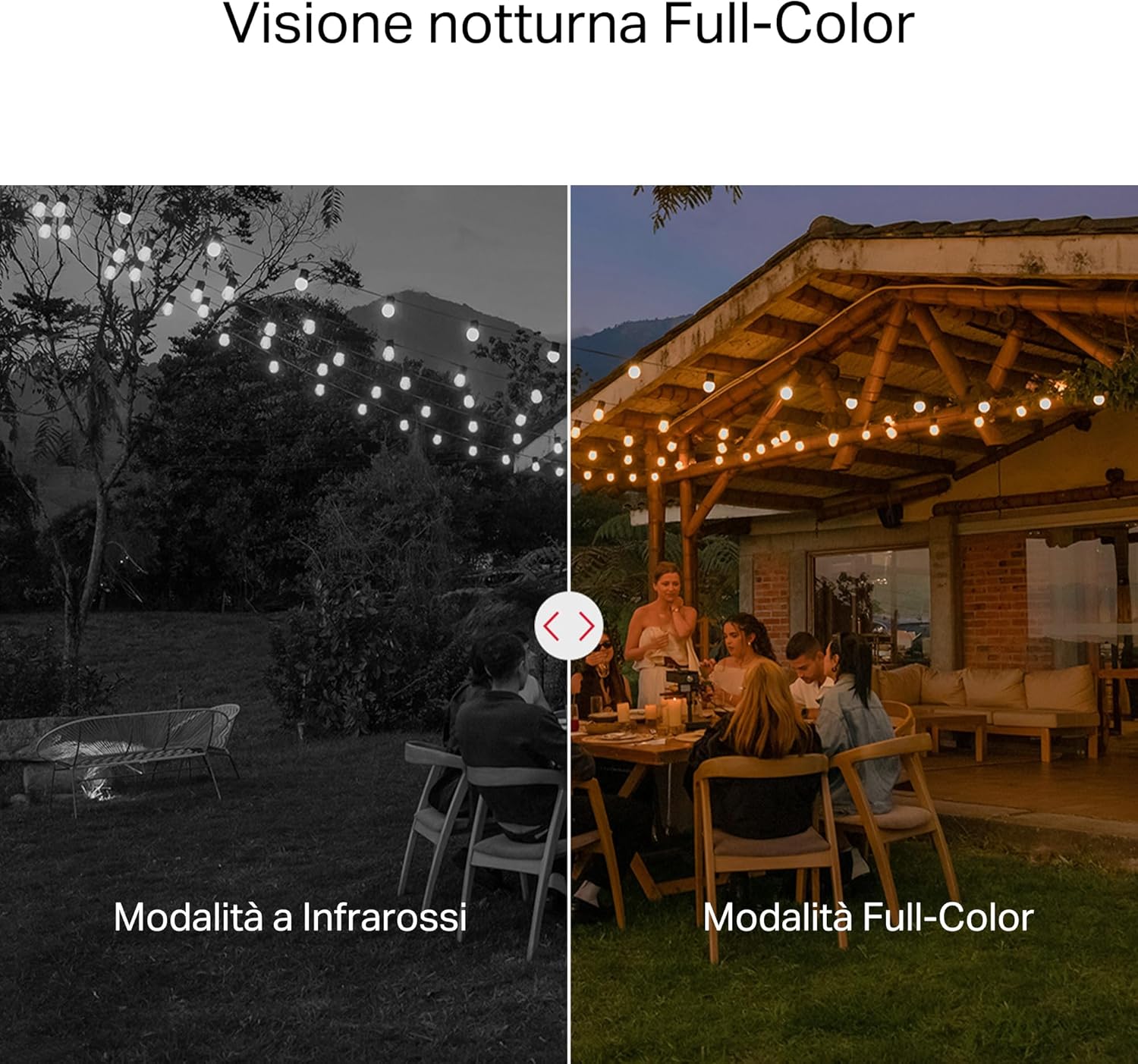
- Penglihatan Malam Warna: Provides vivid and detailed images even at night for 24/7 protection.
- Zon Aktiviti Boleh Disesuaikan: Helps filter out irrelevant events and sends alerts only when necessary.
- Tempatan dan Storan Awan: Supports microSD cards up to 512GB and cloud storage for secure and flexible video backup.
- Tahan Cuaca untuk Penggunaan Luaran: IP65 certified for reliable performance in rain, dust, or snow. Easily mounts on walls, ceilings, or poles.
- Privacy Protection with Lens Shield: Activate the physical lens cover when surveillance is not needed for greater peace of mind at home.
- Audio Dua hala: Communicate directly through the camera.
Ciri-ciri Visual:

High-resolution 2K 3MP video capture.
360-degree panoramic rotation for full coverage.
Full-Color Night Vision for clear images in low light.

Physical lens shield for enhanced privacy.
5. Persediaan
5.1 Pemasangan Fizikal
The MC510 camera is designed for outdoor use and can be mounted on walls, ceilings, or poles. Its IP65 rating ensures protection against dust and water jets.
- Pilih Lokasi: Pilih lokasi luar yang sesuai yang menyediakan keperluan viewsudut dan mempunyai isyarat Wi-Fi yang stabil.
- Pemasangan: Use the provided mounting sticker to mark drill holes. Drill holes, insert anchors, and secure the mounting bracket with screws. Attach the camera to the bracket.
- Sambungan Kuasa: Connect the power adapter to the camera and plug it into a power outlet. Ensure the waterproof gasket is properly installed for outdoor power connections.

Image: The camera is shown mounted outdoors, demonstrating its weather-resistant design.
5.2 Pemasangan & Sambungan Aplikasi
The MC510 connects exclusively via Wi-Fi. An Ethernet port is not available.
- Muat turun Apl: Download the official MERCUSYS app from your smartphone's app store (iOS or Android).
- Buat Akaun: Buka apl dan buat akaun baharu atau log masuk jika anda sudah memilikinya.
- Tambah Kamera: Follow the in-app instructions to add your MC510 camera. This typically involves scanning a QR code on the camera and connecting it to your home Wi-Fi network.
5.3 Pemasangan Kad MicroSD
For local storage, install a microSD card (up to 512GB, not included).
- Matikan: Disconnect the camera from power before inserting or removing the microSD card.
- Cari Slot: Refer to the camera's physical design to locate the microSD card slot, often protected by a cover.
- Masukkan Kad: Masukkan perlahan-lahan kad microSD ke dalam slot sehingga ia berbunyi klik pada tempatnya.
- Format Kad: After powering on the camera and connecting it to the app, navigate to the camera settings to format the microSD card.

Image: Close-up of the camera showing the microSD card slot, indicating flexible storage options.
6. Arahan Operasi
6.1 Langsung View & Main balik
- Langsung View: Open the MERCUSYS app and select your MC510 camera to view suapan langsung.
- Kawalan Pan/Condong: Use the controls in the app to remotely rotate the camera horizontally (pan) and vertically (tilt) to adjust the viewsudut ing.
- Main balik: Akses foo yang dirakamtage from the app's playback section. You can filter by date and event.

Image: Illustration of 360-degree rotation with motion tracking.
6.2 Motion Detection & Tracking
- Dayakan Pengesanan: In the app settings, enable motion detection and person tracking.
- Customize Activity Zones: Tentukan kawasan tertentu dalam kamera view where you want motion to be detected. This helps reduce false alarms.
- Terima Makluman: The camera will send notifications to your smartphone when motion or a person is detected in the monitored zones.

Image: A person running in a yard, with detection boxes, demonstrating motion detection and tracking.
6.3 Audio Dua Hala
Mikrofon dan pembesar suara terbina dalam membolehkan komunikasi dua hala.
- Activate Audio: Dalam siaran langsung view interface of the app, tap the microphone icon to speak through the camera.
- Dengar: The speaker icon allows you to hear audio from the camera's vicinity.

Image: A person detected by the camera, with a phone notification and an on-screen alert, demonstrating customizable alarms and two-way audio.
6.4 Penglihatan Malam Warna
The MC510 provides full-color night vision for enhanced clarity in low-light conditions.
- Pengaktifan Automatik: Color night vision activates automatically in low-light conditions.
- Mod Inframerah: The camera also supports traditional infrared night vision (black and white) if preferred or in extremely dark environments.

Image: Comparison of infrared (monochrome) and full-color night vision modes.
6.5 Privacy Zone & Lens Shield
Protect your privacy by defining privacy zones or activating the physical lens shield.
- Zon Privasi: In the app, you can set up specific areas within the camera's view to be excluded from recording.
- Lens Shield: For complete privacy, use the app to activate the physical lens shield, which covers the camera lens.
7. Penyelenggaraan
7.1 Pembersihan
- Pastikan kamera dimatikan sebelum membersihkannya.
- Gunakan kain lembut dan kering untuk mengelap badan kamera.
- For the lens, use a lens cleaning cloth to avoid scratches. Do not use harsh chemicals or abrasive cleaners.
7.2 Kemas Kini Perisian Tegar
Regularly check for firmware updates through the MERCUSYS app. Updates provide new features, performance improvements, and security enhancements. Follow the in-app instructions to perform updates.
8. Penyelesaian masalah
If you encounter issues with your MERCUSYS MC510 camera, refer to the following common problems and solutions:
| Masalah | Penyelesaian yang Mungkin |
|---|---|
| Kamera tidak bersambung ke Wi-Fi | Ensure the camera is within range of your Wi-Fi router. Check Wi-Fi password. Restart the camera and router. The MC510 only supports Wi-Fi connection, no Ethernet. |
| Kualiti video yang teruk | Check your Wi-Fi signal strength. Ensure the camera lens is clean. Adjust camera placement to avoid glare or obstructions. |
| Motion detection issues | Verify motion detection is enabled in the app. Adjust sensitivity settings. Ensure activity zones are correctly configured. |
| MicroSD card not working | Ensure the card is inserted correctly. Format the microSD card via the app. Try a different compatible microSD card. Power cycle the camera after inserting the card. |
| Tiada audio dua hala | Semak tetapan mikrofon dan pembesar suara dalam aplikasi. Pastikan kelantangan telefon anda dinaikkan. |
9. Spesifikasi
| Ciri | Perincian |
|---|---|
| Jenama | KELEBIHAN |
| Nama Model | MC510 |
| Penggunaan Dalaman/Luar | Luar |
| Protokol Sambungan | Wi-Fi |
| Jenis Pemasangan | Siling, Tiang, Dinding |
| Resolusi Imej Pegun | 3 MP |
| Penilaian Perlindungan Antarabangsa | IP65 |
| Teknologi Tanpa Wayar | Wi-Fi |
| Bateri Diperlukan | Tidak |
| Resolusi Tangkapan Video | 2K 3MP |
| Format Tangkapan Video | MPEG-4 |
| Bilangan Item | 1 |
| Komponen yang Disertakan | MC510 Camera, Power Adapter, Mounting Sticker, Mounting Bracket, Mounting Screws, Mounting Anchors, Waterproof Gasket, Quick Start Guide |
| Negara Asal | China |
| Pengeluar | TP-Link |
| Dimensi Item | 14.1 x 9.3 x 12.2 cm |
10. Waranti dan Sokongan
For warranty information and technical support, please refer to the official MERCUSYS website or contact their customer service. Details can typically be found in the Quick Start Guide included with your product or on the manufacturer's webtapak.
Sokongan dalam talian: melawat www.mercusys.com for FAQs, user manuals, and support resources.