
1. Pengenalan
This manual provides detailed instructions for the proper setup, operation, and maintenance of your plplaaoo U20 Wired Barcode Scanner. Please read this manual thoroughly before using the device to ensure optimal performance and longevity. The U20 scanner is designed for efficient 1D and 2D barcode recognition in various environments, including retail, logistics, and inventory management.

Figure 1: plplaaoo U20 Barcode Scanner in a typical application setting.
2. Produk Lebihview
2.1 Ciri-ciri Utama
- Aplikasi Serbaguna: Suitable for shopping malls, supermarkets, pharmacies, hospitals, restaurants, and clothing stores.
- High Precision Scanning: Equipped with a red light scanning head, boasting an accuracy of 5 mil. Decodes fuzzy, twisted, screen, and reflective barcodes.
- Fast Decoding: High-performance decoder chip for rapid and accurate recognition of 1D and 2D barcodes.
- Reka bentuk ergonomik: Comfortable grip for extended use, reducing hand fatigue.
- Padat dan Mudah Alih: Lightweight design for easy carrying and use in various locations.
2.2 Komponen
The plplaaoo U20 Wired Barcode Scanner package includes:
- 1 x plplaaoo U20 Wired Barcode Scanner Unit
- 1 x USB Connection Cable
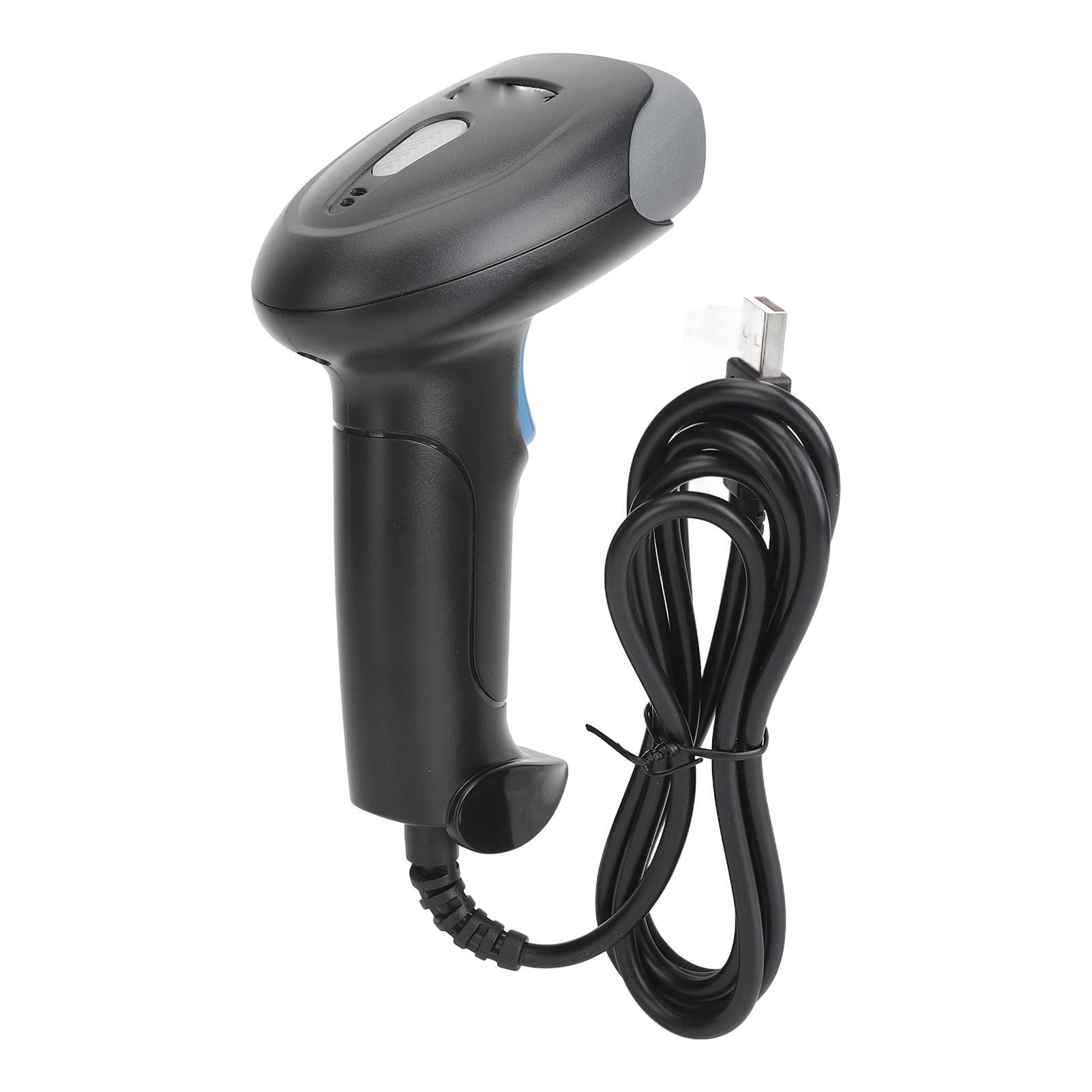
Rajah 2: Depan view of the scanner, highlighting the red scanning light.

Rajah 3: Sisi view of the scanner, showing the integrated USB cable.
3. Persediaan
Follow these steps to set up your plplaaoo U20 barcode scanner:
- Sambungkan Kabel USB: Plug the USB connector of the scanner's cable into an available USB port on your computer or host device.
- Pemasangan Pemandu: The scanner is typically plug-and-play and does not require manual driver installation. Your operating system should automatically detect and install the necessary drivers.
- Pengesahan: Once connected, the scanner will emit a short beep, indicating it is ready for use.
4. Arahan Operasi
To operate the plplaaoo U20 barcode scanner:
- Hidupkan kuasa: The scanner powers on automatically when connected to a USB port.
- Mengimbas Kod Bar:
- Hold the scanner with the scanning window facing the barcode.
- Press and hold the trigger button. A red scanning light will emit from the scanning window.
- Aim the red light beam across the entire barcode.
- Once successfully scanned, the scanner will emit a beep (Buzzer Alert) and the data will be transmitted to your host device.
- Tidur Automatik: The scanner features an automatic sleep function to conserve energy during periods of inactivity. It will reactivate upon pressing the trigger or detecting movement.

Figure 4: Demonstrating the scanning process on a digital barcode.

Figure 5: Visual representation of Buzzer Alert and Automatic Sleep features.
5. Penyelenggaraan
Penyelenggaraan yang betul memastikan jangka hayat dan prestasi pengimbas anda yang optimum.
- Pembersihan: Use a soft, clean cloth slightly dampened with water or a mild cleaning solution to wipe the exterior of the scanner. Do not use abrasive cleaners or solvents. Ensure the scanning window is kept clean and free of dust or smudges for accurate reading.
- Storan: Simpan pengimbas di tempat yang sejuk dan kering, jauh daripada cahaya matahari langsung dan suhu yang melampau.
- Penjagaan Kabel: Elakkan membengkokkan atau memusingkan kabel USB secara berlebihan untuk mengelakkan kerosakan dalaman.
6. Penyelesaian masalah
Jika anda menghadapi masalah dengan pengimbas anda, rujuk masalah dan penyelesaian biasa berikut:
| Masalah | Kemungkinan Punca | Penyelesaian |
|---|---|---|
| Pengimbas tidak dihidupkan. | Kabel USB tidak disambungkan dengan betul atau port USB rosak. | Ensure the USB cable is securely plugged into both the scanner and the host device. Try a different USB port. |
| Pengimbas tidak membaca kod bar. | Barcode damaged, scanning window dirty, incorrect aiming, or unsupported barcode type. | Clean the scanning window. Ensure the barcode is clear and undamaged. Aim the red light directly across the entire barcode. Verify the barcode type is supported (refer to Specifications). |
| Incorrect data is transmitted. | Partial scan or incorrect symbology settings. | Ensure a complete scan of the barcode. If issues persist, consult the manufacturer's website for advanced configuration guides. |
Jika masalah berterusan selepas mencuba penyelesaian ini, sila hubungi sokongan pelanggan.
7. Spesifikasi
Detailed technical specifications for the plplaaoo U20 Wired Barcode Scanner:
- model: U20
- Bahan: ABS
- Ketepatan Pengimbasan: 5 JUTA
- Decode Types (1D): EAN13, EAN 8, UPC A, UPC E0, UPC E1, Code128, Code39, Code93, Interleaved 2 of 5, Industrial 25, CodeBar, RSS 14, RSS Ltd, RSS Exp, Standard 2 of 5, for Plessey, for ChinaPost 25, for GS1 Composite, etc.
- Decode Types (2D): QR Code, PDF417, for Han Xin, Micro PDF417, Micro QRCode, MaxiCode, for Aztec Code, Code16K, etc.
- Berat Barang: 8.9 auns (kira-kira 252 gram)
- Dimensi Pakej: 7.87 x 4.33 x 3.15 inci (kira-kira 20 x 11 x 8 cm)
8. Waranti dan Sokongan
For warranty information and customer support, please refer to the documentation provided with your purchase or contact the seller directly. You may also visit the official plplaaoo website for further assistance and product information.
Pengeluar: pllaaoo