
1. Pengenalan
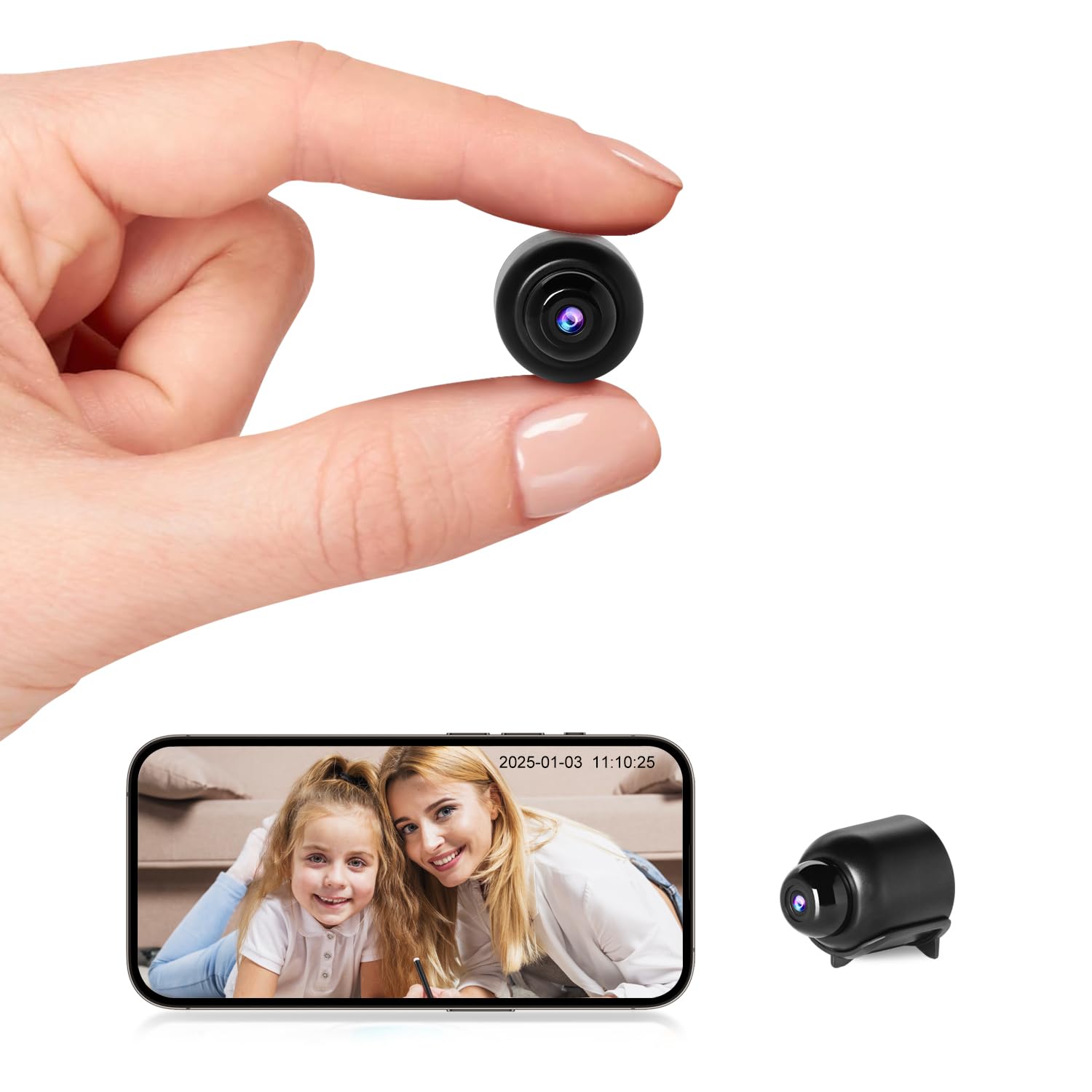
This manual provides detailed instructions for the setup, operation, and maintenance of your Rettru W7 Mini WiFi Security Camera. Please read this manual thoroughly before using the product to ensure proper functionality and safety. This camera is designed for indoor security monitoring, offering features such as motion detection, night vision, and remote access via a dedicated mobile application.

Figure 1: Versatile applications of the Rettru W7 Mini WiFi Security Camera.
2. Produk Lebihview
2.1 Kandungan Pakej
- Rettru W7 Mini WiFi Security Camera
- Kabel Pengecasan
- Manual Pengguna (dokumen ini)
2.2 Ciri-ciri Utama
- Resolusi HD 1080P: Provides clear video quality.
- Kesambungan WiFi: Supports 2.4GHz WiFi for remote access (5GHz not supported).
- Motion Detection & Alarm Push: Sends notifications to your smartphone upon detecting movement.
- Penglihatan Malam: Enhanced night vision performance up to 5 meters in complete darkness with 4 infrared LEDs.
- Rakaman Gelung: Mengganti foo lama secara automatiktage apabila kad memori penuh.
- Sokongan Kad MicroSD: Compatible with MicroSD cards up to 128GB (not included).
- Reka bentuk padat: Small and portable for discreet placement.
- Kawalan Apl: Mengurus dan view footage via a dedicated mobile application for iOS and Android.
2.3 Product Dimensions and Design
The camera measures approximately 40 x 33 x 33 mm (1.57 x 1.29 x 1.29 inches), making it highly compact and suitable for discreet placement.

Figure 2: Camera dimensions. The camera is shown with a digital caliper indicating its small size.

Figure 3: Compact design for discreet placement, shown hidden within a woven basket among plants.

Figure 4: Camera hidden on a bookshelf, demonstrating its unobtrusive design.
3. Arahan Persediaan
- Cas Kamera: Before initial use, fully charge the camera using the provided charging cable.
- Masukkan Kad MicroSD: Insert a MicroSD card (up to 128GB, not included) into the designated slot for local storage.
- Muat turun Apl: Prepare an iPhone or Android smartphone and download the free dedicated application from your smartphone's app store.
- Hidupkan kuasa: Tekan dan tahan butang kuasa untuk menghidupkan kamera.
- Sambung ke WiFi:
- Buka apl dan ikut arahan pada skrin untuk menambah peranti baharu.
- Ensure your smartphone is connected to a 2.4GHz WiFi network. The camera does not support 5GHz WiFi.
- The app will guide you through connecting the camera to your home or office WiFi network.
- penempatan: Position the camera in your desired location. Its small size allows for versatile placement.

Figure 5: Camera held in hand, illustrating its portability and ease of setup.
4. Arahan Operasi
4.1 Langsung View
Once connected, open the dedicated app on your smartphone. You can access the live video feed from the camera anytime, anywhere. Multiple users can log in to the app to monitor a single camera.

Figure 6: 150-degree wide-angle view. The image shows a living room from the camera's perspective, highlighting its broad field of view.

Figure 7: App interface for live monitoring. A smartphone displays the camera's live feed of a room.
4.2 Motion Detection and Alarms
The camera features motion detection technology. When a change in the image is detected, the camera will immediately send a notification message to your smartphone. Log in to the app to view the situation at home anytime, anywhere. Motion detection recordings are saved to the memory card as evidence.

Figure 8: Motion detection alarm notification on a smartphone.
4.3 Penglihatan Malam
The camera provides high-definition 1080p night vision, allowing clear visibility up to 5 meters in complete darkness. This ensures you can monitor activities even in low-light conditions without the camera emitting visible light.

Gambar 9: Cthample of night vision in a dark room.
Rajah 10: Penglihatan malam view on the app, showing a sleeping child in black and white.
4.4 Rakaman Gelung
When the MicroSD card is full, the camera automatically overwrites the oldest video files, ensuring continuous recording without the need to manually delete footage.

Figure 11: Loop recording functionality and MicroSD card support.
5. Penyelenggaraan
- Pembersihan: Gunakan kain lembut dan kering untuk membersihkan kanta dan badan kamera. Elakkan menggunakan pembersih cecair atau bahan kasar.
- Storan: Simpan kamera di tempat yang sejuk dan kering apabila tidak digunakan untuk tempoh yang lama.
- Penjagaan Bateri: To prolong battery life, avoid fully discharging the battery frequently. Charge the camera regularly.
- Kemas Kini Perisian: Check the app periodically for any available firmware updates for the camera to ensure optimal performance and security.
6. Penyelesaian masalah
| Masalah | Kemungkinan Punca | Penyelesaian |
|---|---|---|
| Kamera tidak dihidupkan. | Low battery or faulty charging cable. | Ensure the camera is fully charged. Try a different charging cable and power adapter. |
| Tidak dapat menyambung ke WiFi. | Incorrect WiFi password, 5GHz network, or camera too far from router. |
|
| App does not detect the device. | Camera not in pairing mode, app permissions, or network issues. |
|
| Video footage is unclear or blurry. | Dirty lens or insufficient lighting. | Clean the camera lens with a soft cloth. Ensure adequate lighting or verify night vision is active in low light. |
| Makluman pengesanan gerakan tidak diterima. | App notification settings, motion detection sensitivity, or network issues. |
|
7. Spesifikasi
| Ciri | Perincian |
|---|---|
| Nombor Model | W7 |
| Resolusi Video | 1080p HD |
| Kadar Bingkai | 25 fps |
| Bidang View | 150 darjah |
| Julat Penglihatan Malam | Sehingga 5 meter |
| LED inframerah | 4 |
| Ketersambungan | Wi-Fi (2.4GHz sahaja) |
| Penyimpanan | MicroSD card, up to 128GB (not included) |
| Format Tangkapan Video | AVI |
| Teknologi Sensor | CMOS |
| Dimensi Produk | 40 x 33 x 33 mm |
| Penggunaan yang Disyorkan | Keselamatan Dalaman |
| Waterproof Type | Tidak kalis air |
| Jenis Pemasangan | Pemasangan Atas Meja |
| Komponen yang Disertakan | Charging cable, User manual |
| Negara Asal | China |
8. Waranti dan Sokongan
Rettru products are designed for reliability and performance. If you encounter any issues or have questions regarding your Rettru W7 Mini WiFi Security Camera, please do not hesitate to contact our customer support. We are committed to providing assistance for your purchase and use.
Sila rujuk kepada dokumentasi pembelian anda atau peruncit weblaman web untuk terma jaminan khusus dan maklumat hubungan.