
1. Pengenalan
Thank you for choosing the BOSGAME P3 Mix Mini PC. This manual provides essential information for setting up, operating, maintaining, and troubleshooting your new mini PC. Please read it carefully before use and retain it for future reference.
2. Apa yang ada di dalam Kotak
Sahkan bahawa semua item yang disenaraikan di bawah disertakan dalam pakej anda:
- 1x P3 MIX Mini PC
- 1x Kabel HDMI
- 1x VESA Mount & Screws
- 1x Penyesuai Kuasa
- 1x Manual Pengguna
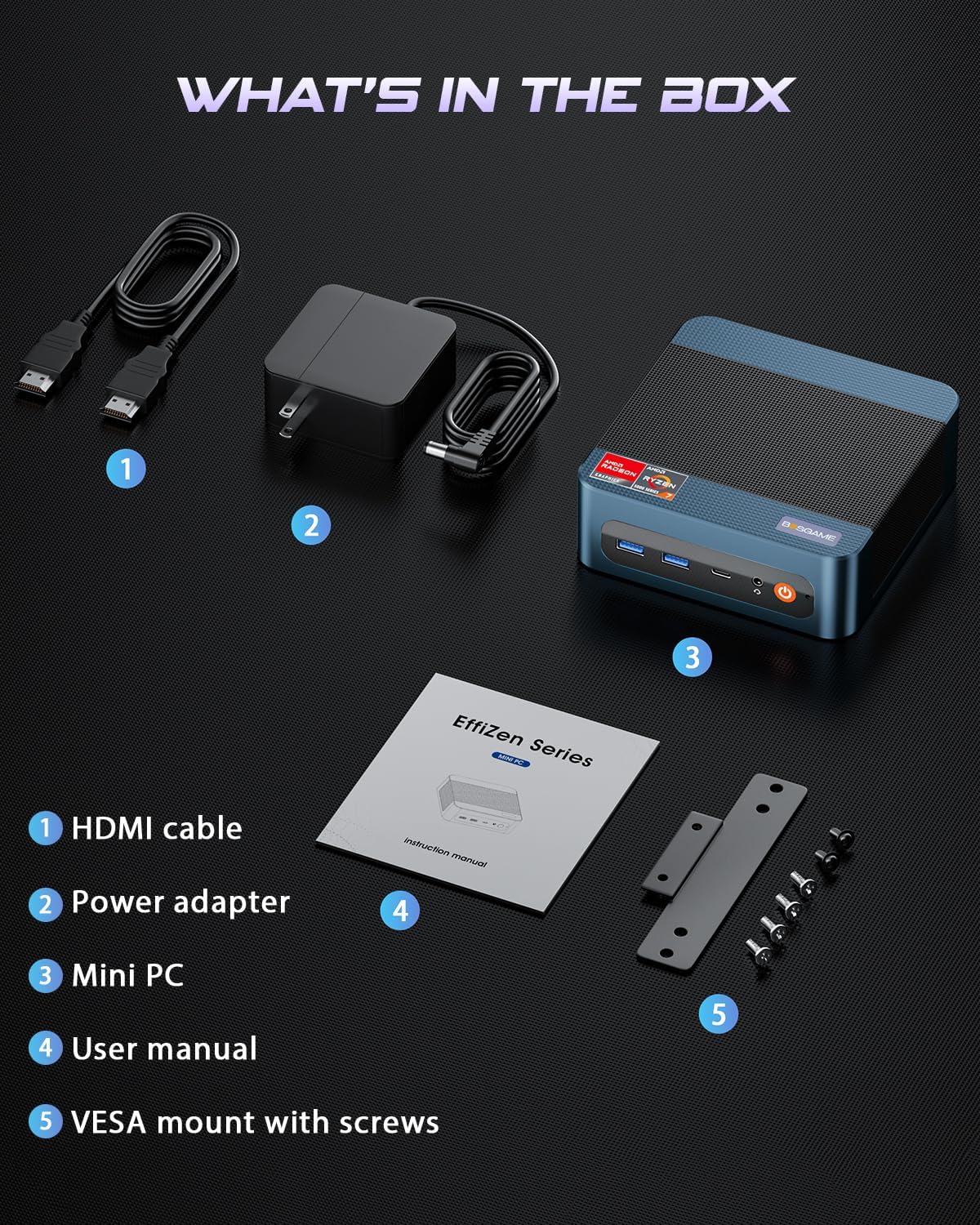
This image displays the BOSGAME P3 Mix Mini PC and its included accessories: an HDMI cable, a power adapter, the mini PC unit, a user manual, and a VESA mount with screws for installation.
3. Produk Lebihview
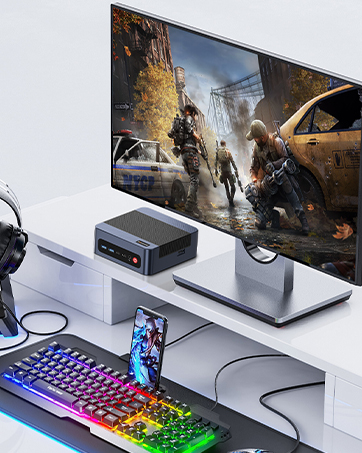
The BOSGAME P3 Mix Mini PC is a compact desktop computer designed for various applications, from home office tasks to gaming and 4K video editing. It features a powerful AMD Ryzen 7640HS processor and Radeon 760M graphics.

This image highlights the core specifications of the mini PC, including its AMD Ryzen 5 7640HS processor, AMD Radeon 760M GPU, 16GB DDR5 RAM, 512GB M.2 PCIe 3.0 x4 SSD, support for 8K 60Hz display, USB-4 (40Gbps) connectivity, Wi-Fi 6E AX210, and Bluetooth 5.2.
This diagram illustrates the various input/output ports available on the mini PC, including power input, dual 2.5G LAN, HDMI, DisplayPort, USB 2.0, USB 4, USB 3.2 ports, and a 3.5mm audio jack.
Video 3.1: BOSGAME Ryzen 5 7640HS MINI PC OverviewVideo ini menyediakan visual keseluruhanview of the BOSGAME P3 Mix Mini PC, showcasing its compact design, internal components, port layout, and connectivity features.
4. Arahan Persediaan
4.1 Menyambungkan Penyesuai Kuasa
- Connect the power adapter cable to the DC 19V 6.3 port on the rear of the mini PC.
- Palamkan penyesuai kuasa ke salur keluar dinding.
4.2 Menyambung ke Paparan
The P3 Mix Mini PC supports triple display output via HDMI, DisplayPort, and USB4.
- Connect one end of an HDMI cable to the HDMI port on the mini PC and the other end to your monitor.
- For additional displays, connect a DisplayPort cable to the DP port and/or a USB4 cable to the USB4 port, then connect to your respective monitors.
- Pastikan monitor anda dihidupkan dan ditetapkan kepada sumber input yang betul.

This image demonstrates how to set up a triple display configuration with the mini PC, utilizing the DP 1.4, HDMI 2.0, and USB4 ports to connect to multiple monitors.
4.3 Menyambung Peranti
- Connect your USB keyboard and mouse to any available USB ports (USB 2.0, USB 3.2).
- For wired network access, connect an Ethernet cable to one of the 2.5G LAN ports.
- For audio output, connect speakers or headphones to the 3.5mm audio jack.
4.4 Kuasa Awal Hidup
- After connecting all necessary cables, press the power button located on the front of the mini PC.
- The system will boot up, and you should see the operating system on your connected display(s).
5. Arahan Operasi
5.1 Hidupkan/Mati Kuasa
- Untuk Menghidupkan: Tekan butang kuasa sekali.
- Untuk Mematikan: Daripada sistem pengendalian, pilih 'Shut Down'. Sebagai alternatif, tekan dan tahan butang kuasa selama 5 saat untuk memaksa penutupan (gunakan hanya apabila perlu).
- Untuk Mulakan Semula: From the operating system, select 'Restart'.
5.2 Kesambungan Rangkaian
- Sambungan Berwayar: Connect an Ethernet cable to one of the two 2.5G LAN ports. The system will automatically detect the connection.
- Wireless Connection (Wi-Fi 6E): Navigate to your operating system's network settings, select the desired Wi-Fi network, and enter the password.
5.3 Kesambungan Bluetooth
The mini PC supports Bluetooth 5.2 for connecting wireless peripherals.
- Pastikan peranti Bluetooth anda berada dalam mod berpasangan.
- On your mini PC, go to the operating system's Bluetooth settings.
- Cari untuk and select your device to pair.
6. Penyelenggaraan dan Peningkatan
6.1 RAM dan Peningkatan SSD
The BOSGAME P3 Mix Mini PC allows for easy upgrades of its DDR5 RAM and M.2 PCIe SSD. Always power off and unplug the device before performing any internal maintenance.

This image provides a visual guide for upgrading the RAM and SSD. The process involves removing screws, carefully opening the base plate, repositioning the system fan, and then replacing the memory modules and SSD.
- Matikan dan Cabut plag: Ensure the mini PC is completely powered off and disconnected from the power source.
- Keluarkan Skru: Locate and remove the screws securing the bottom panel.
- Open Base Plate: Carefully open the base plate to access the internal components.
- Komponen Akses: You may need to gently move the system fan or other components to gain full access to the RAM and SSD slots.
- Replace RAM/SSD: Install new DDR5 SO-DIMM RAM modules into the dual channel slots (up to 64GB supported) or a new M.2 2280 NVMe PCIe 3.0 SSD (up to 4TB per slot, 8TB total capacity).
- Pasang semula: Carefully reassemble the mini PC, ensuring all connections are secure and screws are tightened.
6.2 Pembersihan
- Regularly clean the exterior of the mini PC with a soft, dry cloth.
- Use compressed air to clear dust from ventilation grilles to ensure optimal airflow and prevent overheating. Do not insert objects into the vents.
7. Penyelesaian masalah
7.1 Tiada Kuasa
- Pastikan penyesuai kuasa disambungkan dengan selamat pada kedua-dua PC mini dan salur keluar kuasa yang berfungsi.
- Sahkan alur keluar kuasa berfungsi dengan memasang peranti lain.
- Cuba penyesuai kuasa lain jika tersedia dan serasi.
7.2 Tiada Output Paparan
- Check all display cable connections (HDMI, DP, USB4) between the mini PC and the monitor(s).
- Ensure the monitor(s) are powered on and set to the correct input source.
- Try connecting to a single monitor using a different cable or port.
- If you recently reinstalled the operating system, ensure all display drivers are correctly installed. Some users have reported needing specific drivers from the manufacturer for optimal display performance.
7.3 Isu Ketersambungan Rangkaian
- Berwayar: Check the Ethernet cable connection. Verify your router/modem is working correctly.
- wayarles: Ensure Wi-Fi is enabled in your operating system settings. Re-enter the Wi-Fi password. Restart your router/modem.
7.4 Isu Prestasi
- Tutup aplikasi yang tidak perlu berjalan di latar belakang.
- Ensure the mini PC has adequate ventilation and is not overheating.
- Check for operating system updates and driver updates.
- Verify that the RAM and SSD are properly seated if you have performed an upgrade.
8. Spesifikasi
| Ciri | Spesifikasi |
|---|---|
| Jenama | BOSGAME |
| Nama Model | P3 |
| Model CPU | AMD Ryzen 5 7640HS (6C/12T, up to 5.0 GHz) |
| Pemproses bersama Grafik | Radeon 760M (Bersepadu) |
| Memori RAM | 16GB DDR5 4800MHz (2x8GB), Max 64GB |
| Kapasiti Penyimpanan Memori | 512GB PCIe 3.0 SSD (M.2 2280), Max 8TB (2x4TB) |
| Sistem Operasi | OS11 Support Win/Ubuntu/Linux |
| Antara Muka Keluaran Video | HDMI 2.0, DisplayPort 1.4, USB4 (8K@60Hz) |
| Teknologi Ketersambungan | Dual 2.5G LAN, Wi-Fi 6E (802.11ax), Bluetooth 5.2 |
| Port USB | 3x USB 3.2 (10Gbps), 1x USB 4 (40Gbps), 2x USB 2.0 (480Mbps) |
| Output Audio | 3.5mm Audio Jack |
| Berat Barang | 1.26 Kilogram |
| Jenis Palam Kuasa | Jenis A - 2 pin (Amerika Utara) |
9. Waranti dan Sokongan
9.1 Maklumat Waranti
BOSGAME offers a 1-year limited warranty for the P3 Mix Mini PC. This warranty covers manufacturing defects and ensures product quality.
9.2 Sokongan Pelanggan
For any product-related inquiries, technical assistance, or warranty claims, please contact BOSGAME customer support. You can reach out via the following methods:
- e-mel: Qingzhuomao@163.com
- dalam talian: Visit the BOSGAME store on Amazon or their official webtapak untuk Soalan Lazim dan sumber sokongan.
A professional after-sales team is available to assist you with your needs.