
pengenalan
Welcome to the user manual for your new HONOR Magic V5 5G smartphone. This guide provides essential information to help you set up, operate, maintain, and troubleshoot your device. The HONOR Magic V5 5G combines a revolutionary foldable design with powerful performance, advanced camera capabilities, and a long-lasting battery.
Please read this manual thoroughly to ensure optimal use and longevity of your device.
1. Persediaan
1.1 Membuka Kotak dan Kandungan Pakej
Upon opening your HONOR Magic V5 5G package, verify that all items are present:
- HONOR Magic V5 5G Smartphone
- Kabel USB
- Ejector Dulang SIM
- Polyurethane Case
- Pre-applied Screen Protectors (inner and outer screens)
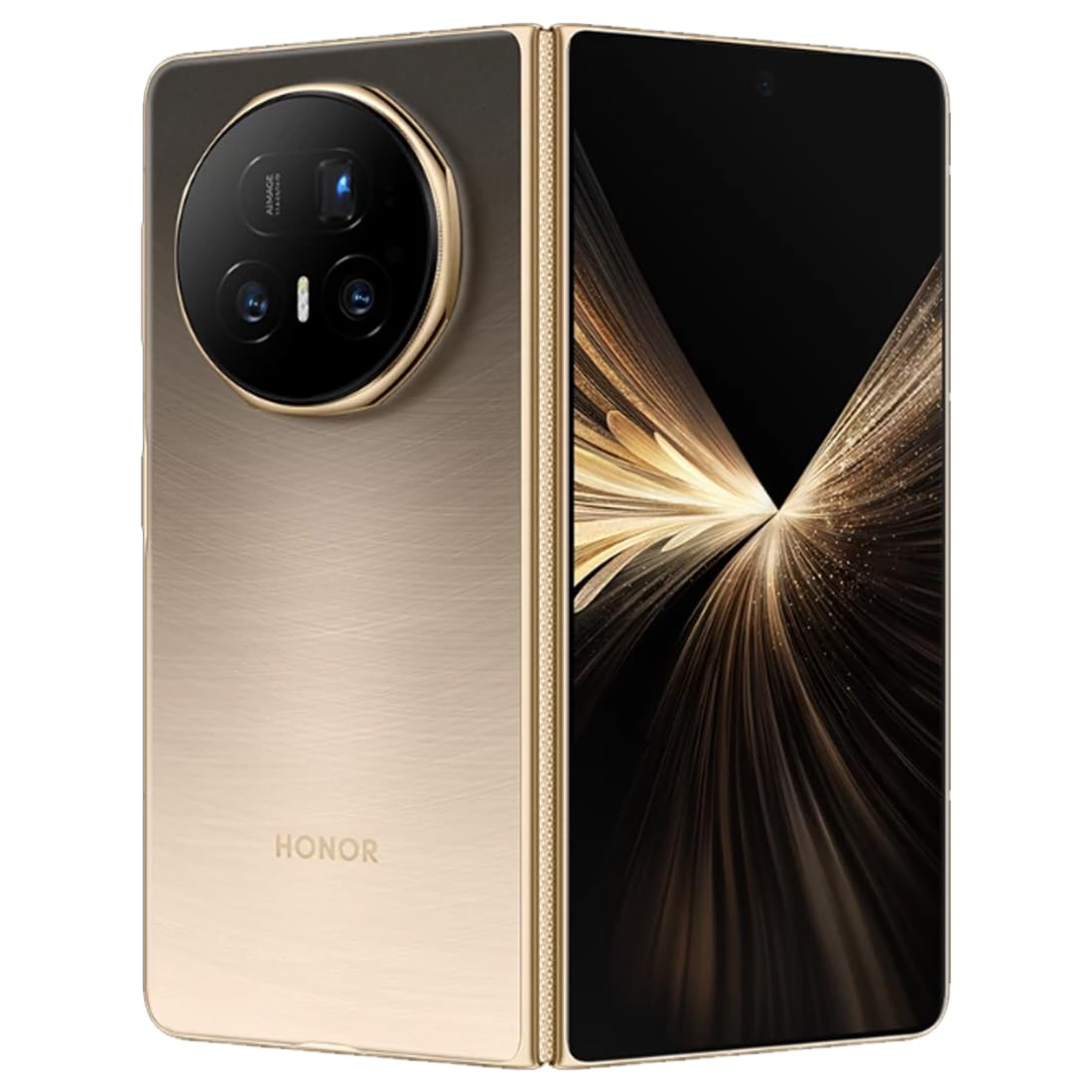
Imej: Belakang view of the HONOR Magic V5 5G smartphone, highlighting the camera array and the device's elegant finish.
1.2 Pemasangan Kad SIM
The HONOR Magic V5 5G supports Dual SIM functionality.
- Cari dulang kad SIM di sisi peranti.
- Masukkan alat ejektor SIM ke dalam lubang kecil di sebelah dulang dan tekan perlahan-lahan sehingga dulang terkeluar.
- Place your Nano-SIM card(s) into the tray with the gold contacts facing down, ensuring they are correctly oriented.
- Masukkan semula dulang SIM dengan berhati-hati ke dalam telefon.
1.3 Penghidupan dan Pengecasan Awal
To power on your device, press and hold the power button until the HONOR logo appears. Follow the on-screen instructions to complete the initial setup, including language selection, Wi-Fi connection, and Google account setup.
For optimal performance, fully charge your device before first use. The device supports 66W wired fast charging and 50W wireless charging. Use the provided USB cable and a compatible charger.
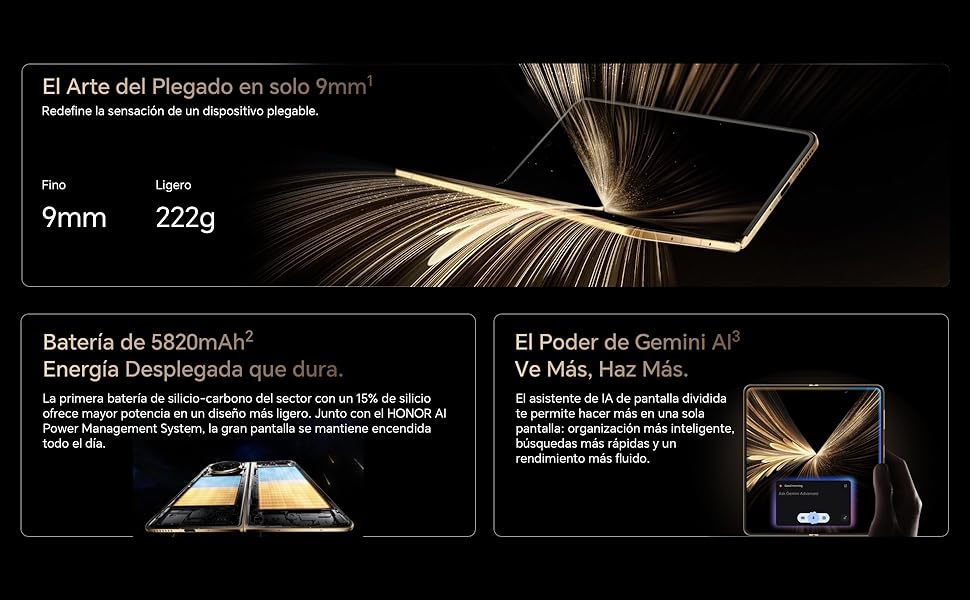
Image: Visual representation of the HONOR Magic V5 5G's large 5820mAh battery and the Gemini AI assistant's split-screen functionality.
2. Mengendalikan Peranti Anda
2.1 Foldable Display and Navigation
The HONOR Magic V5 5G features a unique foldable design. When unfolded, it reveals an impressive 7.95-inch LTPO OLED display with a 120Hz refresh rate and up to 5000 nits peak brightness. When folded, it maintains a compact form factor with a secondary display.
Navigate through the Android 15 operating system with MagicOS 9 using touch gestures. Swipe up from the bottom to go home, swipe and hold for recent apps, and swipe down from the top for notifications and quick settings.
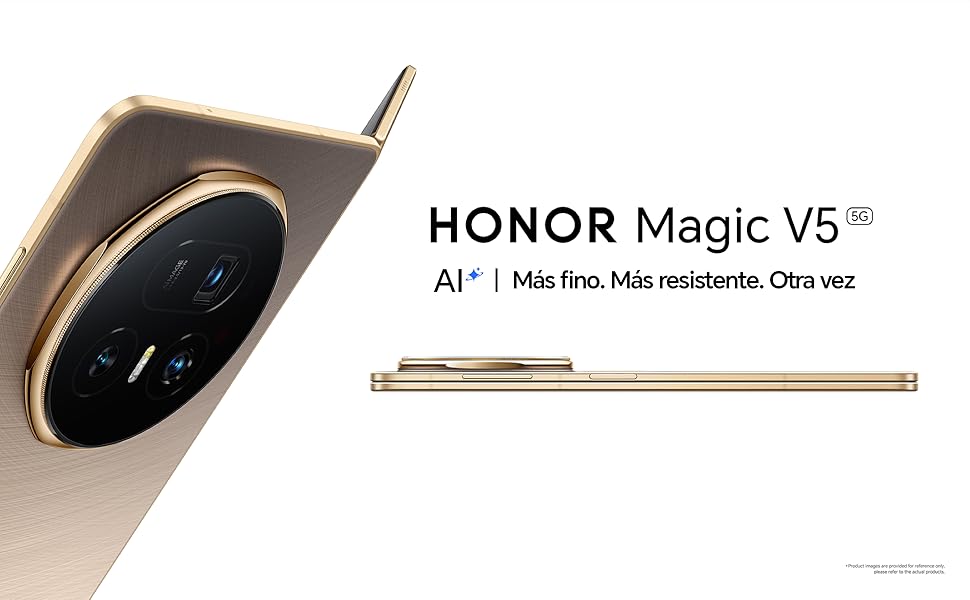
Image: The HONOR Magic V5 5G in its folded state, emphasizing its slim profile and lightweight construction.
2.2 Ciri-ciri Kamera
Your device is equipped with an advanced HONOR Falcon AI Camera system:
- Kamera Utama: 50MP untuk foto beresolusi tinggi.
- Periscope Telephoto Camera: 64MP with 3x optical zoom.
- Kamera Ultra Lebar: 50MP untuk tangkapan gambar yang luas.
- Front Cameras: Dual 20MP cameras (internal and cover screen).
The camera supports 4K HDR video recording and various AI-enhanced features for optimal image quality in different scenarios, including low light.
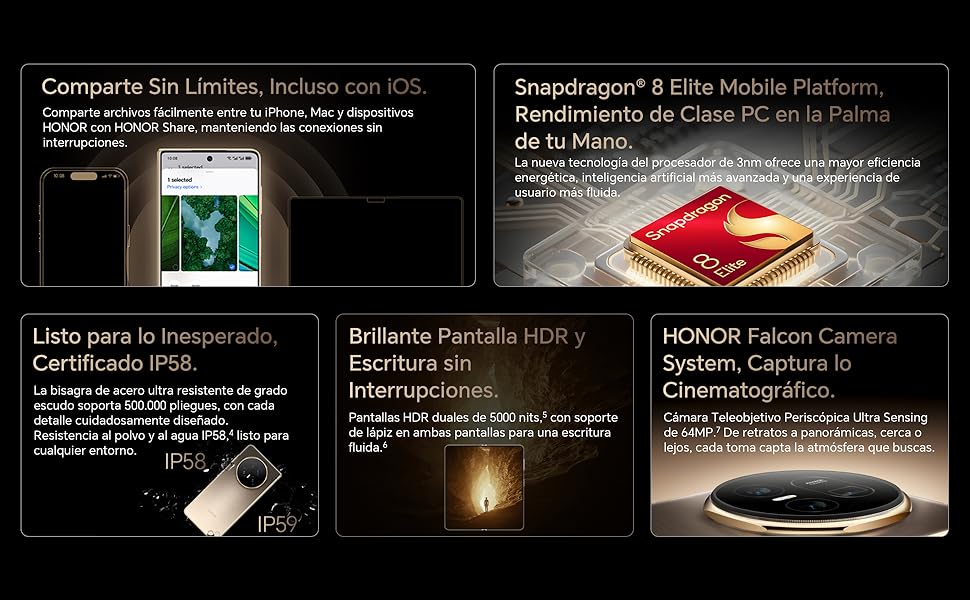
Image: A compilation of key features including the Snapdragon 8 Elite processor, IP58 dust and water resistance, and the advanced HONOR Falcon Camera System.
2.3 Prestasi dan Ketersambungan
Powered by the Snapdragon 8 Elite 3nm chip and 16GB of RAM, the Magic V5 5G delivers flagship-level performance for smooth multitasking and fast app launches.
Connectivity options include 5G for high-speed mobile data, Wi-Fi, and Bluetooth. The device features a USB Type-C port for charging and data transfer.
2.4 Ciri Keselamatan
Unlock your device securely using facial recognition. Ensure your face is clearly visible to the front camera for accurate recognition.
2.5 HONOR Share and Gemini AI
HONOR Share: Berkongsi dengan mudah files between your HONOR device, iPhone, and Mac for seamless connectivity.
Kecerdasan Buatan Manusia Gemini: The split-screen AI assistant enhances productivity with smarter organization, faster searches, and smoother performance.
3. Penyelenggaraan
3.1 Membersihkan Peranti Anda
To clean your HONOR Magic V5 5G, use a soft, lint-free cloth. Avoid abrasive materials, solvents, or aerosol sprays. For the screen, a screen cleaner specifically designed for electronics can be used. Do not spray liquids directly onto the device.
3.2 Kemas Kini Perisian
Semak dan pasang kemas kini perisian secara kerap untuk memastikan peranti anda mempunyai ciri terkini, tampung keselamatan dan peningkatan prestasi. Anda biasanya boleh mencari pilihan ini dalam Tetapan > Sistem & kemas kini > Kemas kini perisian.
3.3 Penjagaan Bateri
Untuk memanjangkan hayat bateri 5820mAh anda:
- Elakkan suhu yang melampau.
- Jangan biarkan bateri habis sepenuhnya dengan kerap.
- Use the original or certified charging accessories.
3.4 Ketahanan dan Rintangan Air
The device is IP58 certified for dust and water resistance. This means it can withstand immersion in up to 1.5 meters of fresh water for up to 30 minutes. However, water resistance is not permanent and may decrease over time with normal wear. Avoid exposing the device to pressurized water, seawater, or other liquids. The hinge is designed for over 500,000 folds.
4. Penyelesaian masalah
4.1 Isu dan Penyelesaian Biasa
- Peranti tidak dihidupkan: Pastikan bateri telah dicas. Sambungkan ke pengecas selama sekurang-kurangnya 10 minit, kemudian cuba hidupkan.
- Apl membeku atau ranap: Close the app and reopen it. If the issue persists, restart the device.
- Hayat bateri yang lemah: Semak penggunaan apl latar belakang, kurangkan kecerahan skrin dan lumpuhkan ciri yang tidak diperlukan seperti GPS atau Bluetooth apabila tidak digunakan.
- Isu sambungan rangkaian: Toggle Airplane Mode on and off. Check SIM card insertion. Restart the device.
- Skrin sentuh tidak bertindak balas: Mulakan semula peranti. Jika masalah berterusan, hubungi sokongan.
4.2 Tetapan Semula Kilang
Jika anda menghadapi masalah perisian yang berterusan, tetapan semula kilang boleh menyelesaikannya. Amaran: Tetapan semula kilang akan memadamkan semua data pada peranti anda. Sandarkan data penting sebelum meneruskan.
- Pergi ke Settings > System & updates > Reset.
- Pilih Tetapkan semula telefon or Padam semua data (set semula kilang).
- Confirm your choice and enter your password/PIN if prompted.
5. Spesifikasi
| Ciri | Perincian |
|---|---|
| Nama Model | Ajaib V5 |
| Nombor Model | MBH-N49 |
| Sistem Operasi | Android 15 + MagicOS 9 |
| Pemproses | Snapdragon 8 Elite |
| RAM | 16 GB |
| Penyimpanan | 512 GB |
| Paparan Utama | 7.95 inches LTPO OLED, 2352 x 2172 resolution, 120Hz refresh rate, 5000 nits peak brightness |
| Kamera Belakang | 50 MP (Main) + 64 MP (Periscope Telephoto) + 50 MP (Ultra Wide) |
| Kamera Depan | 20 MP (Internal) + 20 MP (Cover Screen) |
| Kapasiti Bateri | 5820 mAh |
| Mengecas | 66W Berwayar, 50W Tanpa Wayar |
| Kad SIM | Dual Nano SIM |
| Ketersambungan | 5G, Wi-Fi, Bluetooth, USB Jenis-C |
| Tahan Air | IP58 (Tahan Habuk dan Percikan) |
| Dimensi (dilipat) | ketebalan 9mm |
| Berat badan | 222g |
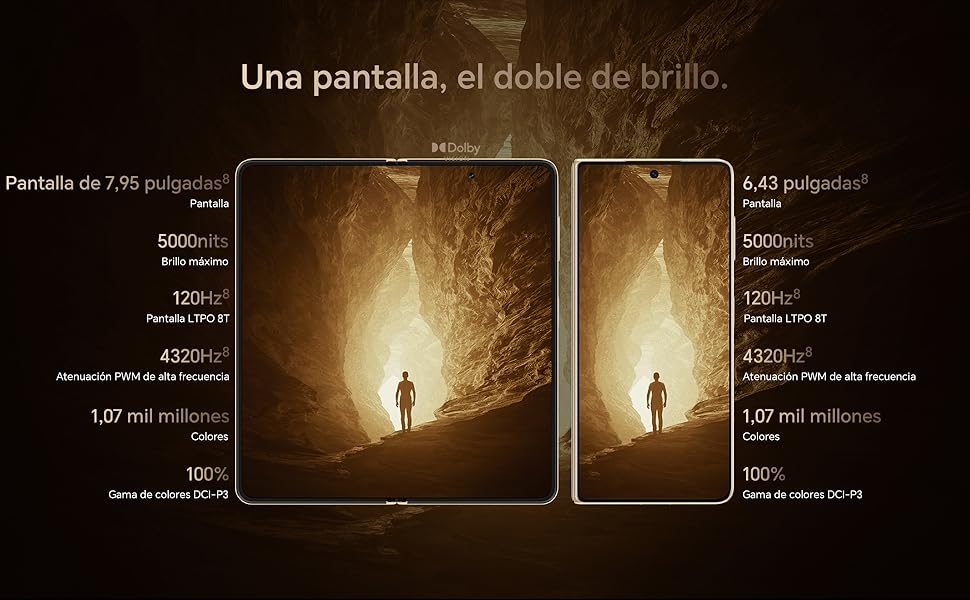
Image: Display comparison showing the large 7.95-inch main screen and the 6.43-inch cover screen, both featuring high brightness and refresh rates.
6. Maklumat Waranti
Your HONOR Magic V5 5G comes with a Waranti pengilang selama 3 tahun. This warranty covers defects in materials and workmanship under normal use. It does not cover damage caused by accidents, misuse, unauthorized repairs, or normal wear and tear.
Please retain your proof of purchase for warranty claims. For detailed terms and conditions, refer to the warranty card included in your product packaging or visit the official HONOR webtapak.
7. Sokongan
For further assistance, technical support, or service inquiries, please visit the official HONOR support webtapak atau hubungi perkhidmatan pelanggan mereka.