
pengenalan
Welcome to the CYCPLUS Smart Indoor Cycling Fan F1 user manual. This guide provides detailed instructions for the safe and efficient use of your new smart fan. Designed with a BLDC motor, 5 speed modes, and advanced connectivity options, the F1 fan enhances your indoor cycling and training experience by providing intelligent, adaptive cooling.
Maklumat Keselamatan
Please read all safety instructions before using the fan. Failure to follow these instructions may result in electric shock, fire, or serious injury.
- Pastikan kipas diletakkan pada permukaan yang stabil dan rata untuk mengelakkan terbalik.
- Jangan masukkan jari atau sebarang objek ke dalam gril kipas.
- Keep the fan away from water or other liquids. Do not operate in wet conditions.
- Cabut plag kipas daripada soket kuasa sebelum membersihkan atau melakukan sebarang penyelenggaraan.
- Do not use the fan if the power cord or plug is damaged. Contact customer support for assistance.
- Jauhkan daripada kanak-kanak dan haiwan peliharaan.
- Gunakan hanya penyesuai kuasa yang disediakan.
Kandungan Pakej
Sahkan bahawa semua item terdapat dalam pakej:
- CYCPLUS Smart Fitness Fan (F1)
- Ground Base
- Alat Kawalan Jauh
- Lanyard untuk Jauh
- Silicone Straps (x2) for Remote
- Penyesuai Kuasa DC
- Kabel Kuasa AC
- Manual Pengguna
- Pemutar skru
- Skru M5 (x2)

Image: All components included in the CYCPLUS Smart Indoor Cycling Fan F1 package.
Persediaan
1. Pemasangan Tapak
Place the fan securely into the provided ground base. Ensure it is stable before connecting power.
Video: Demonstrates the installation of the CYCPLUS F1 fan onto its ground base and initial setup.
2. Sambungan Kuasa
Connect the DC power adapter to the fan and then plug the AC power cable into a standard wall outlet. The fan is now ready for operation.
Arahan Operasi
Hidupkan/Mati Kuasa
Tekan dan tahan butang kuasa (⏻) on the fan's control panel for 2 seconds to turn the fan on or off.
Kawalan Kelajuan Manual
Once powered on, press the "+" atau "-" buttons to manually adjust the fan speed. There are 5 speed levels available.
Pemilihan Mod
Tekan butang mod (⏻) once to cycle through the available operating modes:
- Mod Kelajuan: The fan automatically adjusts airflow based on your cycling speed (requires ANT+ speed sensor).
- Mod Denyutan Jantung: The fan automatically adjusts airflow based on your heart rate (requires ANT+ heart rate monitor).
- Mod Kuasa: The fan automatically adjusts airflow based on your power output (requires ANT+ power meter or smart bike trainer).
- Mod Pintar: Connects multiple devices/sensors such as speed, heart rate, and power. The fan automatically adjusts airflow in real time based on multiple data inputs, ensuring the most optimal airflow.
- Mod Manual: Allows direct control of fan speed using the "+"dan"-" buttons or the remote control.

Image: The fan's control panel displaying icons for different smart speed modes.
Remote Control Pairing and Usage
Untuk memasangkan alat kawalan jauh dengan kipas:
- Ensure the fan is in Manual Mode.
- Press any button on the remote control to wake it up and enter pairing mode (indicator light will flash).
- On the fan, press and hold the "+"dan"-" butang serentak selama 2 saat.
- Once paired, the remote's indicator light will stay solid for 3 seconds, then turn off. The remote will auto-connect for future use.
Use the remote to power on/off, adjust speed, and change modes.

Image: The compact remote control for the CYCPLUS F1 fan, shown with its included silicone straps and lanyard for easy attachment.
Kawalan Apl
Download the CYCPLUS APP from your device's app store. Pair the fan via Bluetooth within the app to fine-tune workout parameters and control the fan from your smartphone.

Image: A smartphone displaying the CYCPLUS app interface for controlling the F1 fan, positioned next to the fan itself.
Pelarasan Aliran Udara
The fan can be manually tilted from 0 to 60 degrees to direct airflow precisely where needed. The optimal placement distance is 1 meter from the user.

Image: The CYCPLUS F1 fan demonstrating its adjustable tilt mechanism, allowing airflow to be directed between 0 and 60 degrees.
Memori Auto
The fan remembers your last settings and connected sensors, automatically pairing them for seamless use without repeated adjustments.
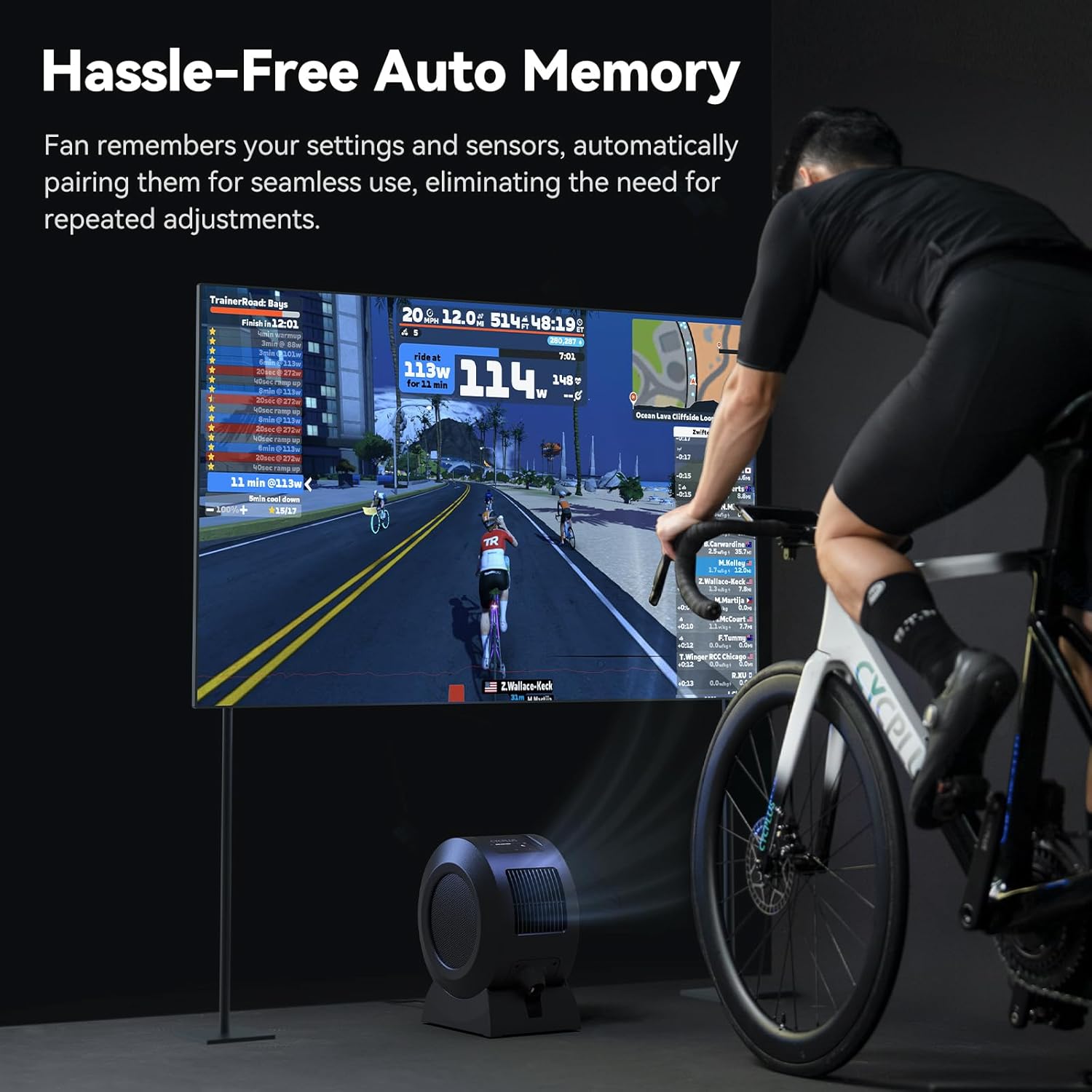
Image: The CYCPLUS F1 fan providing cooling during an indoor cycling session, with a large monitor showing real-time workout metrics.
Penyelenggaraan
Pembersihan
To clean the fan, first unplug it from the power source. The front grille is removable for easy access to the fan blades. Use a soft, dry cloth to wipe down the exterior and blades. Do not use abrasive cleaners or immerse the fan in water.

Imej: A terperinci view of the CYCPLUS F1 fan with its front grille removed, illustrating the ease of access for cleaning.
Menyelesaikan masalah
- Kipas tidak dihidupkan: Ensure the power adapter is securely connected to both the fan and a working power outlet.
- Aliran udara yang lemah: Check for any obstructions in the fan's intake or exhaust grilles. Clean the fan blades if dust buildup is present.
- Alat kawalan jauh tidak berfungsi: Ensure the remote control is paired correctly with the fan. Check the remote's battery.
- Sensor not connecting: Verify that your ANT+ sensor is powered on and within range. Ensure the fan is in the correct mode for the sensor type (Speed, Heart Rate, Power, or Smart Mode). Try re-pairing the sensor.
- Isu sambungan apl: Ensure Bluetooth is enabled on your smartphone and the fan is powered on. Restart the app and try pairing again.
Spesifikasi
| Ciri | Perincian |
|---|---|
| Nama Produk | Peminat Kecergasan Pintar |
| Nama Model | F1 |
| Kuasa Dinilai | 68 W |
| Kelajuan Putaran Maks | 1280 RPM |
| Aliran Udara Maks | 670 m³/j |
| Kelajuan Angin Maksimum | About 50 km/h |
| Berat Bersih | 4.3 kg (9.48 lbs) |
| Dimensi Produk | 10.5"D x 14.5"W x 8.46"H |
| Compatible Input | 100-240V 50/60Hz |
| Output Penyesuai | 36V - 2.5-3A |
| Sensor Connection Protocol | SEMUT+ |
| Mobile Connection Protocol | BLE (Tenaga Rendah Bluetooth) |
| Suhu Operasi | 0-40°C |
| Jenis Motor | Motor DC tanpa berus (BLDC) |
| Bilangan Tahap Kuasa | 5 |

Image: A summary of the technical specifications for the CYCPLUS F1 fan.
Waranti dan Sokongan
For warranty information, technical support, or any inquiries regarding your CYCPLUS Smart Indoor Cycling Fan F1, please visit the official CYCPLUS webtapak atau hubungi perkhidmatan pelanggan mereka secara langsung. Simpan resit pembelian anda untuk tuntutan waranti.
Official CYCPLUS Store: CYCPLUS Amazon Store