
1. Pengenalan
The HyperX Cloud Flight 2 is a wireless gaming headset designed for multi-platform compatibility, offering customizable RGB lighting and long battery life. This manual provides essential information for setup, operation, and maintenance of your headset.

Image 1: HyperX Cloud Flight 2 Wireless Gaming Headset (Black)
2. Kandungan Pakej
- Alat dengar permainan tanpa wayar
- Mikrofon boleh tanggal
- Dongle Tanpa Wayar (USB-C)
- Penyesuai USB-C ke USB-A
- Kabel Caj USB-C
- Panduan Mula Pantas
3. Persediaan dan Ketersambungan
3.1 Wireless Connection (2.4 GHz)
- Insert the USB-C Wireless Dongle into an available USB-C port on your device (PC, PS5, PS4, Nintendo Switch).
- If your device only has USB-A ports, use the provided USB-C to USB-A Adapter with the dongle.
- Power on your HyperX Cloud Flight 2 headset. The headset will automatically attempt to connect to the dongle.
- A solid LED indicator on the headset confirms a successful 2.4 GHz wireless connection.
3.2 Sambungan Bluetooth
- With the headset powered on, press and hold the Bluetooth button (usually indicated by a Bluetooth icon) until the LED indicator flashes, indicating pairing mode.
- On your mobile device or compatible system, navigate to Bluetooth settings and select "HyperX Cloud Flight 2" from the list of available devices.
- A solid LED indicator confirms a successful Bluetooth connection.
3.3 Instant Pair (for select OMEN laptops)
The HyperX Cloud Flight 2 supports Instant Pair with select OMEN gaming laptops, allowing for connection without a dongle. Refer to your OMEN laptop's documentation for specific instructions.

Image 2: Wireless connectivity options including 2.4 GHz, Bluetooth, and Instant Pair.
4. Arahan Operasi
4.1 Onboard Controls
The headset features intuitive controls located on the earcups for easy access during use.
- Butang Kuasa: Tekan dan tahan untuk menghidupkan/mematikan kuasa.
- Roda Kelantangan: Melaraskan kelantangan audio alat dengar.
- Butang Bisukan: Toggles microphone mute. An LED indicator on the boom mic signals mute status.
- Butang pelbagai fungsi: Controls media playback (play/pause, skip tracks) and call management.
- Wireless Mode Switch: Toggles between 2.4 GHz wireless and Bluetooth modes.

Image 3: Diagram showing the location of onboard controls on the headset earcups.
4.2 Penggunaan Mikrofon
The headset offers both a detachable boom microphone and a built-in internal microphone.
- Mikrofon Boom Boleh Tanggal: For clear voice communication, attach the 10mm boom mic to the designated port on the left earcup. An LED on the mic indicates mute status.
- Built-in Internal Mic: When the boom mic is detached, the internal mic automatically activates for a cleaner look in either wireless mode.

Image 4: The detachable boom microphone and the option to use the built-in internal microphone.
4.3 Hayat Bateri
The HyperX Cloud Flight 2 offers extended battery life depending on usage:
- Sehingga 100 jam of 2.4 GHz wireless gameplay (lighting off).
- Sehingga 150 jam via Bluetooth (lighting off).
- Sehingga 23 jam with full RGB lighting enabled.
To conserve battery, you can toggle off the RGB lighting via the onboard controls.
5. Penyesuaian
5.1 RGB Lighting and Removable Earcup Plates
The headset features full-panel RGB lighting and magnetic removable earcup plates, allowing for quick customization without tools.
- Magnetic earcup plates can be easily popped off and swapped.
- Customize RGB lighting profiles using the HyperX NGENUITY software. One profile can be saved onboard.

Image 5: The headset featuring customizable RGB lighting and easily removable magnetic earcup plates.

Image 6: Various removable parts of the headset, including earcup plates, ear pads, and microphone.
6. Keserasian
The HyperX Cloud Flight 2 offers versatile compatibility across multiple platforms:
- PC: Via 2.4 GHz wireless dongle (USB-C or USB-A adapter) or Bluetooth.
- PS5, PS4: Via 2.4 GHz wireless dongle.
- Nintendo Switch: Via 2.4 GHz wireless dongle (in dock mode) or Bluetooth.
- Peranti Mudah Alih: Via Bluetooth.
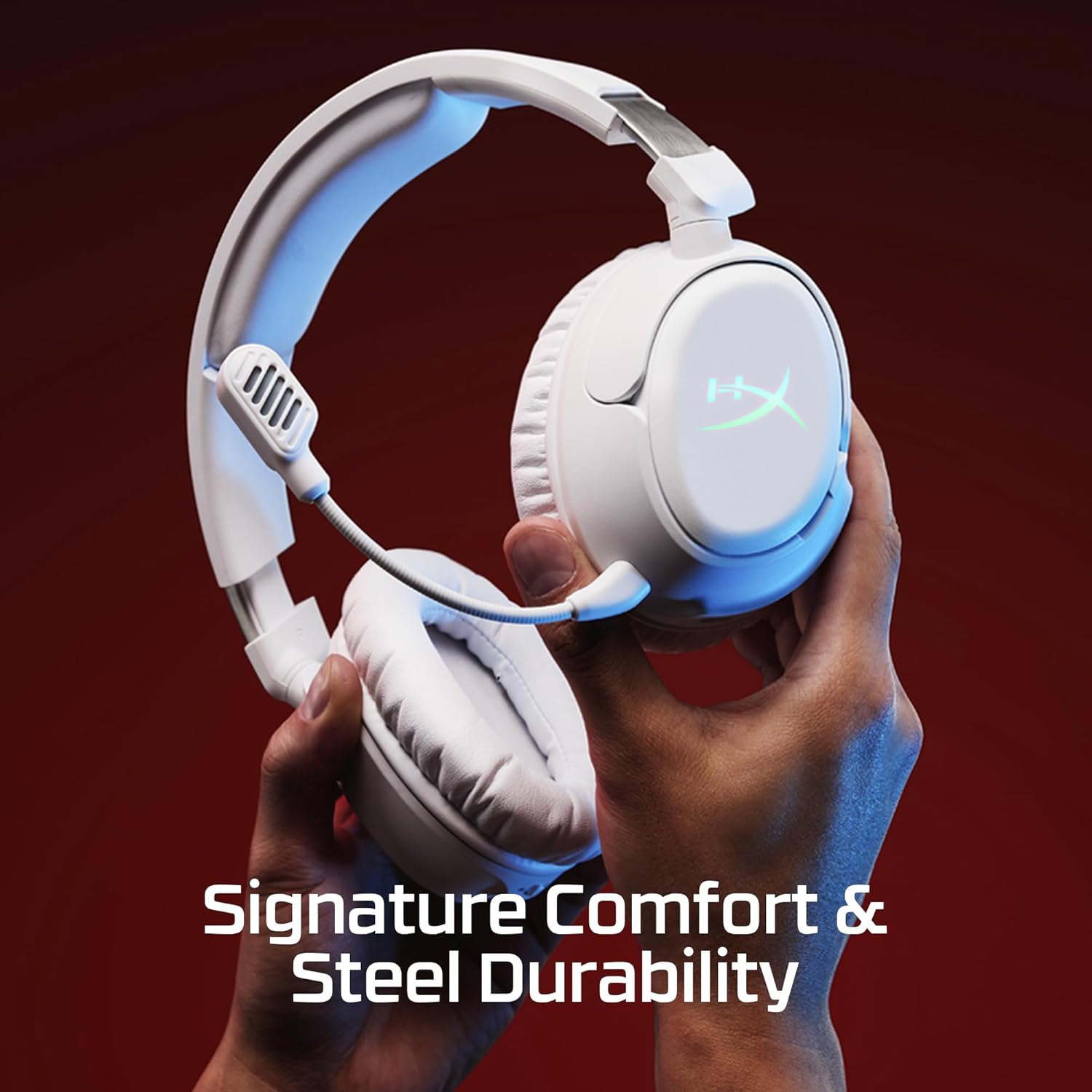
Image 7: The headset is compatible with PC, Mac, PlayStation, Nintendo Switch, and mobile devices.
7. Spesifikasi
| Ciri | Perincian |
|---|---|
| Nama Model | HyperX Cloud Flight 2 - Wireless Gaming Headset (Black) |
| Teknologi Ketersambungan | Wireless USB Type-C; Bluetooth |
| Teknologi Komunikasi Tanpa Wayar | Bluetooth |
| Versi Bluetooth | 5.3 |
| Julat Bluetooth | 20 Meter |
| Jenis Pemacu Audio | Pemandu Dinamik |
| Respons Kekerapan | 20 Hz - 20 kHz (Headphones) |
| Impedans | 32 ohm |
| Sensitiviti | 103 dB |
| Mikrofon | Detachable 10mm Boom Mic, Built-in Internal Mic |
| Hayat Bateri | Up to 100 Hours (2.4 GHz, lighting off); Up to 150 Hours (Bluetooth, lighting off) |
| Berat badan | 12.6 auns (lebih kurang 357g) |
| Dimensi | 7 x 1.6 x 7.7 inci |
| bahan | Plastic, Steel Sliders, Memory Foam Ear Pads |
8. Penyelenggaraan
To ensure the longevity and optimal performance of your HyperX Cloud Flight 2 headset, follow these maintenance guidelines:
- Pembersihan: Use a soft, dry cloth to wipe down the headset. Avoid harsh chemicals or abrasive materials.
- Storan: Simpan alat dengar di tempat yang sejuk dan kering jauh dari cahaya matahari langsung dan suhu yang melampau.
- Penjagaan Kabel: Avoid sharp bends or excessive pulling on the USB-C charge cable and detachable microphone.
- Earcup Plates: Handle removable earcup plates with care to prevent damage to the magnetic connections.
9. Penyelesaian masalah
If you encounter issues with your HyperX Cloud Flight 2 headset, try the following steps:
- No Audio/Mic: Ensure the headset is powered on and correctly connected (2.4 GHz dongle or Bluetooth paired). Check volume levels on both the headset and your device. Confirm the microphone is not muted.
- Isu Sambungan: For 2.4 GHz, try re-inserting the dongle or using a different USB port. For Bluetooth, try unpairing and re-pairing the headset with your device.
- mengecas: Use the provided USB-C charge cable. Ensure the cable is securely connected to both the headset and a power source.
- Perisian: For advanced settings and firmware updates, download and install the HyperX NGENUITY software from the official HyperX webtapak.
10. Video Produk Rasmi
Video: Penggunaview of the HyperX Cloud Flight 2 headset after one week of use, highlighting features and performance.
11. Waranti dan Sokongan
The HyperX Cloud Flight 2 Wireless Gaming Headset typically comes with a manufacturer's warranty. For specific warranty terms and conditions, please refer to the warranty card included in your product packaging or visit the official HyperX support webtapak.
Optional protection plans are available for purchase, such as 2-Year and 3-Year Protection Plans, offering extended coverage beyond the standard manufacturer's warranty.
For further assistance, technical support, or to download the latest NGENUITY software, please visit the official HyperX support portal.