
DaranEner NEO
Manual Pengguna Stesen Janakuasa Mudah Alih DaranEner NEO 600W dengan Panel Suria 100W
Model: NEO | Brand: DaranEner
1. Pengenalan
This manual provides essential instructions for the safe and efficient operation of your DaranEner NEO Portable Power Station 600W and the accompanying 100W Solar Panel. Please read this manual thoroughly before use and retain it for future reference.
2. Arahan Keselamatan
- Jangan membongkar, memperbaiki atau mengubah unit.
- Jauhkan unit daripada api atau cahaya matahari langsung untuk mengelakkan terlalu panas.
- Do not use or store the unit in a bathroom or in areas exposed to water or rain.
- Gunakan hanya aksesori asli atau yang diperakui.
- Pastikan pengudaraan yang betul semasa penggunaan dan pengecasan.
- Jauhkan daripada kanak-kanak.
- Buang produk mengikut peraturan tempatan.
3. Kandungan Pakej
Sahkan bahawa semua item terdapat dalam pakej anda:
- DaranEner NEO Portable Power Station (576Wh/600W)
- Panel Suria Lipat 100W
- Kabel Pengecasan AC
- Kabel Pengecas Kereta
- Manual Pengguna
4. Produk Lebihview
The DaranEner NEO Portable Power Station is designed to provide reliable power for various devices. It features multiple input and output ports for versatile use.
4.1 Ciri-ciri Unit Utama
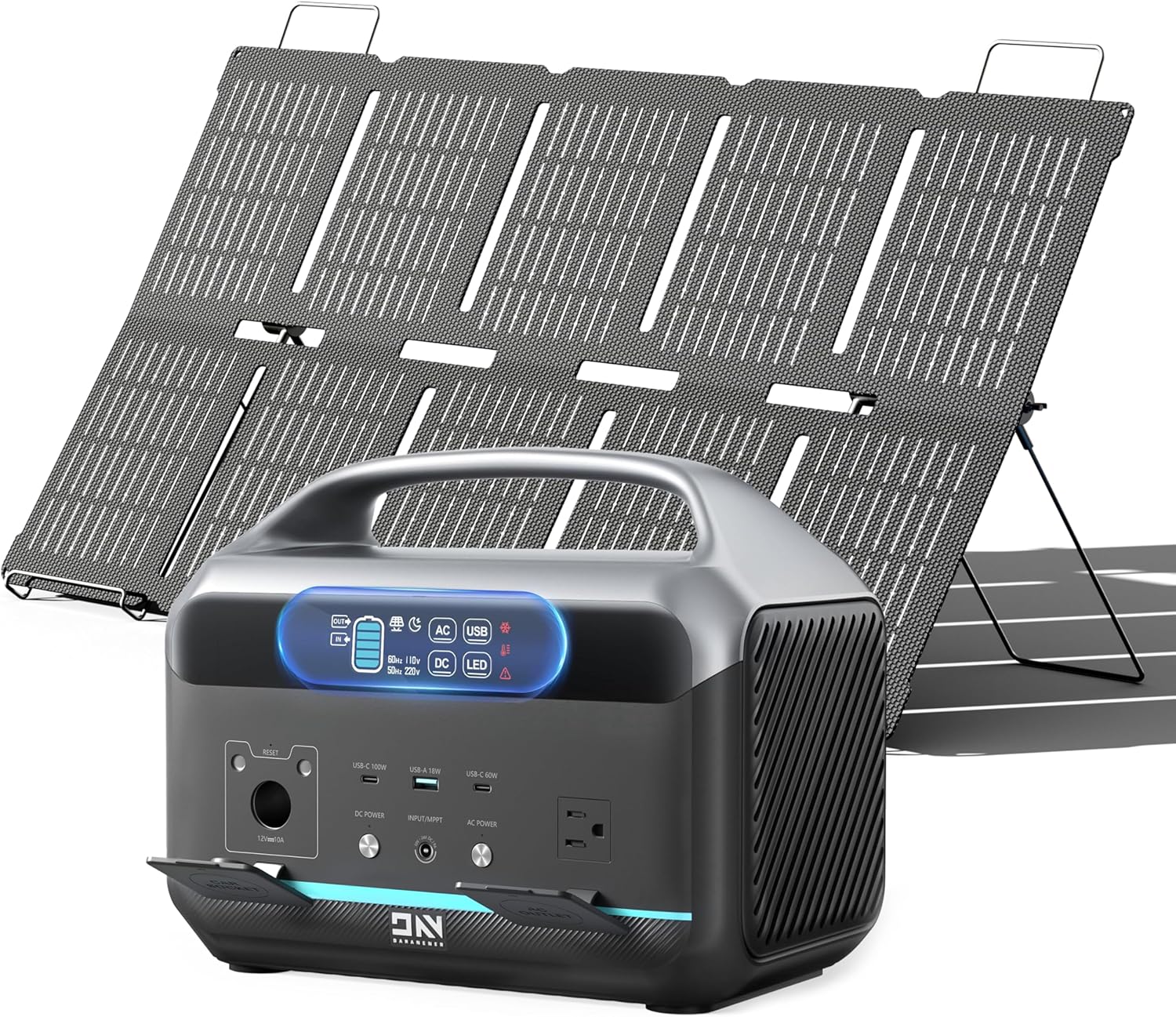
Image: DaranEner NEO Portable Power Station with the included 100W solar panel.
- AC Outlet (600W / 1200W Surge): Untuk peralatan rumah biasa.
- USB-C Ports (100W Max & 60W): For fast charging modern laptops, tablets, and smartphones.
- Port USB-A (18W): Untuk mengecas pelbagai peranti berkuasa USB.
- 12V DC Car Port: For powering 12V devices or charging the unit from a car.
- Paparan Digital: Menunjukkan paras bateri, wat input/outputtage, dan penunjuk status.
- Lampu LED Bersepadu: Provides illumination for emergencies or camping.

Image: Diagram illustrating the various input and output ports on the DaranEner NEO Portable Power Station.

Image: Close-up of the LED screen display on the DaranEner NEO, showing various indicators like battery level, AC/DC status, and alarm icons.
5. Persediaan
5.1 Caj Permulaan
Upon receiving your DaranEner NEO, it is recommended to perform two full charge-and-discharge cycles to optimize battery performance.
5.2 Persediaan Panel Suria
To use the 100W solar panel, follow these steps:
- Buka lipatan Panel Suria: Carefully unfold the solar panel and position it in direct sunlight.
- Laraskan Pendirian: Loosen the screws on both sides of the solar panel stand. Adjust the stand to an optimal angle (approximately 150°) towards the sun for maximum efficiency. Secure the bracket by tightening the screws.
- Sambungkan Kabel:
- Connect the black DC5521 cable to the solar panel's output port.
- Connect the yellow DC5525 cable to the power station's DC input port.

Image: Step-by-step guide on connecting the solar panel to the DaranEner NEO power station, showing the DC5521 and DC5525 connectors.

Image: Visual instructions for setting up the solar panel's adjustable stand, showing how to loosen screws, adjust angle, and secure the panel.
6. Mengecas Stesen Janakuasa
Your DaranEner NEO can be charged using three methods:
6.1 Pengecasan Soket Dinding AC
Connect the provided AC charging cable to the power station's AC input port and then to a standard wall outlet. The unit supports 1-hour fast charging.

Image: The DaranEner NEO power station being charged via an AC wall outlet, illustrating the fast charging capability.
6.2 Pengecasan Suria
After setting up the solar panel as described in Section 5.2, connect it to the power station's DC input. Ensure the solar panel is positioned for maximum sunlight exposure. Charging time is approximately 3.8 hours with the 100W solar panel under ideal conditions.

Image: The DaranEner NEO power station being charged by a solar panel on a beach, highlighting efficient green power input.
6.3 Mengecas Kereta
Use the provided car charging cable to connect the power station to your vehicle's 12V cigarette lighter socket. Charging time is approximately 3.8 hours.

Image: The DaranEner NEO power station being charged inside a car using the 12V car charging port.
Video: This video demonstrates the charging process of the DaranEner NEO Portable Power Station, showing connection to a wall outlet and readiness for outdoor use.
7. Mengendalikan Stesen Janakuasa
To power your devices, simply connect them to the appropriate output port on the DaranEner NEO. Ensure the power station is turned on and the specific output port (AC, DC, USB) is activated if required by pressing its corresponding button.

Image: The DaranEner NEO power station providing power to a mini-fridge, fan, inflatable pump, and charging a drone, illustrating its capacity (576Wh/600W).

Image: A detailed diagram showing the maximum input (AC, Solar, Car) and output (AC, Cigar Socket, Type-C, USB-A) specifications of the DaranEner NEO.
The 600W pure sine wave AC output is suitable for sensitive electronics. The 100W USB-C PD port can rapidly charge compatible devices. Always check the power requirements of your devices to ensure they are within the power station's limits.
8. Penyelenggaraan
- Storan: Simpan stesen janakuasa di tempat yang sejuk dan kering, jauh daripada cahaya matahari langsung dan suhu yang melampau.
- Kekerapan cas semula: For optimal battery health, recharge the unit every 1-2 months if not in regular use.
- Pembersihan: Use a dry, soft cloth to clean the exterior of the unit. Do not use liquid cleaners.
- Hayat Bateri: The LiFePO4 battery has a cycle life of over 3500 cycles and a design life of over 10 years.

Image: Illustration highlighting the safety features of the LiFePO4 battery, including Smart BMS System, Smart Temperature Load Control, and a 10-year battery life.
9. Penyelesaian masalah
| Masalah | Kemungkinan Punca | Penyelesaian |
|---|---|---|
| Unit tidak dicas | Charging cable not properly connected; charger malfunction; extreme temperature. | Ensure all connections are secure. Try a different charging method. Move to a suitable temperature environment. |
| Tiada output daripada port | Output port not activated; device power consumption too high; unit in protection mode. | Press the corresponding output button (AC/DC/USB). Check device wattage. Restart the power station. |
| Panel solar tidak dicas | Insufficient sunlight; panel not angled correctly; dirty panel surface; cable issue. | Reposition panel in direct sunlight. Adjust angle. Clean panel surface. Check cable connections. |
If problems persist, please contact DaranEner customer support.
10. Spesifikasi
| Ciri | Perincian |
|---|---|
| Nama Model | NEO |
| Jenis Bateri | LiFePO4 |
| Kapasiti | 576Wj |
| Output AC | 600W (1200W Surge) Pure Sine Wave |
| Output USB-C 1 | 100W Max Power Delivery |
| Output USB-C 2 | Penghantaran Kuasa 60W |
| Keluaran USB-A | 18W |
| Output Port Kereta DC | 12V |
| Input AC | 550W (1-hour fast charging) |
| Input Suria | Maksimum 150W |
| Input Kereta | 12V |
| Dimensi | 12.13 x 7.72 x 9.72 inci |
| Berat badan | Kira-kira 15.2 paun (6.9 kg) |
| Ciri Khas | Digital Display, Fast Charging, Flashlight |
11. Waranti dan Sokongan
DaranEner products typically come with a manufacturer's warranty. Please refer to the warranty card included in your package or visit the official DaranEner weblaman web untuk maklumat jaminan terperinci.
For technical support, troubleshooting assistance, or any inquiries regarding your DaranEner NEO Portable Power Station, please contact DaranEner customer service. Contact information can usually be found on the product packaging or the official webtapak.

Image: A representation of DaranEner's customer service team, indicating support availability.
Ask a question about this manual
Ask about setup, troubleshooting, compatibility, parts, safety, or missing instructions. Manuals+ will review the question and use this page’s manual context to help answer it.