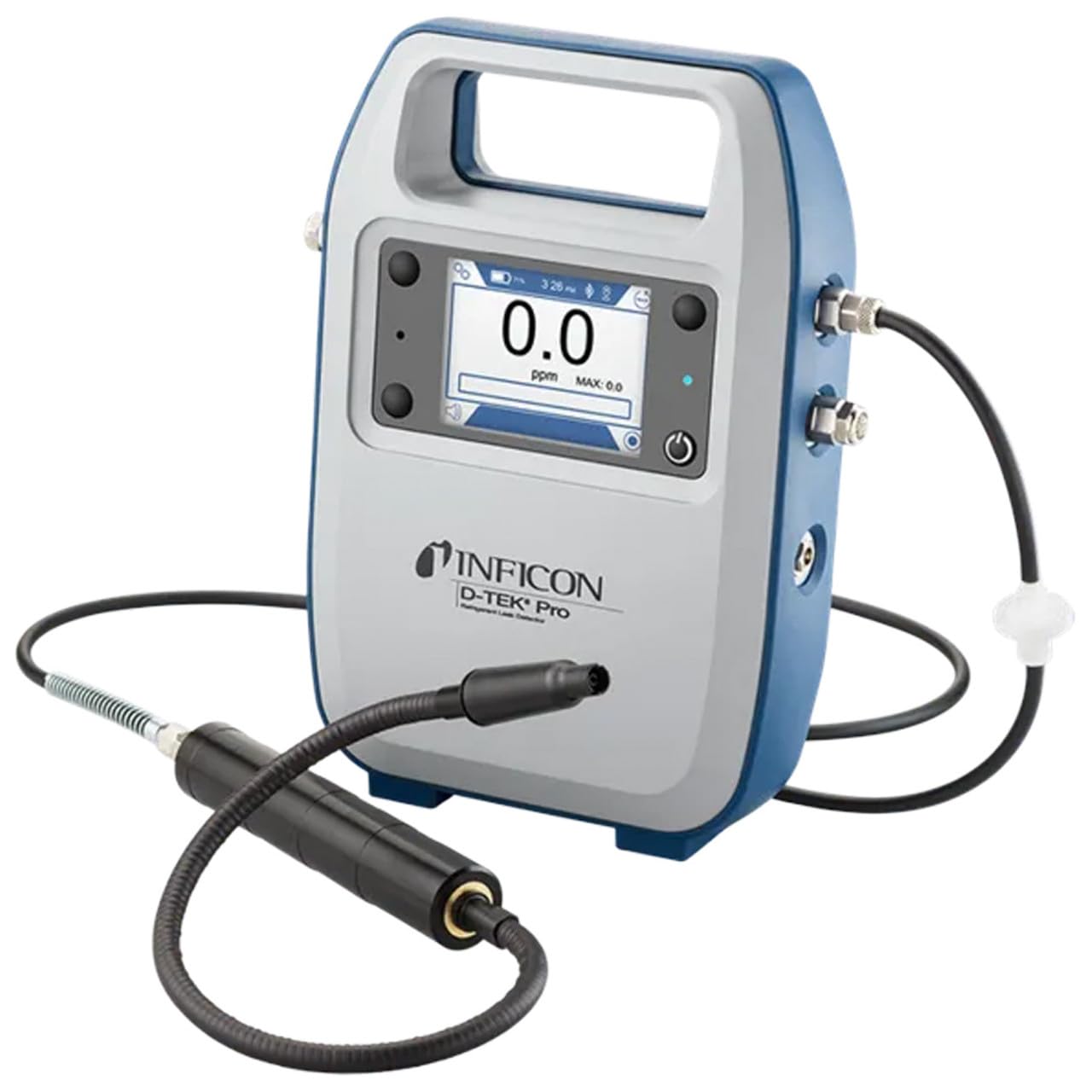
Inficon D-TEK Pro Refrigerant Leak Detector User Manual
Model: 508-202-G1
1. Pengenalan
The Inficon D-TEK Pro Refrigerant Leak Detector is designed for precise and rapid detection of refrigerant leaks. This device offers high sensitivity and an all-in-one Pro Mode for efficient leak identification. This manual provides essential information for the proper setup, operation, and maintenance of your D-TEK Pro.
2. Maklumat Keselamatan
Sentiasa patuhi langkah keselamatan berikut untuk mengelakkan kecederaan dan kerosakan pada peranti:
Baca semua arahan sebelum mengendalikan peranti.
Gunakan peranti hanya seperti yang diterangkan dalam manual ini.
Jangan dedahkan peranti kepada suhu atau kelembapan yang melampau.
Pastikan pengudaraan yang betul semasa bekerja dengan bahan pendingin.
Pakai peralatan pelindung diri (PPE) yang sesuai seperti sarung tangan dan pelindung mata.
Do not attempt to service the device beyond what is described in the maintenance section. Refer all other servicing to qualified personnel.
3. Apa yang ada di dalam Kotak
Sahkan bahawa semua item ada semasa membongkar:
(1) D-TEK Pro Refrigerant Leak Detector
(1) Soft case with shoulder strap
(1) Spare filters
(1) Phone holder
(1) Kabel pengecasan
4. Persediaan
4.1 Mengecas Peranti
The D-TEK Pro is powered by a rechargeable battery. Before first use, fully charge the device.
Connect the provided charging cable to the charging port on the D-TEK Pro.
Pasangkan hujung kabel pengecas yang satu lagi ke sumber kuasa yang sesuai.
Penunjuk pengecasan pada peranti akan menyala. Berikan masa yang mencukupi untuk pengecasan penuh.
4.2 Attaching the Phone Holder
The included phone holder allows for convenient mobile device integration.
Locate the attachment point for the phone holder on the D-TEK Pro.
Securely attach the phone holder according to its design.
Place your mobile device into the holder, ensuring it is stable.
5. Arahan Operasi
5.1 Menghidupkan/Mematikan
Untuk menghidupkan, tekan dan tahan butang kuasa sehingga paparan menyala.
Untuk mematikan kuasa, tekan dan tahan butang kuasa sehingga peranti dimatikan.
5.2 Using Pro Mode for Leak Detection
The D-TEK Pro features an all-in-one Pro Mode that combines cloud hunting and pinpointing capabilities, allowing for efficient leak location.
Ensure the device is powered on and in Pro Mode (refer to the display for mode indication).
Move the sensor probe slowly around suspected leak areas. The device's superior airflow allows for detection from a greater distance.
The D-TEK Pro will indicate the presence of refrigerants with high sensitivity, detecting down to 0.1 ppm.
Follow the increasing readings to pinpoint the exact leak source.
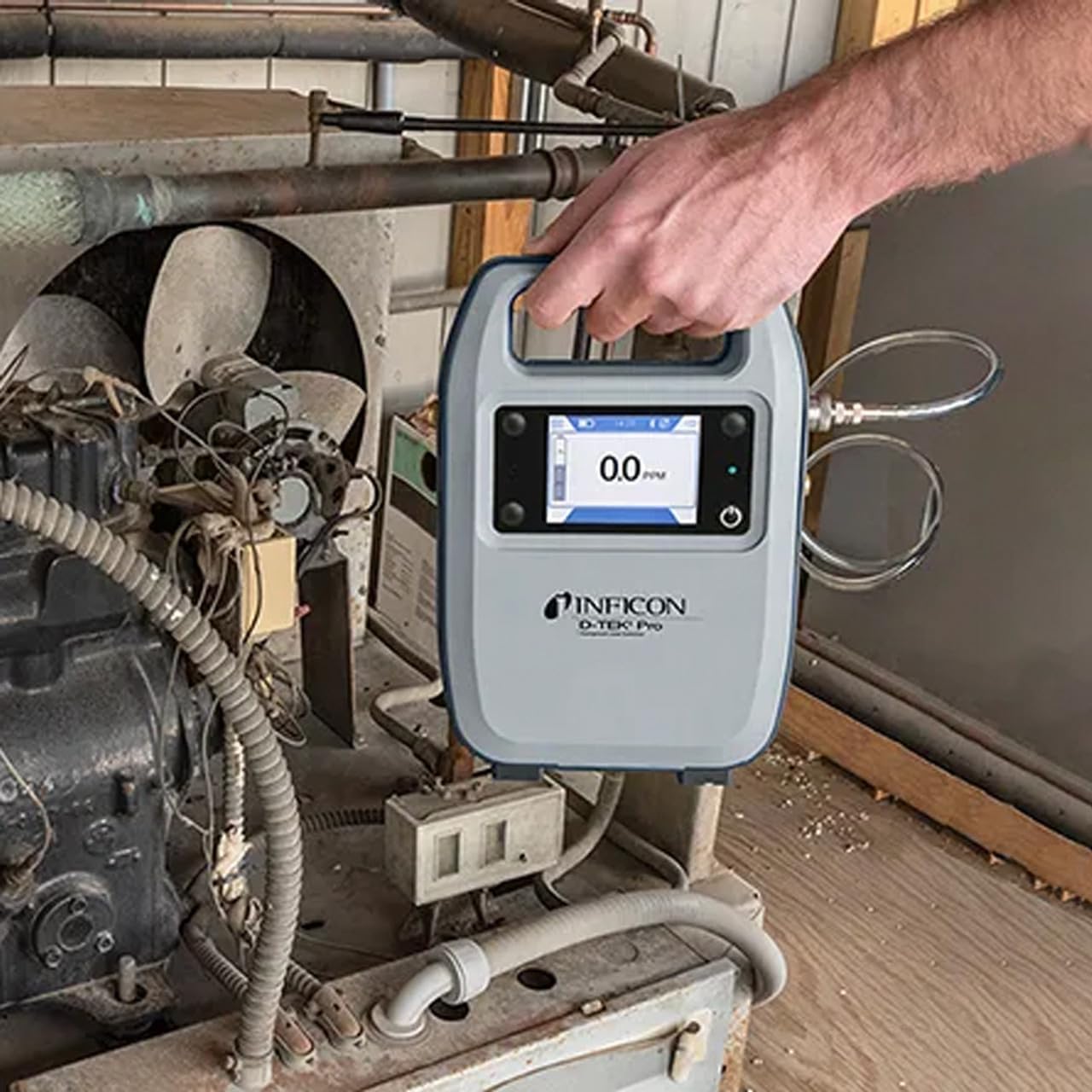
Figure 1: The Inficon D-TEK Pro being used to inspect a refrigeration unit. The display shows a 0.0 ppm reading, indicating no refrigerant detected at the current location. The device is held by a user's hand, demonstrating its portability and ease of use in an industrial setting.
5.3 Refrigerant Compatibility
The D-TEK Pro is designed to detect a wide range of refrigerants, including:
CFCs (Chlorofluorocarbons)
HCFCs (Hydrochlorofluorocarbons)
HFCs (Hydrofluorocarbons)
HFOs (Hydrofluoroolefins)
Blends including A2Ls
5.4 Integrasi Aplikasi Mudah Alih
Download the D-TEK Pro mobile app to enhance your leak detection workflow.
Customer Reports: Generate detailed reports with photos and ppm tracking.
Penjejakan GPS: Confirm job location with integrated GPS functionality.
Figure 2: The Inficon D-TEK Pro connected to a smartphone, showcasing the mobile application's interface. This setup allows users to view real-time leak detection data, generate reports, and utilize GPS tracking for job site verification.
6. Penyelenggaraan
6.1 Penjagaan dan Pembersihan Am
To ensure optimal performance and longevity of your D-TEK Pro:
Lap peranti dengan lembut, damp kain. Jangan gunakan pembersih atau pelarut yang melelas.
Keep the sensor probe clean and free from debris.
Store the device in its soft case when not in use to protect it from dust and physical damage.
6.2 Penggantian Penapis
The D-TEK Pro is designed for low maintenance, requiring no purging and no charcoal filters. However, spare filters are provided for specific applications or if the existing filter becomes visibly soiled or damaged.
Locate the filter housing on the device.
Tanggalkan penapis lama dengan berhati-hati.
Insert a new spare filter, ensuring it is seated correctly.
7. Penyelesaian masalah
This section addresses common issues you might encounter with your D-TEK Pro.
Masalah
Kemungkinan Punca
Penyelesaian
Peranti tidak dihidupkan.
Bateri lemah atau habis.
Cas peranti menggunakan kabel pengecasan yang disediakan.
Bacaan tidak tepat atau tidak konsisten.
Sensor probe is dirty or damaged; environmental interference.
Clean the sensor probe. Ensure proper environmental conditions. If issue persists, contact support.
Aplikasi mudah alih tidak bersambung.
Isu Bluetooth; aplikasi tidak dikemas kini.
Ensure Bluetooth is enabled on both devices. Update the D-TEK Pro app to the latest version.
8. Spesifikasi
Ciri
Perincian
Nombor Model
508-202-G1
Berat Barang
3 paun
Dimensi Pakej
15 x 12 x 4 inci
Jenis Paparan
LCD, LED
Sumber Kuasa
Bateri boleh dicas semula
Sensitiviti
peleraian 0.1 ppm
Detected Refrigerants
CFCs, HCFCs, HFCs, HFOs, and blends including A2Ls
9. Maklumat Waranti
The Inficon D-TEK Pro Refrigerant Leak Detector comes with a Waranti 2 tahun from the date of purchase. This warranty covers defects in materials and workmanship under normal use. For warranty claims or detailed terms and conditions, please refer to the official Inficon webtapak atau hubungi sokongan pelanggan.
10. Sokongan Pelanggan
For technical assistance, troubleshooting not covered in this manual, or general inquiries, please contact Inficon customer support.
Sumber Dalam Talian: Lawati pegawai Inficon Store on Amazon untuk maklumat produk dan kemas kini.
Maklumat Hubungan: Refer to the Inficon official website for direct contact details (phone, email).
Ask a question about this manual
Ask about setup, troubleshooting, compatibility, parts, safety, or missing instructions. Manuals+ will review the question and use this page’s manual context to help answer it.