
1. Pengenalan
This manual provides detailed instructions for the proper use and maintenance of your BOBLOV KJ26 2K Body Camera. Please read this manual thoroughly before operating the device to ensure optimal performance and longevity.
2. Kandungan Pakej
Sahkan bahawa semua item yang disenaraikan di bawah disertakan dalam pakej anda:
- KJ26 Body Camera
- 360° Rotatable Long Clip
- 360° Rotatable Short Clip
- Two Rechargeable Batteries (2000mAh each)
- Dok Pengecasan
- Kabel USB-C
- Manual Pengguna (dokumen ini)
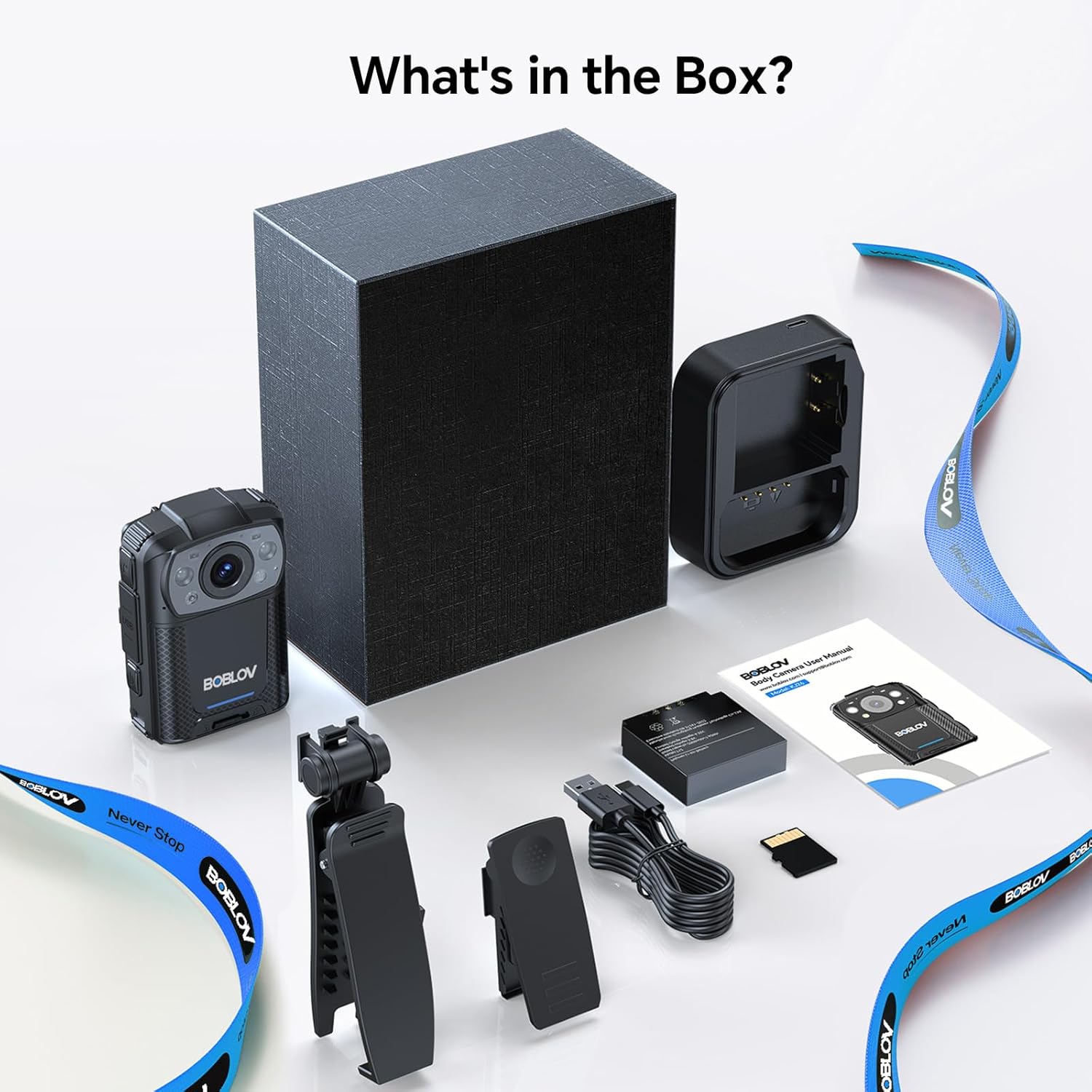
Image: All components included in the BOBLOV KJ26 Body Camera package.

Imej: Perwakilan visual kandungan pakej.
Video: Official unboxing video for the BOBLOV KJ26 body camera, demonstrating the contents of the package and initial setup.
3. Persediaan
3.1. Pemasangan dan Pengecasan Bateri
The KJ26 body camera comes with two 2000mAh rechargeable batteries. Ensure batteries are fully charged before first use.
- Insert a battery into the designated battery compartment on the camera.
- Place the camera onto the charging dock.
- Connect the USB-C cable to the charging dock and a power source.
- Lampu penunjuk pengecasan akan menunjukkan status pengecasan.
- To swap batteries, remove the current battery and insert a fresh one.

Image: BOBLOV KJ26 body camera highlighting its dual battery system for extended recording.

Image: Swappable batteries for continuous recording.
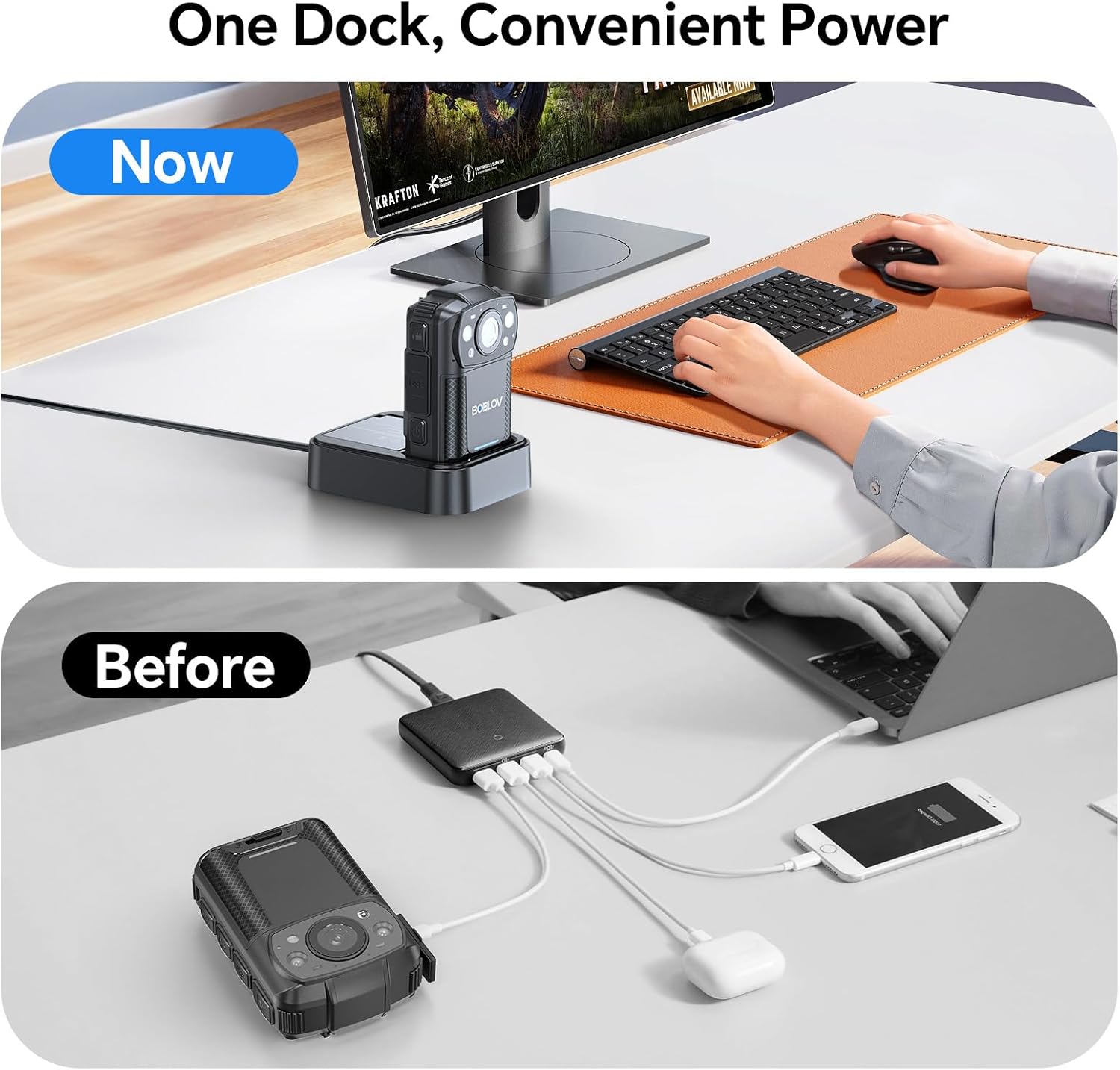
Image: The camera charging in its dedicated dock.
3.2. Pemasangan Kad Memori
The camera supports external Micro SD cards for storage expansion. The device comes with a 256GB card installed.
- Cari slot kad SD Mikro pada kamera.
- Gently insert the Micro SD card until it clicks into place.
- To remove, press the card inward until it springs out.

Image: The camera supports easy memory card swapping for expanded storage.
3.3. Attaching Clips
Two rotatable clips (long and short) are provided for flexible mounting options.
- Select the appropriate clip (long or short) for your intended use.
- Attach the clip to the back of the camera by sliding it into the designated slot until it locks securely.
- The clip can rotate 360° for optimal positioning.

Imej: Cthamples of flexible mounting with different clip lengths.
4. Arahan Operasi
4.1. Hidupkan/Mati Kuasa
- Untuk menghidupkan: Tekan dan tahan butang Kuasa sehingga skrin menyala.
- To power off: Press and hold the Power button until the device shuts down.
4.2. Rakaman Video
The camera records video in 2K, 1080P, or 720P resolution with audio, saving files in MOV format.
- To start recording: Press the Record button. A red indicator light or on-screen icon will confirm recording is active.
- To stop recording: Press the Record button again.
- Rakaman Gelung: The camera supports loop recording, overwriting the oldest files apabila kad memori penuh.
- Adjustable Video Length: Video segments can be set to 5, 10 (default), 15, or 20 minutes.

Image: The compact design of the wearable body camera.

Image: Continuous recording with adjustable video segment lengths.
4.3. Tangkapan Foto
The camera can also capture still images.
- To take a photo: Press the Photo button.
4.4. Penglihatan Malam
The KJ26 features infrared LEDs for clear recording in low-light conditions.
- Night vision activates automatically in dark environments.

Image: Night vision capability for reliable surveillance in low light.

Image: Capturing details even in low light conditions.
4.5. Ciri-ciri Khas
- Pengesanan Pergerakan: The camera can be set to start recording automatically when motion is detected.
- Mod Kamera Dash: The device can function as a dash camera, suitable for vehicle use.

Image: The camera mounted in a vehicle, demonstrating dash camera mode.
5. Penyelenggaraan
5.1. Pembersihan
- Gunakan kain lembut dan kering untuk membersihkan badan kamera.
- Untuk kanta, gunakan kain dan larutan pembersih kanta khusus untuk mengelakkan calar.
- Jangan gunakan bahan kimia yang keras atau bahan yang melelas.
5.2. Penjagaan Bateri
- Simpan bateri di tempat yang sejuk dan kering apabila tidak digunakan.
- Elakkan menyahcas sepenuhnya bateri dengan kerap untuk memanjangkan jangka hayatnya.
- Jika menyimpan untuk tempoh yang lama, cas bateri kepada kapasiti kira-kira 50%.
5.3. Penyimpanan
- Store the camera in a protective case to prevent damage from impacts or dust.
- Jauhkan peranti daripada suhu yang melampau dan cahaya matahari langsung.
6. Penyelesaian masalah
| Masalah | Kemungkinan Punca | Penyelesaian |
|---|---|---|
| Kamera tidak dihidupkan. | Bateri habis atau tidak dipasang dengan betul. | Ensure battery is charged and correctly inserted. Try swapping with the second battery. |
| Tidak boleh merakam video. | Memory card is full, corrupted, or not inserted. | Check memory card status. Format the card (this will erase all data). Replace the card if necessary. |
| Kualiti video yang lemah pada waktu malam. | Night vision not active or insufficient ambient light. | Ensure night vision is enabled (if manual setting is available) or that there is some minimal light for the IR sensors to function. |
| Kamera membeku atau menjadi tidak bertindak balas. | Gangguan perisian atau ralat sementara. | Press and hold the Power button for 10-15 seconds to force a restart. If issue persists, contact support. |
7. Spesifikasi
| Ciri | Perincian |
|---|---|
| Jenama | BOBLOV |
| Nombor Model | KJ26 |
| Resolusi Tangkapan Video | 2K, 1080P, 720P |
| Teknologi Penderia Foto | CMOS |
| Jenis Memori Denyar | SD mikro |
| Saiz Terpasang Memori Flash | 256 GB |
| Format Tangkapan Video | MOV |
| Format Audio yang Disokong | AAC, MP3 |
| Saiz Skrin | 2 inci |
| Teknologi Ketersambungan | USB |
| Ciri Khas | Audio Recording, Dash Camera Mode, Loop Recording, Motion Detection, Night Vision |
| Tahap Ketahanan Air | Bukan Tahan Air |
| Purata Hayat Bateri | 8 hours (with two batteries) |
| Bilangan Bateri | 2 (termasuk) |
| Mod Penangkapan | Video Recording, Photo Capture |
| Nisbah Aspek Imej | 16:9 |
| Peranti Serasi | Komputer riba, Komputer Peribadi |
8. Maklumat Waranti
The BOBLOV KJ26 Body Camera comes with a Waranti 2 tahun from the date of purchase. This warranty covers manufacturing defects and malfunctions under normal use. Please retain your proof of purchase for warranty claims. For detailed warranty terms and conditions, please refer to the official BOBLOV webtapak atau hubungi sokongan pelanggan.
9. Sokongan Pelanggan
For technical assistance, troubleshooting, or any inquiries regarding your BOBLOV KJ26 Body Camera, please contact BOBLOV customer support:
- rasmi Webtapak: Lawati BOBLOV Store on Amazon untuk maklumat produk dan sumber sokongan.
- E-mel/Telefon: Refer to the contact information provided on the official BOBLOV webtapak atau dalam pembungkusan produk anda.