
FOREVER iGo Watch 4 JW-600
Forever iGo Watch 4 JW-600 Smartwatch User Manual
1. Pengenalan
Welcome to the user manual for your new Forever iGo Watch 4 JW-600 Smartwatch. This guide provides essential information on how to set up, operate, and maintain your device, ensuring you get the most out of its features. The iGo Watch 4 combines modern design with advanced functionalities, including an AMOLED touch screen, comprehensive health monitoring, and over 100 sport modes.
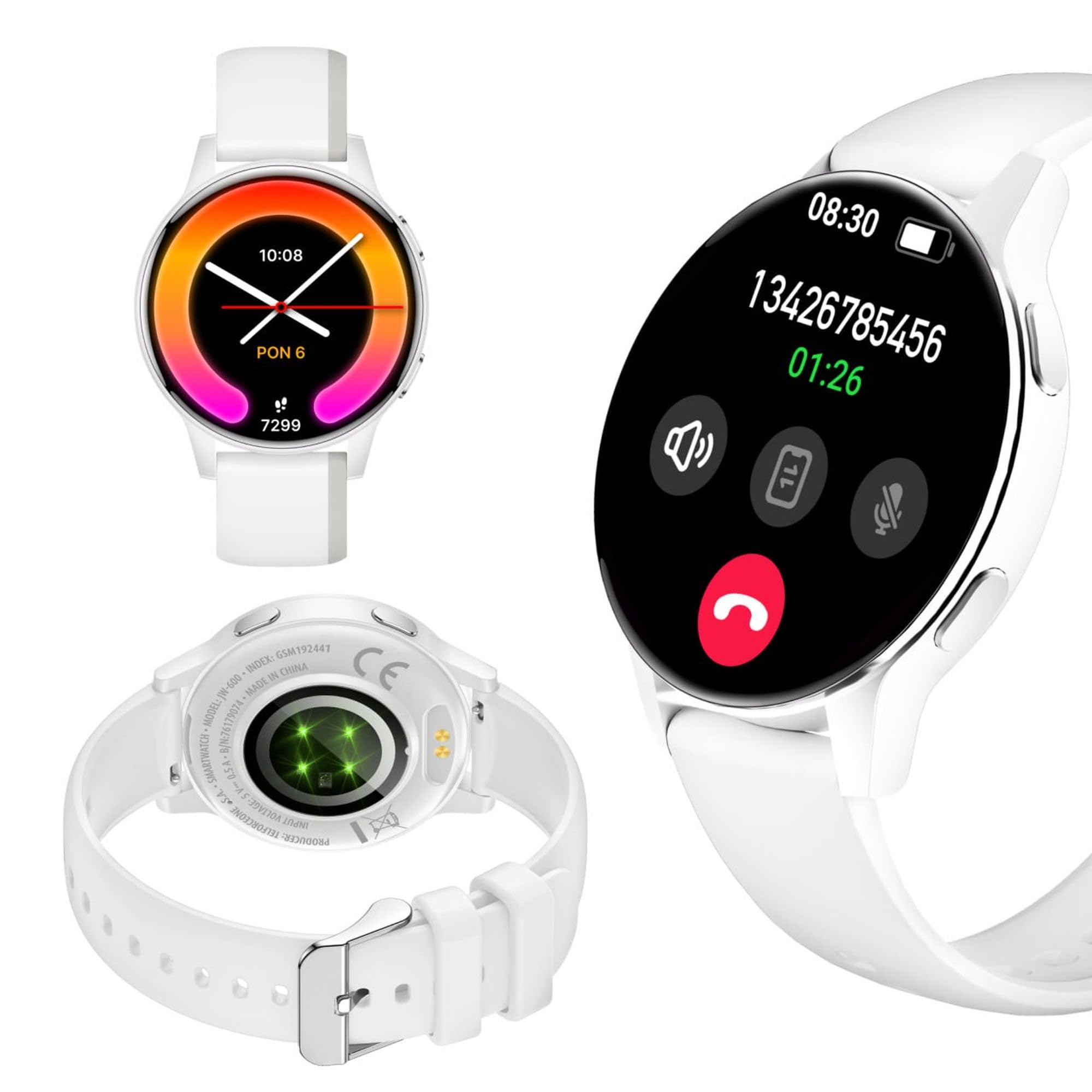
Image: Silhouette of a person wearing the Forever iGo Watch 4 smartwatch, highlighting its sleek design.

Image: Three Forever iGo Watch 4 smartwatches in black, white, and pink, illustrating the available color versions.
2. Kandungan Pakej
Upon opening your Forever iGo Watch 4 package, please ensure all items are present and in good condition. Your package should contain:
- Forever iGo Watch 4 Smartwatch
- Kabel Pengecasan Magnetik
- Two interchangeable straps (e.g., one pre-installed, one additional)
- Manual Pengguna (dokumen ini)

Image: Packaging for the white Forever iGo Watch 4, indicating included items and features.

Image: Two Forever iGo Watch 4 smartwatches, one white and one black with an orange accent, highlighting the two included straps.
3. Persediaan
3.1. Mengecas Jam Pintar
Before first use, fully charge your smartwatch. Connect the magnetic charging cable to the charging points on the back of the watch and plug the USB end into a power adapter (not included) or a computer's USB port. A full charge takes approximately 2 hours and provides up to 7 days of typical use.

Image: Illustration of the smartwatch's durable battery, capable of up to 7 days of typical usage.
3.2. Menghidupkan/Mematikan
- Untuk Menghidupkan: Tekan dan tahan butang sisi sehingga skrin menyala.
- Untuk Mematikan: Navigate to the settings menu on the watch, select 'Power Off', and confirm. Alternatively, press and hold the side button and select 'Power Off' when prompted.
3.3. Pemasangan Apl dan Berpasangan
To unlock the full potential of your iGo Watch 4, download the dedicated companion app on your smartphone (compatible with Android and iOS). Cari untuk the app name (usually 'Forever Smart' or similar, check packaging for exact name) in your phone's app store.
- Muat turun dan pasang aplikasi pada telefon pintar anda.
- Dayakan Bluetooth pada telefon pintar anda.
- Buka apl dan ikut arahan pada skrin untuk membuat akaun atau log masuk.
- In the app, select 'Add Device' or 'Pair Device' and choose 'iGo Watch 4' from the list of available devices.
- Sahkan permintaan berpasangan pada telefon pintar anda dan jam tangan pintar.
4. Mengendalikan Jam Pintar
4.1. Navigasi dan Paparan
The iGo Watch 4 features a responsive 1.28-inch AMOLED touch screen with a resolution of 416x416 pixels, providing clear visuals even in bright sunlight. Navigate through menus and functions by swiping across the screen and tapping icons.
- Leret ke atas/bawah: Tatal melalui menu atau pemberitahuan.
- Leret Kiri/Kanan: Akses fungsi pantas atau widget yang berbeza.
- Ketik: Pilih item atau buka aplikasi.
- Butang Sisi: Tekan untuk kembali ke skrin utama atau membangunkan peranti.

Imej: Dari dekat view of the smartwatch display, showing its vibrant AMOLED screen and clear resolution.

Image: Visual representation of the AMOLED screen's size (1.28 inches) and resolution (416x416 pixels).
4.2. Muka Jam Tangan Boleh Disesuaikan
Personalize your smartwatch by choosing from a variety of free watch faces available through the companion app. You can switch between classic and futuristic designs to match your mood or style.

Image: A selection of customizable watch faces available for the iGo Watch 4.

Image: Different watch face options, illustrating the ability to change your watch's appearance daily.
4.3. Notifications and Bluetooth Calls
Once paired with your smartphone, the iGo Watch 4 allows you to receive notifications for calls, SMS messages, and various applications directly on your wrist. You can also make and receive Bluetooth calls without needing to take out your phone.
- Panggilan Masuk: The watch will vibrate and display the caller ID. You can answer or reject calls directly from the watch.
- Mesej: Read SMS and app notifications (e.g., WhatsApp, Messenger) on the watch screen.

Image: A person interacting with the smartwatch, with icons representing phone calls and messages, demonstrating Bluetooth connectivity.

Image: Visual representation of the smartwatch's Bluetooth call and notification capabilities.
4.4. Pemantauan Kesihatan
The iGo Watch 4 is equipped with various sensors to help you monitor your health and well-being. Access these features through the watch's menu or the companion app.
- Pengukuran Kadar Jantung: Pantau kadar denyutan jantung anda sepanjang hari.
- Pemantauan Tidur: Track your sleep patterns, including different sleep phases, to help improve your sleep quality.
- Pengukuran Tekanan: Check your stress levels and receive suggestions for breathing exercises to help manage tension.
- Ketepuan Oksigen Darah (SpO2): Ukur tahap oksigen darah anda.
- Pengukuran Tekanan Darah: Monitor your blood pressure (note: this feature is for reference only and not a medical device).
- Kesihatan Wanita: Track menstrual cycles and related data.
- Peringatan Pengambilan Air: Set reminders to drink water throughout the day.

Image: A smartphone displaying the health monitoring app, surrounded by icons for various health metrics like heart rate, blood pressure, and sleep.

Image: Illustration of the sleep monitoring feature, showing sleep duration and phases.

Image: The stress measurement feature, showing how the watch helps monitor stress levels and suggests breathing exercises.
4.5. Mod Sukan
With over 100 sport modes, the iGo Watch 4 is designed to track a wide range of physical activities, from running to tennis. The watch accurately counts your steps, distance, and burned calories, providing detailed insights into your workouts through the companion app.

Image: The smartwatch displaying activity data, including calories, steps, and distance, during a workout.

Image: Illustration of the smartwatch's capability to track over 100 sport modes, counting steps and calories.
4.6. Other Smart Functions
The iGo Watch 4 offers several additional smart features to enhance your daily life:
- Kawalan Muzik: Control music playback on your smartphone directly from your watch.
- Pembantu Suara: Access your smartphone's voice assistant.
- Ramalan cuaca: Dapatkan kemas kini cuaca masa nyata.
- Cari Peranti: Cari telefon pintar yang dipasangkan jika ia berada dalam julat Bluetooth.
- Jam loceng: Tetapkan penggera dan peringatan.
- Kawalan Kamera Jauh: Use your watch as a remote shutter for your smartphone's camera.

Image: The smartwatch displaying icons for various smart functions, including music control, weather, and remote camera.

Image: The smartwatch's interactive 3D menu, highlighting useful smart functions like music control and voice assistant.
5. Penyelenggaraan
5.1. Membersihkan Jam Pintar Anda
To keep your iGo Watch 4 in optimal condition, regularly clean the device. Use a soft, dry, lint-free cloth to wipe the screen and body. For stubborn smudges, slightly dampen the cloth with water. Avoid using harsh chemicals or abrasive materials, as these can damage the watch.
5.2. Rintangan Air (IP67)
The iGo Watch 4 is rated IP67, meaning it is protected against dust ingress and can withstand immersion in water up to 1 meter for up to 30 minutes. This makes it suitable for daily use, such as washing hands or being exposed to rain and splashes. However, it is not recommended for swimming, showering with hot water, or diving, as steam and high water pressure can compromise the seals.
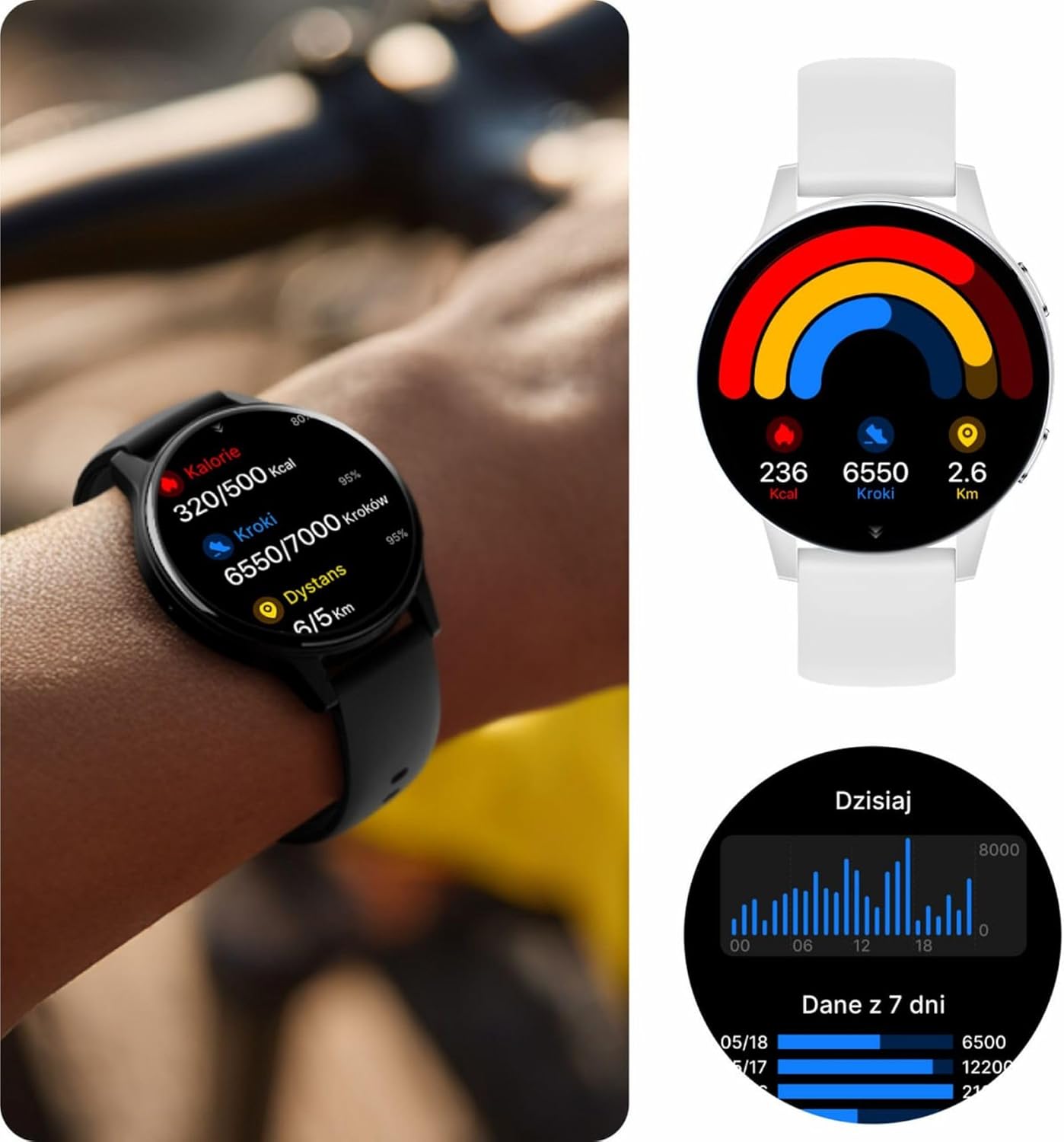
Image: Visual representation of the IP67 waterproof rating, indicating protection against water splashes and brief immersion.

Image: Stylized graphic emphasizing the IP67 waterproof feature of the smartwatch.
6. Penyelesaian masalah
If you encounter any issues with your Forever iGo Watch 4, please refer to the following common solutions:
- Tonton tidak dihidupkan: Pastikan jam tangan dicas sepenuhnya. Sambungkannya ke pengecas selama sekurang-kurangnya 30 minit.
- Tidak boleh berpasangan dengan telefon pintar:
- Pastikan Bluetooth didayakan pada telefon pintar anda.
- Pastikan jam tangan berada dalam julat telefon pintar anda.
- Mulakan semula telefon pintar dan jam tangan pintar anda.
- Semak sama ada apl pendamping dikemas kini kepada versi terkini.
- Pemberitahuan tidak muncul:
- Verify that notification permissions are granted to the companion app on your smartphone.
- Pastikan jam tangan disambungkan dengan betul melalui Bluetooth.
- Check the app's settings to ensure notifications for specific applications are enabled.
- Data kesihatan tidak tepat:
- Pastikan jam tangan dipakai dengan kemas pada pergelangan tangan anda, tidak terlalu longgar atau terlalu ketat.
- Bersihkan penderia di belakang jam tangan.
- Elakkan pergerakan berlebihan semasa pengukuran.
- Hayat bateri pendek:
- Kurangkan kecerahan skrin.
- Disable unnecessary features or continuous monitoring if not required.
- Limit the number of notifications received.
If the problem persists, please consult the official Forever support resources or contact customer service.
7. Spesifikasi
Below are the technical specifications for the Forever iGo Watch 4 JW-600 Smartwatch:
| Ciri | Spesifikasi |
|---|---|
| Jenama | SELAMANYA |
| Model | iGo Watch 4 JW-600 (GSM192441) |
| Jenis Paparan | AMOLED |
| Saiz Paparan | 1.28 Inci |
| Resolusi Paparan | 416 x 416 piksel |
| Kapasiti Bateri | 280 mAh |
| Purata Hayat Bateri | Sehingga 7 Hari |
| Masa Mengecas | 2 Jam |
| Tahan Air | IP67 |
| Berat badan | 33.9 g |
| Ketebalan | 10.6 mm |
| Peranti Serasi | Telefon pintar (Android, iOS) |
| Input Antara Muka Manusia | Panel Sentuh |
| Ciri Khas | 100+ Sport Modes, Sleep Monitor, Heart Rate, Stress, Blood Oxygen, Blood Pressure, Bluetooth Calls, Notifications |
| Kapasiti Storan | 128 GB (for data storage, not app installation) |
| GPS | tiada |
| Jenis Wayarles | 802.11n |

Image: Illustration of the smartwatch's ultra-slim and light form, detailing its weight and thickness.
8. Waranti dan Sokongan
Your Forever iGo Watch 4 JW-600 Smartwatch comes with a manufacturer's warranty. Please refer to the warranty card included in your package or the official Forever website for detailed information regarding warranty terms and conditions.
For technical support, troubleshooting assistance, or any other inquiries, please visit the official Forever support page or contact their customer service through the contact information provided on their webtapak atau dalam dokumentasi produk anda.
Ask a question about this manual
Ask about setup, troubleshooting, compatibility, parts, safety, or missing instructions. Manuals+ will review the question and use this page’s manual context to help answer it.