
1. Pengenalan
The JONR H2 Pro is a versatile wet and dry vacuum cleaner designed for efficient home cleaning. It combines powerful suction, wet mopping, and water recovery in a single device. Key features include an innovative odor-preventing structure, a 180° flat design for cleaning under furniture, and an automatic self-cleaning system with PTC hot air drying.
Video: JONR H2 Pro Product Overview. This video provides a brief introduction to the vacuum cleaner's main features and benefits.
2. Kandungan Pakej
Pastikan semua item terdapat dalam pakej sebelum meneruskan persediaan.
- JONR H2 Pro Wet and Dry Vacuum Cleaner Main Unit
- Dedicated Charging Stand
- Maintenance Cleaning Brush Set
- Dedicated Cleaning Solution
- Penyesuai Kuasa
- Manual Pengguna (Bahasa Jepun)

Image: The JONR H2 Pro package contents, including the main unit, charging stand, cleaning tools, and user manual.
3. Persediaan
3.1 Mengendalikan Pemasangan
- Align the handle with the connection port on the main unit.
- Securely tighten the handle.
- Ensure the sealing ring (gasket) is fitted into the groove without any gaps to prevent leaks.
3.2 Charging Stand Setup
- Place the charging stand in a convenient location near a power outlet.
- Connect the power adapter to the charging stand and plug it into a wall outlet.
3.3 Mengisi Tangki Air Bersih
- Keluarkan tangki air bersih dari unit utama.
- Open the tank cap and fill with clean water, optionally adding the dedicated cleaning solution.
- Close the tank cap securely and reattach the tank to the main unit.

Image: A user filling the clean water tank with water and cleaning solution.
3.4 Pengecasan Awal
Place the assembled vacuum cleaner onto the charging stand. The LED display will indicate charging status. Ensure the unit is fully charged before first use.
Video: JONR H2 Pro Assembly and Disassembly. This video demonstrates how to assemble the vacuum cleaner and its components, including the dirty water tank.
4. Operasi
4.1 Kuasa Hidup/Mati dan Pemilihan Mod
Press the power button to turn the unit on or off. Use the mode selection button to switch between cleaning modes, including standard wet/dry cleaning and a dedicated bathroom mode for wet areas.
4.2 Cleaning Under Furniture and Edges
The H2 Pro features a 180° flat design, allowing it to easily reach under furniture with gaps as small as 11cm. Its edge-cleaning design ensures thorough cleaning along walls and furniture legs, preventing missed spots.

Image: The JONR H2 Pro demonstrating its 180-degree flat design for cleaning under low furniture.

Image: The JONR H2 Pro cleaning along the edges of a wall, highlighting its edge-cleaning capability.
4.3 Voice Guidance and LED Display
The vacuum cleaner provides real-time voice guidance and visual information on its LED display, making operation intuitive and user-friendly.
Video: JONR H2 Pro Wet and Dry Vacuum Cleaner in Action. This video demonstrates the vacuum cleaner's cleaning capabilities on various surfaces and spills.
5. Penyelenggaraan
5.1 Automatic Self-Cleaning and PTC Hot Air Drying
After cleaning, place the unit on its charging stand to initiate the automatic self-cleaning cycle. The double comb structure prevents hair tangles on the roller brush, and 40 spray holes ensure thorough cleaning. The integrated PTC thermal management system then automatically dries the roller brush with hot air, preventing bacterial growth and odors.

Image: The JONR H2 Pro undergoing its automatic self-cleaning and hot air drying process on the charging stand.
5.2 Mengosongkan dan Membersihkan Tangki Air Kotor
Regularly empty and clean the dirty water tank to maintain hygiene and prevent odors. The tank is designed for easy removal and rinsing.
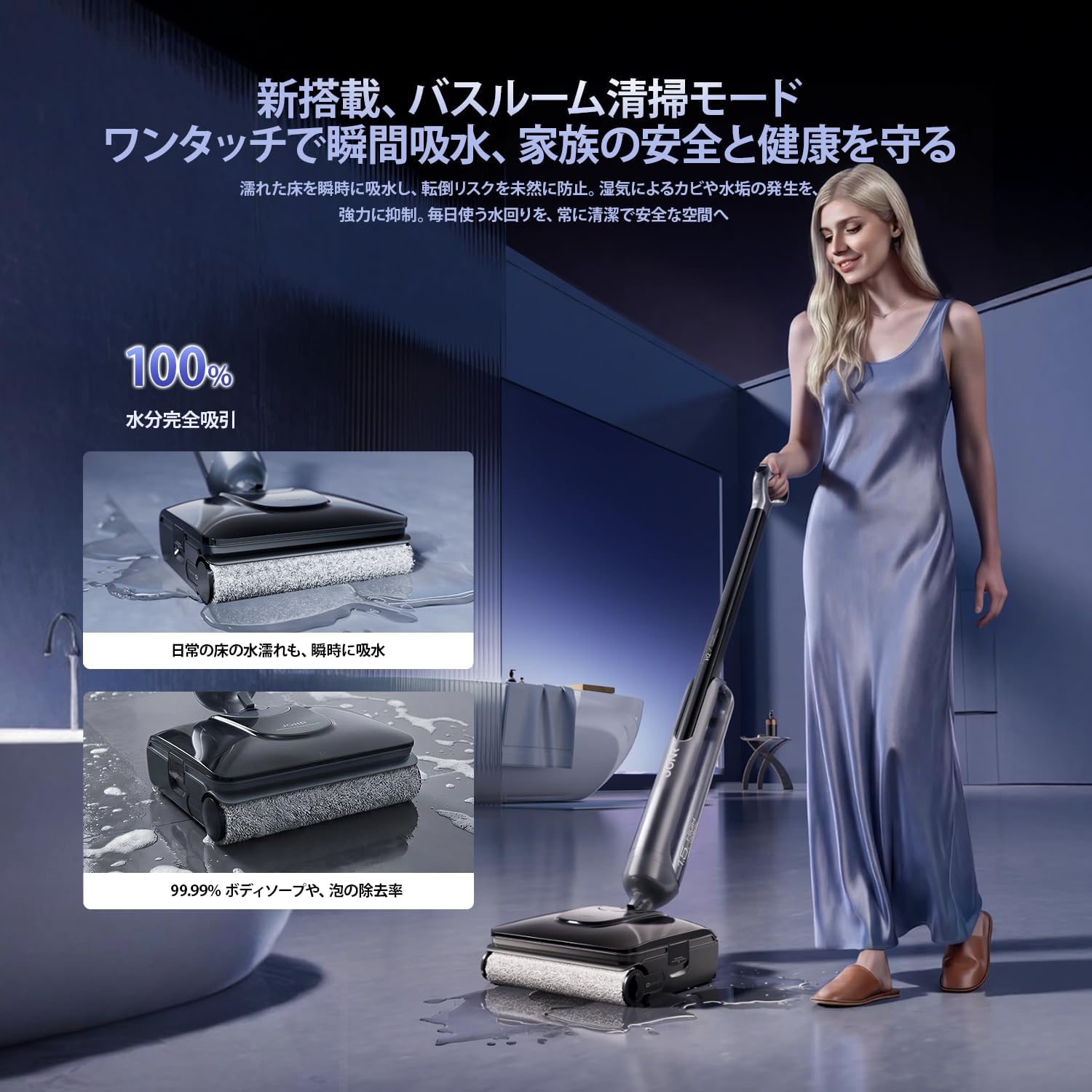
Image: A user emptying the dirty water tank into a sink.
5.3 Membersihkan Berus Penggelek dan Penapis
For optimal performance, periodically remove and clean the roller brush and HEPA filter. Use the provided cleaning brush to remove any tangled hair or debris.
6. Penyelesaian masalah
- Kuasa Sedutan Dikurangkan: If suction power decreases, check and remove any debris from the filter, roller brush, or suction port. Ensure the dirty water tank is empty (below the safety line) and correctly installed before automatic cleaning.
- Bau yang tidak menyenangkan: Ensure the dirty water tank is regularly emptied and thoroughly cleaned. The PTC hot air drying function helps prevent odors by drying the roller brush.
- Kebocoran air: Verify that all tanks are correctly installed and sealed. Check the handle connection and sealing ring for proper fit.
- Bateri Tidak Dicas: Ensure the power adapter is securely plugged into both the charging stand and the wall outlet. Confirm the unit is correctly placed on the charging stand.
7. Spesifikasi
| Jenama | JONR |
| Model | H2 Pro |
| taip | Pembersih Vakum Basah dan Kering |
| Kuasa Sedutan | 20,000 Pa |
| Masa jalan | Sehingga 45 minit |
| Kawasan Liputan | Approx. 300㎡ |
| Berat Operasi | Approx. 750g (felt weight) |
| Dimensi (L x W x H) | 20 x 5 x 110 cm |
| Sumber Kuasa | Dikuasakan bateri |
| Jenis Penapis | Penapis HEPA |
| Ciri Khas | Wet/Dry Function, Cordless, Automatic Self-Cleaning, PTC Hot Air Drying, 180° Flat Design, Edge Cleaning, LED Display, Voice Guidance, Smart Overcharge Protection |
8. Waranti dan Sokongan
The JONR H2 Pro comes with a Waranti pengilang selama 1 tahun from the date of purchase. This warranty covers initial defects and natural failures. For any questions regarding product usage or in the event of a malfunction, please contact our customer support team.
8.1 Sokongan Dalam Talian
You can easily reach our dedicated customer support team through your Amazon account:
- Pergi ke anda Sejarah Pesanan.
- Locate your JONR H2 Pro order.
- Click on the 'Seller' information.
- Select 'Ask a Question' to send a message to our support team.
8.2 Waranti Lanjutan
If you wish to inquire about an extended warranty, please have your nombor pesanan ready and contact customer support for further details.