
pengenalan
This manual provides essential instructions for setting up, operating, maintaining, and troubleshooting your OPPO K13 Turbo 5G smartphone. Please read this guide thoroughly to ensure proper use and to maximize the device's performance and longevity.
1. Persediaan
1.1 Kotak Isi
Sahkan bahawa semua item terdapat dalam kotak:
- Handset (OPPO K13 Turbo 5G)
- Pengecas
- Kabel Data USB
- Alat Ejector SIM
- Kes Pelindung
- Panduan Cepat
- Fan Cleaning Brush
1.2 Pemasangan Kad SIM
- Cari dulang kad SIM di sisi peranti.
- Masukkan alat ejektor SIM ke dalam lubang kecil di sebelah dulang dan tekan perlahan-lahan sehingga dulang terkeluar.
- Place your Nano SIM card(s) into the tray with the gold contacts facing down. Ensure proper orientation.
- Masukkan semula dulang kad SIM ke dalam telefon dengan berhati-hati.
1.3 Pengecasan Bateri
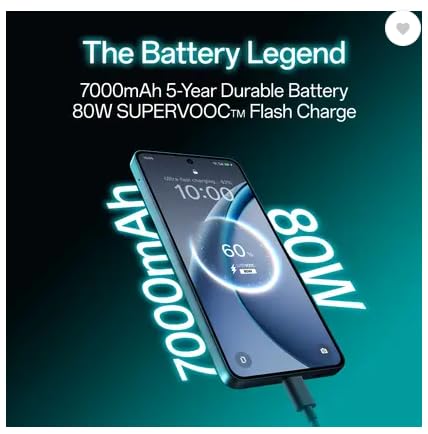
Before first use, fully charge the device. Connect the USB data cable to the phone's USB Type-C port and the charger. Plug the charger into a power outlet. The device supports 80W SUPERVOOC Flash Charge.
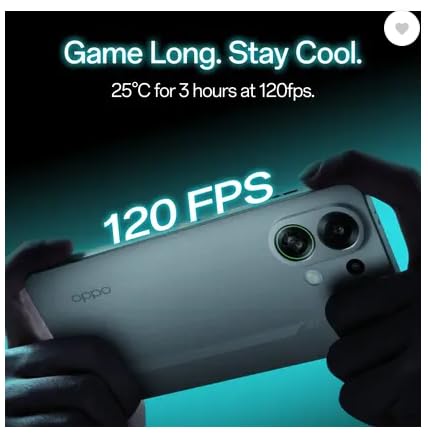
Image: The OPPO K13 Turbo 5G connected to a charger, illustrating the 7000mAh battery and 80W SUPERVOOC Flash Charge capability.
1.4 Kuasa Awal Hidup dan Wizard Persediaan
Press and hold the Power button until the OPPO logo appears. Follow the on-screen instructions to select your language, connect to Wi-Fi, set up your Google account, and configure other initial settings.
2. Mengendalikan Peranti Anda
Imej: Depan dan belakang view of the OPPO K13 Turbo 5G smartphone, showcasing reka bentuknya.
2.1 Navigasi Asas
- Ketik: Select an item or activate a function.
- Leret: Beralih antara skrin atau tatal kandungan.
- Cubit: Zum masuk atau keluar pada imej dan web muka surat.
- Tekan lama: Akses menu kontekstual atau alihkan ikon.
2.2 Panggilan dan Mesej
Use the Phone app to make and receive calls. The Messages app allows you to send and receive SMS/MMS messages. Ensure your SIM card is active and has network coverage.
2.3 Ketersambungan
- Wi-Fi: Pergi ke Tetapan > Wi-Fi untuk bersambung ke rangkaian yang tersedia.
- Data mudah alih: Enable or disable mobile data in Settings > Mobile Network.
- Bluetooth: Pair with other devices via Settings > Bluetooth.
- USB Jenis-C: Connect to a computer for data transfer or use with compatible accessories.
2.4 Fungsi Kamera
The OPPO K13 Turbo 5G features a 50MP main rear camera and a 16MP front camera. Open the Camera app to capture photos and videos. Explore various modes like Portrait, Night, and Pro for enhanced photography.
2.5 Cooling System Management
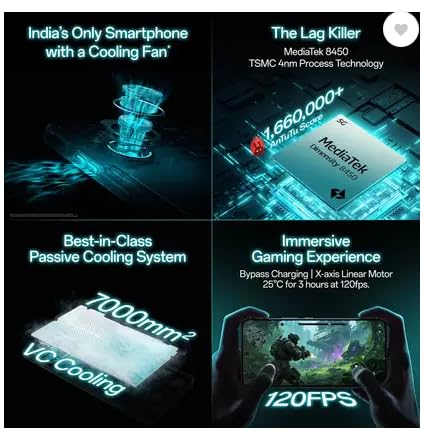
Your device is equipped with an advanced cooling system, including a built-in fan and a 7000mm² VC Cooling system, designed to maintain optimal performance during intensive tasks like gaming. The system automatically activates when needed to prevent overheating.
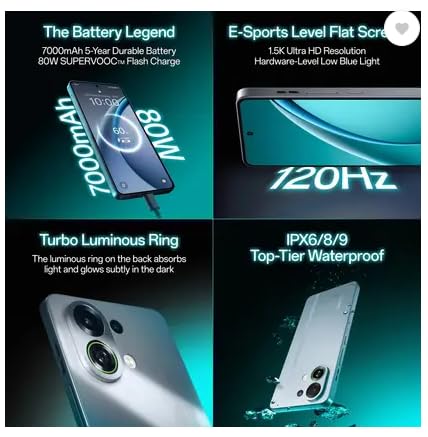
Image: An illustration of the OPPO K13 Turbo 5G's internal cooling fan mechanism.
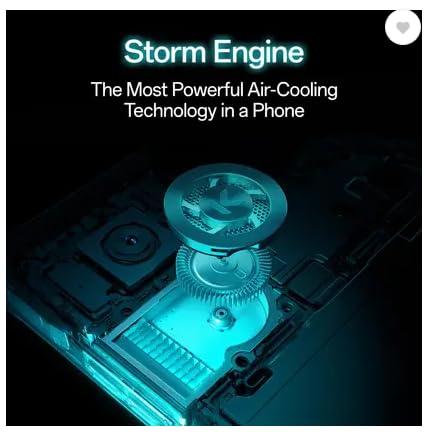
Image: Diagram showing the 7000mm² VC Cooling system for passive heat dissipation.
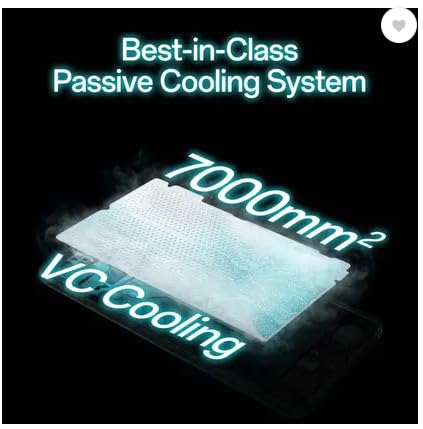
Image: A user holding the OPPO K13 Turbo 5G while gaming, indicating stable performance at 120 FPS due to cooling.
2.6 Battery and Power Management
The 7000 mAh battery provides extended usage. Utilize power-saving modes in Settings > Battery to optimize battery life. The device also supports bypass charging for gaming, which powers the phone directly from the charger, reducing battery strain.
Imej: Satu dalaman view of the OPPO K13 Turbo 5G illustrating the bypass charging mechanism, allowing direct power delivery during gaming.
3. Penyelenggaraan
3.1 Membersihkan Peranti
Use a soft, lint-free cloth to clean the screen and body. For the cooling fan vents, use the provided fan cleaning brush to gently remove dust and debris. Avoid using harsh chemicals or abrasive materials.
3.2 Kemas Kini Perisian
Regularly check for and install software updates to ensure optimal performance, security, and access to new features. Go to Settings > About device > Software update.
3.3 Sandaran Data
Periodically back up your important data to a cloud service (e.g., Google Drive) or a computer to prevent data loss.
3.4 Penjagaan Bateri
To prolong battery life, avoid extreme temperatures and do not leave the device fully charged or fully discharged for extended periods. Use the original charger and cable.
3.5 Tahan Air
The device is water resistant. However, this is not a permanent condition and resistance might decrease as a result of normal wear. Avoid intentional submersion and exposure to high-pressure water or liquids other than fresh water.
4. Penyelesaian masalah
4.1 Isu Lazim
- Peranti tidak dihidupkan: Pastikan bateri telah dicas. Tekan dan tahan butang Kuasa selama sekurang-kurangnya 10 saat.
- Apl ranap atau beku: Close and reopen the app. Clear the app's cache (Settings > Apps > [App Name] > Storage > Clear cache). Restart the device.
- Isu sambungan rangkaian: Check SIM card installation. Toggle Airplane Mode on and off. Restart the device. Verify network settings.
- Prestasi perlahan: Close unused apps. Clear cache. Check for available storage.
4.2 Tetapan Semula Kilang
If issues persist, a factory reset may be necessary. This will erase all data on your device. Sandarkan data anda sebelum meneruskan. Pergi ke Tetapan > Sistem > Tetapkan semula pilihan > Padam semua data (tetapan semula kilang).
5. Spesifikasi
| Jenama | OPPO |
| Model | K13 Turbo 5G |
| Sistem Operasi | Android 15 |
| Pemproses | Pemproses Dimensity 8450 |
| RAM | 8 GB |
| Penyimpanan | 128 GB |
| Paparan | 17.27 cm (6.8 inch) Full HD+ 1.5K AMOLED Flexible Screen (1280 x 2800 resolution, 453 PPI) |
| Kamera Belakang | 50MP + 2MP (Dual Camera) |
| Kamera Depan | 16MP |
| Kapasiti Bateri | 7000 mAh |
| Mengecas | 80W SUPERVOOC Flash Charge, Bypass Charging |
| Sistem Penyejukan | Built-in Cooling Fan, 7000mm² VC Cooling |
| Jenis SIM | Dual Nano SIM |
| Ketersambungan | 5G, USB Type-C |
| Keselamatan Biometrik | Pengecaman Cap Jari |
| Tahan Air | Tahan Air |
| Dimensi | 15 x 10 x 8 Sentimeter |
| Berat badan | 230 Gram |
6. Waranti dan Sokongan
6.1 Maklumat Waranti
Your OPPO K13 Turbo 5G comes with a 1-Year Manufacturer Warranty for the device dan a 6-Month Manufacturer Warranty for in-box accessories. Please retain your proof of purchase for warranty claims. The warranty covers manufacturing defects but does not cover damage caused by misuse, accidents, or unauthorized modifications.
6.2 Sokongan Pelanggan
For technical assistance, service, or warranty inquiries, please contact OPPO customer support. Refer to the official OPPO website or the Quick Guide included in your box for the most current contact information and support resources.
Pengeluar: OPPO Mobiles India Swasta Berhad
Alamat: Plot No.1, Sector Ecotech: VII, Greater Noida, Uttar Pradesh 201306