pengenalan
Welcome to the Kinglucky ClipFree A20 Open-Ear Earbuds. These earbuds are designed for comfort and style, featuring an open-ear design and detachable crystal earrings. This manual provides essential information for setting up, operating, maintaining, and troubleshooting your new earbuds.
Apa yang ada dalam Kotak
Upon opening your Kinglucky ClipFree A20 package, you should find the following items:
- Kinglucky ClipFree A20 Open-Ear Earbuds
- Kes Pengecasan
- Detachable Crystal Butterfly Earrings (if included with your model)
- Kabel Pengecas USB-C
- Manual Pengguna (dokumen ini)

Image: The Kinglucky A20 earbuds, charging case, detachable butterfly earrings, and USB-C charging cable as packaged.
Persediaan
1. Mengecas Fon Telinga dan Sarung
Before first use, fully charge your Kinglucky A20 earbuds and charging case. Connect the provided USB-C cable to the charging port on the case and a power source. The digital display on the case will show the battery level. A full charge provides up to 8 hours of playtime for the earbuds, with the case extending total playtime to approximately 50 hours.

Image: The Kinglucky A20 earbuds resting in their charging case, displaying the battery percentage on the front.
2. Berpasangan Bluetooth
- Buka bekas pengecas. Fon telinga akan memasuki mod berpasangan secara automatik.
- Pada peranti anda (telefon pintar, tablet, dll.), pergi ke tetapan Bluetooth.
- Select "Kinglucky A20" from the list of available devices.
- Once connected, you will hear an audio prompt, and the indicator light on the earbuds will change.
The Kinglucky A20 supports Bluetooth 5.4 for a stable connection and multipoint pairing, allowing connection to two devices simultaneously.
3. Memakai Earbud
The A20 earbuds feature an open-ear clip design for comfort and stability. They do not enter the ear canal, resting gently on the ear.
- Gently open the ear cuff of the earbud.
- Position the earbud over your ear, ensuring the speaker is aligned with your ear canal for optimal sound.
- Adjust for a secure and comfortable fit.
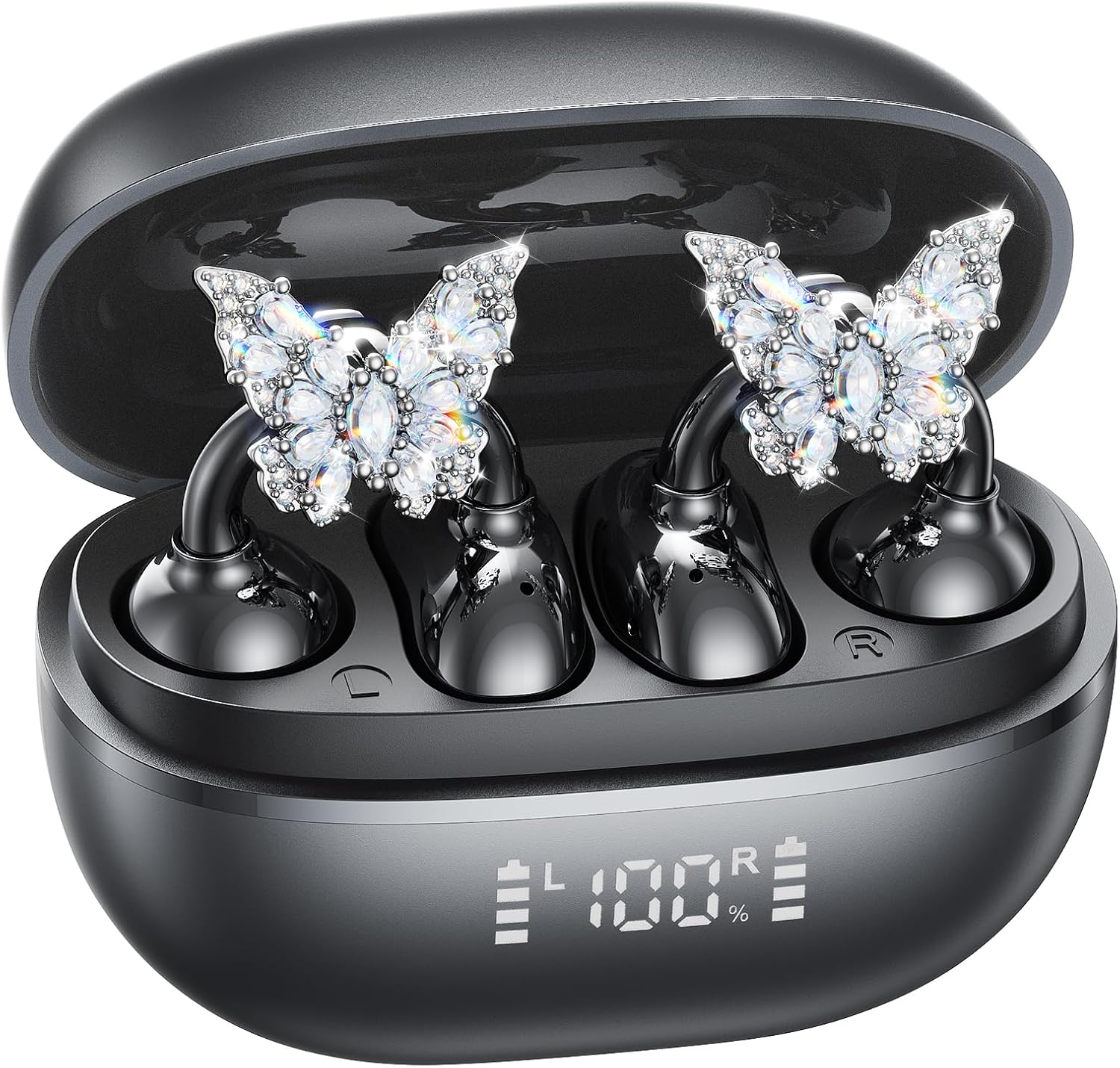
Image: A woman wearing the Kinglucky A20 earbuds with the detachable butterfly earrings, demonstrating the clip-on fit.
4. Attaching/Detaching Crystal Earrings
The crystal butterfly earrings are detachable. To attach, gently clip them onto the earphone stem. To detach, carefully unclip them. Remove the decorative earrings before storing the earbuds in the charging case to prevent damage.

Image: A visual guide illustrating the process of attaching the crystal butterfly accessory to the earbud stem.
Arahan Operasi
Kawalan Sentuh
The Kinglucky A20 earbuds feature intuitive touch controls on the outer surface of each earbud.
- Main/Jeda Muzik: Ketik dua kali sama ada fon telinga.
- Jawab/Tamatkan Panggilan: Double-tap either earbud during an incoming call or active call.
- Tolak Panggilan: Tekan dan tahan salah satu fon telinga selama 2 saat semasa panggilan masuk.
- Aktifkan Pembantu Suara: Tekan dan tahan salah satu fon telinga selama 3 saat.

Image: A visual representation of the touch control functions for music playback and call management on the earbuds.
Kualiti Bunyi dan Kejelasan Panggilan
The A20 earbuds are engineered to deliver clear and balanced sound for various audio content, from podcasts to music. They feature AI-powered call clarity with 2 beamforming microphones and advanced noise-canceling technology for crisp conversations.

Image: An exploded diagram showing the internal components of the Kinglucky A20 earbud, highlighting its sound engineering.
Penyelenggaraan
- Pembersihan: Use a soft, dry cloth to wipe the earbuds and charging case. Avoid using harsh chemicals or abrasive materials.
- Storan: Apabila tidak digunakan, simpan fon telinga dalam bekas pengecasnya untuk melindunginya dan memastikan ia kekal dicas.
- Tahan Air: The earbuds are IP56 water-resistant, meaning they can withstand sweat and light rain. Do not submerge them in water.
Menyelesaikan masalah
| Masalah | Penyelesaian |
|---|---|
| Fon telinga tidak berpasangan | Ensure earbuds are charged. Turn off and on Bluetooth on your device. Forget "Kinglucky A20" in your device's Bluetooth settings and re-pair. |
| Tiada bunyi dari satu fon telinga | Place both earbuds back in the charging case, close the lid, wait a few seconds, then open and try again. Check device audio balance settings. |
| Kes pengecas tidak dicas | Sahkan kabel USB-C disambungkan dengan selamat pada kedua-dua bekas dan sumber kuasa. Cuba kabel atau penyesuai kuasa yang lain. |
| Kualiti panggilan yang lemah | Ensure earbuds are properly seated on your ears. Move closer to your connected device to avoid interference. |
Spesifikasi
- Nama Model: A20
- Ketersambungan: Wayarles, Bluetooth 5.4
- Peletakan Telinga: Buka Telinga
- Hayat Bateri: Sehingga 8 jam (earbud), sehingga 50 jam keseluruhan dengan bekas pengecasan
- Tahan Air: IP56
- Berat: Lebih kurang 4.0g setiap fon telinga
- Komponen yang Disertakan: Earbuds, Charging Case, USB-C Cable, User Manual, Detachable Crystal Earrings
Waranti dan Sokongan
Kinglucky products are manufactured to high standards and undergo rigorous quality checks. For warranty information, technical support, or customer service inquiries, please refer to the contact details provided on the Kinglucky official webtapak atau dokumentasi pembelian anda. Simpan bukti pembelian anda untuk tuntutan jaminan.
Untuk bantuan lanjut, anda boleh melawati Kinglucky Store on Amazon.