1. Pengenalan
This manual provides essential information for the safe and efficient use of your Infinix Smart 10 smartphone. Please read this guide thoroughly before operating your device to ensure optimal performance and longevity. Keep this manual for future reference.
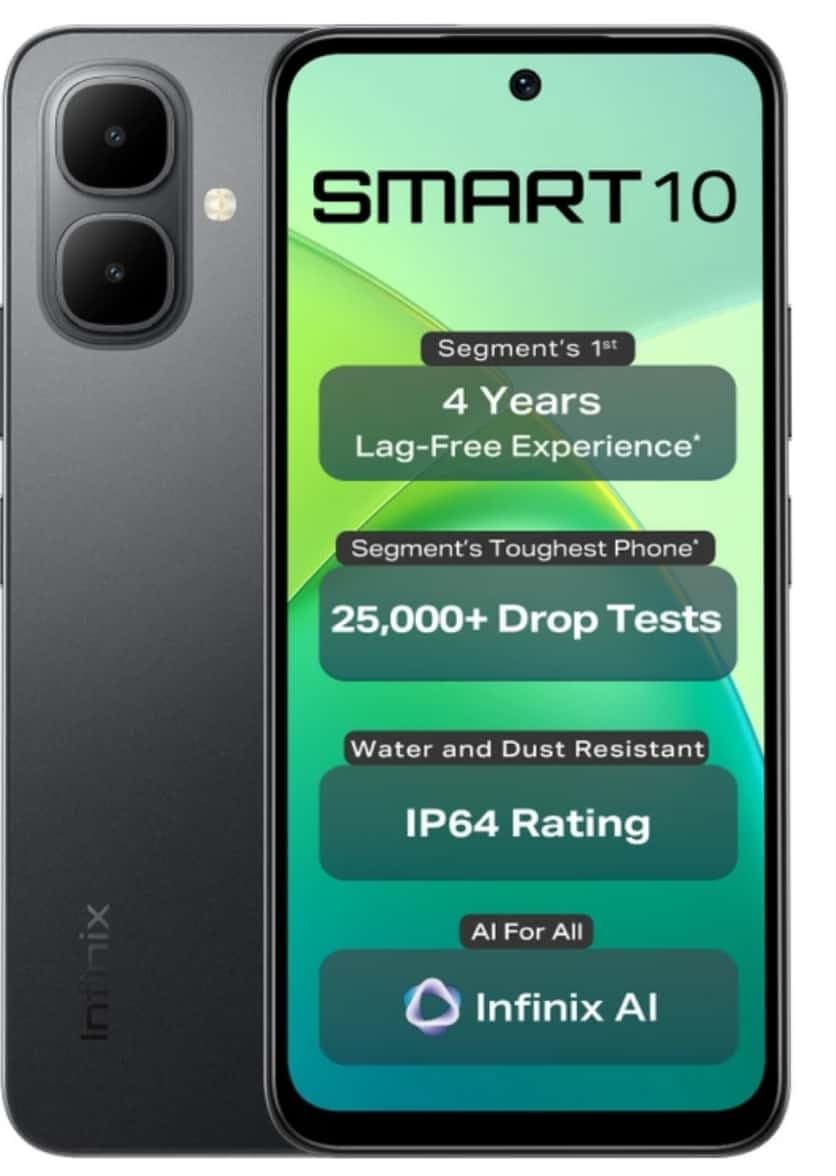
Image: Infinix Smart 10 smartphone, showcasing its design and highlighted features such as durability and performance.
2. Peranti Lebihview
Familiarize yourself with the physical components of your Infinix Smart 10.
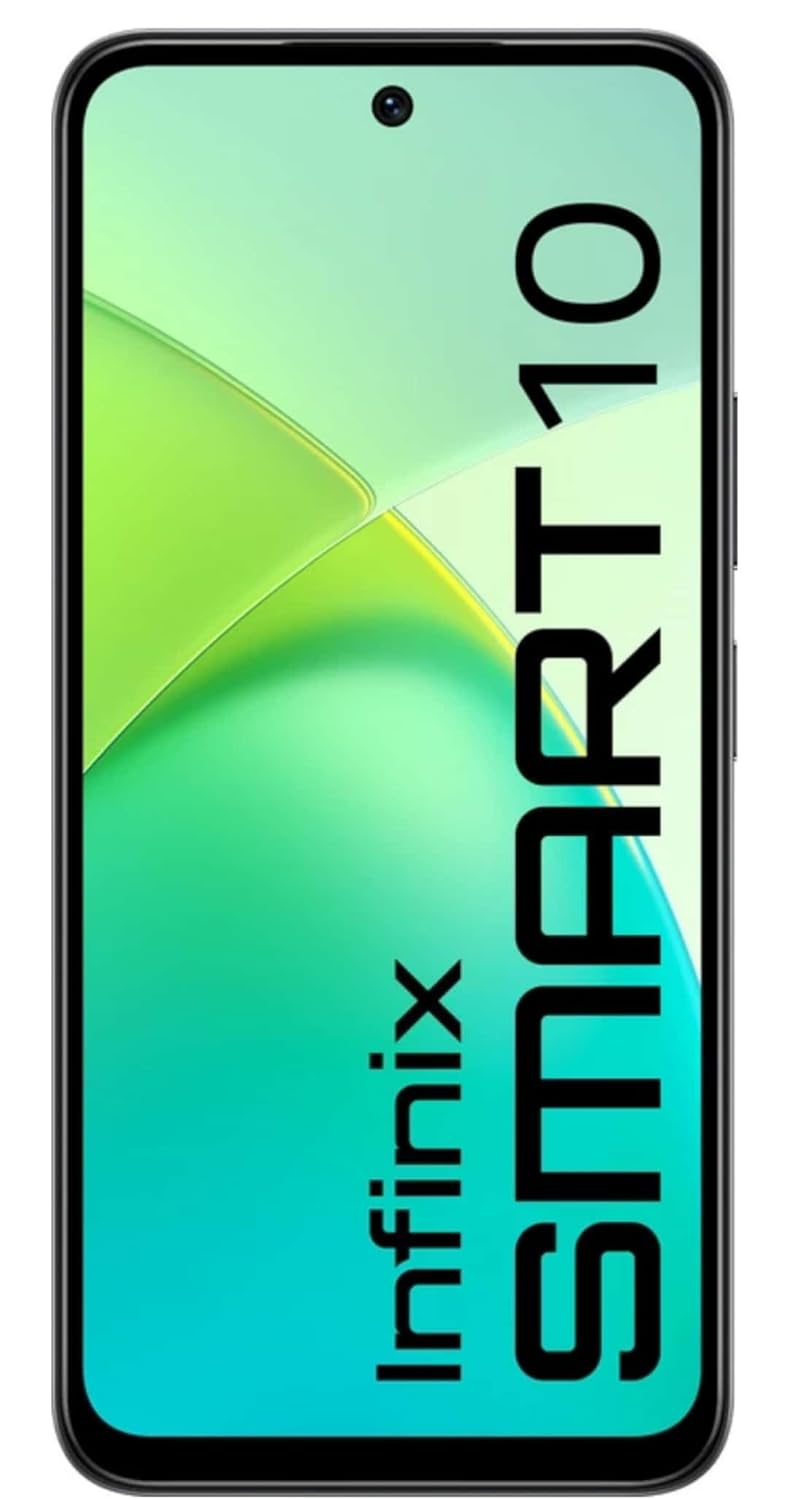
Imej: Depan view of the Infinix Smart 10, displaying its screen.

Imej: Belakang view of the Infinix Smart 10, showing the camera setup and branding.
3. Persediaan
3.1 Membuka Kotak dan Kandungan Pakej
Setelah membuka bungkusan, pastikan semua barang ada:
- Infinix Smart 10 Smartphone
- Alat dengar
- Kabel Pengecasan (USB)
- Penyesuai Kuasa
- Alat Ejector SIM
- Panduan Mula Pantas
- Kad Waranti
3.2 Memasukkan Kad SIM dan MicroSD
- Cari dulang SIM di sisi peranti.
- Masukkan alat ejektor SIM ke dalam lubang kecil di sebelah dulang dan tekan perlahan-lahan sehingga dulang terkeluar.
- Letakkan kad Nano-SIM dan/atau kad microSD anda ke dalam slot yang ditetapkan pada dulang, pastikan orientasinya betul.
- Tolak dulang kembali ke dalam peranti dengan berhati-hati sehingga rata dengan sisi.
3.3 Hidupkan dan Persediaan Awal
- Press and hold the Power button until the Infinix logo appears.
- Ikut arahan pada skrin untuk memilih bahasa anda, sambung ke Wi-Fi, sediakan akaun Google anda dan konfigurasikan tetapan keselamatan.
3.4 Mengecas Peranti
Before first use, fully charge your Infinix Smart 10. Connect the USB cable to the charging port on your phone and the power adapter, then plug the adapter into a power outlet. The battery indicator will show charging status.

Image: The Infinix Smart 10 connected to a charger, illustrating its 5000mAh battery.
4. Mengendalikan Peranti Anda
4.1 Navigasi Asas
Your Infinix Smart 10 uses a touchscreen interface. Common gestures include:
- Ketik: Pilih item atau buka aplikasi.
- Leret: Tatal melalui skrin atau senarai.
- Cubit: Zum masuk atau keluar pada imej dan web muka surat.
- Tekan lama: Akses menu kontekstual atau alihkan ikon.
4.2 Ciri Paparan
The device features a 16.94 cm (6.67 inch) HD+ Display with a 120Hz refresh rate, designed for smooth visuals even in bright conditions.

Image: The Infinix Smart 10 display showcasing vibrant visuals and the 120Hz refresh rate.
4.3 Operasi Kamera
The Infinix Smart 10 is equipped with an 8MP front camera and an 8MP dual rear camera, capable of 2K video recording. It includes a Dual LED Flash, Dual Video Mode for simultaneous front and rear recording, and a Pro Mode for advanced photography.

Image: A user demonstrating the camera features of the Infinix Smart 10, highlighting its various modes and specifications.
4.4 Pengurusan Bateri
Your device is powered by a 5000 mAh battery, offering extended usage times. To optimize battery life:
- Laraskan kecerahan skrin.
- Tutup aplikasi yang tidak digunakan.
- Lumpuhkan Wi-Fi, Bluetooth dan GPS apabila tidak digunakan.
- Utilize power-saving modes.
4.5 Processor Performance
The Infinix Smart 10 is powered by the UniSoc T7250 Processor, designed for efficient performance and a smooth user experience, certified for 48-month TÜV Fluency.

Image: A visual representation of the UniSoc T7250 processor, highlighting its performance capabilities.
4.6 Ketersambungan
The device supports Wi-Fi for internet access and Bluetooth for connecting to wireless accessories. Access these settings via the Quick Settings panel or the main Settings menu.
5. Penyelenggaraan
5.1 Penjagaan Am
To maintain your device:
- Bersihkan skrin dan badan dengan kain lembut dan tidak berbulu.
- Elakkan mendedahkan telefon kepada suhu yang melampau atau cahaya matahari langsung untuk tempoh yang lama.
- Jangan gunakan bahan kimia yang keras atau bahan kasar untuk pembersihan.
5.2 Ciri Ketahanan
The Infinix Smart 10 is designed with durability in mind, featuring an IP64 rating for water and dust resistance, and has undergone over 25,000 drop tests, including 1.5-meter 6-sided drop tests.

Image: The Infinix Smart 10 demonstrating its robust build and resistance to drops.
5.3 Kemas Kini Perisian
Semak dan pasang kemas kini perisian secara kerap untuk memastikan peranti anda mempunyai ciri terkini, tampung keselamatan dan peningkatan prestasi. Navigasi ke Tetapan > Sistem > Kemas kini sistem untuk menyemak kemas kini.
6. Penyelesaian masalah
Jika anda menghadapi masalah dengan peranti anda, cuba langkah berikut:
- Peranti tidak dihidupkan: Pastikan bateri dicas. Sambungkan ke pengecas dan tunggu beberapa minit sebelum cuba menghidupkan semula.
- Apl ranap atau beku: Close and restart the app. If the issue persists, clear the app's cache (Settings > Apps > [App Name] > Storage > Clear cache).
- Sambungan rangkaian yang lemah: Periksa sama ada Mod Pesawat dimatikan. Mulakan semula peranti. Sahkan kad SIM anda telah dimasukkan dengan betul.
- Device slow performance: Close background apps. Clear cache and temporary files. Pertimbangkan tetapan semula kilang sebagai pilihan terakhir (buat sandaran data anda terlebih dahulu).
6.1 Tetapan Semula Kilang
Tetapan semula kilang akan memadamkan semua data daripada telefon anda dan memulihkannya kepada tetapan kilang asalnya. Sandarkan semua data penting sebelum meneruskan. Untuk melakukan tetapan semula kilang, pergi ke Tetapan > Sistem > Tetapkan semula pilihan > Padam semua data (tetapan semula kilang).
7. Spesifikasi
| Ciri | Spesifikasi |
|---|---|
| Nombor Model | X6725 |
| Sistem Operasi | Android 15 |
| RAM | 4 GB |
| Storan Dalaman | 64 GB ROM |
| Paparan | 16.94 cm (6.67 inch) HD+ Display, 120Hz |
| Kamera Belakang | 8MP Dual Camera, 2K Video Recording, Dual LED Flash |
| Kamera Depan | 8MP, 2K Video Recording |
| Bateri | 5000 mAh |
| Pemproses | UniSoc T7250 |
| Ketersambungan | Wi-Fi |
| Dimensi (LxWxH) | 8 x 77 x 166 Milimeter |
| Berat Barang | 187 g |
| warna | Pulse Green (Note: Color may vary by region/variant) |
| Ciri Khas | IP64 Water and Dust Resistant, 25,000+ Drop Tests |
8. Waranti dan Sokongan
8.1 Maklumat Waranti
Your Infinix Smart 10 comes with a standard manufacturer's warranty. Please refer to the warranty card included in your package for specific terms, conditions, and duration. Keep your proof of purchase for warranty claims.
8.2 Sokongan Pelanggan
For technical assistance, service, or further inquiries, please contact Infinix customer support through their official webtapak atau maklumat hubungan yang diberikan dalam dokumentasi jaminan anda.