
1. Pengenalan
This manual provides detailed instructions for the setup, operation, and maintenance of your POLONO PM220S Label Maker Machine. Please read this manual thoroughly before using the device to ensure proper function and longevity.
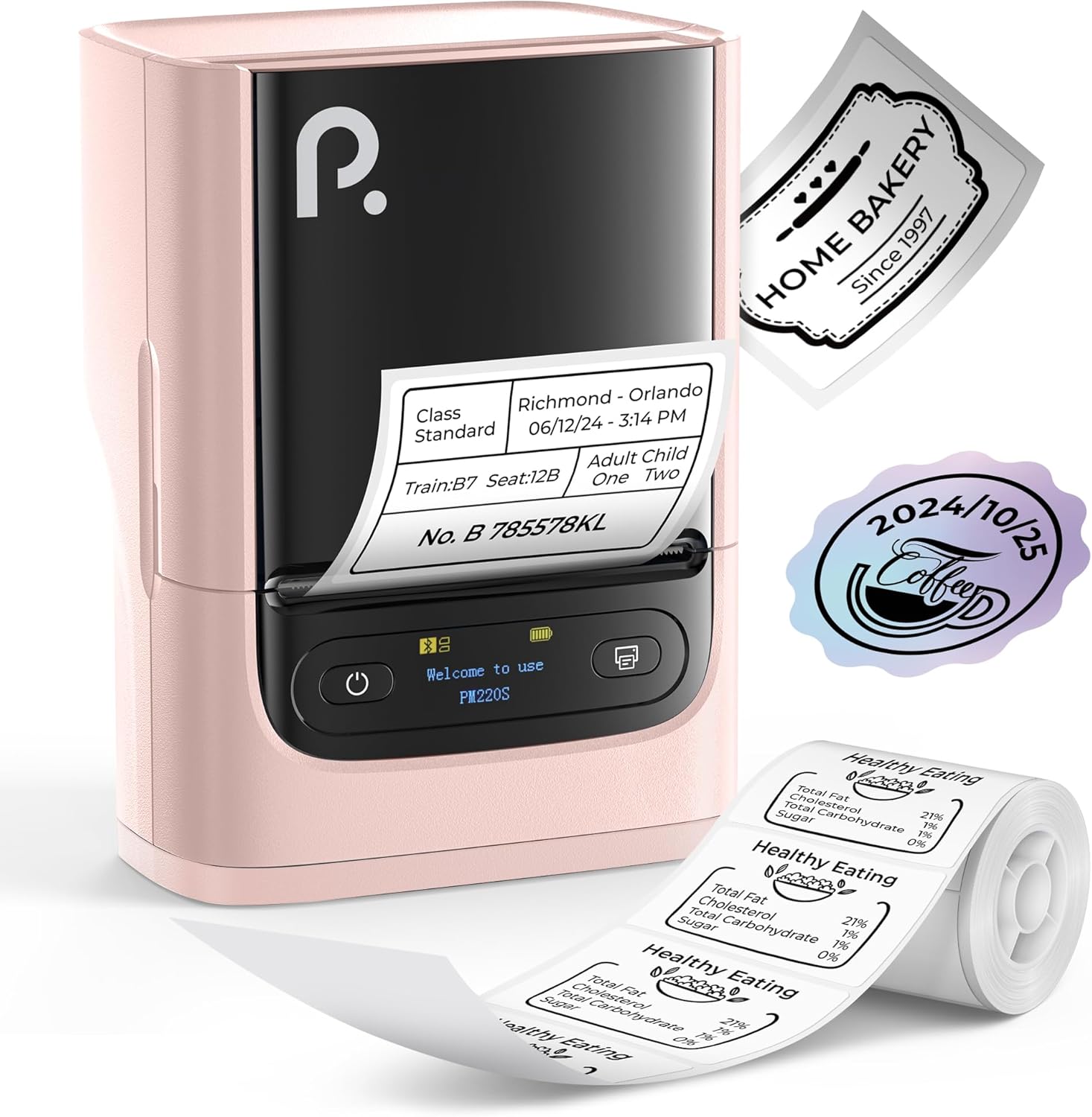
Figure 1: POLONO PM220S Label Maker Machine with sample label.
2. Produk Lebihview
2.1 Komponen yang Disertakan
- POLONO PM220S Label Maker Machine
- Label Tape (50x30mm, pre-installed or included)
- Kabel Pengecas USB
- Manual Pengguna (dokumen ini)
2.2 Ciri-ciri Utama
- Kesambungan Bluetooth: Seamless connection with iOS, Android, and PC devices.
- Intuitive LED Screen: Displays battery level, Bluetooth connection status, and alerts for paper shortages or timed shutdowns.
- Feature-Rich "Labelnize" App: Offers label templates, supports QR codes, barcodes, tables, text, icons, 90+ fonts, 14+ languages, and 450+ material presets.
- Premium Thermal Printing: BPA-Free Direct Thermal Technology with 203 DPI for high-definition, inkless printing.
- Keserasian Label Lebar: Supports label widths from 23-54mm (0.91"-2.12").
- Reka Bentuk Mudah Alih: Compact and lightweight for easy transport and use in various environments.
3. Arahan Persediaan
3.1 Mengecas Peranti
Before first use, fully charge the label maker using the provided USB cable. The LED screen will indicate charging status.
3.2 App Installation and Driver Download
For mobile devices (iOS/Android), download the "Labelnize" app from your respective app store. For PC users, visit polono.com to download the necessary driver and application.

Figure 2: Universal compatibility with smartphones and laptops for app and driver installation.
3.3 Menyambung melalui Bluetooth
- Ensure the PM220S is powered on.
- On your mobile device, open the "Labelnize" app.
- Within the app, search for and connect to the PM220S via Bluetooth. Do not connect directly via your device's Bluetooth settings for mobile devices.
- For PC, ensure the driver is installed, then connect through the downloaded application.
3.4 Memuatkan Pita Label
- Open the label compartment cover.
- Masukkan gulungan label dengan permukaan pencetakan menghadap ke atas.
- Adjust the paper slot guides to secure the tape according to its width (23-54mm) for precise alignment.
- Tutup penutup.

Figure 3: Proper loading of label tape into the PM220S.
4. Arahan Operasi
4.1 Using the "Labelnize" App
- Open the "Labelnize" app on your connected device.
- Select from various pre-designed templates or create your own custom labels.
- The app allows you to add text, barcodes, QR codes, tables, icons, and more.
- Customize labels using a selection of over 90 fonts and 14 languages.
- Utilize the 450+ material presets for different label applications.
- Penting: For optimal results, use specialized POLONO labels. Avoid tearing the green back sticker to prevent printing issues.
4.2 Understanding the LED Screen Display
The integrated LED screen provides real-time feedback on the printer's status:
- Tahap Bateri: Indicates the current charge of the device.
- Sambungan Bluetooth: Shows if the device is successfully connected via Bluetooth.
- Kertas Shortage Makluman: Notifies when the label roll is low or empty.
- Penutupan Masa: Displays countdown for automatic power-off to conserve battery.

Figure 4: LED screen display functions for real-time status monitoring.
4.3 Mencetak Label
- Design your label within the "Labelnize" app.
- Review the label preview to ensure accuracy.
- Tap the "Print" button in the app.
- The label maker will print the label using thermal technology.
- Carefully tear off the printed label.
5. Penyelenggaraan
5.1 Penjagaan Am
- Pastikan peranti bersih dan bebas daripada habuk dan serpihan.
- Elakkan daripada mendedahkan peranti kepada suhu yang melampau atau cahaya matahari langsung.
- Simpan peranti di tempat yang kering apabila tidak digunakan.
5.2 Membersihkan Kepala Cetak
If print quality degrades, the thermal print head may need cleaning:
- Turn off the label maker and disconnect it from any power source.
- Buka petak label.
- Lap perlahan-lahan kepala cetakan haba dengan kapas dengan perlahan dampditambah dengan isopropil alkohol.
- Biarkan kepala cetak kering sepenuhnya sebelum menutup penutup dan menyambung semula penggunaan.
6. Penyelesaian masalah
| Masalah | Kemungkinan Punca | Penyelesaian |
|---|---|---|
| Peranti tidak dihidupkan | Masalah bateri atau kuasa lemah. | Charge the device fully. Ensure the power button is pressed correctly. |
| Tidak dapat menyambung melalui Bluetooth | Incorrect connection method or app issue. | Ensure you are connecting through the "Labelnize" app, not directly via phone settings. Restart both the device and the app. For PC, verify driver installation. |
| Poor print quality / Faint printing | Dirty print head, incorrect label type, or low battery. | Clean the print head (see Section 5.2). Ensure you are using thermal labels. Charge the device. |
| Labels are misaligned or jammed | Improper label loading or paper slot adjustment. | Open the cover, remove any jammed labels, and reload the tape ensuring the paper slot guides are adjusted correctly for the label width. Avoid tearing the green back sticker. |
| "Paper Shortage" alert | Label roll is empty or incorrectly loaded. | Replace the label roll or re-seat it correctly. |
7. Spesifikasi
| Jenama | POLONO |
| Nama Model | PM220S |
| Teknologi Ketersambungan | Bluetooth |
| Teknologi Percetakan | terma |
| Resolusi Cetakan Maks | 203 DPI |
| Kelajuan Cetakan Maks (Monokrom) | 45.0 mm/s |
| Ukuran Media yang Disokong | 23-54mm (0.91"-2.12") width, 50x30mm included |
| Dimensi Produk | 3.3"D x 4.4"W x 2.5"H (8.4 x 11.2 x 6.4 cm) |
| Berat Barang | 13.4 auns (380g) |
| Ciri Khas | Portable, Inkless Printing, LED Display |
8. Waranti dan Sokongan
For warranty information, technical support, or to purchase accessories and replacement labels, please visit the official POLONO webtapak di polono.com or contact POLONO customer service directly.
Sila simpan bukti pembelian anda untuk tuntutan waranti.