
1. Pengenalan
Welcome to the DOOGEE Note56 user manual. This guide provides essential information on setting up, operating, and maintaining your new smartphone. The DOOGEE Note56 is a SIM-free smartphone running on Android 16, featuring a 6.56-inch 90Hz HD+ display, a large 6150mAh battery, and an 8MP AI camera. Please read this manual carefully to ensure optimal performance and longevity of your device.
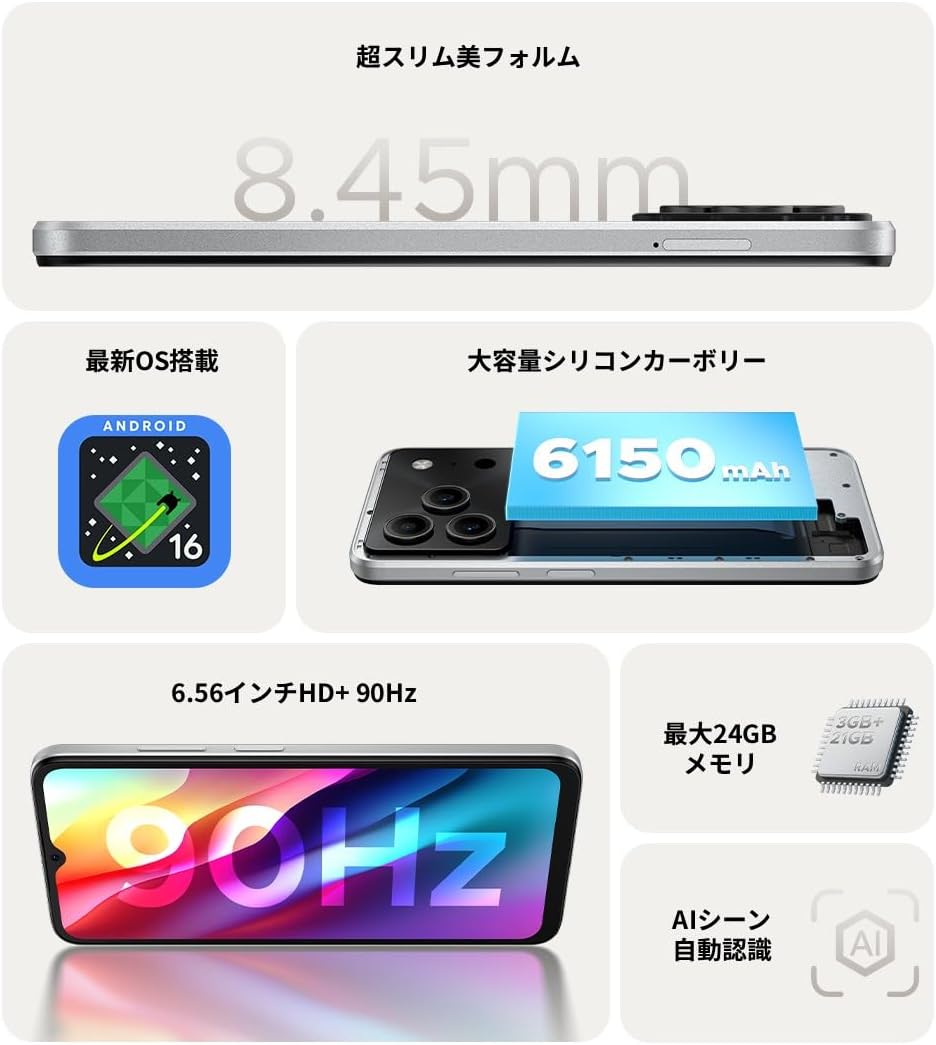
Gambar 1.1: Lebihview of DOOGEE Note56 key features.
2. Peranti Lebihview
The DOOGEE Note56 is designed with a sleek and lightweight profile, measuring 8.45mm thin and weighing 195g. It features a geometric lens module for its camera system and a durable build.

Figure 2.1: The ultra-slim and lightweight design of the DOOGEE Note56.
3. Bermula
3.1 Kandungan Pakej
Pastikan semua item terdapat dalam pakej produk anda:
- 1 x DOOGEE Note56 Smartphone
- 1 x Kabel USB Jenis-C
- 1 x Penyesuai Kuasa
- 1 x Pre-applied Protective Film
- 1 x Pin Pengecut Dulang SIM
- 1 x kes telefon
- 1 x Kotak Pakej
- 1 x Manual Arahan
- 1 x Kad Waranti

Figure 3.1: Included accessories with your DOOGEE Note56.
3.2 Pemasangan Kad SIM
Your DOOGEE Note56 supports Dual SIM functionality. To install your SIM card(s):
- Cari dulang SIM di sisi peranti.
- Insert the SIM ejector pin into the small hole next to the tray and press gently until the tray pops out.
- Letakkan kad Nano-SIM dan/atau kad microSD anda ke dalam slot yang ditetapkan pada dulang. Pastikan sesentuh emas menghadap ke bawah.
- Tolak dulang kembali ke dalam peranti dengan berhati-hati sehingga rata dengan sisi.
3.3 Hidupkan dan Persediaan Awal
Untuk menghidupkan peranti anda buat kali pertama:
- Tekan dan tahan butang Kuasa sehingga logo DOOGEE muncul.
- Ikut gesaan pada skrin untuk memilih bahasa anda, menyambung ke Wi-Fi dan menyediakan akaun Google anda.
- You can also set up security features like face recognition during this process.
3.4 Mengecas Peranti
Connect the Type-C USB cable to the charging port at the bottom of the phone and the other end to the power adapter. Plug the adapter into a wall outlet. The battery indicator on the screen will show charging status. For optimal battery life, fully charge the device before first use.
4. Mengendalikan Peranti Anda
4.1 Sistem Pengoperasian Android 16
The DOOGEE Note56 runs on the latest Android 16 operating system, offering a faster, more secure, and intuitive user experience. Key features include:
- Prestasi Dipertingkat: Improved app launch speeds and overall system responsiveness.
- Simplified UI: An easy-to-navigate interface suitable for all users.
- Stronger Security: Advanced privacy protection features to keep your data safe.
- Ciri Pintar: Customize screen colors, Super Clipboard, Dual System Mode, Smart Body Sensing, Memory Expansion, and Screen Optimization.

Rajah 4.1: Ciri-ciri utama sistem pengendalian Android 16.
4.2 Ciri Paparan
Experience smooth visuals on the 6.56-inch HD+ IPS display with a 90Hz refresh rate. This ensures fluid scrolling and video playback, reducing eye strain. The display also includes dedicated Reading Mode and Night Mode for comfortable viewdalam pelbagai keadaan pencahayaan.

Figure 4.2: The 6.56-inch HD+ 90Hz display for a smooth visual experience.
4.3 Fungsi Kamera
Capture vibrant and natural photos with the 8MP AI main camera and 5MP front camera. The AI correction automatically optimizes settings for various scenes, including people, landscapes, and food. Enjoy diverse shooting modes:
- HDR: For balanced exposure in challenging lighting.
- Mod Pro: Kawalan manual ke atas tetapan kamera.
- Tangkapan Senyuman: Mengambil foto secara automatik apabila senyuman dikesan.
- Panorama: Capture wide scenic views.
- Mod Malam: Improved low-light photography.
- Penapis: Apply various effects to your photos.
- Beauty Mode (Front Camera): Enhance selfies.
- Portrait Effects (Front Camera): Add depth to your selfies.

Figure 4.3: AI scene recognition automatically adjusts camera settings for optimal results.

Figure 4.4: Capturing clear moments with the 8MP main camera.

Figure 4.5: Easy selfies with the 5MP front camera.
4.4 Pengurusan Bateri
The DOOGEE Note56 is equipped with a large 6150mAh Silicon-Carbon battery, providing extended usage throughout the day. The convenient Type-C charging port ensures easy and smooth charging.
- Supports approximately 1000 charge/discharge cycles.
- 20% smaller in size for a lighter design.
- Estimated usage times: 7 hours web browsing, 49.5 hours music playing, 14 hours video watching, 28 hours calling.
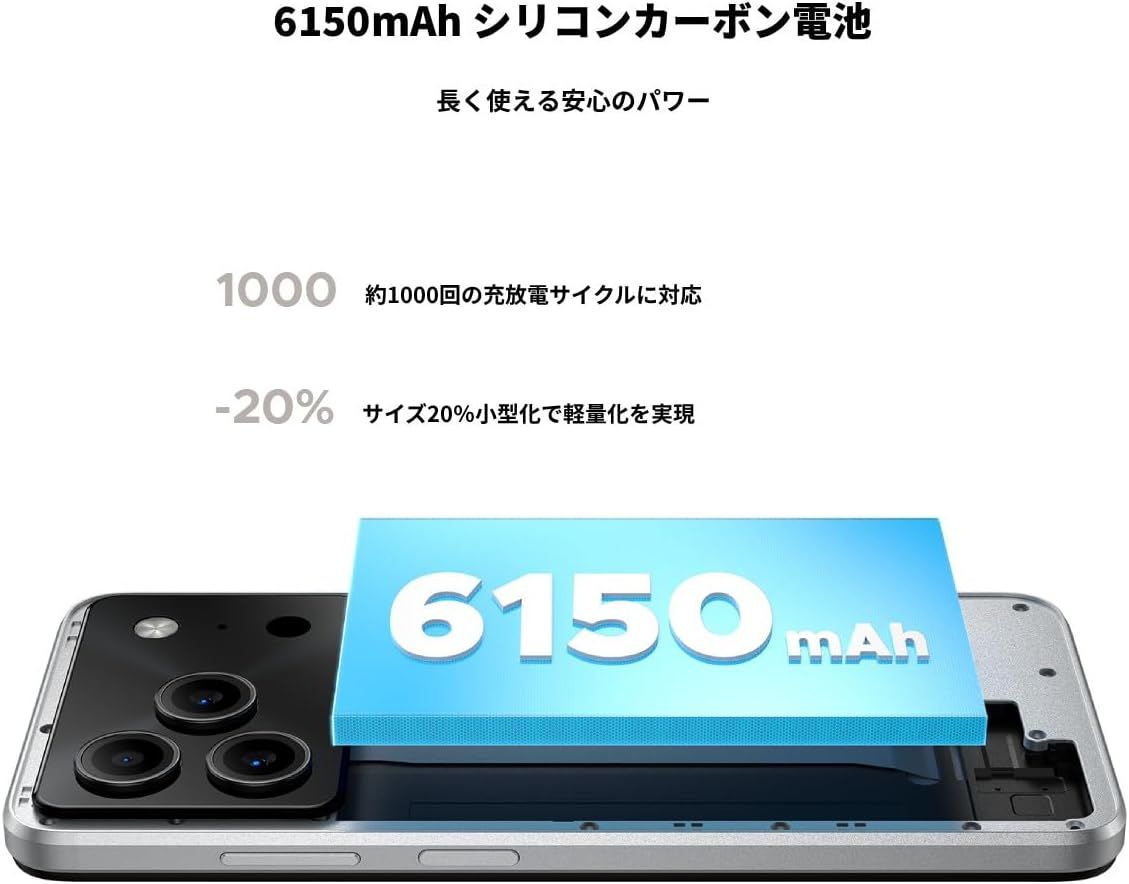
Figure 4.6: The 6150mAh Silicon-Carbon battery provides long-lasting power.

Figure 4.7: Slim design with powerful battery performance.
4.5 Prestasi dan Penyimpanan
The DOOGEE Note56 is powered by a Unisoc SC9863A Octa-core processor for smooth and efficient operation. It comes with 24GB of RAM (including virtual expansion) and 64GB of internal storage, expandable up to 2TB with a microSD card, ensuring ample space for your apps, photos, and files.

Figure 4.8: Internal memory configuration for smooth multitasking.
4.6 Kesambungan dan Ciri-ciri Lain
The device supports 4G Dual SIM, allowing you to manage work and personal life separately. It includes standard connectivity options like Bluetooth and Wi-Fi. Additional features:
- USB OTG: Sambungkan peranti USB luaran.
- GPS: For accurate navigation.
- Bicu Fon Kepala 3.5mm: Enjoy music and calls with wired headphones.
- Radio FM: Listen to your favorite radio stations anytime.

Figure 4.9: Face recognition, GPS navigation, and FM radio features.

Figure 4.10: Connect wired headphones via the 3.5mm jack.
4.7 Ciri Keselamatan
The DOOGEE Note56 offers convenient and secure unlocking methods:
- Pengecaman Muka: Unlock your device quickly and securely using your face.
- Pengecaman Cap Jari: (If applicable, check device for sensor) Another secure method for unlocking and authenticating.
5. Penyelenggaraan dan Penjagaan
To ensure the longevity and optimal performance of your DOOGEE Note56, follow these maintenance guidelines:
- Pembersihan: Gunakan kain lembut dan tidak berbulu untuk membersihkan skrin dan badan. Elakkan bahan kimia yang keras atau bahan yang melelas.
- Keadaan Persekitaran: Elakkan mendedahkan peranti kepada suhu yang melampau, cahaya matahari langsung atau kelembapan berlebihan.
- Kemas Kini Perisian: Semak dan pasang kemas kini sistem secara kerap untuk mendapat manfaat daripada ciri terkini, tampung keselamatan dan peningkatan prestasi.
- Penjagaan Bateri: Avoid fully discharging the battery frequently. For long-term storage, keep the battery charged to around 50%.
- Perlindungan: Use the provided phone case and screen protector to guard against scratches and minor impacts.
6. Penyelesaian masalah
If you encounter issues with your DOOGEE Note56, try the following basic troubleshooting steps:
- Peranti Tidak Dihidupkan: Pastikan bateri dicas. Sambungkan pengecas dan tunggu beberapa minit sebelum cuba menghidupkan semula.
- Isu Pengecasan: Check the charging cable and adapter for damage. Try a different outlet or charging accessory.
- Masalah Ketersambungan Rangkaian: Ensure your SIM card is correctly inserted. Check if airplane mode is off. Restart the device.
- Aplikasi Terhenti/Ranap: Close the problematic app and reopen it. If the issue persists, restart your phone.
- Prestasi Perlahan: Close unnecessary background apps. Clear cache for frequently used apps. Consider freeing up storage space.
For more detailed troubleshooting or persistent issues, please refer to the FAQ section on the product page or contact customer support.
7. Spesifikasi
Key technical specifications for the DOOGEE Note56:
| Ciri | Spesifikasi |
|---|---|
| Saiz Skrin | 6.56 inci |
| Kapasiti Bateri | 6150 mAh |
| warna | putih |
| Nama Jenama | DOOGEE |
| Pengeluar | DOOGEE |
| Tahun Keluaran | 2025 |
| Komponen yang Disertakan | SIM Tray Ejector, USB Cable, Power Adapter, Phone Case |
| OS yang serasi | Android 16 |
| Fungsi Lain | USB OTG, Dual SIM, Expandable Memory |
| Ketersambungan | Bluetooth, WiFi |
| Jenis Paparan | LCD |
| Dimensi Produk | 16.38 x 7.58 x 0.84cm; 195g |
| Sistem Operasi | Android 16 |
| Saiz RAM yang Dipasang | 24 GB |
| Kelajuan CPU | 1.6 GHz |
| Kapasiti Penyimpanan Memori | 64 GB |
8. Waranti dan Sokongan
Your DOOGEE Note56 comes with a 12-month quality warranty (excluding human-caused damage) and a 30-day refund guarantee. The product is fully compatible with major Japanese carrier networks.
If you require support or have any questions, please contact our customer service. You can typically find contact information by clicking on the seller's name below the "Add to Cart" button on the product page and selecting "Ask a Question."