
1. Produk Lebihview
The SPIKECAM Z9 is a compact, computer-free body camera designed for personal security, recording high-definition video and audio. It features night vision, an SOS sound function, and versatile mounting options, making it suitable for various activities such as security, running, and biking.

Imej: Depan view of the SPIKECAM Z9 Body Camera, showcasing reka bentuknya yang padat.
Kandungan Pakej
Before use, please ensure all items are present in the package:
- SPIKECAM Z9 Main Camera
- Kabel USB
- Manual Pengguna
- Type C OTG Adapter
- Standard Back Clip
- 360° Rotational Back Clip
- Tripod Mini
- Gunung Basikal
- Lanyard Cord
- Pembaca Kad TF
- Kad SD Mikro 64GB (dipasang)
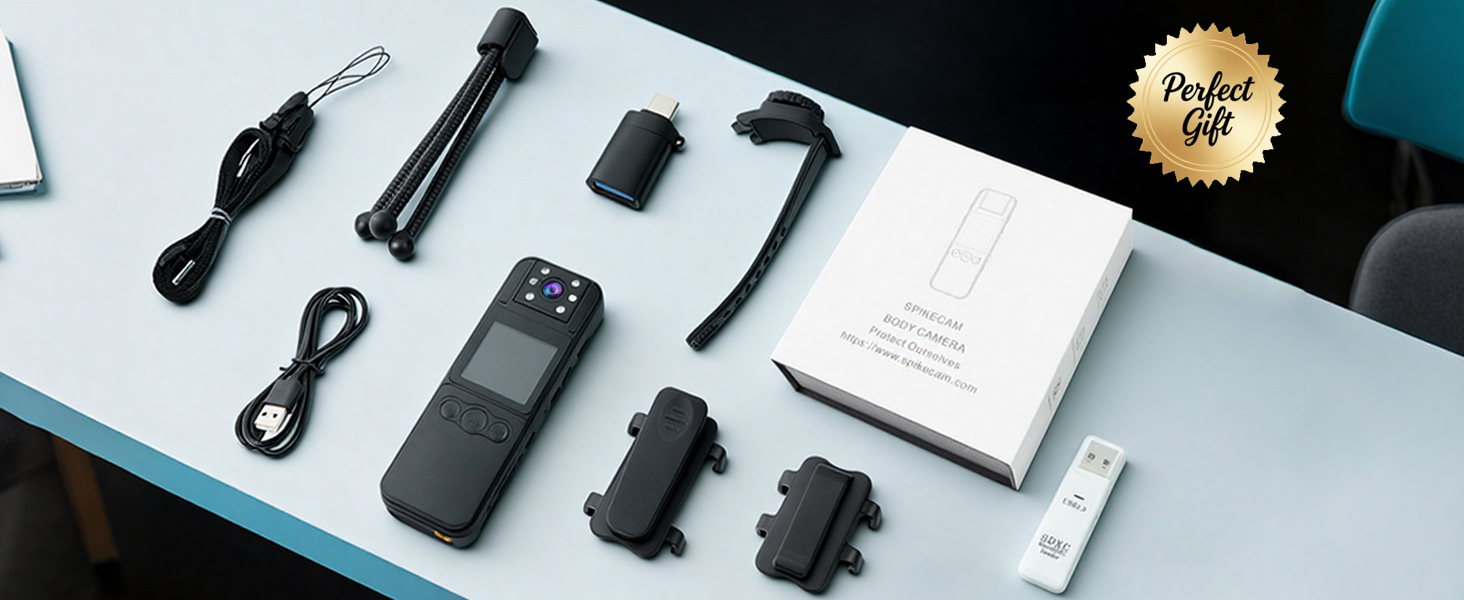
Image: A flat lay of all included accessories: camera, clips, cables, tripod, bike mount, and card reader.
2. Persediaan
Mengecas Peranti
Before first use, fully charge the SPIKECAM Z9. Connect the camera to a USB power source using the provided USB cable. The charging indicator light will show the charging status and turn off when fully charged.
Memasukkan Kad Micro SD
The camera comes with a 64GB Micro SD card pre-installed. If you need to replace or upgrade the card (supports up to 512GB), ensure the camera is powered off. Locate the Micro SD card slot, gently insert the card with the contacts facing the correct direction until it clicks into place. To remove, press the card gently until it springs out.

Image: The SPIKECAM Z9 connected to a laptop, illustrating the Micro SD card slot and card insertion.
Attaching the Clips and Mounts
The SPIKECAM Z9 includes two types of back clips and additional mounts for versatile attachment:
- Standard Clip: For fixed attachment to clothing, bags, or other surfaces.
- 360° Rotational Clip: Allows for flexible camera positioning and angle adjustment.
- Bike Mount: Securely attach the camera to bicycle handlebars.
- Mini Tripod: For stable placement on flat surfaces.
To attach a clip, align the clip with the grooves on the back of the camera and slide it until it locks into place. Ensure it is securely fastened before use.
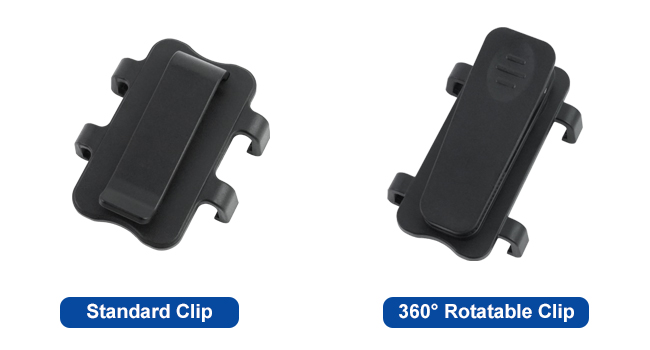
Image: A visual comparison of the standard clip and the 360° rotatable clip.
3. Arahan Operasi
Hidupkan/Mati Kuasa
- Hidupkan kuasa: Tekan dan tahan butang Kuasa selama beberapa saat sehingga skrin menyala.
- Matikan: Tekan dan tahan butang Kuasa sehingga peranti dimatikan.
Rakaman Video
To start video recording, press the Record button. The recording indicator (usually a red dot on the screen) will appear. Press the Record button again to stop recording. Videos are saved as 1080P MP4 files.

Image: A person wearing the SPIKECAM Z9, illustrating its use for continuous 1080P video recording.
Tangkap Foto
Switch to photo mode (refer to the on-screen menu or dedicated button if available). Press the Shutter button to take a still image. Photos are saved as JPEG files with an effective resolution of 4 MP.
Penglihatan Malam
The camera features night vision for recording in low-light conditions. Activate night vision through the camera's menu settings. The camera will automatically adjust to capture clearer images in the dark.

Image: Demonstration of night vision, showing a dark indoor scene with enhanced visibility.
Fungsi SOS
In an emergency, activate the SOS function. This typically involves pressing and holding a designated SOS button (refer to your device's physical layout). The camera will emit a loud alarm sound and flash red LED lights to attract attention.
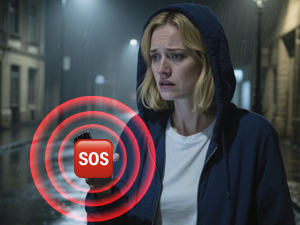
Image: Visual representation of the SOS siren feature being activated on the camera.
Playback and Data Transfer
Anda boleh semulaview dirakam footage directly on the camera's 1.5-inch LCD screen. Navigate through files using the control buttons. For larger viewing or data backup, connect the camera to a computer using the USB cable or use the provided Type C OTG adapter to connect to a compatible mobile phone. The TF Card Reader can also be used to access files directly from the Micro SD card on a computer.

Image: A user reviewing recorded video on a smartphone via the OTG function.
4. Penyelenggaraan
Pembersihan
Use a soft, dry cloth to clean the camera body. For the lens, use a specialized lens cleaning cloth and solution. Avoid using harsh chemicals or abrasive materials that could damage the device.
Penyimpanan
Store the camera in a cool, dry place away from direct sunlight and extreme temperatures. Ensure the battery is partially charged (around 50%) if storing for extended periods to maintain battery health.
Penjagaan Bateri
The camera is powered by a nonstandard battery. To maximize battery life, avoid fully discharging the battery frequently. Charge the device regularly, especially if it has not been used for a long time.
5. Penyelesaian masalah
Kamera Tidak Dihidupkan
- Pastikan bateri telah dicas. Sambungkan kamera ke sumber kuasa dan cuba lagi.
- Tekan dan tahan butang Kuasa untuk tempoh yang lebih lama (5-10 saat).
Recording Issues (e.g., not saving, corrupted files)
- Check if the Micro SD card is properly inserted.
- Ensure there is sufficient storage space on the Micro SD card.
- Format the Micro SD card (this will erase all data, so back up important files pertama).
- Use a high-speed Micro SD card (Class 10, U1, V30 recommended).
Kualiti Video/Foto yang Buruk
- Bersihkan lensa kamera.
- Ensure adequate lighting for optimal recording, or activate night vision in dark environments.
Device Freezes or Becomes Unresponsive
- Perform a soft reset by pressing and holding the Power button until the device restarts.
- If a reset button is available (often a small pinhole), use a thin object to press it.
6. Spesifikasi
| Ciri | Spesifikasi |
|---|---|
| Jenama | SPIKECAM |
| Nombor Model | Z9 |
| Resolusi Tangkapan Video | 1080p |
| Resolusi Pegun Berkesan | 4 MP |
| Teknologi Penderia Foto | CMOS |
| Saiz Skrin | 1.5 Inci |
| Viewsudut | 110 Darjah |
| Jenis Memori Denyar | Micro SD (64GB included, up to 512GB supported) |
| Format Tangkapan Video | MP4 |
| Format Audio yang Disokong | WAV |
| Purata Hayat Bateri | 6 Jam |
| Ciri-ciri | Night Vision, SOS Sound |
| Teknologi Ketersambungan | USB |
| Tahap Ketahanan Air | Tahan Air |
| Dimensi Item (D x W x H) | 0.67"D x 1.38"W x 4.13"H |
7. Waranti dan Sokongan
Maklumat Waranti
The SPIKECAM Z9 Body Camera comes with a Waranti terhad 1 tahun from the date of purchase, covering manufacturing defects. Additionally, SPIKECAM offers a lifetime clip protection plan, allowing for a replacement clip at any time if it breaks.
Sila simpan bukti pembelian anda untuk tuntutan waranti.
Sokongan Pelanggan
For technical assistance, troubleshooting not covered in this manual, or warranty inquiries, please contact SPIKECAM customer support through their official webtapak atau maklumat hubungan yang diberikan bersama pembungkusan produk anda.