1. Pengenalan
This manual provides detailed instructions for the VOPLLS Q5 Smart Mini Projector. Please read this manual thoroughly before using the product to ensure proper operation and to maximize your viewpengalaman dalam. Simpan manual ini untuk rujukan masa hadapan.
2. Apa yang ada di dalam Kotak
- VOPLLS Q5 Smart Mini Projector
- Pendirian Pusing 360°
- Alat Kawalan Jauh (bateri tidak disertakan)
- HDMI Cable (1.5m/4.92ft)
- Power Cord (2m/6.56ft)
- Manual Pengguna (dokumen ini)
3. Ciri-ciri Utama
- Officially-Licensed Apps: Pre-installed streaming services like Netflix, YouTube, and Prime Video, with support for 4K HDR content within the app.
- Reka Bentuk Anggun & Mudah Alih: Ultra-thin at 1.81 inches and lightweight (0.79 kg / 1.74 lbs) for easy transport.
- Automatic Focus & Keystone Correction: Features automatic fast focus and 6D all-around keystone correction for instant clarity and precise image alignment.
- Native 1080P Resolution: Delivers vivid, color-accurate, and sharp visuals with native Full HD 1080P resolution and 4K playback compatibility.
- Pendirian Boleh Laras 360°: Integrated rotatable stand allows for flexible projection angles, including ceiling projection.
- Kesambungan Lanjutan: Equipped with WiFi 6 for stable, rapid signal transmission and Bluetooth 5.2 for seamless audio sync with external speakers.
- Authentic Brightness: Certified 320 ANSI lumens for clear visuals in various environments.
4. Produk Lebihview

Rajah 4.1: VOPLLS Q5 Smart Mini Projector on its adjustable stand.

Rajah 4.2: Berakhirview of key features and design elements.
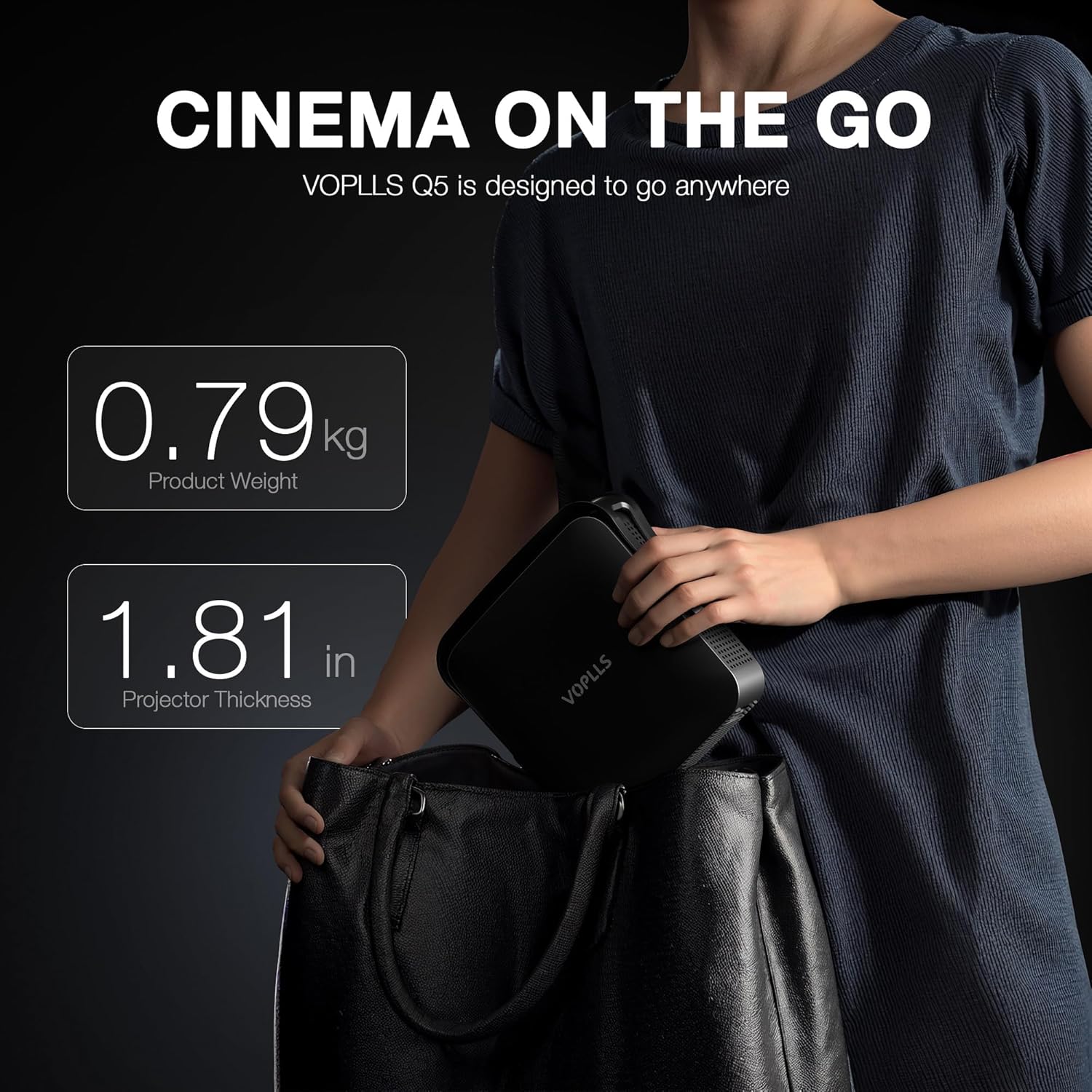
Rajah 4.3: The compact size of the VOPLLS Q5, ideal for portability.
Video 4.1: A terperinciview of the VOPLLS Q5 projector's features, app interface, and video quality demonstrations.
4.1. Komponen
- Depan: Projection Lens, Auto-Focus Sensor.
- belakang: USB Port, 3.5mm Audio Jack, HDMI Input, Power Button, Power Input.
- Sisi: Speaker Grilles, Ventilation.
- Bawah: Tripod Mounting Point (compatible with standard camera tripods).
5. Arahan Persediaan
- Bongkar: Keluarkan semua komponen dari pembungkusan dengan berhati-hati.
- penempatan: Place the projector on a stable, flat surface. Utilize the 360° rotating stand to adjust the projection angle as desired. For ceiling projection, ensure the projector is securely mounted.
- Sambungan Kuasa: Connect the power cord to the projector's power input and then to an electrical outlet.
- Hidupkan kuasa: Press the power button on the projector or the remote control to turn on the device. The projector will perform an initial auto-focus and keystone correction.
- Sambungan Rangkaian: Navigate to the 'Network' settings to connect to your Wi-Fi network. This is essential for accessing streaming apps and online features.
Video 5.1: A short demonstration of the projector's portability and ease of setup.
6. Arahan Operasi
6.1. Navigasi dan Antara Muka Pengguna
The VOPLLS Q5 features a user-friendly operating system. Use the provided remote control to navigate through menus and select options. The home screen displays trending content and quick access to pre-installed applications.

Rajah 6.1: The user-friendly operating system interface.
6.2. Aplikasi Penstriman
Access a wide range of entertainment through pre-installed and downloadable apps:
- Diprapasang: Netflix, YouTube, Prime Video.
- Downloadable: Visit the 'Play Store' to download additional apps like Hulu, HBO Max, Peacock, Paramount+, Tubi, and more.

Rajah 6.2: Access to a wide selection of streaming applications.

Rajah 6.3: Official Netflix compatibility for seamless streaming.
6.3. Ketersambungan
- HDMI: Connect external devices such as laptops, gaming consoles, or Blu-ray players using the HDMI cable. Select 'HDMI' as the input source.
- USB: Insert a USB drive into the USB port to view local media files (videos, pictures, documents). Access these files via the 'Files' application on the home screen.
- Bluetooth 5.2: Pair with external Bluetooth speakers or headphones for enhanced audio. Go to 'Settings' > 'Network' > 'Bluetooth' to manage devices. (Note: Bluetooth supports audio transmission only, not video).
- WiFi 6: Ensures stable and fast internet connection for streaming and online features. Configured during initial setup.
- TV Casting: Mirror content from your smartphone or tablet to the projector screen. Select 'TV Casting' from the home screen and follow the on-screen instructions.
6.4. Pelarasan Imej
- Fokus Auto: The projector automatically adjusts focus upon power-on or when moved. This feature can be toggled in 'Settings' > 'Lens' > 'Autofocus settings'.
- Pembetulan Keystone: Automatic 6D keystone correction adjusts the image shape. For manual adjustments, go to 'Settings' > 'Lens' > 'Keystone correction' and use the 4-corner correction option.
- Zum Digital: Adjust the screen size without moving the projector. Found in 'Settings' > 'Lens' > 'Digital zoom'.
- Arah Unjuran: Adjust the image orientation if the projector is mounted in different positions (e.g., ceiling, rear projection). Navigate to 'Settings' > 'Lens' > 'Projection direction'.
6.5. Tetapan Gambar dan Bunyi
- Tetapan Gambar: Customize brightness, contrast, saturation, sharpness, color tone, and color temperature. Access these in 'Settings' > 'Picture'. An 'Eye Protection Mode' is available to reduce blue light.
- Tetapan Bunyi: Adjust audio balance and select sound modes (Standard, Music, Movie, News, Game, User). Manage audio output devices in 'Settings' > 'Sound'.
7. Penyelenggaraan
- Pembersihan Kanta: Use a soft, lint-free cloth specifically designed for optical lenses to gently clean the projector lens. Avoid abrasive materials or harsh chemicals.
- Pembersihan Am: Lap bahagian luar projektor dengan kain lembut dan kering. Jangan gunakan pembersih cecair terus pada peranti.
- Pengudaraan: Ensure the ventilation grilles on the sides of the projector are clear of obstructions to prevent overheating.
- Storan: When not in use, store the projector in a cool, dry place, away from direct sunlight and extreme temperatures. The integrated stand helps protect the lens during storage.
8. Penyelesaian masalah
- Tiada Kuasa: Pastikan kord kuasa disambungkan dengan kukuh pada kedua-dua projektor dan soket kuasa. Cuba soket yang lain.
- Tiada gambar: Check the input source selection (HDMI, USB, etc.) to ensure it matches your connected device. Verify that the connected device is powered on and outputting a signal.
- Imej Kabur: The projector features auto-focus. If the image remains blurry, manually trigger auto-focus via the remote or check 'Settings' > 'Lens' > 'Autofocus settings'. Ensure the projection surface is flat.
- Imej Terherot (Bentuk Trapezoid): The projector has auto keystone correction. If needed, go to 'Settings' > 'Lens' > 'Keystone correction' for manual 4-corner adjustment.
- Tiada Bunyi: Check the volume level on both the projector and the connected source device. If using Bluetooth, ensure the external audio device is properly paired and selected as the output.
- Isu Sambungan Rangkaian: Verify your Wi-Fi password. Try restarting your router and the projector. Ensure the projector is within range of your Wi-Fi signal.
- Apps Not Working: Ensure the projector is connected to the internet. Check for app updates in the Play Store or system software updates in 'Settings' > 'Software Update'.
9. Spesifikasi
| Ciri | Penerangan |
|---|---|
| Jenama | VOPLLS |
| Nombor Model | Q5 |
| Resolusi Paparan | Asli 1920 x 1080 (1080P) |
| Sokongan 4K | Supported for playback within the APP only. Not via USB drives or HDMI input. |
| Kecerahan | 320 ANSI Lumen |
| Teknologi Ketersambungan | 3.5mm Jack, Bluetooth 5.2, HDMI, USB, Wi-Fi 6 |
| Dimensi Produk | 6.93 x 1.81 x 6.93 inci (17.7 x 4.59 x 17.7 cm) |
| Berat Barang | 3.3 paun (0.79 kg) |
| Ciri Khas | Smart TV Operating System, 360° rotating stand, Auto Focus, 4P/6D Keystone Correction, Officially-Licensed APPS |
| Penggunaan yang Disyorkan | Perniagaan, Pendidikan, Permainan, Pawagam Rumah |
10. Waranti dan Sokongan
For warranty information, please refer to the documentation provided at the time of purchase or contact VOPLLS customer support directly. For technical assistance or further inquiries, please visit the official VOPLLS webtapak atau hubungi pasukan perkhidmatan pelanggan mereka.