
1. Pengenalan
Terima kasih kerana membeliasing the Inwa USB Computer Monitor Speaker (Model MZ-631). This instruction manual provides detailed information on how to set up, operate, and maintain your new speaker. Please read this manual thoroughly before use to ensure optimal performance and longevity of your device.
2. Kandungan Pakej
Sila semak pakej untuk item berikut:
- 1 x Inwa Clip-on Computer Speaker (Model MZ-631)
- 1 x USB-C to USB Adapter
- 1 x Manual Pengguna (dokumen ini)
3. Ciri-ciri Produk
- Stereo Sound & Enhanced Bass: Equipped with dual 10W high-sensitive drivers and a passive radiator for rich, powerful audio output.
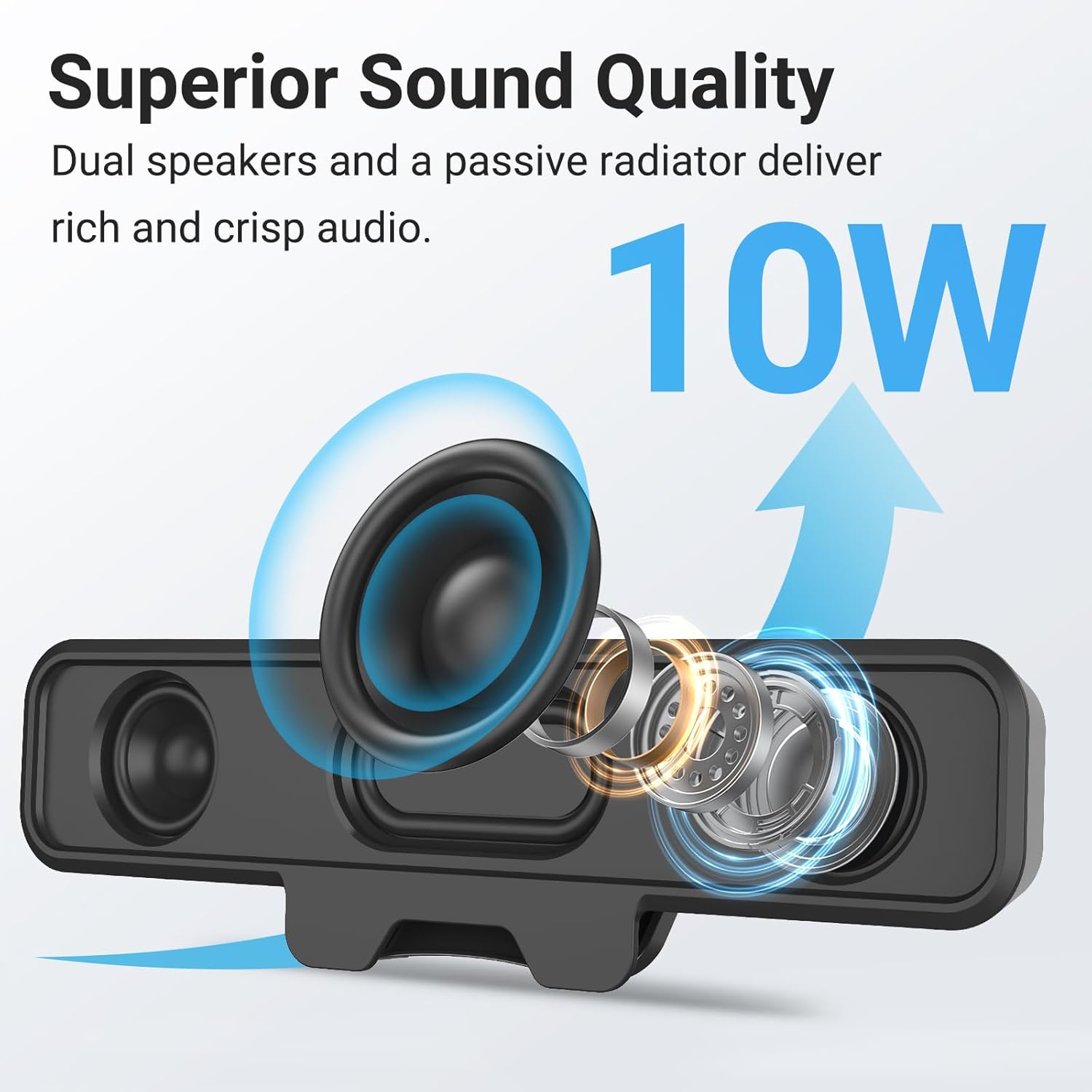
Image: Internal components of the speaker, illustrating the dual 10W drivers and passive radiator responsible for superior sound quality.
- Upgraded Monitor Clip: Features a robust spring clip designed for secure attachment to the top, sides, or bottom of monitors up to 1 inch thick. This design saves desk space and maintains a tidy workspace. The speaker can also be placed independently on a desktop. Silicone pads on the clip provide protection for your monitor.

Image: Detail of the upgraded monitor clip, demonstrating its secure grip and compatibility with monitors up to 1 inch in thickness.
- Kesambungan Pasang dan Main: A single USB cable provides both audio and power, eliminating the need for 3.5mm AUX cables, additional software, or batteries. This simplifies setup and reduces cable clutter. A USB-C to USB adapter is included for broad compatibility.
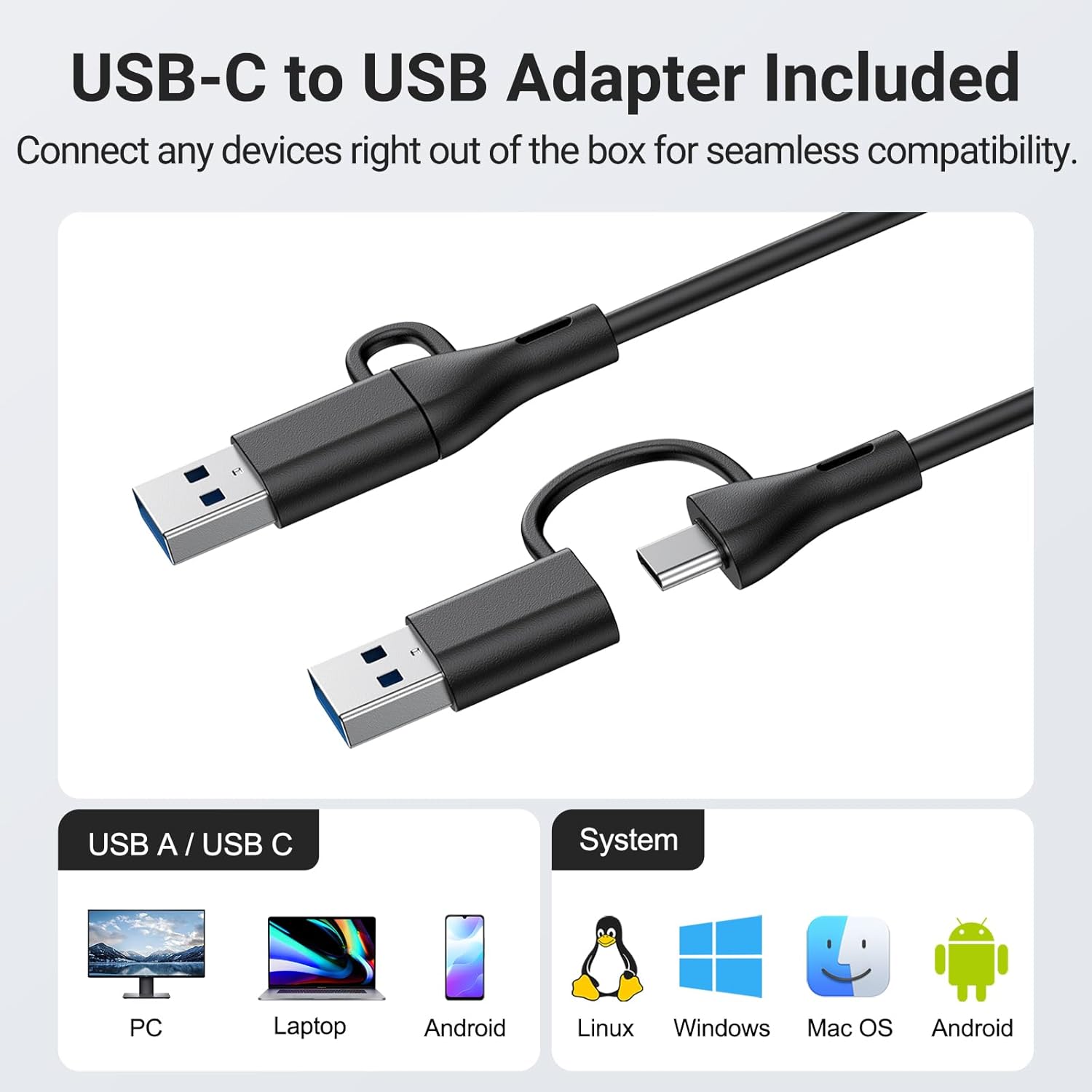
Image: The USB-C to USB adapter, ensuring compatibility with a wide range of devices including PCs, laptops, and mobile devices running Linux, Windows, or Mac OS.
- Kawalan Mudah: Easily adjust volume and mute audio using the three intuitive buttons located on the top of the speaker.
4. Panduan Persediaan
- Pilih Peletakan: Decide whether to clip the speaker to your monitor or place it on your desktop.
- Pemasangan Monitor: Gently open the spring clip and attach the speaker to the top, side, or bottom edge of your monitor. Ensure the monitor thickness is no more than 1 inch for a secure fit. The silicone pads will protect your screen.
- Peletakan Desktop: Place the speaker on a flat, stable surface on your desk.
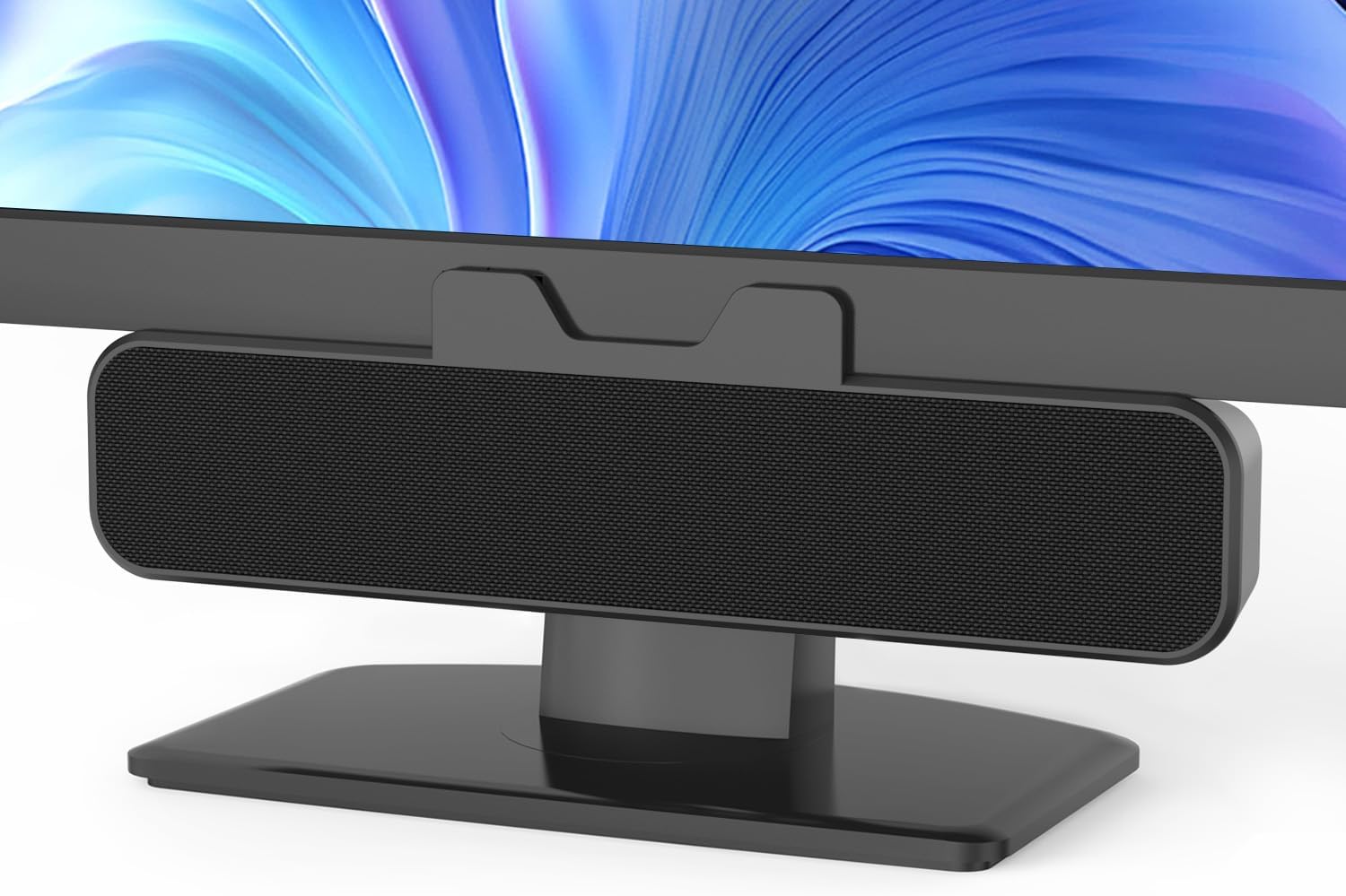
Image: The Inwa speaker mounted on top of a monitor, demonstrating its space-saving design.
- Sambungkan ke Kuasa dan Audio:
- Locate the integrated USB cable extending from the speaker.
- If your computer has a standard USB-A port, plug the USB cable directly into it.
- If your computer has a USB-C port, use the included USB-C to USB adapter. Connect the speaker's USB-A end to the adapter, then plug the adapter into your computer's USB-C port.
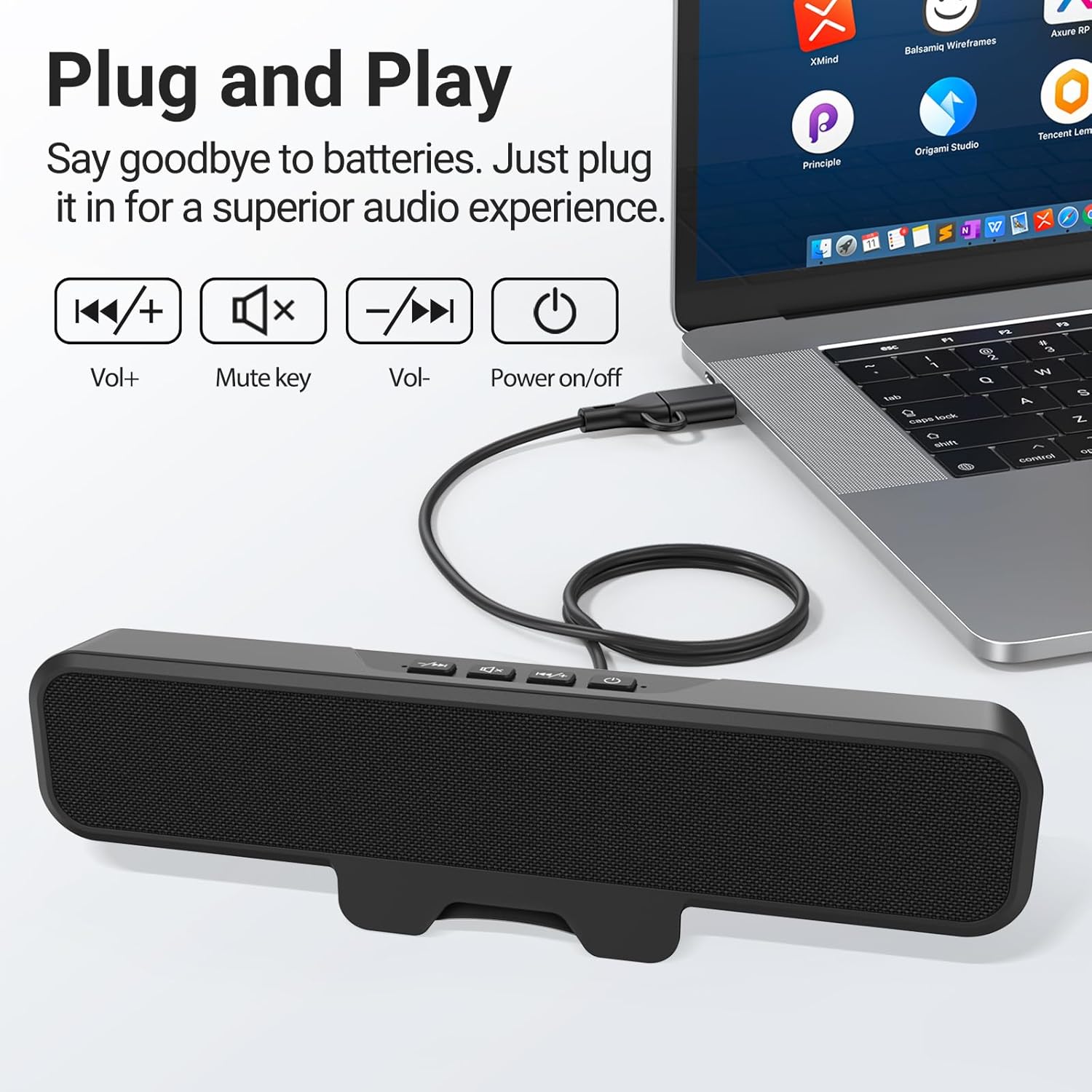
Image: The speaker connected to a laptop, illustrating the simple plug-and-play USB connection.
- Hidupkan kuasa: Press the power button located on the top of the speaker. A green indicator light will illuminate, confirming the speaker is active.
- Pengecaman Sistem: Your computer should automatically recognize the speaker as an audio output device. If not, navigate to your operating system's sound settings and select the Inwa speaker as the default output device.
5. Arahan Operasi
The Inwa speaker features intuitive controls on its top panel:
- Butang kuasa (⏻): Tekan untuk menghidupkan atau mematikan pembesar suara.
- Butang Naikkan Kelantangan (+): Tekan untuk meningkatkan kelantangan audio.
- Butang Kurangkan Kelantangan (-): Tekan untuk mengurangkan kelantangan audio.
- Butang Redam (🔇): Tekan untuk membisukan atau meredam audio.
When adjusting volume or muting, an on-screen panel may appear on your computer monitor, providing visual feedback of the changes.
6. Penyelenggaraan
- Pembersihan: Use a soft, dry cloth to wipe the speaker's surface. Avoid using liquid cleaners or abrasive materials.
- Storan: Apabila tidak digunakan untuk tempoh yang lama, simpan pembesar suara di tempat yang sejuk dan kering jauh dari cahaya matahari langsung dan suhu yang melampau.
- Pengendalian: Kendalikan pembesar suara dengan berhati-hati. Elakkan daripada menjatuhkannya atau terkena impak yang kuat.
7. Penyelesaian masalah
| Masalah | Kemungkinan Punca | Penyelesaian |
|---|---|---|
| Tiada bunyi dari pembesar suara. | Speaker is off or muted. Output audio yang salah dipilih pada komputer. Sambungan USB longgar. | Ensure speaker is powered on and not muted. Check computer's sound settings and select "Inwa Speaker" as the output device. Sambung semula kabel USB dengan selamat. |
| Kelantangan rendah. | Speaker volume is low. Computer volume is low. | Increase volume using the speaker's volume up button. Increase volume on your computer's operating system. |
| Speaker not recognized by computer. | Port USB rosak. Driver issue (rare for plug-and-play). | Cuba port USB lain pada komputer anda. Restart your computer. If issues persist, contact customer support. |
8. Spesifikasi
| Nama Model | MZ-631 |
| Jenama | Inwa |
| Jenis Pembesar Suara | Memantau Speaker |
| Teknologi Ketersambungan | USB (USB-A, USB-C compatible with adapter) |
| Mod Keluaran Audio | Stereo (Saluran 2.0) |
| Kuasa Output Maksimum Pembesar Suara | 10 Watt |
| Kaedah Kawalan | Butang Tekan |
| Jenis Pemasangan | Clip-on / Desktop |
| Dimensi Produk | 8"D x 2"W x 3"H |
| Berat Barang | 12.6 auns |
| warna | Hitam |
| Komponen yang Disertakan | 1 * Clip-on Computer Speaker, Manual, USB-C to USB Adapter |
| Ciri Khas | Bass Boost, Clip-on, Hi Res Audio, Portable |
| Peranti Serasi | Computer, PC, Desktop, Laptop, Smartphone, Tablet |
| Penggunaan Dalaman/Luar | Dalaman |
9. Waranti dan Sokongan
Inwa provides sokongan teknikal seumur hidup for this product. If you encounter any issues or have questions, please contact our Customer Service team. We are committed to resolving your concerns within 24 hours.
For warranty claims or technical assistance, please refer to the contact information provided on the product packaging or visit the official Inwa webtapak.