
1. Pengenalan
Thank you for choosing the VEEKTOMX Portable Charger. This device is designed to provide convenient and efficient power on the go for a wide range of electronic devices. Featuring built-in cables and fast-charging capabilities, it is an ideal companion for travel and daily use.
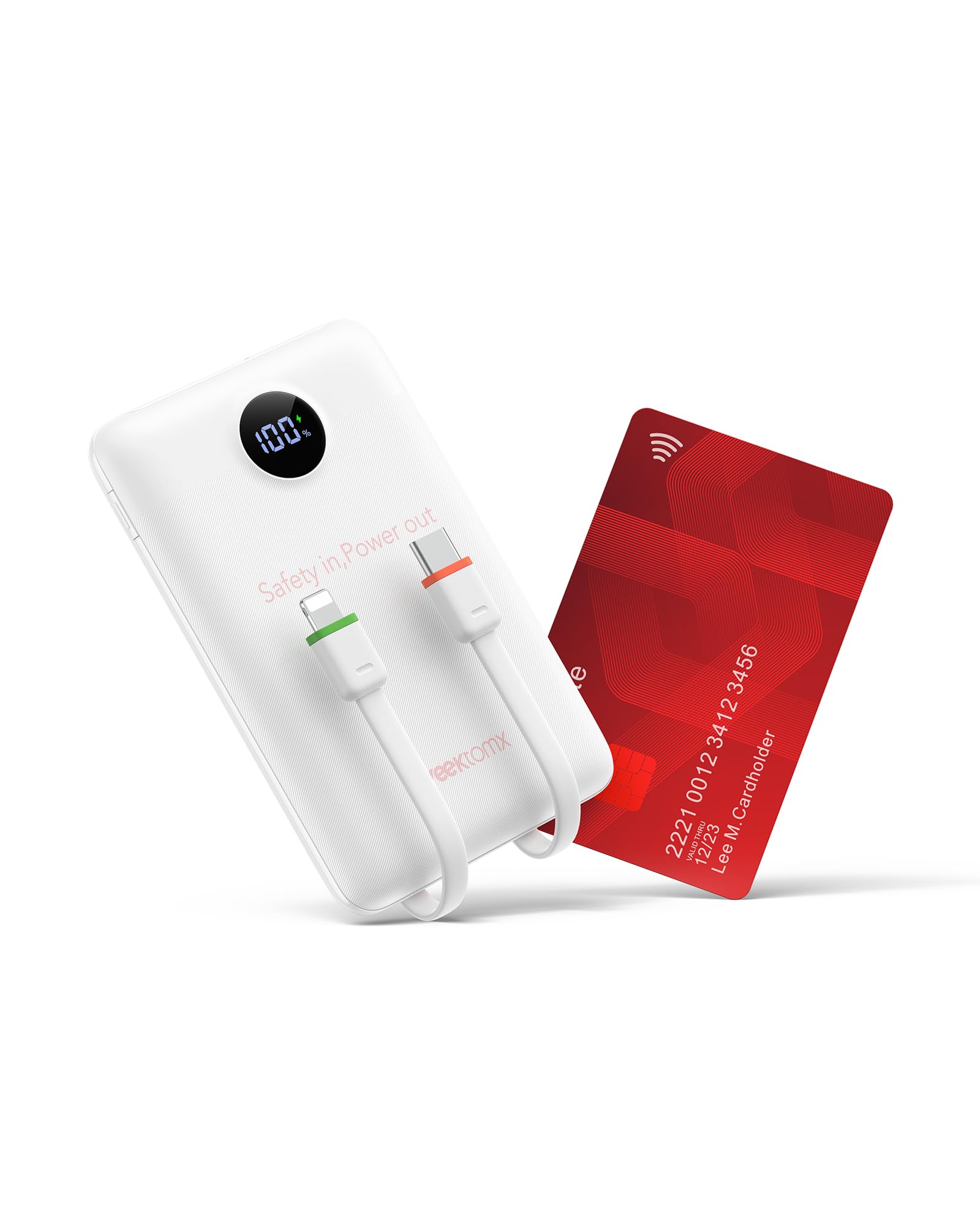
Image: The VEEKTOMX Portable Charger in white, showcasinreka bentuknya yang padat dan kabel bersepadu.
2. Ciri-ciri Produk
- Reka Bentuk Ultra Mudah Alih: Weighing only 0.363lb (165g), its credit card-like design makes it exceptionally slim and small, fitting easily into pockets or small bags.
- Kabel Bersepadu: Equipped with built-in Lightning, USB-C, and USB-Micro cables, eliminating the need to carry additional cords.
- Teknologi Pengecasan Cepat: Supports Dual PD 3.0 and QC 3.0 with a maximum output power of 22.5W for rapid device charging and efficient power bank recharging.
- Keserasian Luas: Universally compatible with a broad range of devices including iPhone 17/16/15/14/13/12/11/X/8/7 series, Samsung S24/S23/S22/S21/S20/A52/A32/Z Fold/Z Flip series, Google Pixel series, tablets, cameras, headphones, smartwatches, Kindle, and other low-current devices.
- Multi-Layer Safety Protection: Features an exclusive Multi Protect safety system with built-in safeguards to protect against excessive current, overheating, and overcharging.

Image: Visual representation of the charger's compact dimensions and the convenience of its integrated cables.
3. Persediaan
Upon receiving your VEEKTOMX Portable Charger, it is recommended to fully charge the power bank before its first use to optimize battery performance.
3.1 Pengecasan Awal Bank Kuasa
- Connect the power bank to a power source using one of the built-in cables (USB-C or Lightning) or an external USB-C cable.
- Paparan digital akan menunjukkan kemajuan pengecasan, menunjukkan peratusan bateritage.
- Sebaik sahaja paparan menunjukkan 100%, power bank telah dicas sepenuhnya dan sedia untuk digunakan.

Image: Different ways to recharge the power bank, including USB-C port, built-in USB-C, and built-in Lightning cables.
4. Arahan Operasi
4.1 Mengecas Peranti Anda
- Identify the appropriate built-in cable (Lightning, USB-C, or Micro-USB) for your device.
- Connect the corresponding cable from the power bank to your device's charging port.
- Bank kuasa akan mula mengecas peranti anda secara automatik. Paparan digital akan menunjukkan baki peratusan bateritage bank kuasa.
- For devices requiring a standard USB-A connection, use the available USB-A output port on the power bank with your device's charging cable.
4.2 Simultaneous Charging (Pass-Through Charging)
The VEEKTOMX Portable Charger supports pass-through charging, allowing you to recharge the power bank while simultaneously charging your devices.
- Connect the power bank to a wall charger.
- Connect your device(s) to the power bank using the built-in cables or USB ports.
- Both the power bank and your connected devices will charge concurrently.

Image: The power bank charging multiple devices at once.
5. Penyelenggaraan
- Pembersihan: Gunakan kain lembut dan kering untuk membersihkan bahagian luar power bank. Elakkan menggunakan bahan kimia yang keras atau bahan yang melelas.
- Storan: Simpan bank kuasa di tempat yang sejuk dan kering jauh dari cahaya matahari langsung dan suhu yang melampau.
- Penjagaan Bateri: Untuk memanjangkan hayat bateri, cas sepenuhnya power bank sekurang-kurangnya sekali setiap tiga bulan jika tidak digunakan secara tetap.
- Elakkan Titisan: Lindungi peranti daripada titisan dan hentaman, yang boleh merosakkan komponen dalaman.
6. Penyelesaian masalah
- Peranti tidak dicas: Ensure the power bank is sufficiently charged. Check that the cables are securely connected to both the power bank and your device.
- Pengecasan perlahan: Verify that your device supports fast charging and that the cable used is compatible with fast charging protocols. Some devices may limit charging speed based on their battery status.
- Bank kuasa tidak mengecas: Confirm that the wall adapter and charging cable are functioning correctly. Try a different power outlet or cable.
- Paparan digital tidak berfungsi: If the display is unresponsive, try connecting the power bank to a charger to see if it reactivates. If the issue persists, contact customer support.
7. Spesifikasi
| Ciri | Perincian |
|---|---|
| Nombor Model | WF103C |
| Dimensi Produk | 4.32 x 2.7 x 0.62 inci |
| Berat Barang | 7 auns |
| Kapasiti Bateri | 10000 Miliamp jam |
| Ciri Khas | Built-in Lightning, USB-C, and Micro-USB Cables |
| Kuasa Output Maks | 22.5W (Dual PD 3.0 & QC 3.0) |
| Pengeluar | Dong guan Utopia-Originality Technology co.,Ltd |
8. Waranti dan Sokongan
For warranty information, technical support, or any inquiries regarding your VEEKTOMX Portable Charger, please refer to the product packaging or contact the manufacturer directly through their official weblaman web atau saluran khidmat pelanggan. Simpan resit pembelian anda untuk tuntutan jaminan.