
1. Pengenalan
This manual provides detailed instructions for the setup, operation, maintenance, and troubleshooting of your Beelink SER5 Pro Mini PC. This compact and powerful computer features an AMD Ryzen 5 5625U processor, 16GB DDR4 RAM, and a 500GB PCIe 3.0 SSD, designed for various computing tasks including multimedia, photo editing, and video editing.
2. Apa yang ada di dalam Kotak
Selepas membuka pakej, sila sahkan bahawa semua item berikut disertakan:
- Beelink SER5 Pro Mini PC Unit
- Manual Pengguna
- Kabel HDMI
- Penyesuai Kuasa
- Wall-Mounted Bracket (for VESA mounting)
3. Produk Lebihview
The Beelink SER5 Pro Mini PC is engineered for high performance in a small form factor. It integrates advanced components and connectivity options to support a wide range of applications.
3.1 Ciri-ciri Utama
- Pemproses: AMD Ryzen 5 5625U (6 Teras/12 Benang, sehingga 4.3GHz)
- Grafik: AMD Radeon Graphics 7 core 1800MHz for 4K@60Hz triple display output.
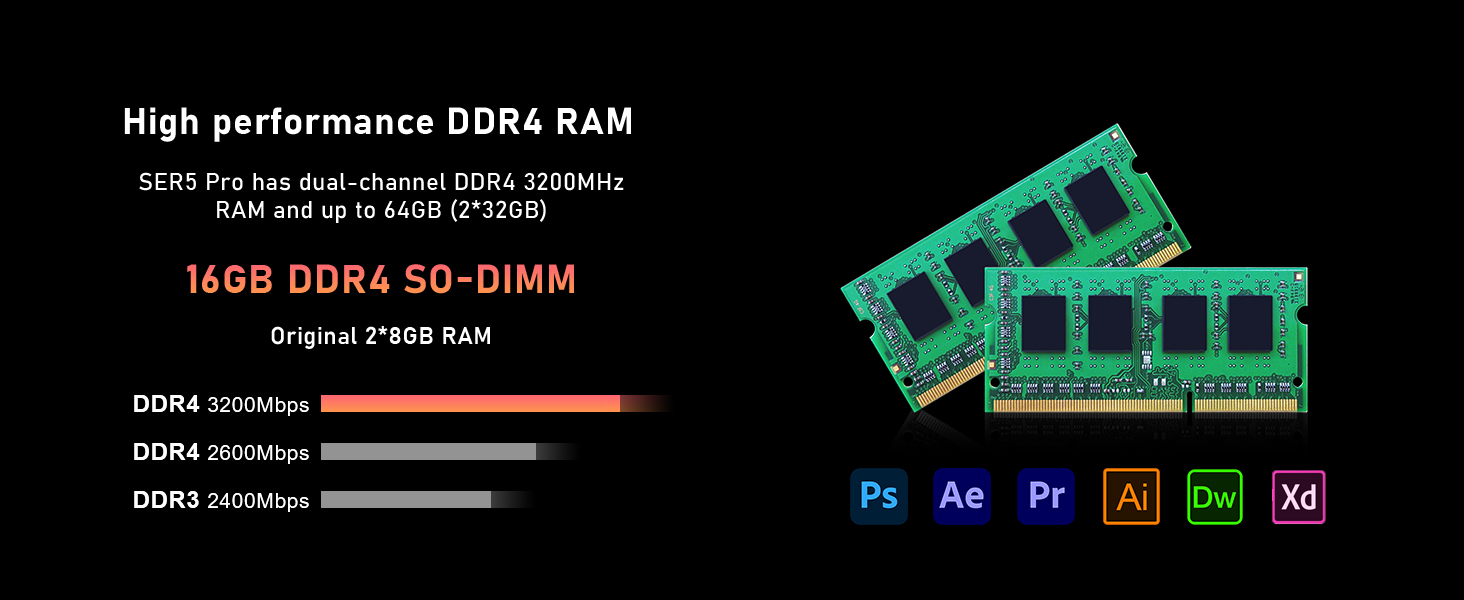
- Ingatan: 16GB SO-DIMM DDR4 RAM (3200MHz), expandable up to 64GB.
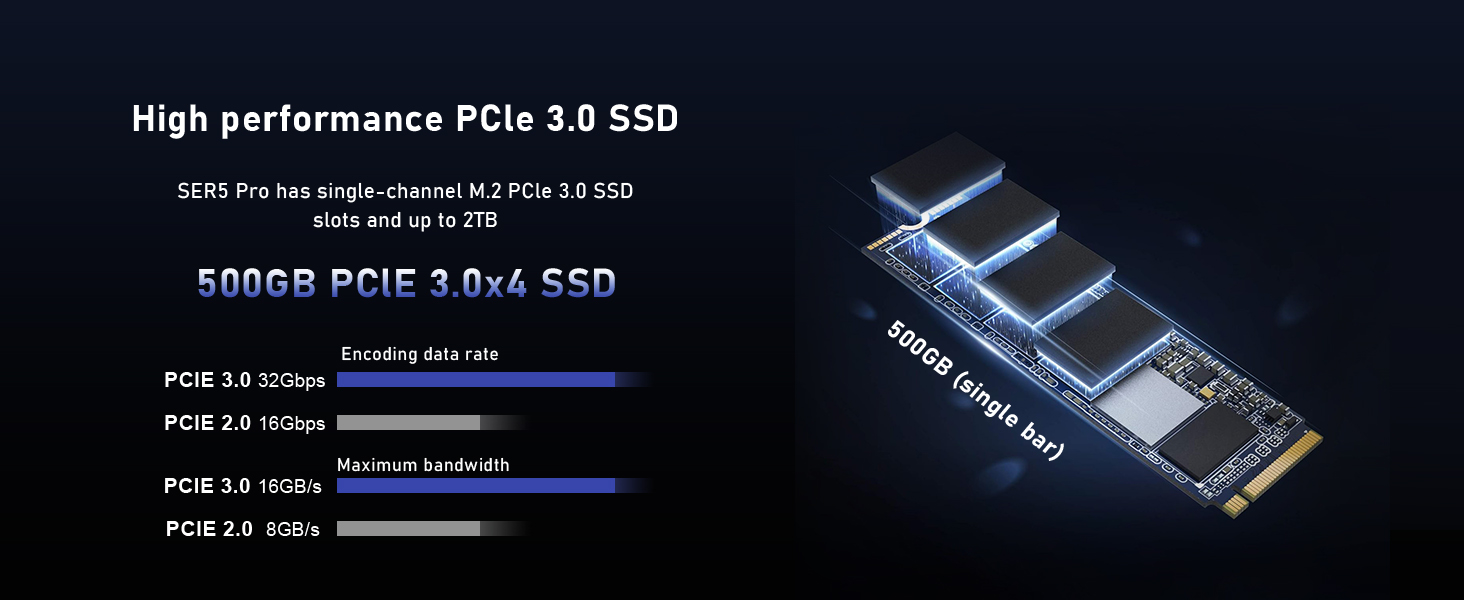
- Storan: 500GB M.2 NVMe PCIe 3.0 SSD, expandable up to 2TB. Supports additional 2.5-inch SATA HDD expansion.
- Kesambungan Tanpa Wayar: WiFi 6 (802.11ax) and Bluetooth 5.4 for fast and stable connections.
- Sistem Penyejukan: Efficient silent cooling with CPU fan, heat sink, and heat pipes.
- Pelabuhan: Multiple USB 3.2 Gen2, USB 2.0, HDMI, DisplayPort, Type-C (Data&Video), LAN (2.5Gbps), Audio Jack.
3.2 External Components and Ports
Familiarize yourself with the various ports and components on your mini PC for proper connection and operation.

Imej: Front and rear panels of the Beelink SER5 Pro Mini PC, highlighting USB ports, HDMI, DisplayPort, Type-C, LAN, and power input.

Imej: A detailed diagram illustrating the various ports on the Beelink SER5 Pro Mini PC, including USB 3.2 Gen2, Type-C (Data&Video), Earphone jack, Power button, RTC Key, LAN (2.5Gbps), USB 2.0, DisplayPort, HDMI, and Power adapter input.

Imej: An illustration detailing the front and rear ports of the Beelink SER5 Pro Mini PC, including USB 3.2 Gen2, Type-C, HDMI, DisplayPort, LAN, and power input, along with compatible peripherals like keyboard, printer, and speaker.
3.3 Komponen Dalaman
The mini PC's internal design allows for memory and storage upgrades.

Imej: Two DDR4 SO-DIMM RAM modules, illustrating the dual-channel memory configuration supported by the Beelink SER5 Pro Mini PC, expandable up to 64GB.

Imej: An M.2 2280 NVMe PCIe SSD, representing the primary storage drive in the Beelink SER5 Pro Mini PC, which can be upgraded up to 2TB.
Imej: Sebuah meletup view of the Beelink SER5 Pro Mini PC, highlighting the AMD Ryzen 5 5625U processor, AMD Radeon Graphics, WiFi 6 + Bluetooth 5.4 module, 16GB DDR4 RAM, 500GB SSD, and the silent and efficient heat dissipation system.

Imej: A diagram illustrating the silent and efficient heat dissipation system of the SER5 Pro, featuring heat pipes, fins, a silent fan, and an SSD heatsink, with air intakes on both sides and a heat dissipation port on the back.
4. Arahan Persediaan
Follow these steps to set up your Beelink SER5 Pro Mini PC:
- Sambung ke Paparan: Use the provided HDMI cable to connect your mini PC to a monitor or TV. You can also use a DisplayPort or Type-C cable for triple display setup.
- Sambung Peranti: Pasangkan papan kekunci dan tetikus USB anda ke port USB yang tersedia.
- Sambungkan ke Rangkaian: For a wired connection, connect an Ethernet cable to the LAN port. For wireless, ensure your WiFi network is available.
- Sambungkan Kuasa: Connect the power adapter to the DC input port on the mini PC, then plug the adapter into a power outlet.
- Hidupkan kuasa: Press the power button on the front of the mini PC. The power LED will illuminate.
- But Permulaan: The system will boot into the pre-installed operating system (e.g., Windows 11 Pro). Follow the on-screen instructions for initial setup, including language, region, and network configuration.
Video: An official video from Beelink demonstrating the setup and features of the SER5 Pro Mini PC, including port overview dan pilihan sambungan.
5. Arahan Operasi
5.1 Hidupkan/Mati Kuasa
- Untuk Menghidupkan: Tekan butang kuasa pada panel hadapan.
- Untuk Mematikan: Use the operating system's shutdown procedure (e.g., Start > Power > Shut down in Windows).
- Untuk Mulakan Semula: Use the operating system's restart procedure (e.g., Start > Power > Restart in Windows).
- Force Shut Down: If the system is unresponsive, press and hold the power button for approximately 5-10 seconds until the unit powers off. Use this only as a last resort.
5.2 Tetapan BIOS
Untuk mengakses tetapan BIOS/UEFI, tekan butang DEL key repeatedly during startup immediately after pressing the power button. This allows configuration of boot options, system time, and other hardware settings.
5.3 Persediaan Paparan Tiga Kali Ganda
The mini PC supports connecting up to three displays simultaneously via HDMI, DisplayPort, and the Type-C port. Ensure your monitors are connected and configured within the operating system's display settings.
Imej: A visual representation of the Beelink SER5 Pro Mini PC connected to three external monitors, demonstrating its triple display output capability via HDMI, DisplayPort, and USB-C for enhanced productivity.
6. Penyelenggaraan
Penyelenggaraan yang betul memastikan jangka hayat dan prestasi optimum PC mini anda.
- Pembersihan: Regularly clean the exterior with a soft, dry cloth. Use compressed air to clear dust from ventilation openings to maintain efficient cooling. Do not use liquid cleaners directly on the device.
- Kemas Kini Perisian: Pastikan sistem pengendalian dan pemacu anda dikemas kini untuk memastikan keselamatan dan prestasi.
- Perluasan Storan: The mini PC supports M.2 NVMe SSD upgrades up to 2TB and an additional 2.5-inch SATA HDD/SSD. Refer to the included tutorial for detailed expansion steps.
- Peningkatan Memori: The dual-channel DDR4 RAM can be upgraded to a maximum of 64GB (2 x 32GB SO-DIMM modules).
7. Penyelesaian masalah
If you encounter issues with your Beelink SER5 Pro Mini PC, refer to the following common troubleshooting steps:
| Masalah | Kemungkinan Punca | Penyelesaian |
|---|---|---|
| Tiada output paparan | Loose cable connection, incorrect input selected on monitor, power issue. |
|
| Mini PC does not power on | Power adapter not connected, faulty power outlet, power button issue. |
|
| System freezes or is unresponsive | Software conflict, overheating, insufficient resources. |
|
| Tiada sambungan internet | Loose Ethernet cable, incorrect Wi-Fi password, driver issue. |
|
8. Spesifikasi
Detailed technical specifications for the Beelink SER5 Pro Mini PC:
| Jenama | Beelink |
| Nombor Model | SER5-5625U |
| Model CPU | AMD Ryzen 5 5625U (6 Cores, 12 Threads) |
| Kelajuan CPU | 2.3GHz (Base) up to 4.3GHz (Max Turbo) |
| Pemproses bersama Grafik | AMD Radeon Graphics 7 core 1800MHz |
| Memori RAM Dipasang | 16GB DDR4 (3200MHz SO-DIMM) |
| Saiz Maksimum Memori RAM | 64GB (2 x 32GB) |
| Kapasiti Penyimpanan Memori | 500GB M.2 NVMe PCIe 3.0 SSD |
| Penerangan Cakera Keras | M.2 NVMe SSD, supports 2.5-inch SATA HDD expansion |
| Sistem Operasi | OS (Typically Windows 11 Pro) |
| Kesambungan Wayarles | WiFi 6 (802.11ax), Bluetooth 5.4 |
| Antara Muka Keluaran Video | HDMI, DisplayPort, USB-C (supports 4K@60Hz Triple Display) |
| Port USB | 3x USB 3.2 Gen2, 2x USB 2.0 |
| LAN | Ethernet 2.5Gbps |
| Ciri-ciri Tambahan | Wake up On LAN, Auto Power On |
| Dimensi | 4.96" x 4.44" x 1.65" (126 x 113 x 42mm) |
| Penggunaan Kuasa | 25 Watt |

Imej: A table summarizing the key product specifications of the Beelink SER5 Pro Mini PC, including dimensions, CPU, graphics, wireless LAN, system disk, internal slots, interfaces, additional functions, power adapter details, and operating environment.
9. Waranti dan Sokongan
Your Beelink SER5 Pro Mini PC comes with a one-year quality assurance warranty. Beelink provides 24/7 manual customer service and technical support.
For any questions or support needs, please contact Beelink US Official customer service. Refer to the contact information provided with your product or visit the official Beelink webtapak untuk sumber sokongan.
The product has passed CE, EMC, FCC, and RoHS certifications, ensuring compliance with safety and environmental standards.