
pengenalan
Thank you for choosing the Silvergear Wireless Weather Station Model 4530. This device provides comprehensive weather information, including indoor and outdoor temperature, humidity, UV index, and atmospheric pressure, along with a 5-day weather forecast. It also features a clock, alarm, and moon phase display. This manual will guide you through the setup, operation, and maintenance of your weather station to ensure optimal performance.
Apa yang ada dalam Kotak

Image: The Silvergear Weather Station, instruction manual, power adapter, and outdoor sensor as packaged in the box.
- Weather Station Display Unit
- Sensor Luaran Tanpa Wayar
- Penyesuai Kuasa
- Manual Arahan
Produk Selesaiview
Ciri-ciri Utama

Imej: Tamatview of the weather station's main features, including real-time monitoring and a 5-day forecast.
- Real-time indoor and outdoor temperature and humidity monitoring.
- Clear display with essential weather data.
- Built-in 5-day weather forecast.
- Flexible placement: stand or wall-mount.
- Dual power modes: batteries or included power adapter.
- Integrated clock, alarm, and moon phase display.
Pengukuran

Image: Visual representation of the key weather parameters measured by the device.
The Silvergear Weather Station provides the following detailed measurements:
- Suhu: Displays current indoor and outdoor temperatures.
- Kelembapan: Measures indoor and outdoor humidity levels.
- Indeks UV: Provides information on the current UV radiation level.
- Tekanan atmosfera: Tracks changes in air pressure.
Elemen Paparan

Imej: A terperinci view of the weather station's display, indicating where each piece of information is shown.
The display unit presents all key weather data at a glance, including time, date, moon phase, barometric pressure, indoor and outdoor temperature and humidity, and a multi-day weather forecast.
Persediaan
Menghidupkan Stesen Cuaca

Image: The weather station can be powered by the included AC adapter or by batteries.
The weather station can be powered in two ways:
- Menggunakan Penyesuai Kuasa: Connect the included power adapter to the weather station and plug it into a standard wall outlet.
- Menggunakan Bateri: Insert 2 AA batteries (not included) into the battery compartment located on the back of the unit. Ensure correct polarity.
Penempatan Sensor Luar

Image: The outdoor sensor should be placed within 50 meters of the main unit for optimal signal reception.
Place the wireless outdoor sensor in a suitable location outside your home. For best results:
- Ensure the sensor is within a 50-meter range of the main weather station unit.
- Choose a shaded area to avoid direct sunlight, which can affect temperature readings.
- Protect the sensor from direct rain and snow.
- The sensor transmits updates to the main unit approximately every 60 seconds.
Persediaan dan Gandingan Awal
Once both the main unit and the outdoor sensor are powered on, they should automatically pair. If pairing does not occur, refer to the troubleshooting section or consult the detailed instructions in the included manual for manual pairing procedures.
Penempatan Fleksibel
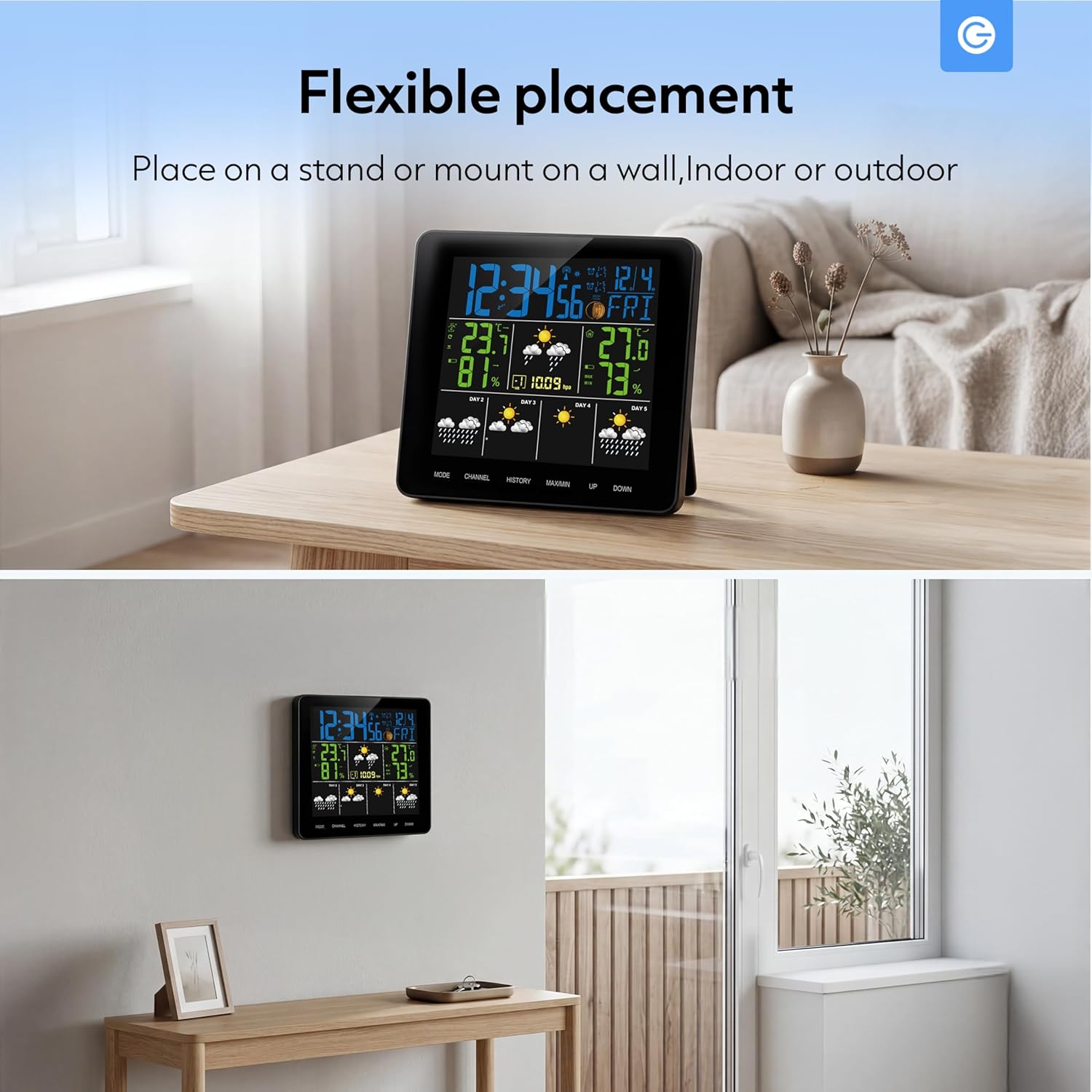
Image: The weather station can be placed on a stand or mounted on a wall, suitable for indoor or outdoor use.
The weather station is designed for flexible placement:
- Berdiri: Use the integrated stand to place the unit on any flat surface, such as a desk or shelf.
- Pemasangan Dinding: The unit can also be mounted on a wall using the designated mounting hole on the back.
Beroperasi
Memahami Paparan

Image: The display shows real-time temperature data and a 5-day forecast using intuitive icons.
The main display provides a clear overview of current and forecasted weather conditions. Key indicators include:
- Masa dan Tarikh Semasa: Terletak di bahagian atas paparan.
- Suhu dan Kelembapan Dalam/Luar Ruangan: Clearly labeled sections for current readings.
- Ikon Ramalan Cuaca: Visual representations for sunny, slightly cloudy, cloudy, rainy, and snowy conditions for the next 5 days.
- Fasa Bulan: An icon indicating the current lunar phase.
- Tekanan Barometrik: Displays the current atmospheric pressure.
Fungsi Butang
The weather station features several buttons for navigation and settings:
- ARAHAN: Used to switch between display modes (e.g., time setting, alarm setting) and confirm selections.
- SALURAN: Selects between different outdoor sensor channels (if multiple sensors are used).
- SEJARAH: Displays historical data for temperature and humidity.
- MAX / MIN: Shows maximum and minimum recorded temperature and humidity values.
- ATAS BAWAH: Adjusts values during setting modes or navigates through options.
Setting Time, Date, and Alarm
To set the time, date, or alarm:
- Tekan ke MODE button repeatedly until the desired setting (time, date, or alarm) is flashing.
- Gunakan UP or TURUN butang untuk melaraskan nilai.
- Tekan MODE again to confirm the setting and move to the next adjustable parameter.
- Continue until all settings are complete, then press MODE untuk keluar dari mod tetapan.
Penyelenggaraan
To ensure the longevity and accuracy of your Silvergear Weather Station, follow these maintenance guidelines:
- Pembersihan: Lap unit paparan dan penderia dengan lembut, damp kain. Jangan gunakan pembersih atau pelarut yang melelas.
- Penggantian Bateri: Replace batteries in both the main unit and the outdoor sensor when the low battery indicator appears on the display. Ensure to use fresh batteries of the correct type (AA for the main unit, typically AAA for the sensor, refer to the specific manual for sensor battery type).
- Perlindungan Sensor: Periodically check the outdoor sensor for any debris or obstructions that might affect its readings.
Menyelesaikan masalah
Jika anda menghadapi masalah dengan stesen cuaca anda, rujuk masalah dan penyelesaian biasa berikut:
| Masalah | Kemungkinan Punca | Penyelesaian |
|---|---|---|
| Tiada bacaan suhu/kelembapan luar | Sensor out of range or low battery; interference. | Move sensor closer to the main unit; replace sensor batteries; avoid placing near electronic devices. |
| Bacaan tidak tepat | Sensor exposed to direct sunlight or moisture; unit not calibrated. | Relocate sensor to a shaded, dry area; consult manual for calibration steps if available. |
| Paparan kosong | Tiada kuasa atau bateri lemah. | Ensure power adapter is securely connected or replace main unit batteries. |
| Masa/Tarikh salah | Not set correctly. | Follow the 'Setting Time, Date, and Alarm' instructions. |
Spesifikasi
| Ciri | Perincian |
|---|---|
| Jenama | Silvergear |
| Nombor Model | 4530 |
| warna | Hitam |
| Ketersambungan | Tanpa wayar |
| Waranti Pengeluar | 2 Tahun |
| Ketersediaan Alat Ganti | Maklumat tidak tersedia |
| Kemas Kini Perisian Terjamin Sehingga | Maklumat tidak tersedia |
| ASIN | B0FM3X2T3D |
| Tarikh Mula-mula Tersedia | 19 Ogos 2025 |
Maklumat Waranti
The Silvergear Wireless Weather Station Model 4530 comes with a Waranti pengilang 2 tahun. This warranty covers defects in materials and workmanship under normal use. It does not cover damage caused by misuse, accidents, unauthorized modifications, or improper installation. Please retain your proof of purchase for warranty claims.
Sokongan
For further assistance, technical support, or warranty inquiries regarding your Silvergear Wireless Weather Station Model 4530, please refer to the contact information provided in the original product packaging or visit the official Silvergear webtapak. Anda juga boleh menghubungi peruncit tempat produk itu dibeli.