
1. Pengenalan
This manual provides essential information for setting up, operating, and maintaining your Tecno Pova Slim 5G smartphone. Please read this guide carefully to ensure proper use and to maximize the device's performance and longevity.
The Tecno Pova Slim 5G is a 5G-enabled smartphone featuring a slim design, a 3D curved display, and a large battery capacity. It incorporates advanced features such as a Dynamic Mood Light and Ella AI with regional language support.

Imej 1.1: Depan dan belakang view of the Tecno Pova Slim 5G smartphone.
2. Apa yang ada di dalam Kotak
Upon unboxing your Tecno Pova Slim 5G, verify that all the following items are included:
- Tecno Pova Slim 5G Smartphone
- Penyesuai Kuasa
- Kabel USB
- Sarung Telefon
- Pelindung Skrin (yang telah dipasang atau di dalam kotak)
- Ejector Dulang SIM
- Panduan Mula Pantas (manual ini)
3. Peranti Lebihview
Familiarize yourself with the physical components of your Tecno Pova Slim 5G smartphone.
3.1. Physical Layout
- Depan: Curved AMOLED display, front camera, earpiece.
- Belakang: Dual rear cameras, LED flash, Dynamic Mood Light, Tecno branding.
- Sebelah Kanan: Butang kuasa, butang naik/turunkan kelantangan.
- Bahagian Kiri: dulang kad SIM.
- Bawah: USB Type-C port, microphone, speaker grille.
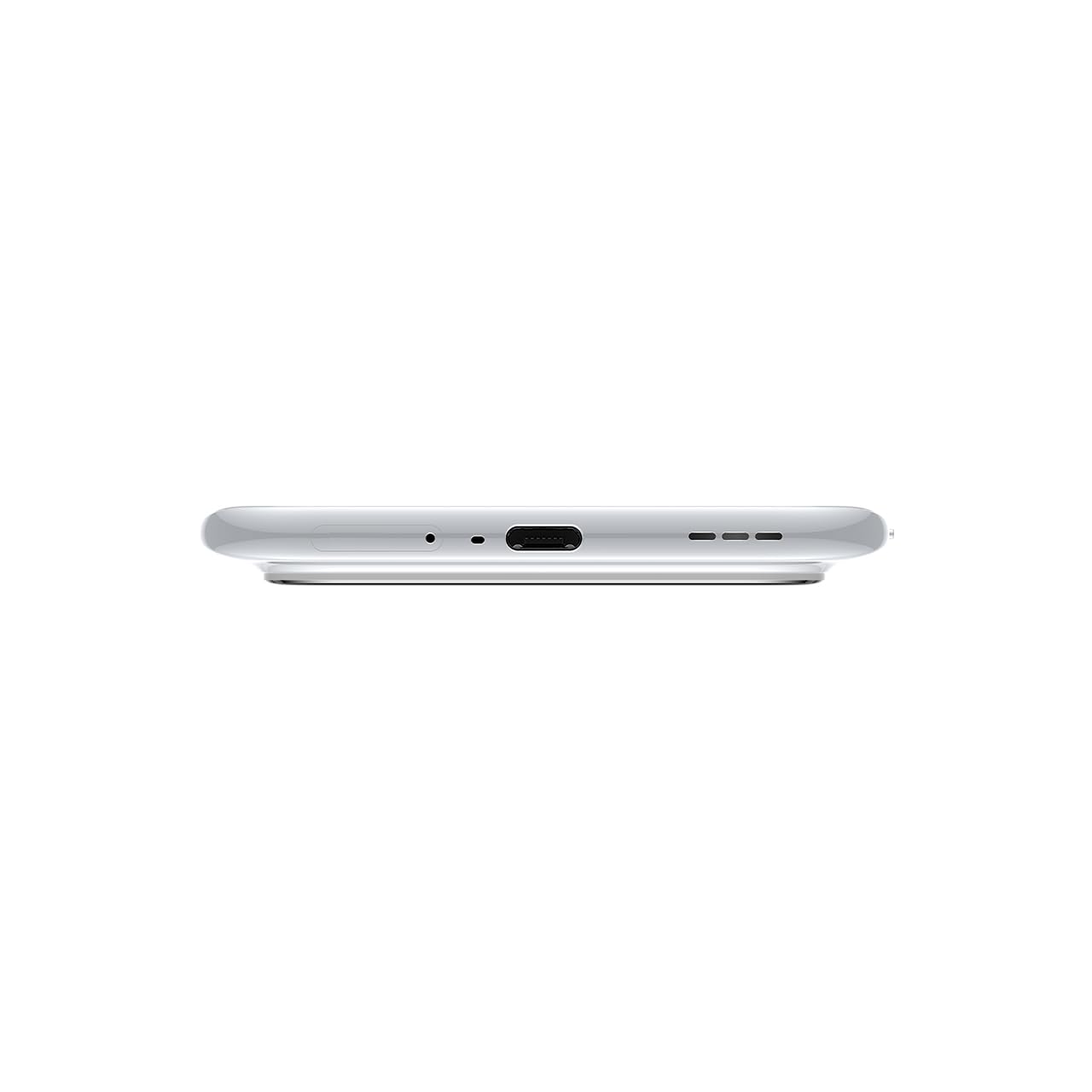
Imej 3.1: Bawah view of the device, highlighting the USB-C port and speaker.
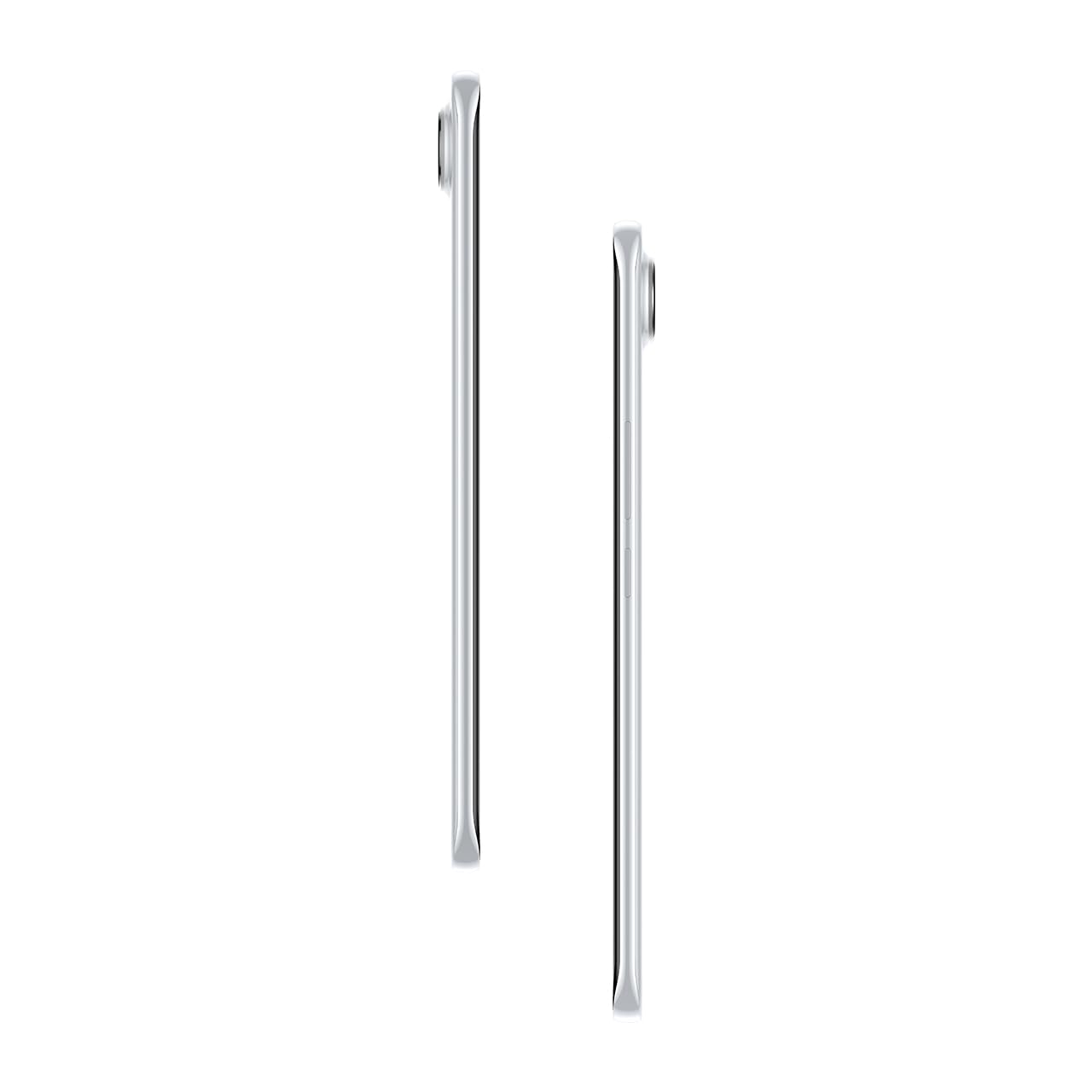
Imej 3.2: Sisi view menggambarkan pro langsingfile daripada telefon pintar itu.
4. Persediaan
4.1. Memasukkan Kad SIM
- Cari dulang kad SIM di sebelah kiri peranti.
- Masukkan alat ejektor dulang SIM ke dalam lubang kecil di sebelah dulang dan tekan perlahan-lahan sehingga dulang terkeluar.
- Letakkan kad Nano-SIM anda ke dalam slot yang ditetapkan pada dulang. Pastikan sesentuh emas menghadap ke bawah.
- Tolak dulang kembali ke dalam telefon dengan berhati-hati sehingga ia berbunyi pada tempatnya.
4.2. Menghidupkan/Mematikan
- Untuk Menghidupkan: Press and hold the Power button on the right side of the phone until the Tecno logo appears.
- Untuk Mematikan: Tekan dan tahan butang Kuasa, kemudian pilih 'Matikan kuasa' daripada pilihan pada skrin.
- Untuk Mulakan Semula: Tekan dan tahan butang Kuasa, kemudian pilih 'Mulakan Semula' daripada pilihan.
4.3. Konfigurasi Awal
Upon first power-on, follow the on-screen instructions to set up your device. This includes selecting your language, connecting to Wi-Fi, setting up your Google account, and configuring security features like fingerprint or face unlock.
5. Mengendalikan Peranti Anda
5.1. Ciri Paparan
The Tecno Pova Slim 5G features a 1.5K Curved AMOLED display with a 144Hz refresh rate, providing smooth visuals. It offers up to 4500 nits peak brightness for clear visibility in various lighting conditions and is protected by Corning Gorilla Glass 7i.
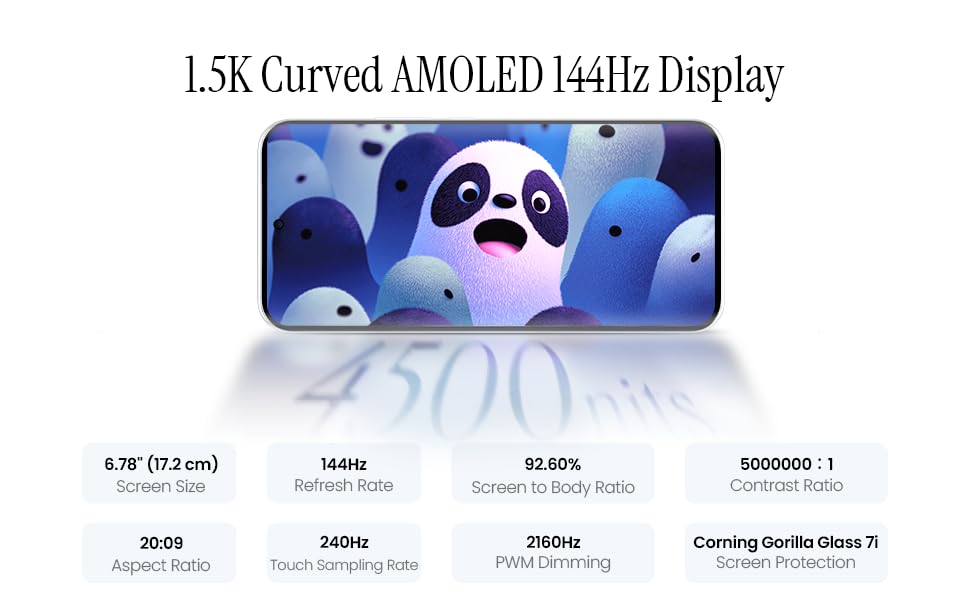
Image 5.1: Display specifications including screen size, refresh rate, and brightness.
5.2. Penggunaan Kamera
The device is equipped with a 50MP AI camera system. To take photos or record videos, open the Camera application. You can switch between different modes (Photo, Video, Portrait, Night, etc.) and adjust settings like zoom, flash, and filters.
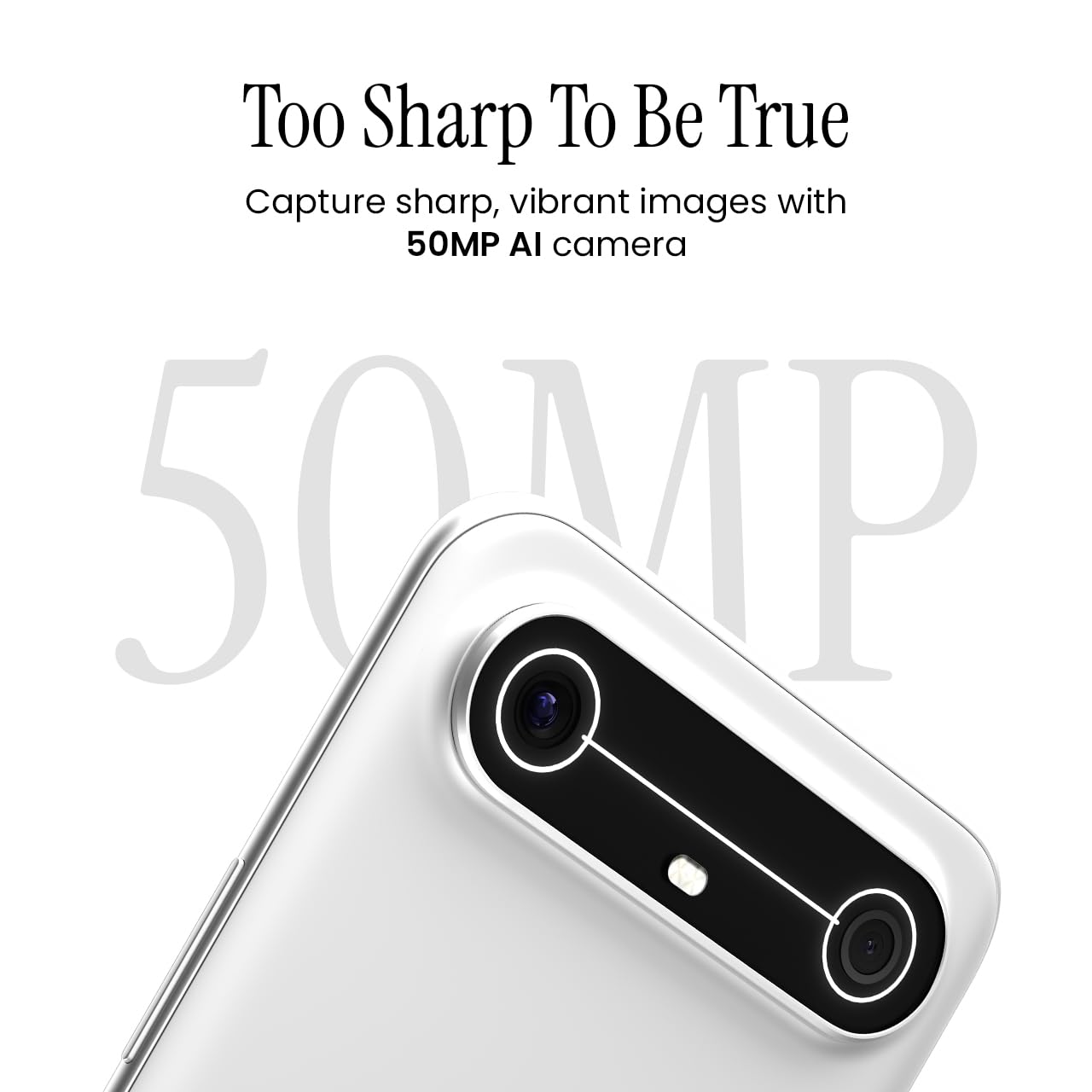
Image 5.2: Detail of the 50MP AI camera module.
5.3. Dynamic Mood Light
The Dynamic Mood Light is an integrated lighting feature on the back of the device that responds to various notifications, calls, and system events, providing visual cues.

Image 5.3: The Dynamic Mood Light design on the device's rear.
5.4. Ella AI Features
Ella AI provides intelligent assistance, including support for Indian regional languages. Key features include:
- AI Writing Assistant: Helps in drafting messages and content.
- Bulatan untuk Carian: Allows users to search for information by circling objects on the screen.
- Pemahaman Bahasa: Processes and responds to voice commands in various Indian languages.
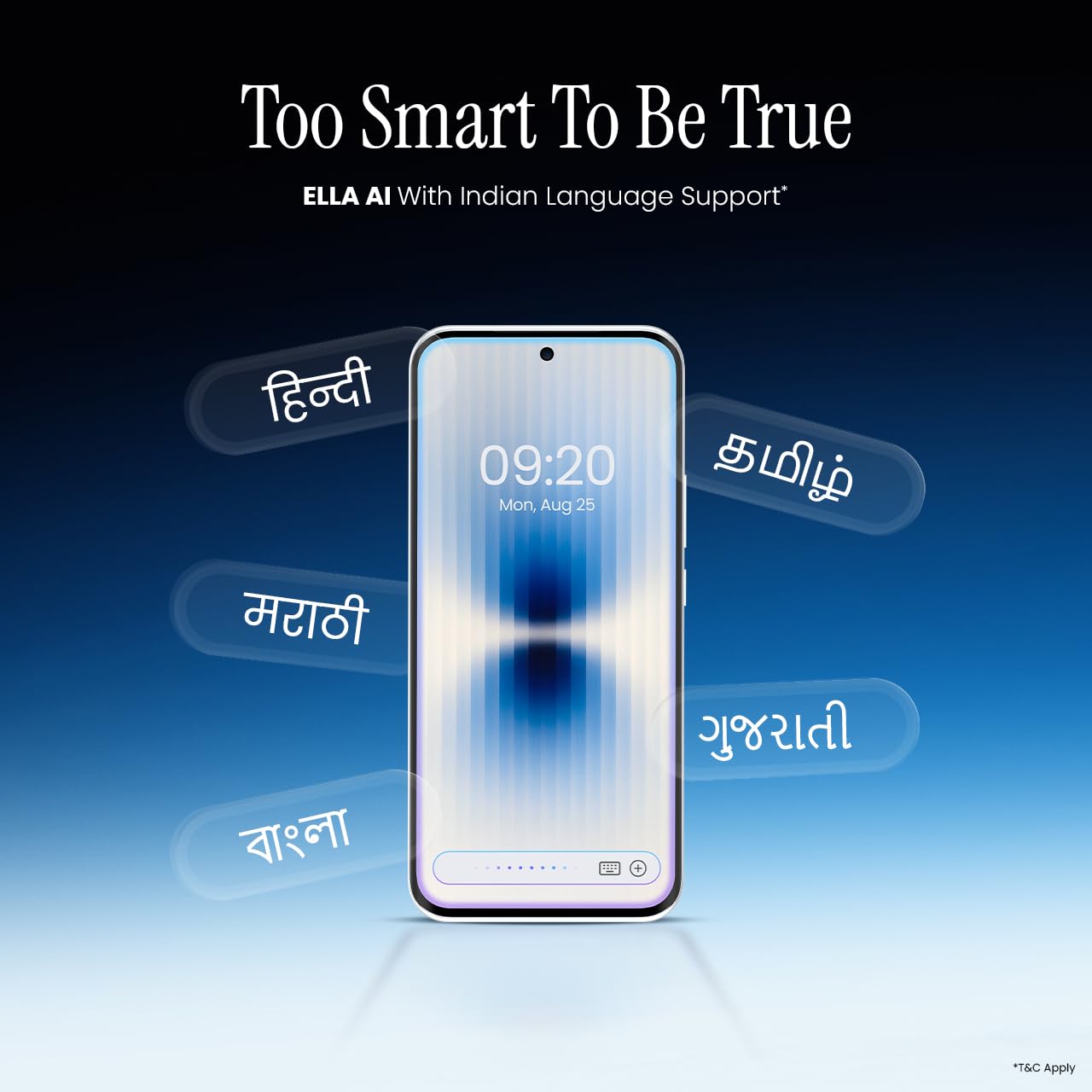
Image 5.4: Ella AI demonstrating Indian language support.
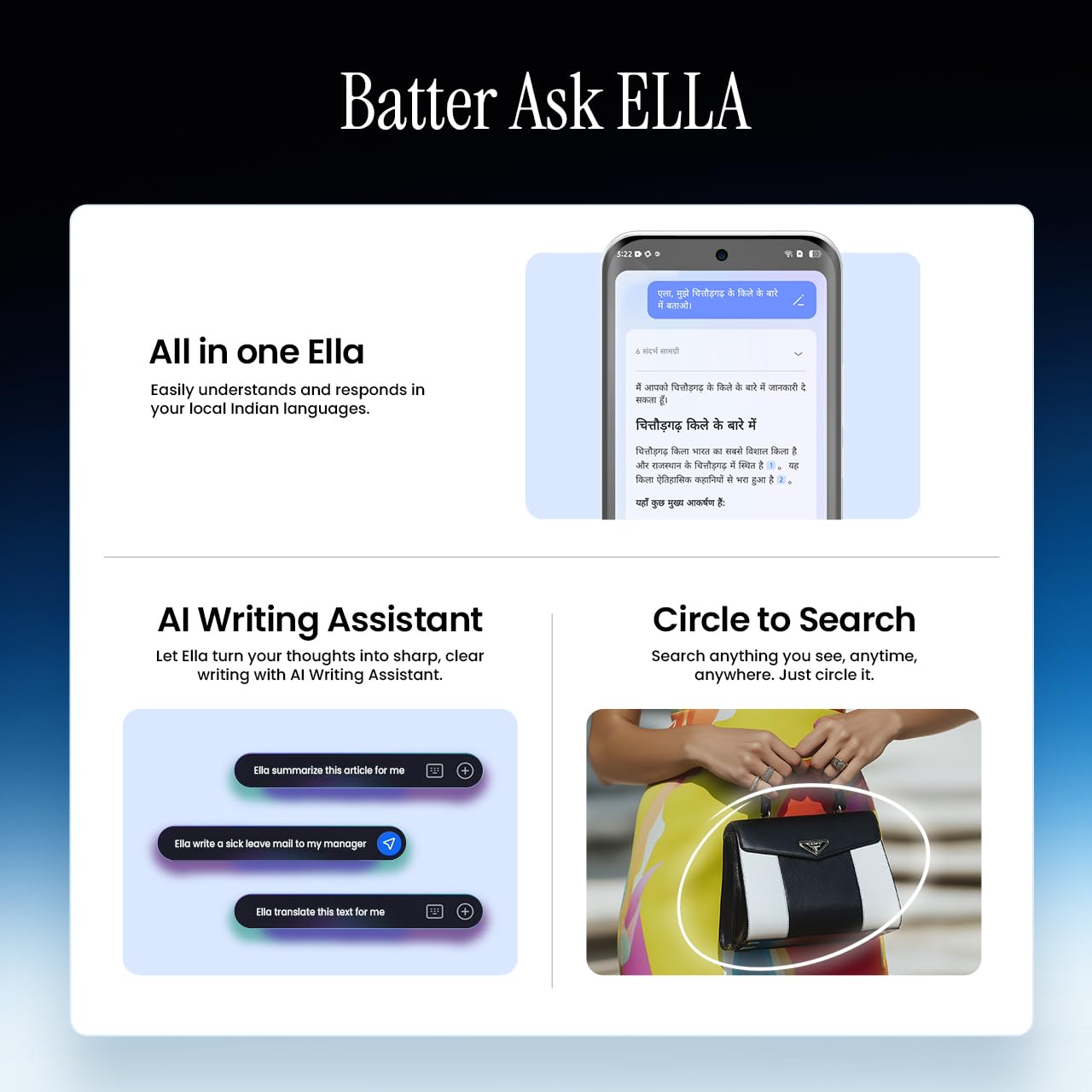
Image 5.5: Visual representation of Ella AI's writing assistant and circle to search functions.
5.5. Ketersambungan
The Pova Slim 5G supports 5G networks for high-speed data, Wi-Fi for local network access, and Bluetooth for connecting to accessories. It features an Intelligent Signal Hub System with 4x4 MIMO & N28 Band for enhanced network performance.
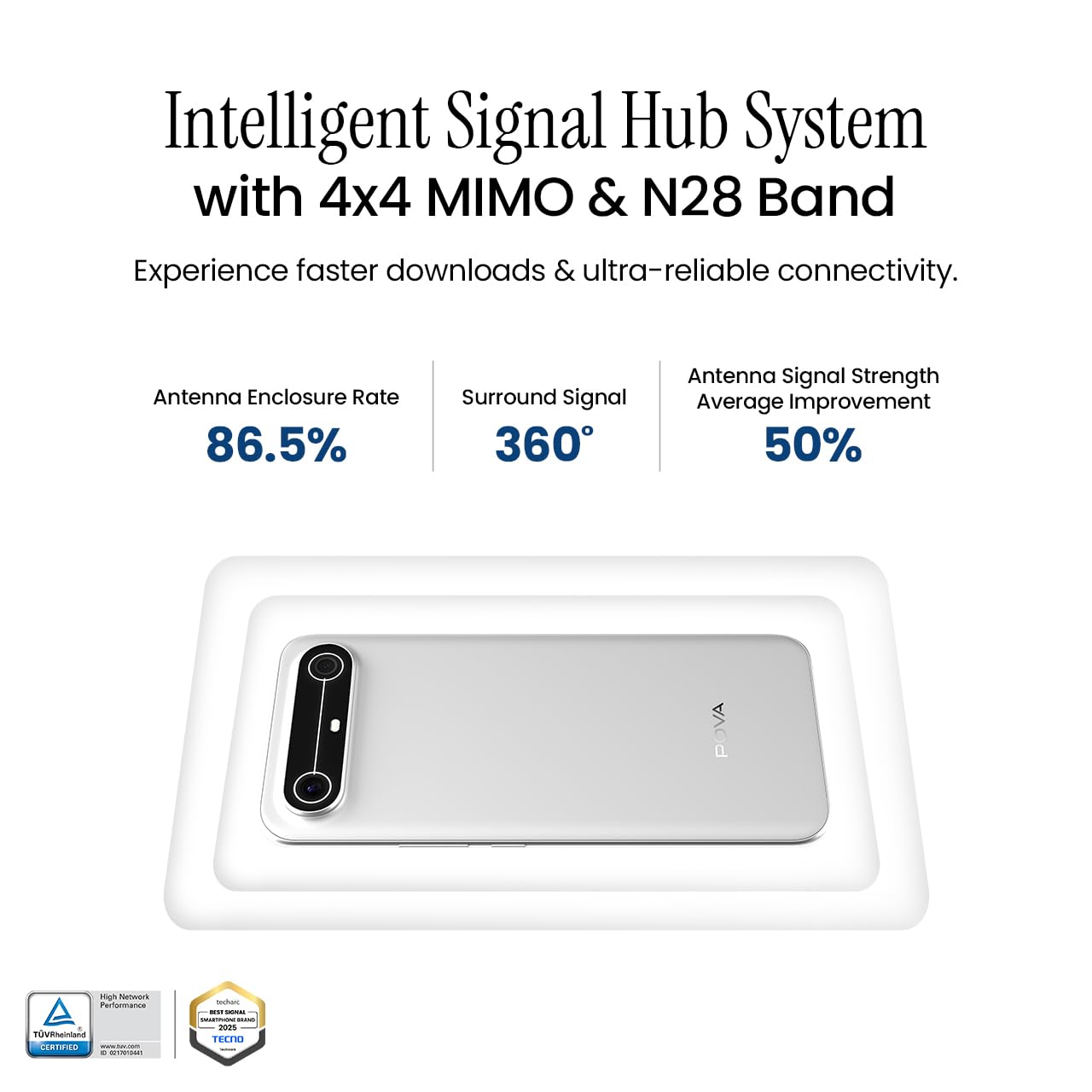
Image 5.6: Diagram illustrating the Intelligent Signal Hub System.
5.6. Bateri dan Pengecasan
The device is powered by a 5160mAh battery and supports 45W fast charging. Use the provided power adapter and USB cable for optimal charging performance. Avoid using uncertified chargers or cables.

Image 5.7: Representation of the 5160mAh battery and 45W charging capability.
6. Penyelenggaraan
6.1. Penjagaan Bateri
- Elakkan suhu yang melampau, kerana ia boleh merendahkan hayat bateri.
- Do not fully discharge the battery regularly; charge it before it drops too low.
- Unplug the charger once the battery is full to prevent overcharging.
6.2. Membersihkan Peranti Anda
Gunakan kain lembut dan tidak berbulu untuk membersihkan skrin dan badan telefon anda. Elakkan menggunakan bahan kimia yang keras atau bahan yang melelas. Untuk calitan degil, sedikit dampen kain dengan air atau pembersih skrin yang direka khusus untuk elektronik.
6.3. Kemas Kini Perisian
Regularly check for and install software updates. Updates often include security patches, performance improvements, and new features. To check for updates, go to Tetapan > Sistem > Kemas Kini Sistem.
6.4. Ciri Ketahanan
The Pova Slim 5G is built with durability in mind, featuring MIL-STD-810H military-grade toughness, IP64 dust and splash resistance, and Corning Gorilla Glass 7i for screen protection.

Image 6.1: Indication of MIL-STD-810H military-grade protection.
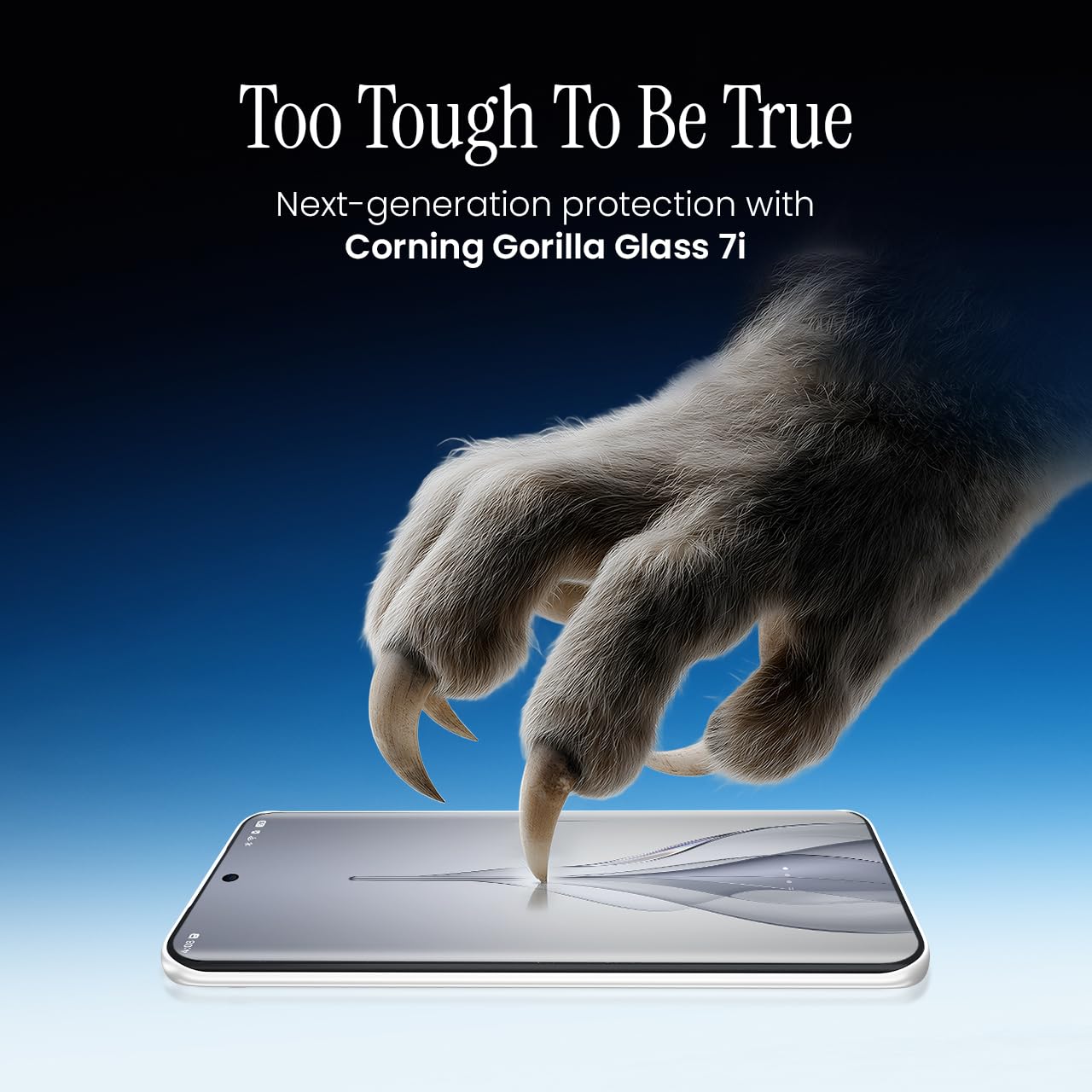
Image 6.2: Visual representation of Corning Gorilla Glass 7i protection.

Image 6.3: Device shown with IP64 dust and splash resistance.
7. Penyelesaian masalah
Jika anda menghadapi masalah dengan peranti anda, cuba penyelesaian berikut:
- Peranti Tidak Dihidupkan: Pastikan bateri dicas. Sambungkan pengecas dan tunggu beberapa minit sebelum cuba menghidupkan semula.
- Isu Ketersambungan Rangkaian: Check if your SIM card is properly inserted. Try restarting the device. Verify that mobile data or Wi-Fi is enabled in settings.
- Prestasi Perlahan: Close unnecessary background applications. Clear cache from apps. Consider restarting the device. Ensure sufficient storage space is available.
- Bateri Habis Cepat: Reduce screen brightness. Disable unused features like Bluetooth or GPS. Limit background app activity.
- Apl Ranap: Clear the app's cache and data (Settings > Apps > [App Name] > Storage > Clear Cache/Clear Data). If the issue persists, reinstall the app.
For persistent issues, contact customer support or visit an authorized service center.
8. Spesifikasi
| Ciri | Spesifikasi |
|---|---|
| Nombor Model | KM9 |
| Sistem Operasi | Android 15 |
| Saiz Terpasang Memori RAM | 8 GB |
| Storan (ROM) | 128 GB |
| Kelajuan CPU | 2, 2.5 GHz |
| Dimensi Produk | 16.4 x 7.6 x 0.6 cm |
| Berat Barang | 156 g |
| Penilaian Kuasa Bateri | 5160 mAh |
| Resolusi | 1224 x 2720 piksel |
| Teknologi Ketersambungan | Bluetooth, Infrared, USB, Wi-Fi |
| warna | Slim White |
| Negara Asal | India |
9. Waranti dan Sokongan
Your Tecno Pova Slim 5G smartphone comes with a limited manufacturer's warranty. Please refer to the warranty card included in your product packaging for specific terms and conditions, including coverage period and limitations.
For technical support, service inquiries, or to find authorized service centers, please visit the official Tecno website or contact their customer service helpline. Keep your purchase receipt and device's serial number handy when seeking support.
Sokongan dalam talian: Tecno India Support