
1. Pengenalan
Terima kasih kerana membeliasing the XNANO HM109 Projector. This manual provides essential information for setting up, operating, and maintaining your projector. Please read this manual thoroughly before use to ensure proper operation and to maximize your viewing experience. The HM109 features built-in streaming apps, 4K/1080P HD video projection support, WiFi 6, Bluetooth 5.0, and integrated Hi-Fi stereo speakers, designed for both indoor and outdoor home theater environments.
2. Maklumat Keselamatan
Please observe the following safety precautions to prevent damage to the projector and ensure user safety:
- Do not block the ventilation openings. Ensure adequate airflow around the projector.
- Jangan dedahkan projektor kepada hujan atau lembapan untuk mengelakkan kebakaran atau kejutan elektrik.
- Elakkan melihat terus ke dalam kanta projektor apabila lamp sedang aktif.
- Letakkan projektor pada permukaan yang stabil dan rata.
- Gunakan hanya penyesuai kuasa yang dibekalkan dengan projektor.
- Unplug the projector during lightning storms or when unused for extended periods.
- Do not attempt to repair this product yourself. Refer all servicing to qualified personnel.
3. Kandungan Pakej
Sahkan bahawa semua item terdapat dalam pakej anda:
- XNANO HM109 Projector
- Alat Kawalan Jauh
- Penyesuai Kuasa
- Kabel HDMI
- Manual Pengguna (dokumen ini)
4. Produk Lebihview
Familiarize yourself with the components of your XNANO HM109 Projector.
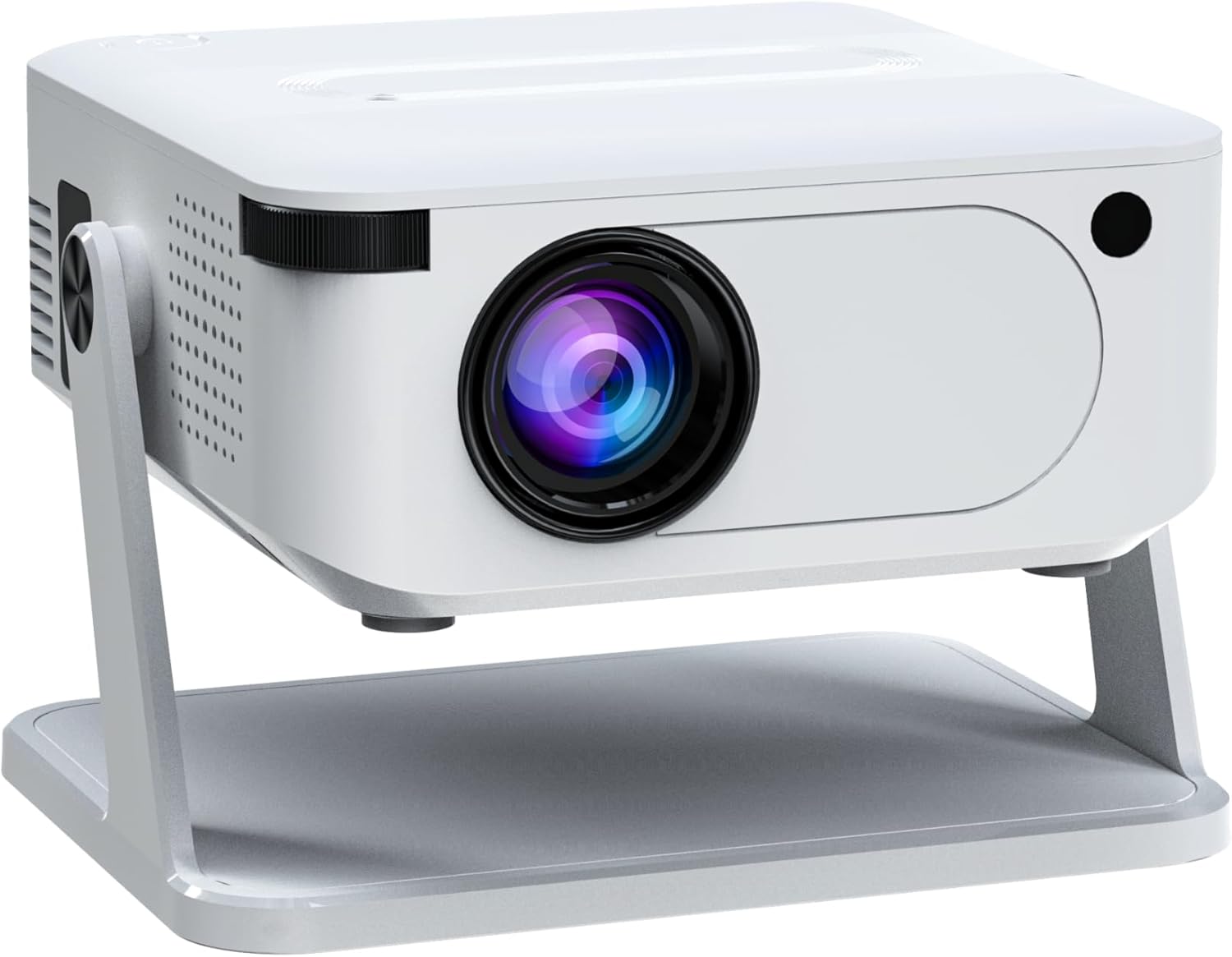
Rajah 4.1: Depan bersudut view of the XNANO HM109 Projector, showing the lens, focus ring, and integrated stand.
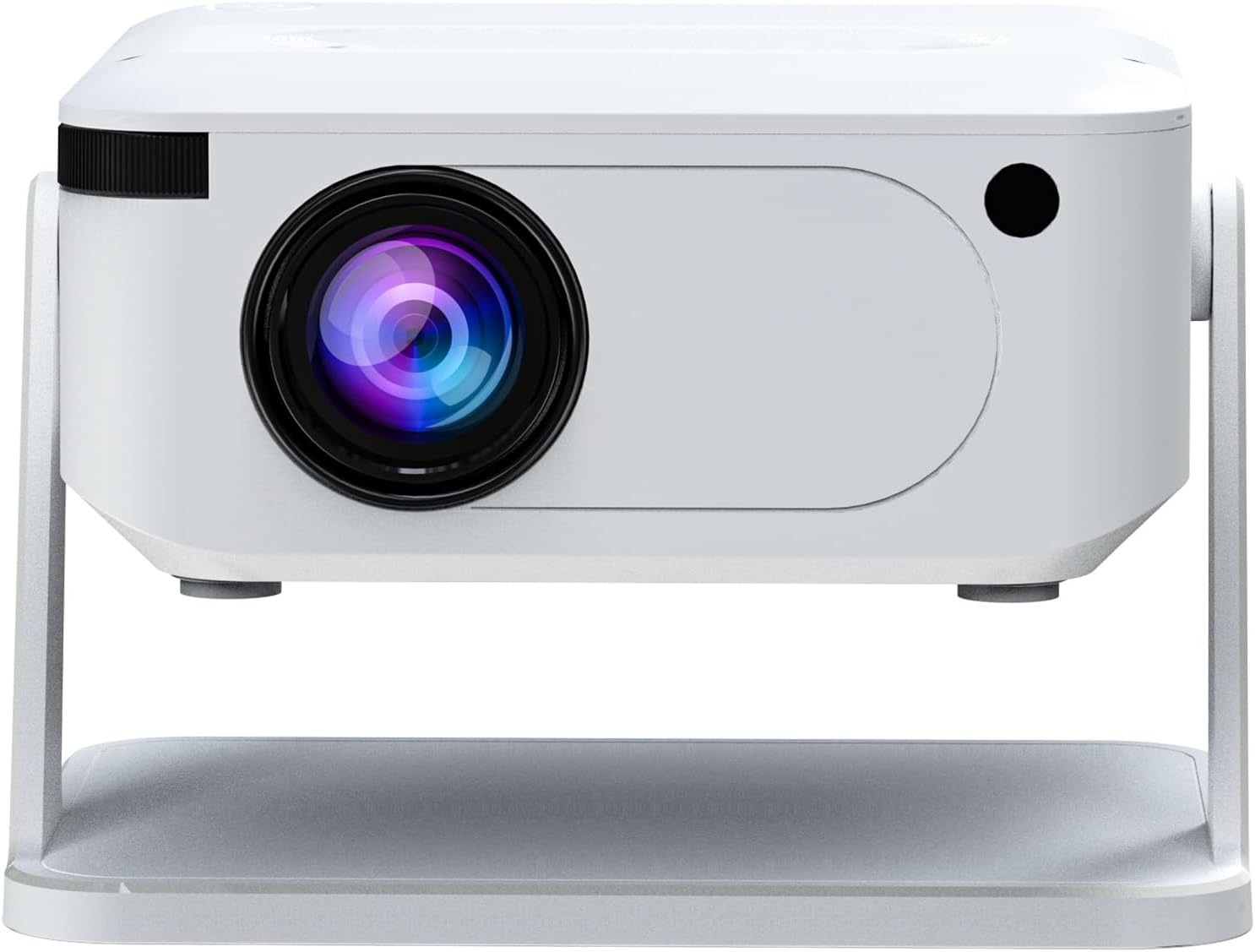
Rajah 4.2: Depan view of the XNANO HM109 Projector, highlighting the projection lens and infrared receiver.

Rajah 4.3: Bahagian kiri view of the XNANO HM109 Projector, showing the power input port and ventilation grilles.

Rajah 4.4: Bahagian kanan view of the XNANO HM109 Projector, detailing the HDMI, 3.5mm Audio Out, and USB ports.
Komponen Utama:
- Kanta Tayangan: Memancarkan imej.
- Cincin Fokus: Melaraskan kejelasan imej.
- Input Kuasa: Menyambung kepada penyesuai kuasa.
- Port HDMI: Connects to external video sources (e.g., laptop, game console).
- Port USB: Connects to USB storage devices for media playback.
- Audio Keluar (3.5mm): Menyambung kepada pembesar suara luaran atau fon kepala.
- Gril Pengudaraan: For heat dissipation. Do not obstruct.
- Stand Bersepadu: Allows for angle adjustment.
5. Persediaan
- penempatan: Place the projector on a stable, flat surface. Ensure the projection path is clear of obstructions. The integrated stand allows for minor angle adjustments.
- Sambungan Kuasa: Connect the power adapter to the projector's power input port, then plug the adapter into a power outlet. The power indicator light will illuminate.
- Hidupkan kuasa: Tekan butang kuasa pada projektor atau alat kawalan jauh untuk menghidupkan peranti.
- Pelarasan Fokus: Once the projector is on and displaying an image, rotate the focus ring near the lens until the image appears sharp and clear.
- Pembetulan Keystone: If the projected image appears trapezoidal, use the keystone correction feature (usually found in the projector's settings menu) to adjust the image shape to a perfect rectangle.
6. Arahan Operasi
6.1 Operasi Asas
- Hidupkan/Mati Kuasa: Tekan butang kuasa pada projektor atau alat kawalan jauh.
- Navigasi: Use the arrow keys on the remote control to navigate through menus. Press 'OK' or 'Enter' to confirm selections.
- Kawalan Kelantangan: Use the volume buttons on the remote to adjust the audio output.
- Pemilihan Sumber: Press the 'Source' button on the remote to select input sources (e.g., HDMI, USB, built-in apps).
6.2 Menggunakan Aplikasi Penstriman Terbina Dalam
The XNANO HM109 Projector comes with officially certified streaming apps pre-installed. Ensure the projector is connected to a stable internet connection via WiFi (see Section 7.1) to access these services. Navigate to the 'Apps' section from the main menu and select your desired streaming platform.
6.3 Main Semula Media melalui USB
Insert a USB flash drive into the USB port. The projector should automatically detect the device or prompt you to select the USB input source. Navigate through your files to play videos, view photos, or listen to music.
7. Ketersambungan
7.1 WiFi Connection (WiFi 6)
- Pergi ke menu 'Tetapan' pada projektor.
- Pilih 'Rangkaian' atau 'Tetapan WiFi'.
- Turn on WiFi and select your desired network from the list of available networks.
- Enter the WiFi password using the on-screen keyboard and confirm.
- Once connected, the projector will display a confirmation message.
7.2 Bluetooth Connection (Bluetooth 5.0)
Sambungkan pembesar suara atau fon kepala Bluetooth luaran untuk audio yang dipertingkatkan.
- Go to the 'Settings' menu.
- Pilih 'Tetapan Bluetooth'.
- Turn on Bluetooth. The projector will start searching for nearby devices.
- Put your Bluetooth device (e.g., speaker, headphones) into pairing mode.
- Select your device from the list on the projector screen to pair.
7.3 Sambungan Berwayar
- HDMI: Connect an HDMI cable from your source device (e.g., laptop, Blu-ray player) to the HDMI port on the projector. Select 'HDMI' as the input source.
- USB: Insert a USB storage device into the USB port for media playback. Select 'USB' as the input source.
- Audio Keluar (3.5mm): Connect external wired speakers or headphones to this port for audio output.
8. Penyelenggaraan
- Pembersihan Kanta: Use a soft, lint-free cloth specifically designed for optical lenses to gently wipe the projector lens. Do not use abrasive cleaners.
- Penyingkiran habuk: Regularly clean the ventilation grilles with a soft brush or compressed air to prevent dust buildup, which can affect performance and lifespan.
- Storan: Apabila tidak digunakan untuk tempoh yang lama, simpan projektor di tempat yang sejuk dan kering, jauh daripada cahaya matahari langsung dan suhu yang melampau.
- Matikan dengan betul: Sentiasa matikan projektor menggunakan butang kuasa yang ditetapkan dan biarkan ia sejuk sebelum mencabut atau mengalihkannya.
9. Penyelesaian masalah
| Masalah | Kemungkinan Punca | Penyelesaian |
|---|---|---|
| Tiada imej dipaparkan | Kuasa tidak disambungkan; Sumber input salah; Penutup kanta dihidupkan. | Check power connection; Select correct input source (HDMI, USB); Remove lens cap. |
| Imej kabur | Fokus tidak dilaraskan; Projektor terlalu dekat/jauh dari skrin. | Laraskan gelang fokus; Laraskan jarak unjuran. |
| Imej adalah trapezoid | Projektor tidak berserenjang dengan skrin. | Adjust keystone correction in settings. |
| Tiada bunyi | Volume too low; Muted; External audio device not connected/selected. | Increase volume; Unmute; Check external audio connections/Bluetooth pairing. |
| Isu sambungan WiFi | Kata laluan salah; Penghala terlalu jauh; Gangguan rangkaian. | Re-enter password; Move projector closer to router; Check router settings. |
10. Spesifikasi
| Jenama: | XNANO |
| model: | HM109 |
| Resolusi Paparan: | 1280 x 720 (Supports 4K & 1080P HD Video Projection) |
| Teknologi Ketersambungan: | WiFi 6, Bluetooth 5.0, HDMI, USB, 3.5mm Audio Out |
| Ciri Khas: | Built-in Streaming Apps, Hi-Fi Stereo Speakers, Low Noise |
| Penggunaan yang Disyorkan: | Indoor/Outdoor Home Theater |
| Berat Barang: | 1.65 paun (lebih kurang 0.75 kg) |
| Dimensi Produk: | 10.16 x 5.43 x 5.75 inci (lebih kurang 25.8 x 13.8 x 14.6 cm) |
11. Waranti dan Sokongan
For warranty information and technical support, please refer to the warranty card included with your product or visit the official XNANO website. You can also contact XNANO customer service through the contact details provided on their website for assistance with product inquiries, troubleshooting, or service requests.
XNANO Official Store: Visit the XNANO Store on Amazon