1. Pengenalan
Terima kasih kerana membeliasing the Hiwill A51 Dolby Atmos 5.1ch Soundbar System. This manual provides essential information for setting up, operating, and maintaining your soundbar system to ensure optimal performance and longevity. Please read this manual thoroughly before use and retain it for future reference.
2. Maklumat Keselamatan Penting
Untuk mengurangkan risiko kejutan elektrik, kebakaran atau kerosakan pada unit, sila patuhi langkah keselamatan berikut:
- Jangan dedahkan perkakas ini kepada hujan atau lembapan.
- Jangan letakkan objek yang diisi dengan cecair, seperti pasu, pada radas.
- Jangan sekat sebarang bukaan pengudaraan. Pasang mengikut arahan pengilang.
- Jangan pasang berhampiran mana-mana sumber haba seperti radiator, daftar haba, dapur, atau radas lain (termasuk amppenghidup) yang menghasilkan haba.
- Lindungi kord kuasa daripada berjalan atau tersepit, terutamanya pada palam, bekas kemudahan dan tempat keluar dari radas.
- Hanya gunakan lampiran/aksesori yang ditentukan oleh pengilang.
- Cabut plag radas ini semasa ribut petir atau apabila tidak digunakan untuk jangka masa yang lama.
- Rujuk semua servis kepada kakitangan perkhidmatan yang berkelayakan. Servis diperlukan apabila radas telah rosak dalam apa jua cara, seperti kord bekalan kuasa atau palam rosak, cecair telah tertumpah atau objek jatuh ke dalam radas, radas telah terdedah kepada hujan atau lembapan, tidak beroperasi seperti biasa. , atau telah digugurkan.
3. Kandungan Pakej
Sila pastikan semua item yang disenaraikan di bawah disertakan dalam pakej anda:
- Hiwill A51 Soundbar
- Subwufer Berwayar
- 2x Pembesar Suara Surround Berwayar
- Kabel Kuasa
- Panduan Mula Pantas
- Remote Control (with battery included)
- Kad Waranti
- Kabel HDMI
4. Produk Lebihview
4.1 Komponen Sistem
The Hiwill A51 system consists of a main soundbar unit, a wired subwoofer, and two wired surround speakers.
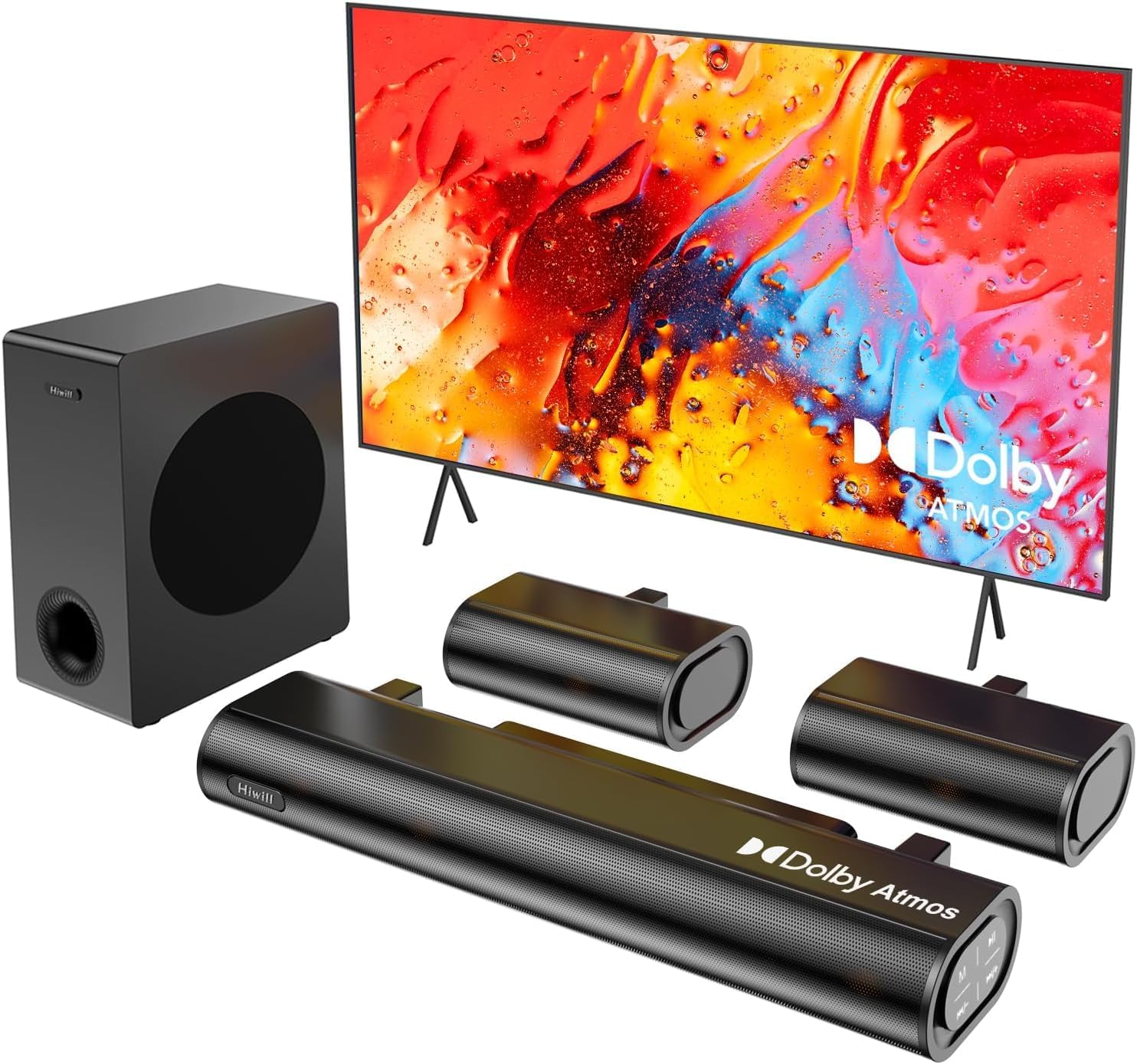
Figure 4.1: Hiwill A51 Soundbar System Components
4.2 Ciri-ciri Bar Bunyi
The soundbar features multiple input ports for versatile connectivity and an integrated display for status information.

Figure 4.2: Soundbar Rear Panel Connections
4.3 Speaker Driver Construction
The system utilizes high-quality speaker drivers with aluminum-magnesium alloy diaphragms and copper shorting rings for enhanced audio clarity and reduced interference.

Figure 4.3: Speaker Driver Internal Components
5. Persediaan
5.1 Sambungan Fizikal
Follow these steps to connect your Hiwill A51 Soundbar System:
- Place the soundbar in front of your television, ensuring it does not obstruct the TV's remote sensor.
- Position the wired subwoofer on the floor, ideally near the soundbar.
- Connect the two wired surround speakers to the designated ports on the soundbar or subwoofer as per the connection diagram.
- Connect the soundbar to your TV using one of the recommended connection methods (HDMI eARC is preferred).
- Sambungkan kabel kuasa ke bar bunyi dan kemudian ke soket kuasa.

Figure 5.1: Typical 5.1ch Sound System Setup
5.2 Penempatan Pembesar Suara
Proper placement of the surround speakers is crucial for an immersive audio experience. The system supports independent 12-level adjustment for rear speaker volume.
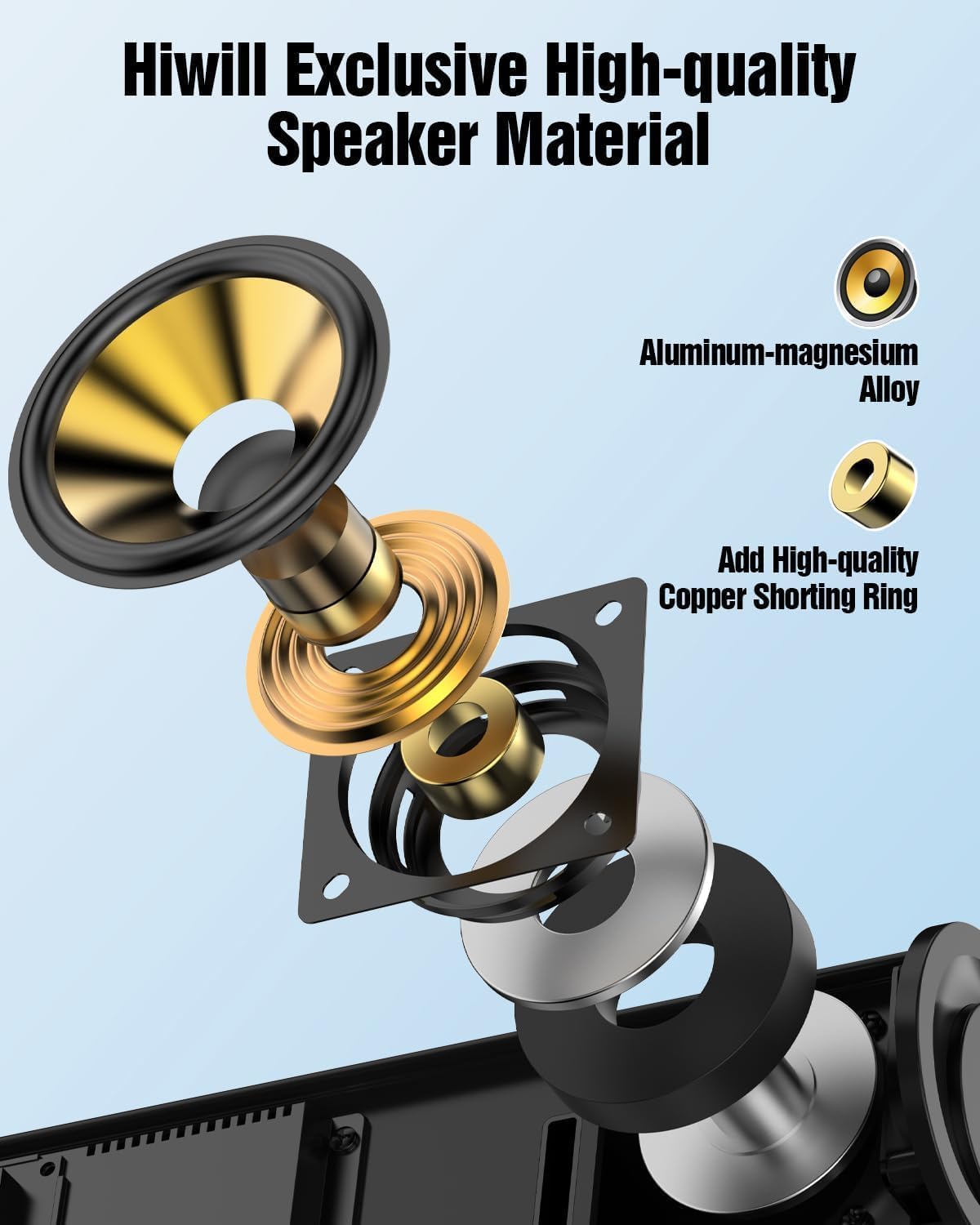
Figure 5.2: Rear Surround Speaker Placement and Adjustment
5.3 Kaedah Penyambungan
The Hiwill A51 offers multiple connectivity options. HDMI eARC is recommended for the best audio quality and Dolby Atmos support.
| Ciri | HDMI eARC | HDMI ARC |
|---|---|---|
| Nama Penuh | Saluran Pulangan Audio yang Dipertingkat | Saluran Pemulangan Audio |
| Lebar jalur | Sehingga 37 Mbps | Sehingga 1 Mbps |
| Sokongan Format Audio | Uncompressed audio (e.g., Dolby Atmos/Dolby TrueHD/DTS:X/PCM 7.1/DTS-HD Master Audio) | Compressed audio (e.g., Dolby Digital/DTS/PCM 2.0 (stereo)) |
| Sokongan Saluran | Sehingga 7.1 saluran, malah 32 saluran (cth., Dolby Atmos) | Sehingga 5.1 saluran |
| Kualiti Audio | Audio beresolusi tinggi (cth., 24-bit/192kHz) | Audio definisi standard |
| Latensi | Sangat rendah (penyegerakan bibir yang dioptimumkan) | Lebih tinggi (mungkin menjejaskan penyegerakan bibir) |
| Keserasian Peranti | Memerlukan HDMI 2.1 atau lebih baharu | Memerlukan HDMI 1.4 atau lebih baharu |
| Keperluan Kabel | High-speed HDMI cable (package has included) | Kabel HDMI standard |
For optimal performance, use the connection method that best suits your TV and content:
| Kaedah Sambungan | Kualiti Audio | Supports Dolby Atmos | Recommendation Rating |
|---|---|---|---|
| HDMI eARC | Best (uncompressed high-res audio) | Disokong sepenuhnya | ★★★★★ |
| HDMI ARC | Good (compressed audio) | Partially supported* | ★★★★☆ |
| Optik | Fair (compressed audio) | Tidak disokong | ★★★☆☆ |
| Bluetooth | Fair (wireless transmission) | Tidak disokong | ★★☆☆☆ |
| AUX | Poor (stereo audio) | Tidak disokong | ★☆☆☆☆ |
*Partially supports means that HDMI ARC can only support Atmos transmitted via Dolby Digital Plus, but not Dolby TrueHD Atmos.
6. Arahan Operasi
6.1 Operasi Asas
- Hidupkan/Mati Kuasa: Tekan butang kuasa pada bar bunyi atau alat kawalan jauh.
- Kawalan Kelantangan: Use the Volume Up/Down buttons on the soundbar or remote.
- Pemilihan Input: Press the 'Input' button on the remote or soundbar to cycle through HDMI eARC, Optical, Bluetooth, and AUX inputs.
6.2 Alat Kawalan Jauh
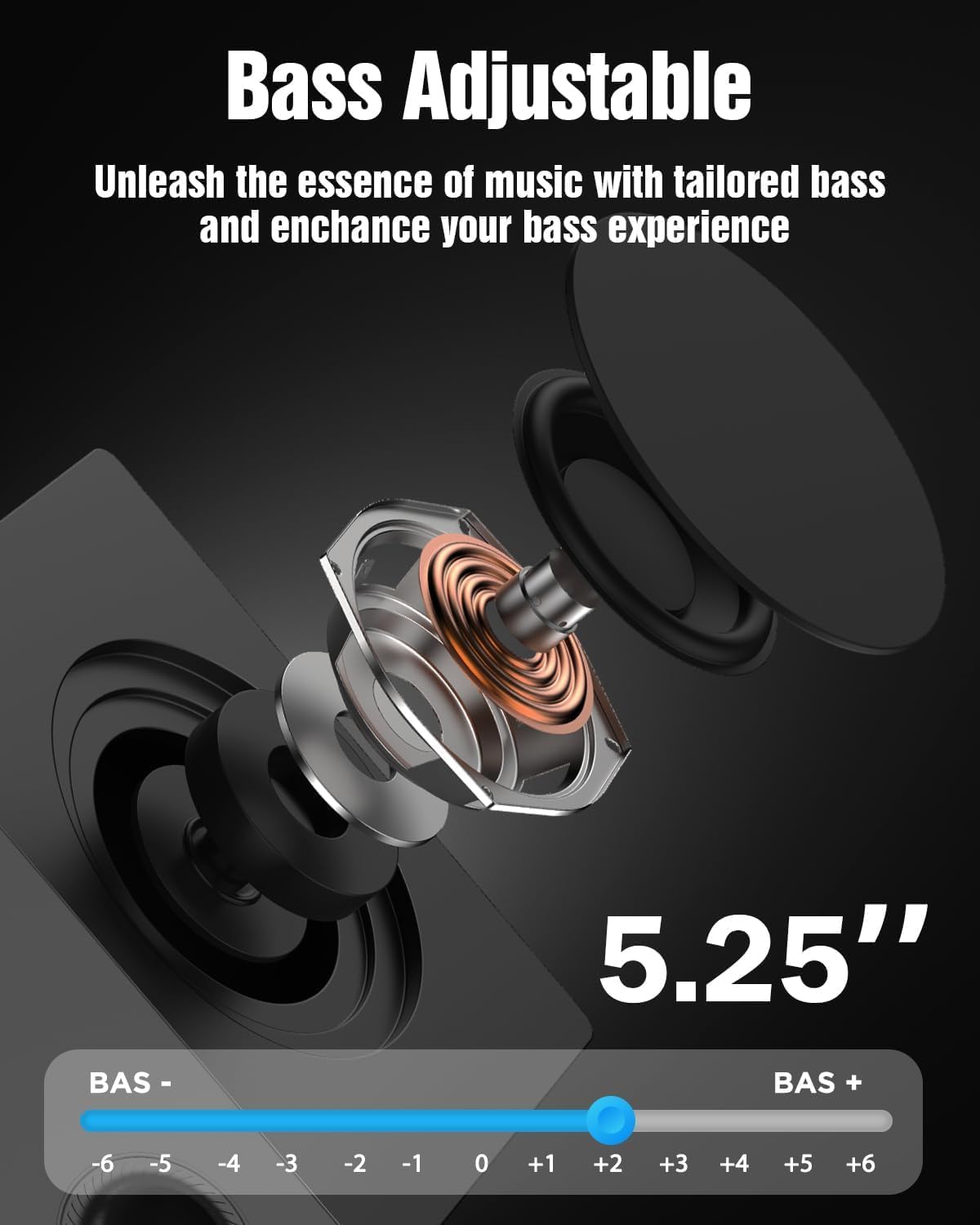
The included remote control provides full functionality for your soundbar system, including independent adjustment for bass, surround sound, and treble.
Rajah 6.1: Susun Atur Alat Kawalan Jauh
6.3 Mod EQ
Select from various EQ modes to optimize your audio experience for different content types:
- PureSound: Provides a balanced, uncolored audio profile.
- Filem: Enhances dialogue and dynamic range for cinematic content.
- Muzik: Optimizes for musical playback with rich bass and clear highs.
- Berita: Focuses on vocal clarity for news broadcasts and spoken content.

Figure 6.2: Soundbar Display with EQ Modes
6.4 Pelarasan Bes
The subwoofer's bass level can be adjusted to your preference using the remote control. This allows you to tailor the low-frequency response to your listening environment and content.

Figure 6.3: Bass Level Adjustment
6.5 Peningkatan Firmware
New firmware versions may be released to enhance performance, add features, or address issues. Please contact Hiwill support for information on available firmware upgrades and instructions on how to apply them.

Figure 6.4: Firmware Upgrade Benefits
7. Penyelenggaraan
7.1 Pembersihan
Untuk mengekalkan penampilan dan prestasi sistem bar bunyi anda:
- Lap permukaan dengan kain lembut dan kering.
- Jangan gunakan pembersih, lilin atau pelarut yang melelas kerana ia boleh merosakkan kemasan.
- Pastikan unit dicabut plag sebelum dibersihkan.
7.2 Penyimpanan
Jika menyimpan unit ini untuk tempoh yang lama, cabut plagnya dari soket kuasa dan simpan di tempat yang sejuk dan kering, jauh daripada cahaya matahari langsung dan suhu yang melampau.
8. Penyelesaian masalah
If you encounter issues with your Hiwill A51 Soundbar System, refer to the table below for common problems and solutions.
| Masalah | Kemungkinan Punca | Penyelesaian |
|---|---|---|
| Tiada kuasa | Kabel kuasa tidak disambungkan; Salur keluar kuasa tidak aktif | Ensure power cable is securely connected; Test outlet with another device. |
| Tiada bunyi | Incorrect input selected; Volume too low; Mute activated; Incorrect TV audio settings | Select correct input source; Increase volume; Deactivate mute; Check TV audio output settings (e.g., PCM, Bitstream). |
| No sound from surround speakers | Surround speakers not connected; Surround volume too low; Source content is stereo | Ensure surround speakers are properly connected; Increase surround speaker volume via remote; Note that some content may not have discrete surround channels. |
| Isu berpasangan Bluetooth | Device too far; Soundbar not in pairing mode; Interference | Move device closer; Put soundbar into Bluetooth pairing mode; Avoid other wireless devices. |
| Alat kawalan jauh tidak berfungsi | Battery depleted; Obstruction; Remote sensor blocked | Replace battery; Remove obstructions; Ensure remote is pointed at the soundbar's sensor. |
If the problem persists after trying these solutions, please contact Hiwill customer support.
9. Spesifikasi
Below are the technical specifications for the Hiwill A51 Dolby Atmos 5.1ch Soundbar System:
| Ciri | Perincian |
|---|---|
| Nama Model | A51 |
| Jenis Pembesar Suara | Soundbar with Wired Subwoofer and Wired Surround Speakers |
| Konfigurasi Saluran Bunyi Sekeliling | 5.1 |
| Ciri Khas | Bar Bunyi Dolby Atmos |
| Teknologi Ketersambungan | Auxiliary, Bluetooth, HDMI (eARC), Optical, USB |
| Teknologi Komunikasi Tanpa Wayar | Bluetooth |
| Kuasa Output Maksimum Pembesar Suara | 380 Watt |
| Respons Kekerapan | 45 Hz |
| Dimensi Produk (Bar Bunyi) | 16.93"D x 2.36"W x 4.45"H |
| Berat Barang | 13.22 paun (jumlah sistem) |
| bahan | Metal or High-Quality Plastic |
| warna | Hitam |
| Pengeluar | Hiwill |
10. Waranti dan Sokongan
10.1 Maklumat Waranti
This product comes with a limited manufacturer's warranty. Please refer to the included Warranty Card for specific terms, conditions, and duration of coverage. Retain your proof of purchase for warranty claims.
10.2 Sokongan Pelanggan
For technical assistance, troubleshooting beyond this manual, or warranty inquiries, please contact Hiwill customer support. Contact details can typically be found on the Warranty Card or the official Hiwill webtapak.