
CarpodGo T3 Pro
Manual Pengguna Carplay Tanpa Wayar Mudah Alih CarpodGo T3 Pro
Model: T3 Pro
Jenama: CarpodGo
1. Pengenalan
The CarpodGo T3 Pro is a portable 8.9-inch wireless CarPlay and Android Auto display designed to enhance your in-car entertainment and navigation experience. Featuring a fully laminated 1920x720 IPS touch screen, it offers seamless integration with your smartphone, supporting both wireless CarPlay and Android Auto functionalities. Its innovative design includes a magnetic base for flexible mounting and a Display-Only Bluetooth Mode for optimized audio routing through your vehicle's existing sound system.

Figure 1.1: CarpodGo T3 Pro Portable Display with CarPlay Interface.
2. Maklumat Keselamatan
- Sentiasa pastikan peranti dipasang dengan selamat dan tidak menghalang anda view atau mengganggu kawalan kenderaan.
- Jangan cuba membuka atau mengubah suai peranti. Ini mungkin membatalkan waranti dan menimbulkan risiko keselamatan.
- Elakkan daripada mendedahkan peranti kepada suhu yang melampau, cahaya matahari langsung untuk tempoh yang lama atau kelembapan yang berlebihan.
- Gunakan hanya penyesuai kuasa dan kabel yang disediakan untuk mengelakkan kerosakan atau bahaya kebakaran.
- Operate the device responsibly. Distracted driving can lead to accidents.
3. Apa yang ada di dalam Kotak
Buka kotak dengan berhati-hati dan pastikan semua item ada dan dalam keadaan baik. Jika ada item yang hilang atau rosak, sila hubungi sokongan pelanggan.

Figure 3.1: Package Contents of CarpodGo T3 Pro.
- CarpodGo T3 Pro Portable Display Unit
- Pangkalan Magnetik
- Pemasangan Konsol Tetap
- 9V Power Cord (Car Charger)
- Penyesuai OTG
- Manual Pengguna
- Central Control Seamless Mounts (complementary)
- Suction Cup Mount (for glass)
- Optional Accessories (may be sold separately): Backup Camera, Bluetooth Aux Receiver
4. Persediaan
4.1 Memasang Peranti
The CarpodGo T3 Pro features a strong magnetic base for secure attachment. It is compatible with a 17mm ball head mount and includes complementary central control seamless mounts and a suction cup mount for glass surfaces.
- Pilih Lokasi Pemasangan: Select a location on your dashboard or windshield that does not obstruct your view of the road, airbags, or vehicle controls.
- Pasang Gunung:
- For Dashboard (Seamless Mounts): Clean the dashboard surface thoroughly. Attach the central control seamless mount to the desired location.
- For Windshield (Suction Cup Mount): Clean the windshield surface. Press the suction cup firmly against the glass and engage the lever to secure it.
- For Fixed Console Mount: Secure the fixed console mount to a suitable flat surface using adhesive or screws (if applicable and safe).
- Pasang Tapak Magnet: Connect the magnetic base to the chosen mount (e.g., 17mm ball head).
- Secure the T3 Pro Display: Align the back of the T3 Pro display with the magnetic base. The strong magnets will firmly hold the display in place. Ensure it is stable and does not wobble.

Figure 4.1: Magnetic Base and Mount.
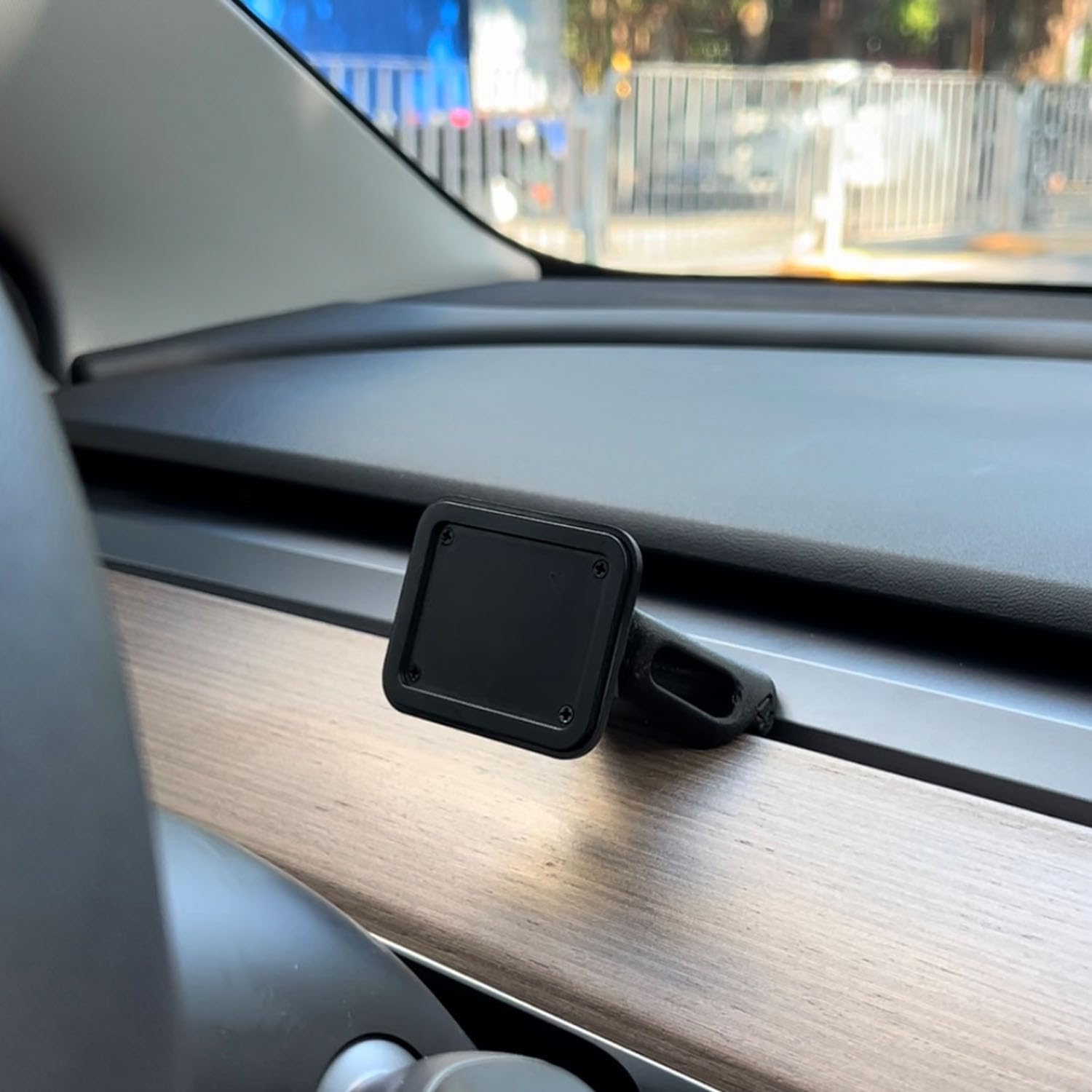
Figure 4.2: Magnetic Base Installed on Dashboard.
4.2 Sambungan Kuasa
Connect the provided 9V power cord to the "Power" port on the side of the T3 Pro unit and plug the other end into your vehicle's 12V accessory outlet (cigarette lighter socket).
4.3 Boot-Up Awal
Once powered, the device will automatically boot up. The multi-core Linux system is designed for fast startup, typically displaying the CarPlay interface within 12 seconds.

Figure 4.3: Fast Boot-Up and Connectivity.
5. Arahan Operasi
5.1 CarPlay Wayarles / Sambungan Android Auto
The T3 Pro supports wireless CarPlay and Android Auto for seamless smartphone integration.
- On the T3 Pro, navigate to the CarPlay or Android Auto icon on the main screen.
- On your smartphone, enable Bluetooth and Wi-Fi.
- Cari untuk the T3 Pro's Bluetooth name (usually "CarpodGo T3 Pro" or similar) on your phone and pair with it.
- Once paired via Bluetooth, your phone will automatically establish a Wi-Fi connection for CarPlay/Android Auto.
- The T3 Pro supports 60fps wireless CarPlay for smoother scrolling and responsiveness. This can typically be adjusted in the device settings if needed.
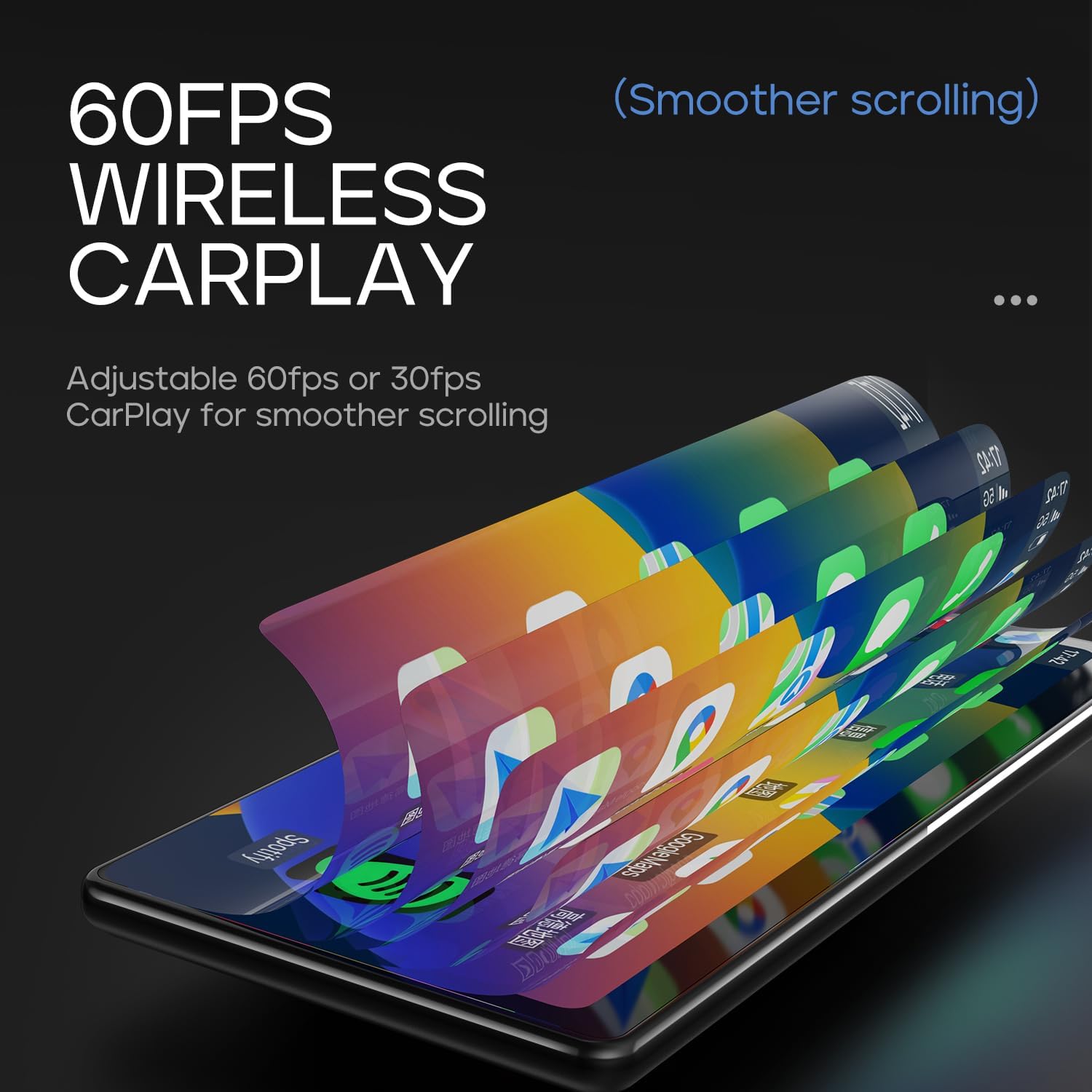
Figure 5.1: 60fps Wireless CarPlay for Smooth Operation.
5.2 Mod Bluetooth Paparan Sahaja
This mode allows you to route audio (maps, music, calls) through your car's existing Bluetooth system, utilizing your car's speakers and microphone, while the T3 Pro handles the display.
- On the T3 Pro, activate "Display-Only Bluetooth Mode" in the settings. Refer to the on-screen interface for the exact location of this setting.
- Connect your smartphone directly to your car's Bluetooth system.
- The T3 Pro will continue to display CarPlay/Android Auto, but all audio will be managed by your car's Bluetooth connection. This mode also supports steering wheel controls for audio and calls, provided your car's Bluetooth system is compatible.

Figure 5.2: Display-Only Bluetooth Mode Configuration.
5.3 Navigasi Antara Muka Pengguna (UI).
The T3 Pro features a new Carpod interface UI with a line neomorphism style, designed for intuitive use. Navigate through menus and applications using the touch screen. Swipe gestures and taps are used for interaction.

Figure 5.3: CarpodGo T3 Pro User Interface Examples.
6. Penyelenggaraan
- Pembersihan: Use a soft, lint-free cloth to clean the screen and body of the device. Do not use abrasive cleaners, alcohol, or solvents.
- Storan: Jika menyimpan peranti untuk tempoh yang lama, putuskan sambungannya daripada kuasa dan simpan di tempat yang sejuk dan kering jauh daripada cahaya matahari langsung.
- Kemas Kini Perisian: Periksa pengeluar secara berkala website or the device settings for available firmware updates to ensure optimal performance and new features.
7. Penyelesaian masalah
| Masalah | Kemungkinan Punca | Penyelesaian |
|---|---|---|
| Peranti tidak dihidupkan. | No power connection or faulty power cord. | Ensure the 9V power cord is securely plugged into the device and the car's 12V outlet. Check if the car's outlet is functioning. |
| Wireless CarPlay/Android Auto tidak bersambung. | Bluetooth/Wi-Fi issues, phone settings. |
|
| Tiada audio atau kualiti audio yang lemah. | Audio routing issue, volume settings. |
|
| Skrin tidak bertindak balas atau beku. | Gangguan perisian sementara. | Perform a soft reset by disconnecting and reconnecting the power. If the issue persists, contact customer support. |
8. Spesifikasi
| Ciri | Perincian |
|---|---|
| Nombor Model | T3 Pro |
| Saiz Paparan | 8.9 inci |
| Resolusi Skrin | 1920 x 720 IPS |
| Teknologi Paparan | Fully Laminated Screen, 16.7 million colors, 700nit highlight |
| Kesambungan Wayarles | Wireless CarPlay, Wireless Android Auto, Wi-Fi, Bluetooth |
| Mod Bluetooth | Mod Bluetooth Paparan Sahaja |
| Kadar Bingkai | Supports 60fps Wireless CarPlay |
| Melekap | Magnetic design, compatible with 17mm ball head mount, central control seamless mounts, suction cup mount |
| Jenis Pengawal | Push Button, Steering Wheel Controls (via Display-Only BT Mode) |
| Mod Keluaran Audio | Stereo |
| Jenis Penyambung | Bicu 3.5mm, HDMI, USB |
9. Waranti dan Sokongan
CarpodGo products are designed for reliability and performance. For warranty information, technical support, or service inquiries, please refer to the warranty card included in your package or visit the official CarpodGo webtapak. Simpan resit pembelian anda sebagai bukti pembelian untuk tuntutan waranti.
Maklumat Hubungan: Please refer to the contact details provided in your product packaging or on the official CarpodGo webtapak untuk mendapatkan maklumat sokongan yang paling terkini.
Ask a question about this manual
Ask about setup, troubleshooting, compatibility, parts, safety, or missing instructions. Manuals+ will review the question and use this page’s manual context to help answer it.