
Target TT-IK-DST 1130
Target TT-IK-DST 1130 Tower Speaker User Manual
Model: TT-IK-DST 1130
1. Pengenalan
This manual provides essential instructions for the safe and efficient operation of your Target TT-IK-DST 1130 Tower Speaker. Please read this manual thoroughly before using the product and retain it for future reference. The Target TT-IK-DST 1130 is a versatile audio system featuring 130W RMS output, an 8-inch subwoofer, Bluetooth connectivity, FM radio, USB playback, and karaoke functionality with a wireless microphone.
2. Maklumat Keselamatan Penting
Patuhi langkah keselamatan berikut untuk mengelakkan kejutan elektrik, kebakaran atau kerosakan pada unit:
- Jangan dedahkan perkakas ini kepada hujan atau lembapan.
- Jangan sekat sebarang bukaan pengudaraan.
- Pastikan pembumian yang betul untuk bekalan kuasa.
- Jangan buka kabinet pembesar suara; rujuk semua servis kepada kakitangan yang berkelayakan.
- Elakkan meletakkan unit berhampiran sumber haba atau di bawah cahaya matahari langsung.
- Bersihkan hanya dengan kain kering.
3. Kandungan Pakej
Sahkan bahawa semua item yang disenaraikan di bawah disertakan dalam pakej anda:
- Target TT-IK-DST 1130 Tower Speaker
- Mikrofon Tanpa Wayar
- Alat Kawalan Jauh
- Kord Kuasa
- Manual Pengguna (dokumen ini)
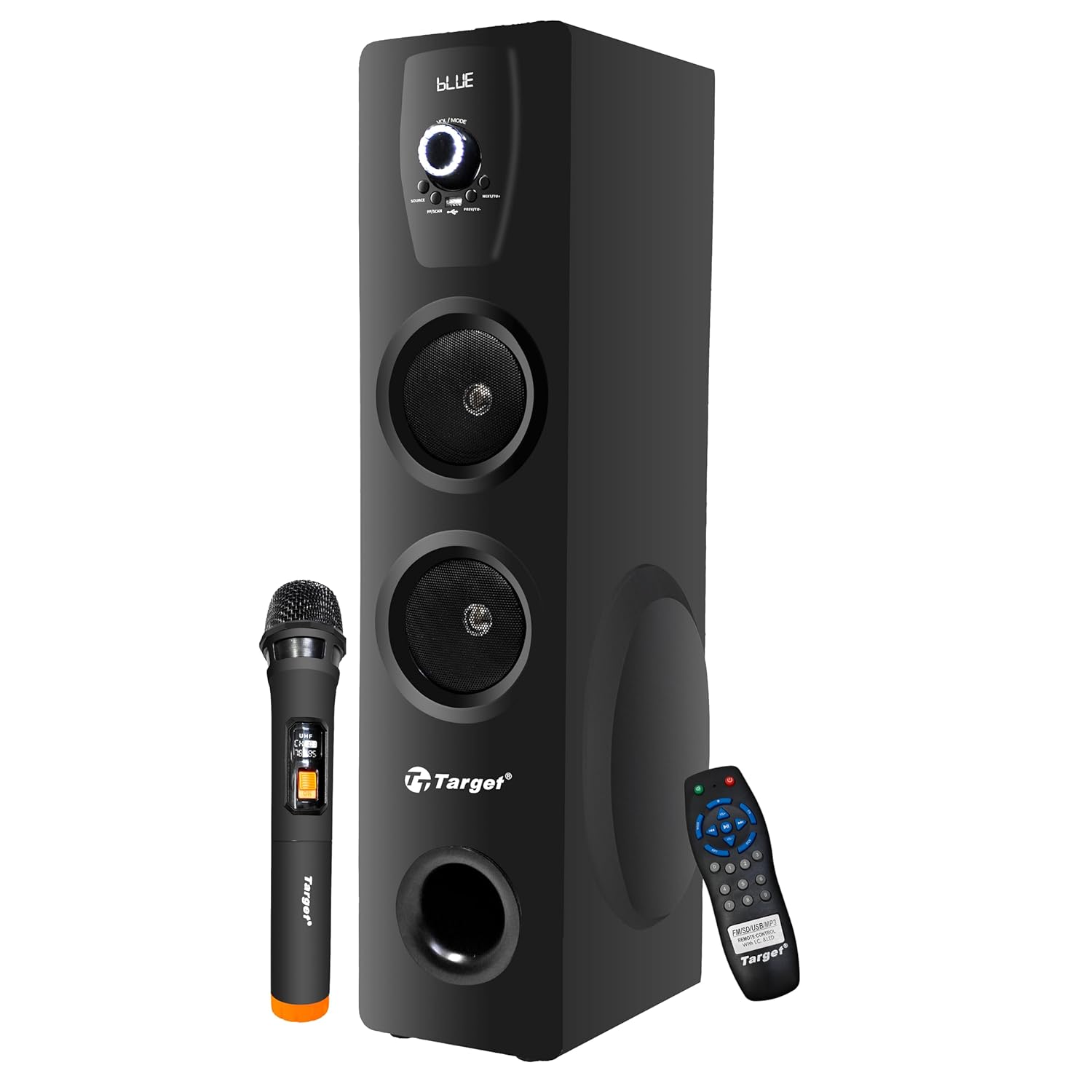
Figure 3.1: Target TT-IK-DST 1130 Tower Speaker with included wireless microphone and remote control.
4. Produk Lebihview
The Target TT-IK-DST 1130 Tower Speaker is designed for a comprehensive audio experience. It features multiple input options and a user-friendly interface.
4.1 Ciri-ciri Utama
- Output Audio yang Berkuasa: 130 Watts RMS with dual drivers and an 8-inch subwoofer for deep bass.
- Kesambungan Berbilang: Bluetooth for wireless streaming, USB port for media playback, and FM radio.
- Fungsi Karaoke: Includes a wireless microphone for vocal performances.
- Antara Muka Intuitif: LED display for status indication and a full-function remote control.
- Keserasian Komputer: Plug-and-play setup for direct connection to PCs.

Figure 4.1: Visual representation of the speaker's main features.
4.2 Panel Kawalan
The main controls are located on the front panel of the speaker. These include the master volume knob, input selection buttons, and playback controls.

Rajah 4.2: Terperinci view of the speaker's control panel.
4.3 Alat Kawalan Jauh
The included remote control allows for convenient operation of all speaker functions from a distance.

Figure 4.3: Remote control and key feature icons.
5. Arahan Persediaan
5.1 Penempatan
Place the tower speaker on a stable, flat surface. Ensure there is adequate space around the speaker for proper ventilation and optimal sound dispersion. Avoid placing it in enclosed spaces or directly against walls if possible.
5.2 Sambungan Kuasa
- Connect the power cord to the power input port on the rear of the speaker.
- Palamkan hujung kord kuasa yang satu lagi ke salur keluar kuasa AC standard.
- Press the power button on the speaker or remote control to turn on the unit. The LED display will illuminate.
5.3 Menyambungkan Sumber Audio
Pembesar suara ini menyokong pelbagai kaedah input audio:
- Bluetooth: Untuk sambungan wayarles ke telefon pintar, tablet atau peranti berdaya Bluetooth lain.
- USB: Untuk memainkan audio files terus daripada pemacu denyar USB.
- AUX/Line-In: For wired connection to devices using a 3.5mm audio cable.
- Radio FM: Built-in tuner for receiving FM broadcasts.
- HDMI: For digital audio connection from compatible devices.
6. Arahan Operasi
6.1 Hidupkan/Mati Kuasa
Tekan ke KUASA button on the control panel or remote control to turn the speaker on or off.
6.2 Pemilihan Mod
Tekan ke MODE button on the control panel or remote control to cycle through available input modes: Bluetooth, USB, FM Radio, AUX, HDMI.
6.3 Operasi Bluetooth
- Turn on the speaker and select Bluetooth mode. The LED display will show "BLUE" or a similar indicator.
- Dayakan Bluetooth pada peranti mudah alih anda dan cari peranti yang tersedia.
- Pilih "TT-IK-DST 1130" (or similar name) from the list to pair.
- Setelah dipasangkan, anda boleh memainkan audio daripada peranti anda melalui pembesar suara.
6.4 Main Semula USB
- Masukkan pemacu kilat USB yang mengandungi audio files ke dalam port USB pada pembesar suara.
- Pilih USB mode. The speaker will automatically detect and begin playing audio files.
- Use the playback controls (Play/Pause, Next, Previous) on the speaker or remote control.
6.5 Radio FM
- Pilih FM mod.
- Tekan ke IMBAS button (if available) on the remote or speaker to automatically search and save available radio stations.
- Gunakan PREV / SETERUSNYA butang untuk menavigasi stesen yang disimpan.
6.6 Fungsi Karaoke
- Ensure the wireless microphone is powered on and within range of the speaker.
- Play your desired background music through any input mode (Bluetooth, USB, AUX, HDMI).
- Adjust the microphone volume using the dedicated control (if available) or the main volume.

Figure 6.1: Using the wireless microphone for karaoke.
7. Penyelenggaraan dan Penjagaan
- Pembersihan: Use a soft, dry cloth to clean the exterior of the speaker. Do not use liquid cleaners or abrasive chemicals.
- Storan: Apabila tidak digunakan untuk tempoh yang lama, simpan pembesar suara di tempat yang sejuk dan kering, jauh dari cahaya matahari langsung dan suhu yang melampau.
- Pengudaraan: Pastikan bukaan pengudaraan tidak disekat untuk mengelakkan terlalu panas.
8. Penyelesaian masalah
Jika anda menghadapi masalah dengan pembesar suara anda, rujuk masalah dan penyelesaian biasa berikut:
| Masalah | Kemungkinan Punca | Penyelesaian |
|---|---|---|
| Tiada kuasa | Kord kuasa tidak disambungkan; Salur keluar kuasa tidak aktif. | Periksa sambungan kord kuasa; Cuba kedai lain. |
| Tiada bunyi | Volume too low; Incorrect input mode selected; Audio cable loose. | Increase volume; Select correct input mode; Reconnect audio cables. |
| Bluetooth tidak bersambung | Speaker not in pairing mode; Device Bluetooth off; Device too far. | Ensure speaker is in Bluetooth mode; Turn on device Bluetooth; Move device closer. |
| Mikrofon karaoke tidak berfungsi | Microphone not powered on; Batteries low; Microphone out of range. | Check microphone power; Replace batteries; Move microphone closer to speaker. |
9. Spesifikasi Teknikal
| Ciri | Perincian |
|---|---|
| Model | TT-IK-DST 1130 |
| Jenama | Sasaran |
| Output Audio | 130 Watt RMS |
| Saiz Subwufer | 8 inci |
| Ketersambungan | Bluetooth, USB, FM Radio, AUX, HDMI |
| Respons Kekerapan | 20 Hz (Lower limit only provided) |
| Impedans | 8 ohm |
| Bilangan Saluran | 2 |
| bahan | Kayu Kejuruteraan |
| Dimensi Produk (L x W x H) | 22 x 25 x 90 cm |
| Berat Barang | 1.5 kg |
| Sumber Kuasa | Elektrik Bertali |
Nota: Spesifikasi tertakluk kepada perubahan tanpa notis terlebih dahulu.
10. Waranti dan Sokongan Pelanggan
For warranty information, service, or technical support, please contact your retailer or the manufacturer directly. Keep your purchase receipt as proof of purchase for warranty claims.
Manufacturer: Target
Ask a question about this manual
Ask about setup, troubleshooting, compatibility, parts, safety, or missing instructions. Manuals+ will review the question and use this page’s manual context to help answer it.