
1. Pengenalan
Thank you for choosing the TeckNet EKB035 Foldable Bluetooth Keyboard. This portable wireless keyboard is designed for convenience and versatility, featuring a tri-fold design, integrated multi-touch touchpad, and a numeric keypad. It supports seamless connection across multiple devices and operating systems, making it an ideal companion for various computing needs.
2. Kandungan Pakej
- TeckNet EKB035 Foldable Bluetooth Keyboard
- Kabel Pengecas USB-C
- Kantung Pelindung
- Stand Telefon
- Manual Pengguna
3. Ciri-ciri Produk
- Reka Bentuk Boleh Lipat & Jimat Ruang: This keyboard features a tri-fold design with a 64-key QWERTY layout. It folds into a compact size, saving desk space and making it easy to carry. The sturdy construction and magnetic closure ensure it stays securely closed when not in use, ideal for travel and remote work.
- Touchpad & Numeric Keypad: No need for an extra mouse. This wireless keyboard includes a built-in multi-touch touchpad that supports gestures like tap, scroll, and swipe. Easily switch between touchpad and numeric keypad modes by pressing Fn + Ruang for versatile input. Note: Gesture support may be limited on systems older than Windows 10.
- Sambungan Berbilang Peranti: Equipped with 3 Bluetooth 5.2 channels, this keyboard allows seamless pairing and switching between up to three devices. Enjoy smooth and stable connections within a 33-foot range. Compatible with iPads, iPhones, phones, tablets, laptops, and Bluetooth-enabled computers. Works with Android, iOS, iPadOS, macOS, and Windows systems.
- Boleh dicas semula Jenis-C: Features a built-in 150mAh lithium battery, providing up to 120 days of standby time or 40 hours of active use with a two-hour charge. The keyboard includes an automatic sleep function and easy on/off control to conserve power. Charge effortlessly via the included USB-C cable.
- Lightweight, Portable & Travel-Ready: Designed for mobility, this portable wireless keyboard folds down to just 7.2 × 4.2 × 0.63 inches. It includes a protective pouch and an additional phone stand, making it easy to carry in your backpack, briefcase, or handbag for use during trips, in cafes, or for remote meetings.
4. Persediaan
4.1 Mengecas Papan Kekunci
Before initial use, fully charge the keyboard. Connect the provided USB-C cable to the keyboard's charging port and to a USB power source (e.g., computer, wall adapter). The charging indicator light will show the charging status and turn off when fully charged. A full charge takes approximately 2 hours.
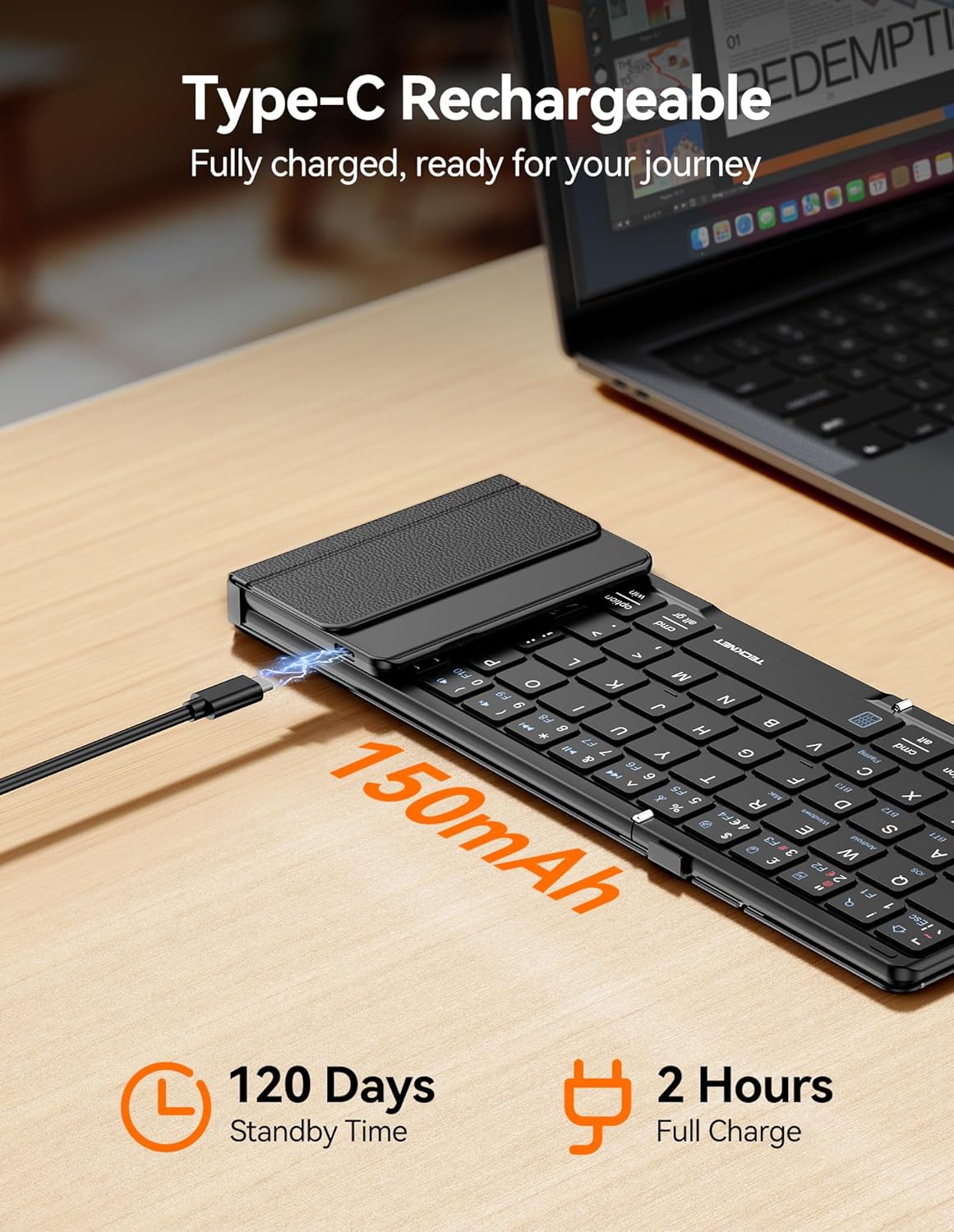
Image: TeckNet EKB035 keyboard being charged via USB-C cable.
4.2 Menghidupkan/Mematikan
To power on the keyboard, unfold it. The keyboard will automatically power on. To power off, fold the keyboard. It will automatically enter sleep mode or power off to conserve battery.
4.3 Berpasangan Bluetooth
- Buka lipatan papan kekunci untuk menghidupkannya.
- Tekan ke Fn + BT1, Fn + BT2, atau Fn + BT3 keys simultaneously to select a Bluetooth channel. The corresponding indicator light will flash.
- Tekan Fn + C to enter pairing mode. The selected Bluetooth indicator will flash rapidly.
- Pada peranti anda (telefon pintar, tablet, komputer), dayakan Bluetooth dan cari peranti yang tersedia.
- Select "TeckNet EKB035" from the list of found devices.
- Follow any on-screen prompts to complete the pairing process. The indicator light will stop flashing once successfully paired.

Image: TeckNet EKB035 keyboard connected to multiple devices.
4.4 Bertukar Antara Peranti Berpasangan
To switch between devices, simply press Fn + BT1, Fn + BT2, atau Fn + BT3 corresponding to the channel your device is paired with.
4.5 Operating System Layout Switching
For optimal key functionality, switch the keyboard layout to match your device's operating system:
- Fn + Q untuk peranti Android
- Fn + W untuk peranti Windows
- Fn + E for iOS/macOS devices
5. Arahan Operasi
5.1 Penggunaan Papan Kekunci Asas
The keyboard functions like a standard QWERTY keyboard. Type as you normally would. Special function keys (F1-F12) can be accessed by pressing the Fn kekunci bersama kekunci fungsi yang dikehendaki.
5.2 Touchpad and Numeric Keypad Modes
The right section of the keyboard serves as both a multi-touch touchpad and a numeric keypad.

Image: TeckNet EKB035 keyboard showing touchpad and numeric keypad.
- Menukar Mod: Tekan Fn + Ruang to toggle between touchpad mode and numeric keypad mode.
- Gerak Isyarat Pad Sentuh: In touchpad mode, use standard multi-touch gestures for navigation, scrolling, and clicking. (Specific gesture support may vary by OS).
- Papan kekunci angka: In numeric keypad mode, the keys function as a standard 10-key numeric pad for efficient data entry.
6. Penyelenggaraan
- Jauhkan papan kekunci daripada cecair dan suhu yang melampau.
- Clean the keyboard with a soft, dry cloth. Do not use harsh chemicals or abrasive materials.
- When not in use, fold the keyboard to protect the keys and touchpad.
- Simpan di tempat yang sejuk dan kering.
7. Penyelesaian masalah
7.1 Papan Kekunci Tidak Bersambung/Berpasangan
- Pastikan papan kekunci dihidupkan dan dicas sepenuhnya.
- Pastikan Bluetooth didayakan pada peranti anda.
- Ensure the keyboard is in pairing mode (Fn + C, indicator flashing rapidly).
- Cuba nyahpasang dan pasang semula papan kekunci daripada tetapan Bluetooth peranti anda.
- Ensure the keyboard is within the 33-foot Bluetooth range of your device.
- Mulakan semula papan kekunci (lipat dan buka lipatan) dan peranti anda.
7.2 Papan Kekunci Tidak Menaip
- Check if the keyboard is successfully connected to your device (Bluetooth indicator solid).
- Ensure the correct operating system layout is selected (Fn + Q/W/E).
- Sahkan tahap bateri dan cas jika perlu.
7.3 Touchpad/Numeric Keypad Not Responding
- Ensure you are in the correct mode by pressing Fn + Ruang.
- Bersihkan permukaan pad sentuh untuk mengeluarkan sebarang kotoran atau serpihan.
- Remember that gesture support may be limited on older Windows 10 systems.
8. Spesifikasi
| Ciri | Penerangan |
|---|---|
| Jenama | TEKNET |
| Nombor Model | EKB035 |
| Teknologi Ketersambungan | Bluetooth 5.2 |
| Penerangan Papan Kekunci | Foldable, QWERTY Layout (64 keys) |
| Ciri Khas | Foldable, Rechargeable, Integrated Touchpad, Numeric Keypad |
| Peranti Serasi | Tablet, Computer, Laptop, Smartphone (Android, iOS, iPadOS, macOS, Windows) |
| Sumber Kuasa | Dikuasakan oleh Bateri (Bateri Litium 150mAh) |
| Port Pengecasan | USB-C |
| Masa Mengecas | lebih kurang 2 jam |
| Masa Tunggu Sedia | Sehingga 120 hari |
| Active Use Time | Sehingga 40 jam |
| bahan | plastik |
| Dimensi Terbuka (L x W x H) | 34.1 x 10.6 x 1.5 cm |
| Dimensi Dilipat (L x W x H) | lebih kurang 7.2 x 4.2 x 0.63 inci (18.3 x 10.7 x 1.6 cm) |
| warna | Hitam |
9. Waranti dan Sokongan
TECKNET products are designed to provide reliable performance. For warranty information, technical support, or customer service inquiries, please refer to the warranty card included with your product or visit the official TECKNET webtapak. Sila simpan bukti pembelian anda untuk tuntutan waranti.