
pengenalan
The CORBOBO Aula WIN60 HE is a 60% mechanical gaming keyboard designed for high-performance and precise control. It features advanced magnetic switches, an 8000Hz polling rate, and customizable RGB lighting, making it suitable for competitive gaming and efficient typing. This manual provides detailed instructions for setting up, operating, and maintaining your keyboard.

Image: The Aula WIN60 HE keyboard showcasing its compact design and RGB backlighting.
Kandungan Pakej
Pastikan semua item ada dalam pakej:
- Aula WIN60 HE Keyboard (1 unit)
- USB-C Cable (1 unit)
- Keycap Puller (1 unit)
Persediaan
- Sambungkan Papan Kekunci: Connect the provided USB-C cable to the USB-C port on the keyboard and the other end to an available USB port on your computer (PC or Laptop running Windows or macOS).
- Pemasangan Pemandu: The keyboard utilizes a web-based driver. No software downloads are required. Access the driver directly through your web browser to customize settings.
- Hidupkan Kuasa Awal: The keyboard should light up upon successful connection. If not, ensure the cable is securely connected and try a different USB port.
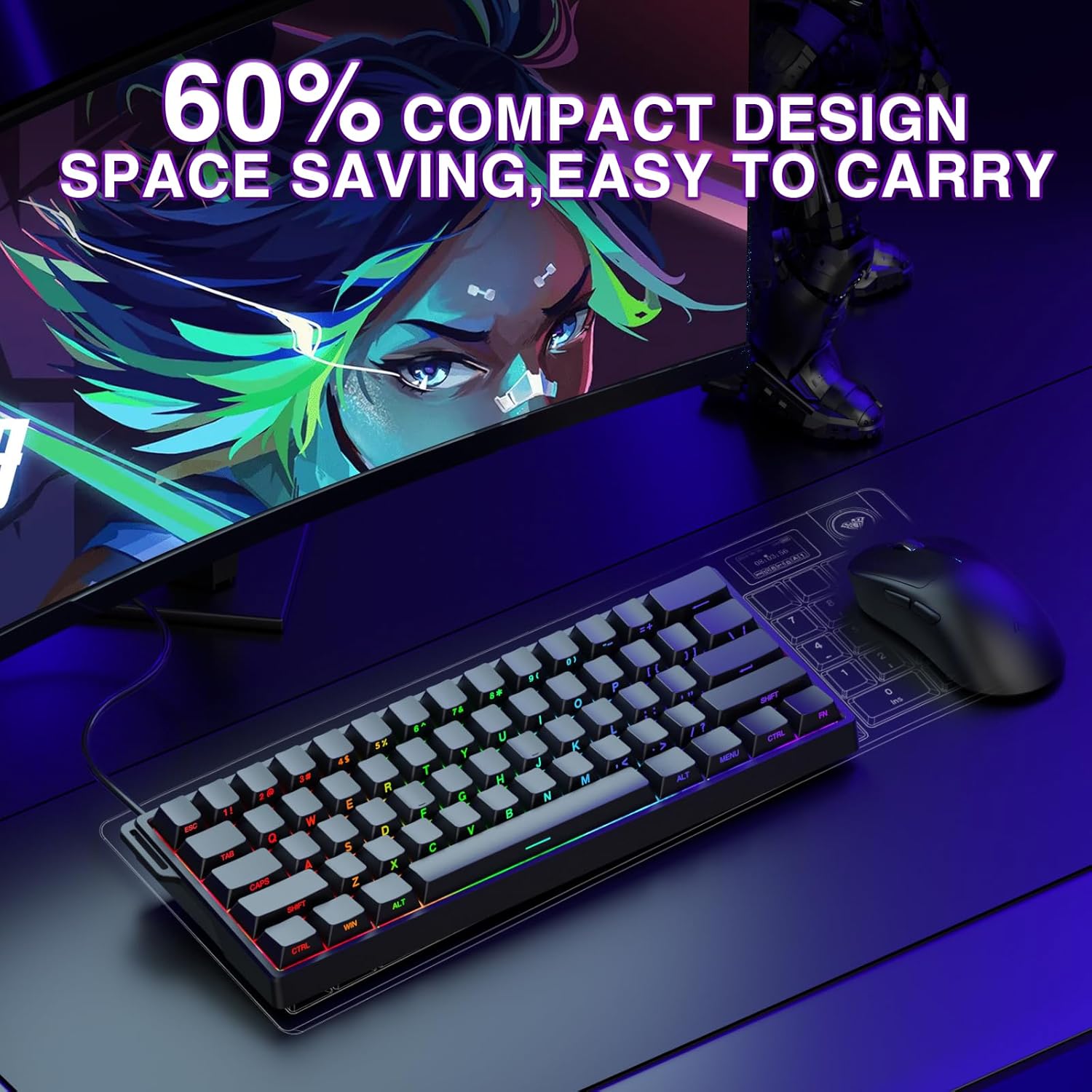
Image: The Aula WIN60 HE keyboard in a compact setup, connected via its USB-C cable.
Arahan Operasi
Ciri dan Fungsi Utama
- High-Performance Magnetic Switches: The keyboard is equipped with self-developed magnetic switches, offering ultra-fast response times and a polling rate of up to 8000Hz. This ensures precise and reliable performance in competitive scenarios.
- Rapid Trigger Mode & Adjustable Actuation: Featuring an ultra-low Rapid Trigger (RT) step distance of 0.02mm, this mode allows for lightning-fast key presses and releases. Actuation points are adjustable from 0.02mm to 3.44mm, enabling fine-tuning for different gaming styles. This is particularly beneficial for FPS games, allowing for faster peeking and quick-stop shooting.
- 60% Compact Design: The keyboard's compact layout saves desk space without sacrificing essential functionality, making it portable and suitable for various environments.
- Pencahayaan RGB Dinamik: Customize your keyboard's aesthetics with 16.8 million RGB colors and 14 backlight effects. The lower light position design illuminates side-printed PBT keycaps for a vibrant display.
- Full-Key Hot-Swappable PBT Double Shot Keycaps: The keyboard supports hot-swappable magnetic switches, allowing for easy replacement and customization. PBT keycaps offer high wear resistance and a frosted hand feeling.
- Web-Based Driver for Customization: Access the powerful and user-friendly web-based driver from any device with an internet connection. This allows for effortless key remapping, macro creation, and RGB lighting customization without bulky software downloads.

Imej: Dari dekat view of a magnetic switch, highlighting the adjustable actuation range from 0.02mm to 3.44mm.

Image: Visual representation of the 14 RGB backlight effects and key combinations (Fn + keys) to control lighting speed, brightness, and modes.

Image: The Aula WIN60 HE keyboard with keycaps and switches detached, illustrating the hot-swappable design.

Imej: The web-based driver interface, demonstrating options for dynamic keystrokes, macro recording, switch triggering, and real-time magnetic switch travel visualization.
Penyelenggaraan
- Pembersihan: Regularly clean the keyboard with a soft, dry cloth. For deeper cleaning, use a keycap puller to remove keycaps and clean underneath with compressed air or a small brush. Avoid using harsh chemicals or abrasive materials.
- Penjagaan Kabel: Elakkan membengkokkan atau memusingkan kabel USB-C secara berlebihan untuk mengelakkan kerosakan.
- Storan: When not in use, store the keyboard in a clean, dry place away from direct sunlight and extreme temperatures.
Menyelesaikan masalah
- Papan Kekunci Tidak Membalas:
- Pastikan kabel USB-C disambungkan dengan selamat pada papan kekunci dan komputer.
- Cuba sambungkan papan kekunci ke port USB lain pada komputer anda.
- Mulakan semula komputer anda.
- Input Lag or Inaccurate Input:
- Pastikan sistem pengendalian dan pemacu komputer anda dikemas kini.
- Akses ke web-based driver to recalibrate or adjust actuation settings.
- If experiencing issues after initial setup, try restarting your PC.
- Isu Pencahayaan RGB:
- Use the Fn key combinations (as shown in the operating instructions) to adjust lighting modes, speed, and brightness.
- Semak web-based driver for advanced RGB customization options.
- Key Not Registering:
- Due to the hot-swappable design, ensure the switch is properly seated in its socket. Gently press down on the keycap to ensure full contact.
- If the issue persists, consider replacing the switch using the provided keycap puller.
Spesifikasi
| Ciri | Perincian |
|---|---|
| Dimensi Produk | 11 x 5 x 1 inci (11"L x 5"W x 1"H) |
| Berat Barang | 2.16 paun |
| Pengeluar | AULA |
| Nombor Model Item | WIN60 HE |
| Jenama | CORBOBO |
| Peranti Serasi | Laptop, PC Windows |
| Teknologi Ketersambungan | USB-C |
| Penerangan Papan Kekunci | Hall Effect Keyboard, Rapid Trigger Magnetic Switch Mechanical Gaming Keyboard Graywood V3 Switch |
| Penggunaan yang Disyorkan | Business, Everyday Use, Gaming, Multimedia, Personal, Programming, Student, Video Editing |
| Ciri Khas | Backlit, Customizable Display Keys, Hot-Swappable, Portable, Quiet |
| Sokongan Warna Lampu Latar Papan Kekunci | RGB |
| Gaya | Kontemporari |
Waranti dan Sokongan
For warranty information and technical support, please refer to the official CORBOBO webtapak atau hubungi perkhidmatan pelanggan mereka. Simpan resit pembelian anda sebagai bukti pembelian untuk sebarang tuntutan waranti.