
1. Produk Lebihview
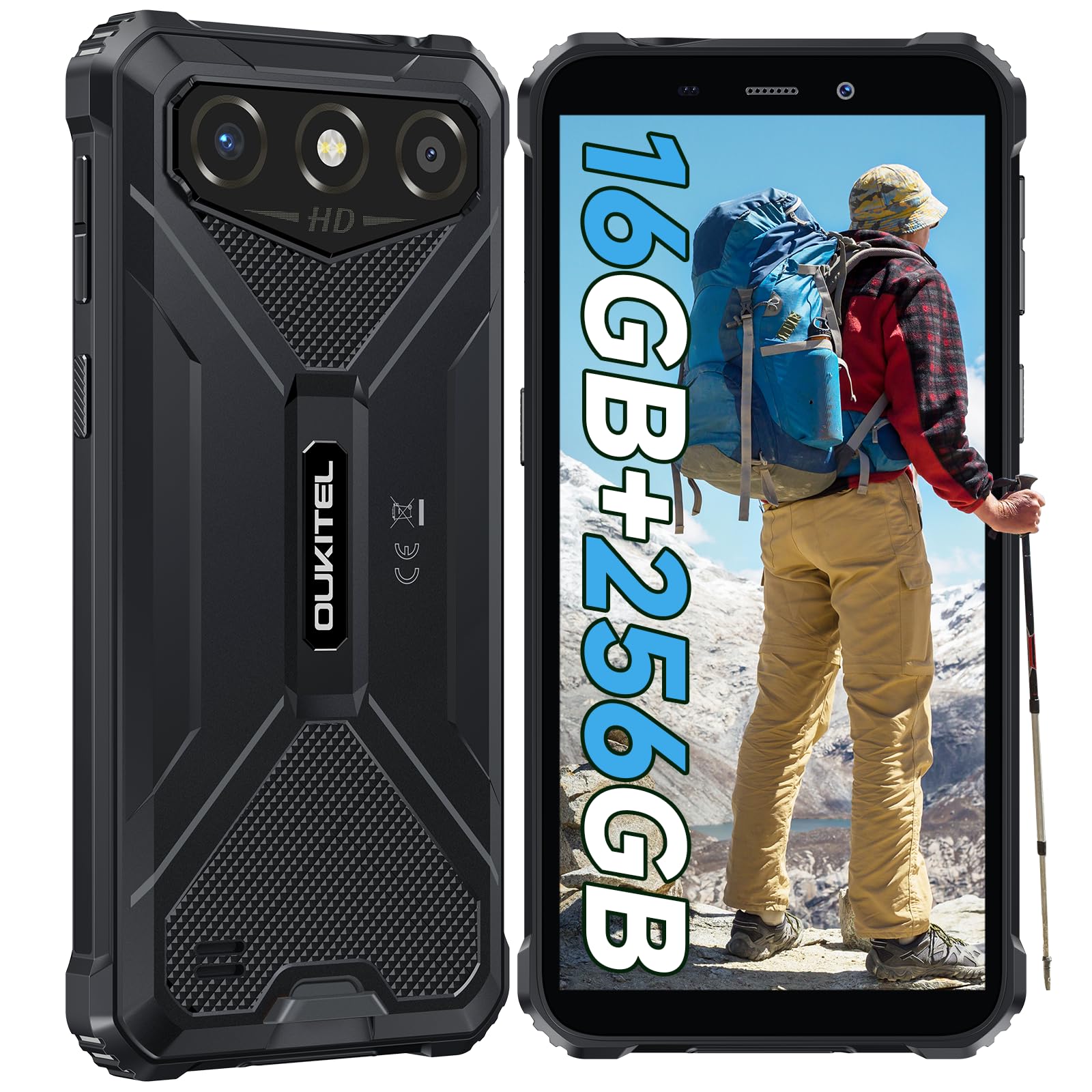
The OUKITEL G3 is a rugged smartphone designed for durability and performance in challenging environments. It features a 6.0-inch HD display, a 6300mAh battery, 16GB RAM (expandable), 256GB ROM (expandable to 1TB), and a 13MP main camera. The device is certified with IP68, IP69K, and MIL-STD-810H ratings, ensuring resistance to water, dust, and drops. It operates on Android 14 and supports 4G Dual SIM, GPS, Face ID, and OTG functionality.
2. Kandungan Pakej
Sahkan bahawa semua item terdapat dalam pakej anda:
- 1x Telefon Pintar OUKITEL G3
- 1x Pengecas
- 1x Kabel Jenis-C
- 1x SIM Card Ejector Pin
- 1x Manual Pengguna

3. Persediaan Awal
3.1. Memasukkan Kad SIM dan Kad TF
- Cari dulang kad SIM di sisi peranti.
- Use the provided SIM ejector pin to open the tray.
- Carefully place your Nano SIM cards (up to two) and/or a TF card (for memory expansion up to 1TB) into the designated slots.
- Pastikan kad diletakkan dengan betul seperti yang ditunjukkan pada dulang.
- Tolak dulang perlahan-lahan ke dalam telefon sehingga ia berbunyi pada tempatnya.

3.2. Mengecas Bateri
Before first use, fully charge the device. Connect the Type-C cable to the phone's charging port and the other end to the provided charger. Plug the charger into a power outlet. The battery indicator on the screen will show charging status. The OUKITEL G3 features a 6300mAh battery for extended use.
3.3. Menghidupkan/Mematikan
- Untuk menghidupkan: Tekan dan tahan butang Kuasa sehingga logo OUKITEL muncul.
- Untuk mematikan: Tekan dan tahan butang Kuasa, kemudian pilih "Matikan" daripada pilihan pada skrin.
- Untuk memulakan semula: Tekan dan tahan butang Kuasa, kemudian pilih "Mulakan Semula" daripada pilihan.
4. Arahan Operasi
4.1. Paparan dan Navigasi
The OUKITEL G3 features a 6.0-inch HD display with 450 nits brightness and Corning Glass 5 protection. Navigate the Android 14 interface using touch gestures: tap, swipe, pinch-to-zoom. Access quick settings by swiping down from the top of the screen.

4.2. Fungsi Kamera
The device is equipped with a 13MP rear camera and a 5MP front camera. Open the Camera app to capture photos and videos. Features include:
- Standard Photo Mode: For everyday photography.
- AI Beauty Mode: Enhances facial features in portraits.
- Underwater Camera Mode: Allows capturing photos and videos while submerged up to 1.5m for 30 minutes. Ensure all ports are securely sealed before underwater use.
- Mod Panorama: For wide-angle landscape shots.

4.3. Battery Management and OTG
The 6300mAh battery provides extended usage. To optimize battery life, manage screen brightness, close unused applications, and enable power-saving modes when needed. The device supports OTG (On-The-Go) reverse charging, allowing you to use your OUKITEL G3 to charge other compatible devices via a Type-C OTG cable (sold separately).

4.4. Custom Key and Security Features
- Kunci Tersuai: A programmable button on the side of the device for quick access to specific applications or functions. Configure its actions (single click, double click, long press) in the phone settings.
- ID Wajah: Use facial recognition for secure unlocking of your device. Set up Face ID in the Security settings.
- Navigasi GPS: The OUKITEL G3 supports GPS, GLONASS, Beidou, and Galileo navigation systems for accurate positioning.

5. Penyelenggaraan dan Ketahanan
The OUKITEL G3 is built to withstand harsh conditions, certified with IP68, IP69K, and MIL-STD-810H standards.
- Tahan Air IP68: Protected against continuous immersion in water up to 1.5 meters for 30 minutes. Ensure all port covers are tightly sealed before exposure to water.
- IP69K Dust Resistance: Dilindungi sepenuhnya daripada kemasukan habuk dan pancutan air bertekanan tinggi dan suhu tinggi.
- Rintangan Jatuh MIL-STD-810H: Designed to withstand drops from up to 1.5 meters. The aluminum frame and rubberized corners provide enhanced shock absorption.
Untuk membersihkan peranti, gunakan lembut, damp cloth. Avoid harsh chemicals or abrasive materials. Regularly check port covers for proper sealing to maintain water and dust resistance.

6. Penyelesaian masalah
If you encounter issues with your OUKITEL G3, refer to the following common solutions:
| Masalah | Penyelesaian yang Mungkin |
|---|---|
| Peranti tidak dihidupkan | Pastikan bateri dicas. Sambungkan pengecas dan tunggu beberapa minit sebelum cuba menghidupkan semula. |
| Isyarat rangkaian yang lemah | Check if SIM cards are correctly inserted. Move to an area with better network coverage. Contact your service provider if the issue persists. |
| Aplikasi ranap atau beku | Close background applications. Clear the cache of the problematic app. Restart the device. Ensure sufficient storage space is available. |
| Bateri cepat habis | Kurangkan kecerahan skrin. Lumpuhkan ciri yang tidak digunakan seperti Wi-Fi, Bluetooth, GPS. Tutup aplikasi yang menggunakan kuasa tinggi. Semak penggunaan bateri dalam tetapan untuk mengenal pasti puncanya. |
| Skrin sentuh tidak bertindak balas | Mulakan semula peranti. Jika masalah berterusan, lakukan tetapan semula kilang (sandaran data terlebih dahulu). |
7. Spesifikasi Teknikal
| Ciri | Perincian |
|---|---|
| Jenama | OUKITEL |
| Model | G3 |
| Sistem Operasi | Android 14 |
| RAM | 4GB (boleh dikembangkan kepada RAM maya 16GB) |
| Storan Dalaman (ROM) | 256GB |
| Storan Boleh Dikembangkan | Sehingga 1TB (kad TF) |
| Saiz Paparan | 6.0 inci |
| Resolusi Paparan | HD (450 nits brightness, Corning Glass 5) |
| Kadar Segar Semula | 60Hz |
| Kamera Belakang | 13 Megapiksel |
| Kamera Depan | 5 Megapiksel |
| Kapasiti Bateri | 6300 mAh |
| Port Pengecasan | USB Jenis-C |
| Penilaian Ketahanan | IP68, IP69K, MIL-STD-810H |
| Sokongan Kad SIM | Dual 4G Nano SIM |
| Navigasi | GPS, GLONASS, Beidou, Galileo |
| Keselamatan Biometrik | ID Wajah |
| Bicu Audio | 3.5mm |
Untuk maklumat terperinci kecekapan tenaga, sila rujuk pangkalan data EPREL EU: https://eprel.ec.europa.eu/qr/2400970

8. Waranti dan Sokongan
OUKITEL provides the following support for the G3 smartphone:
- Polisi Pemulangan: 30-day no-reason return.
- Waranti: TWO-YEAR warranty.
- Sokongan Teknikal: Long-term technical assistance.
- Perkhidmatan Pelanggan: 24-hour online customer service.
For any inquiries or support, please contact OUKITEL official customer service.