
1. Pengenalan
Thank you for choosing the Cecotec Conga M100 X-Treme Robot Vacuum and Mop. This device is designed to provide efficient and intelligent cleaning for your home, combining powerful vacuuming with effective mopping. Please read this manual thoroughly before using the product to ensure proper operation, maintenance, and safety.
2. Arahan Keselamatan
- Pastikan robot dicas sepenuhnya sebelum penggunaan pertama.
- Jangan gunakan robot dalam persekitaran basah atau berhampiran sumber air.
- Jauhkan kanak-kanak dan haiwan peliharaan daripada robot semasa operasi.
- Remove any loose cables, small objects, or fragile items from the cleaning area to prevent entanglement or damage.
- Use only the original charging base and power adapter provided by Cecotec.
- Do not attempt to repair or modify the robot yourself. Contact authorized service personnel.
- Clean the robot's sensors and brushes regularly to maintain optimal performance.
3. Kandungan Pakej
Sahkan bahawa semua komponen terdapat dalam pakej:
- 1 x Cecotec Conga M100 X-Treme Robot Vacuum and Mop
- 1 x Pangkalan Pengecasan
- 1 x Penyesuai Kuasa
- 1 x Manual Arahan
- Additional accessories (e.g., side brushes, mop cloths, cleaning tool) may be included depending on the specific model variant.
4. Produk Lebihview
The Conga M100 X-Treme features advanced technology for comprehensive cleaning.
Ciri-ciri Utama:
- Artificial Intelligence (AI) Navigation: Enables precise navigation, object avoidance, and obstacle detection for efficient and safe cleaning.
- Extreme Suction Power: Up to 20,000 Pa suction for deep cleaning on various surfaces, including high-pile carpets.
- Anti-Tangle Silicone Brush: Designed to prevent hair entanglement, making it ideal for homes with pets.
- Rotating Spin Mops: Two rotating mops effectively remove stubborn stains.
- Spin Up System: Automatically lifts the mops when detecting carpets to prevent wetting.
- Long-Range Autonomy: Cleans up to 220 m² on a single charge (3200mAh battery).
- Total Surface 3.0: Returns to the charging base to recharge and resumes cleaning from where it left off.
- App Control (APP 3.0): Allows defining zones, restricting areas, setting cleaning order, and adjusting water flow for different floor types via your mobile device.
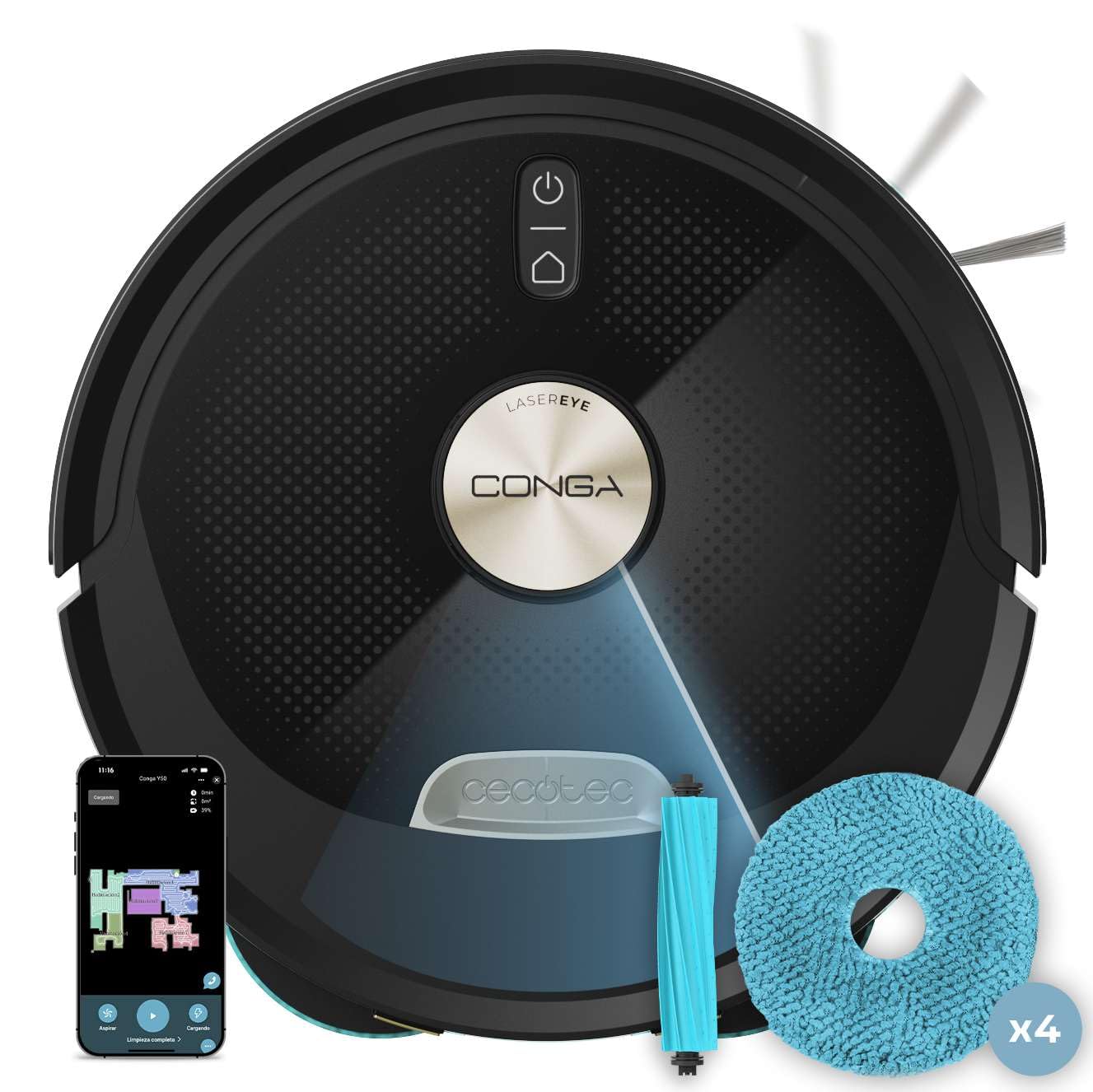
Imej 1: Atas view of the Cecotec Conga M100 X-Treme robot vacuum and mop.

Imej 2: Bahagian bawah view of the robot, highlighting the anti-tangle silicone brush and rotating mops.
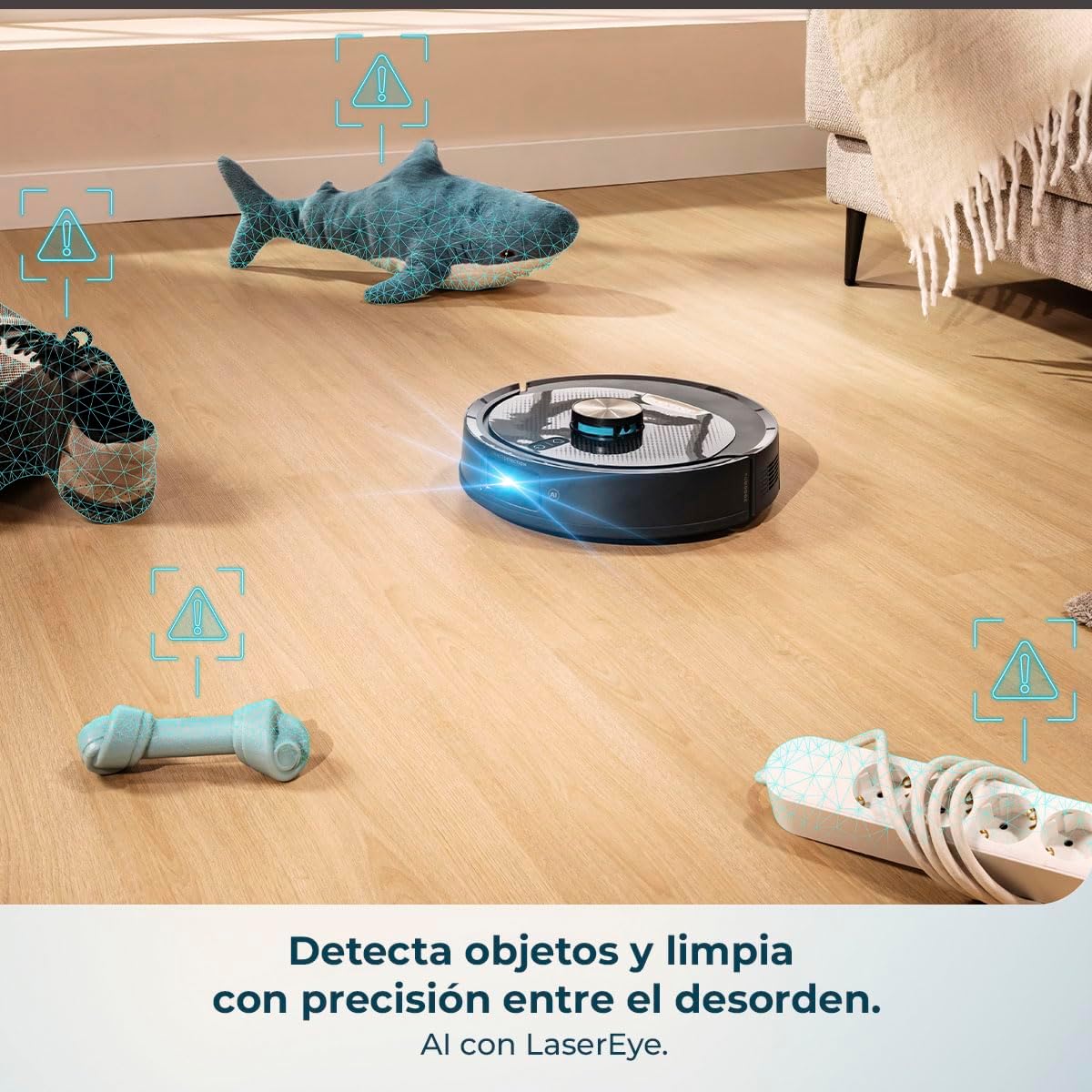
Image 3: The robot's AI and LaserEye technology detecting and navigating around objects like toys and power strips.
5. Persediaan
5.1 Penempatan Tapak Pengecasan
- Place the charging base against a wall in an open area, ensuring at least 1 meter of clear space on both sides and 2 meters in front.
- Sambungkan penyesuai kuasa ke pangkalan pengecasan dan pasangkannya ke salur keluar kuasa.
- Ensure the charging base is placed on a hard, flat surface and not on carpet.
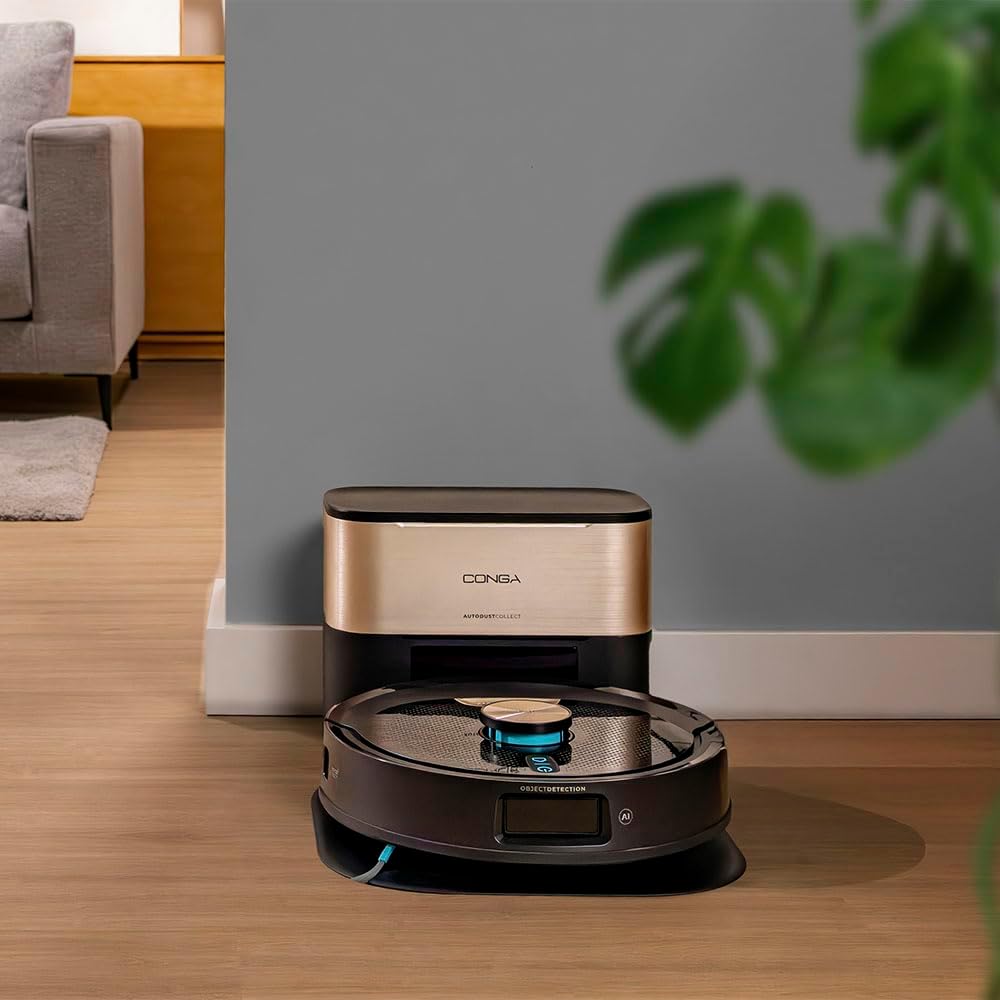
Image 4: The robot returning to its charging base.
5.2 Pengecasan Awal
Place the robot on the charging base. The indicator light on the robot will show its charging status. For first use, allow the robot to charge completely, which may take several hours.
5.3 Pemasangan Apl dan Berpasangan
- Download the official Cecotec APP 3.0 from your smartphone's app store (iOS or Android).
- Follow the in-app instructions to create an account and pair your Conga M100 X-Treme robot. This typically involves connecting to the robot's Wi-Fi network and then to your home Wi-Fi (2.4 GHz network required).
- The app allows for easy and quick linking via Bluetooth and Wi-Fi.

Image 5: Easy and fast pairing of the robot with the mobile app.
6. Arahan Operasi
6.1 Memulakan dan Menghentikan Pembersihan
- Permulaan Manual: Press the power button on the robot once to start a general cleaning cycle.
- Permulaan Aplikasi: Open the APP 3.0 and select the desired cleaning mode or area to start cleaning.
- Jeda/Berhenti: Press the power button again or use the app to pause or stop the cleaning cycle.
6.2 Using the APP 3.0
The APP 3.0 provides comprehensive control over your robot:
- Define Cleaning Zones: Create specific areas for the robot to clean or avoid.
- Set Restricted Areas: Mark virtual walls or no-go zones where the robot should not enter.
- Laraskan Kuasa Sedutan: Choose between Silent, Normal, Turbo, or Max suction levels.
- Kawal Aliran Air: Adjust the water flow for mopping (Low, Medium, High) based on floor type.
- Jadual Pembersihan: Tetapkan jadual pembersihan harian atau mingguan.
- View Cleaning Map: Monitor the robot's progress and cleaning map in real-time.

Image 6: The mobile app interface for defining cleaning zones and adjusting settings.
6.3 Pulangan Automatik ke Pangkalan
When the battery is low or a cleaning cycle is complete, the robot will automatically return to its charging base. Thanks to Total Surface 3.0, if the battery runs low during a cleaning cycle, the robot will recharge and then resume cleaning from where it left off.

Image 7: The robot ensures the cleaning plan is always completed by returning to its base for recharging.
6.4 Carpet Detection and Mop Lifting
The robot is equipped with a Spin Up system that detects carpets and automatically lifts the rotating mops to prevent them from getting wet, ensuring only vacuuming occurs on carpeted surfaces.

Image 8: The Spin Up system lifts the mops to protect carpets from moisture.
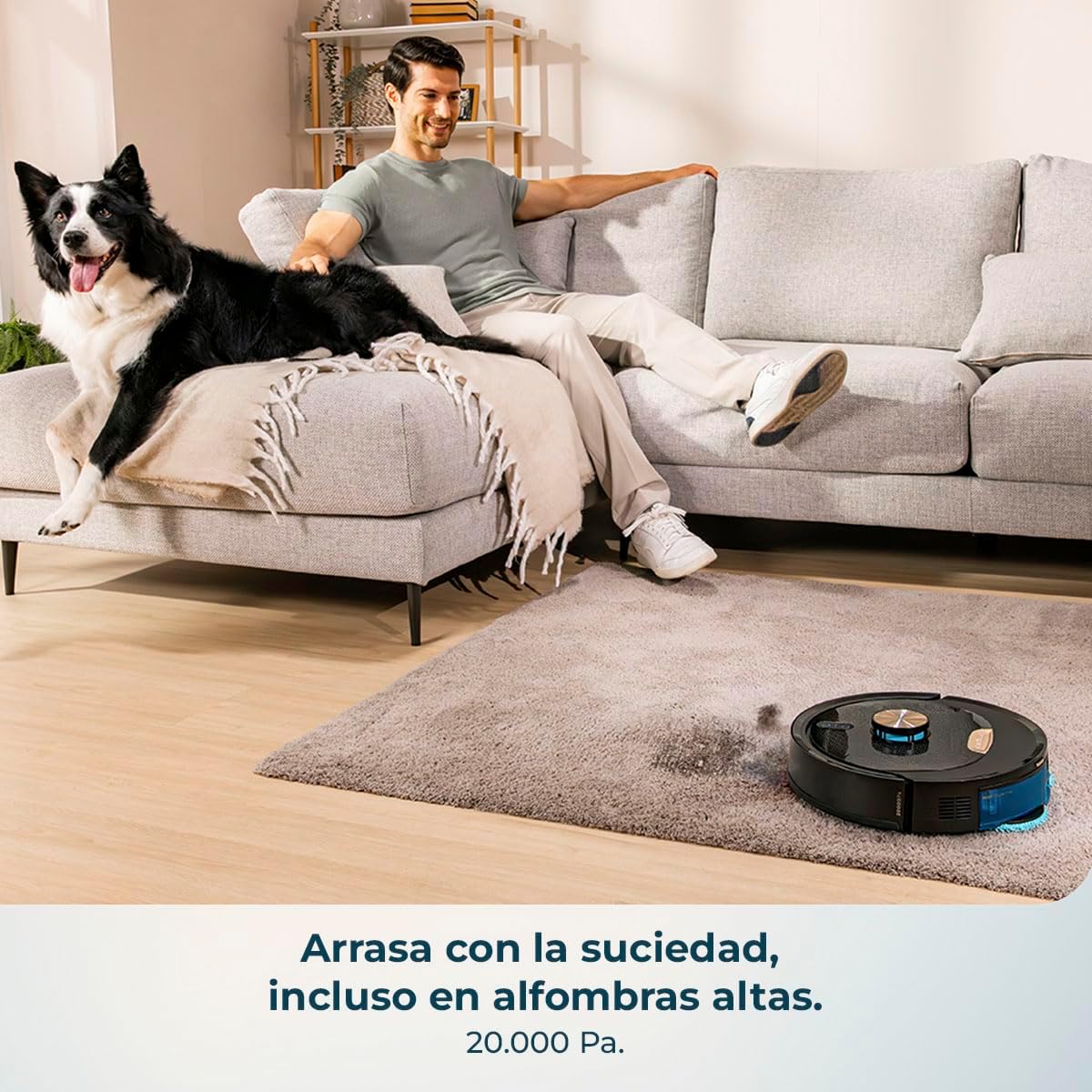
Image 9: The robot effectively cleans carpets with its powerful suction.

Image 10: The robot is capable of cleaning large areas up to 220 m² without interruption.
7. Penyelenggaraan
Regular maintenance ensures the longevity and optimal performance of your robot.
7.1 Pembersihan Tong Sampah dan Penapis
- Kosongkan tong sampah selepas setiap kitaran pembersihan.
- Clean the primary filter and HEPA filter regularly with the provided cleaning tool. Do not wash HEPA filters with water.
7.2 Berus Utama dan Berus Sisi
- Remove the main anti-tangle silicone brush and clean any hair or debris wrapped around it using the cleaning tool.
- Check and clean the side brushes for tangled hair or debris. Replace them if they are worn or damaged.

Image 11: The anti-tangle silicone brush effectively collects debris without getting tangled.
7.3 Rotating Mops
- Remove the rotating mops after each mopping session.
- Wash the mops with water and mild detergent. Allow them to air dry completely before reattaching.
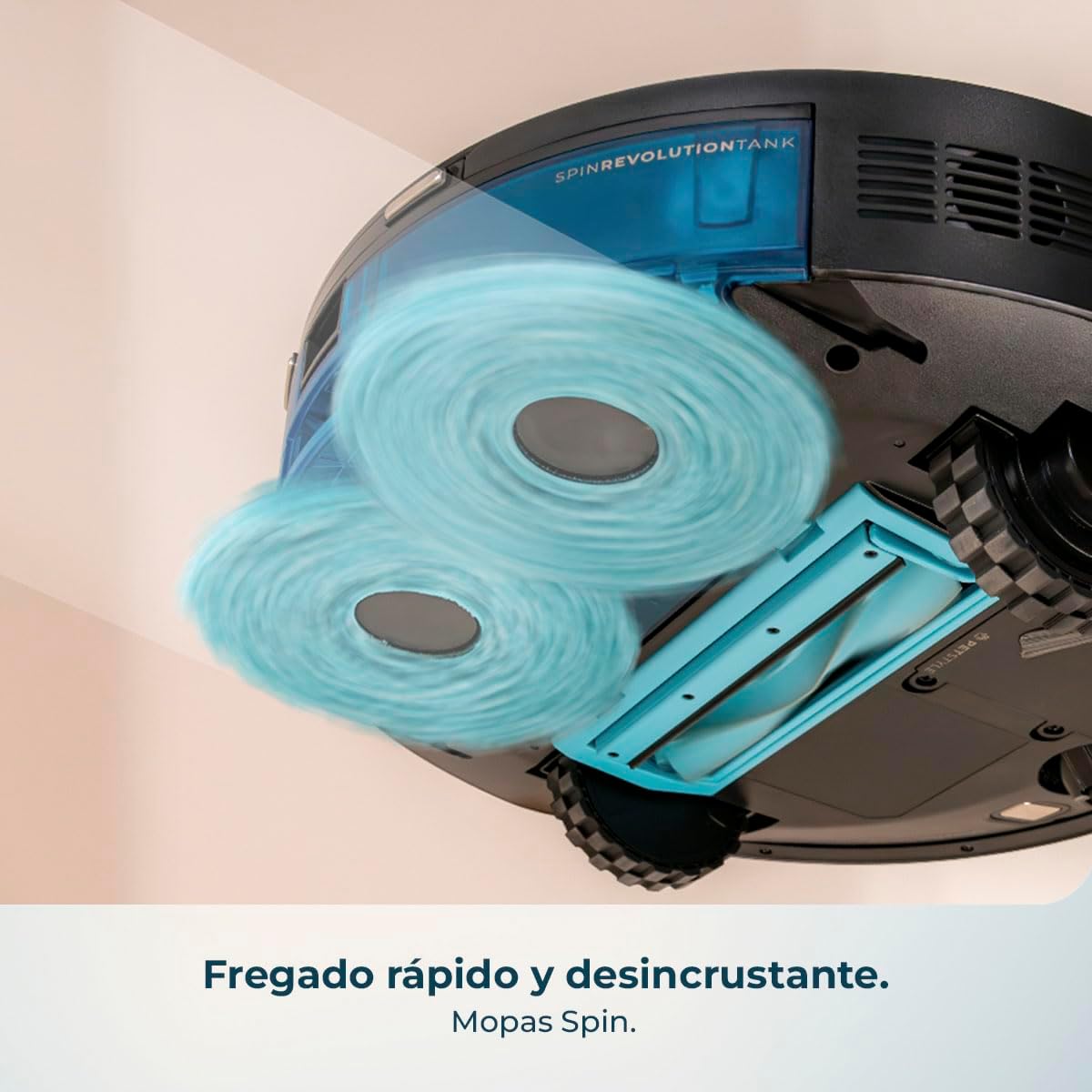
Image 12: The rotating mops provide powerful and thorough scrubbing for effective stain removal.
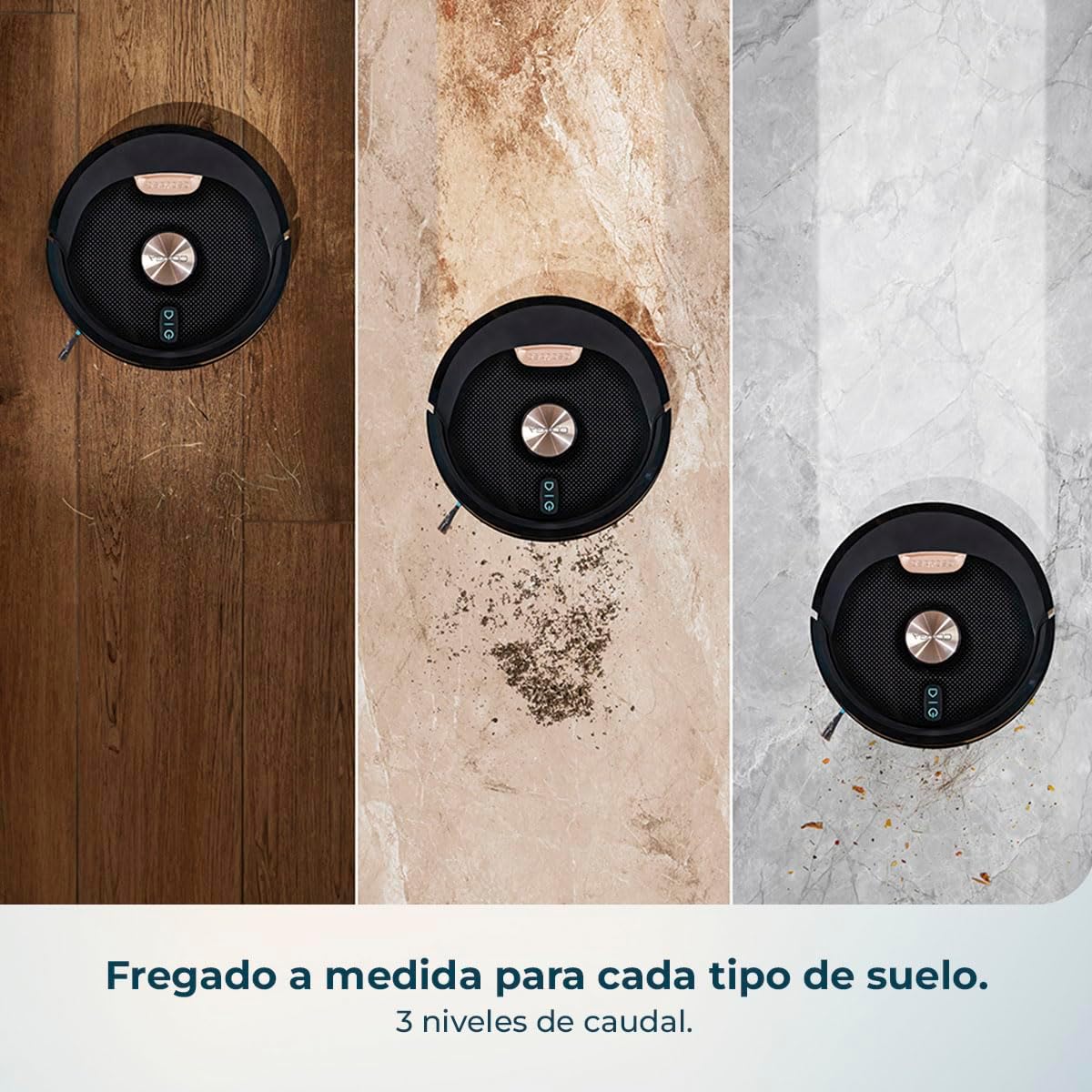
Image 13: The robot offers tailored mopping with 3 levels of water flow for various floor types.
7.4 Sensor dan Sentuhan Pengecasan
- Wipe the cliff sensors, object detection sensors, and charging contacts on both the robot and the charging base with a dry, soft cloth.
8. Penyelesaian masalah
| Masalah | Kemungkinan Punca | Penyelesaian |
|---|---|---|
| Robot tidak dihidupkan | Bateri lemah; Butang kuasa tidak ditekan dengan betul | Charge the robot; Press and hold the power button for a few seconds. |
| Robot tidak mengecas | Charging contacts dirty; Charging base not powered | Clean charging contacts; Ensure charging base is plugged in and powered. |
| Prestasi pembersihan yang lemah | Dustbin full; Brushes tangled; Filters clogged | Empty dustbin; Clean brushes; Clean or replace filters. |
| Robot kerap tersangkut | Halangan di atas lantai; Sensor kotor | Clear floor of obstacles; Clean all sensors. |
| Isu sambungan apl | Incorrect Wi-Fi password; Robot too far from router; 5GHz Wi-Fi network | Sahkan kata laluan Wi-Fi; Alihkan robot lebih dekat ke penghala; Pastikan Wi-Fi 2.4GHz digunakan. |
9. Spesifikasi
| Ciri | Spesifikasi |
|---|---|
| Jenama | Cecotec |
| Nama Model | Conga M100 X-Treme |
| Syor Permukaan | Semua permukaan |
| Fungsi Khas | Cyclonic action |
| warna | Hitam |
| Dimensi Produk | 31L x 31W x 12.5H sentimeter |
| Jenis Pengawal | Kawalan Apl |
| Komposisi Sel Bateri | Litium Ion |
| Voltage | 240 Volt |
10. Video Produk Rasmi
Video 1: This video demonstrates the key features of the Cecotec Conga M100 X-Treme, including its AI navigation, object detection, powerful suction on carpets, rotating mop system, and app control capabilities.
11. Waranti dan Sokongan
Your Cecotec Conga M100 X-Treme comes with a standard manufacturer's warranty. For detailed warranty information, product support, or service inquiries, please refer to the warranty card included in your package or visit the official Cecotec webtapak. Simpan resit pembelian anda sebagai bukti pembelian untuk tuntutan waranti.